Calendar AI now helps users understand why a slot, calendar, or team member is not bookable without digging through the Troubleshooting View or opening a support ticket. This update is part of SMBcrm’s AI features.
What changed
- Ask why a specific slot is not available, such as a 5 PM time on a Sales Call calendar, and get a direct answer naming what is blocking it.
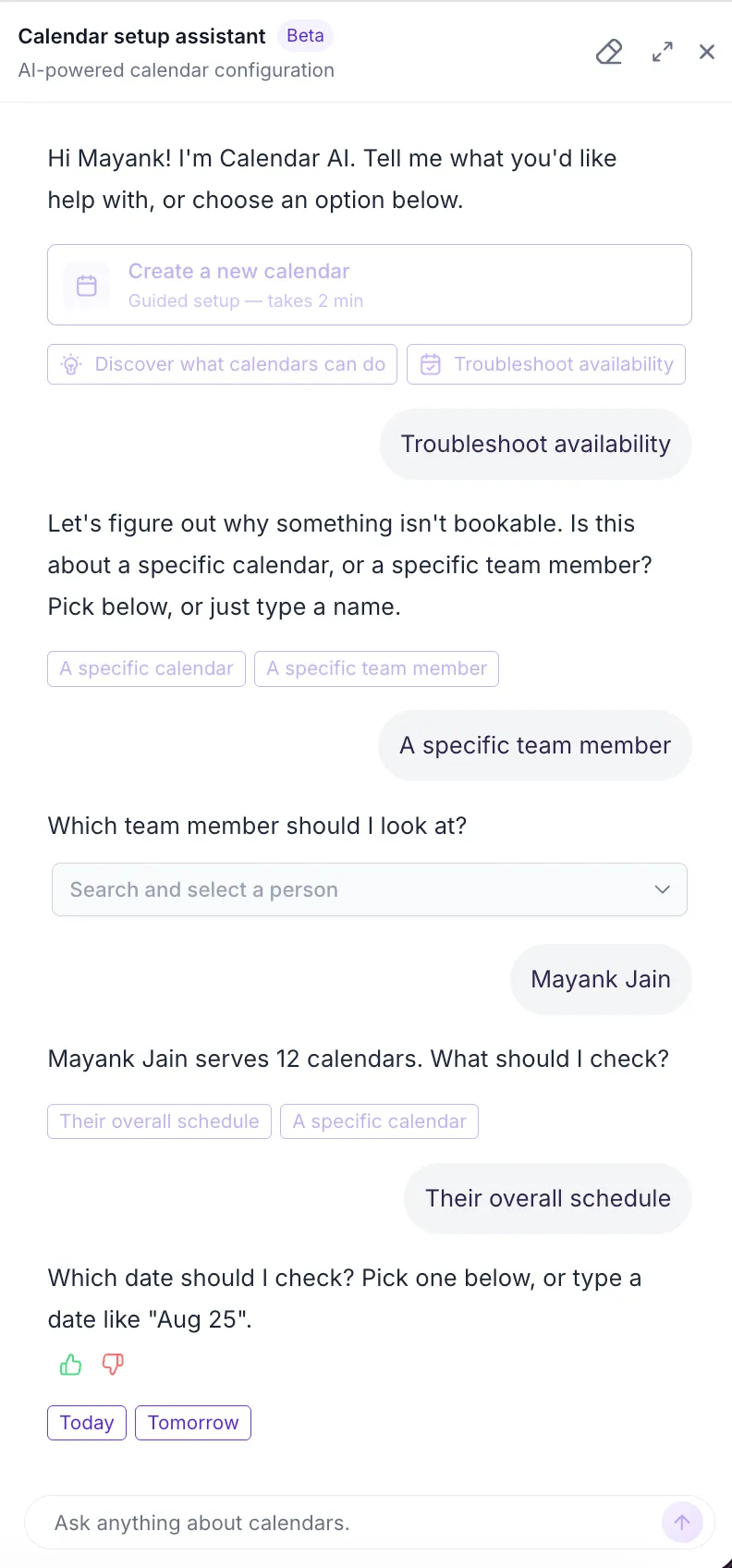
- Ask about a team member by name, and Calendar AI checks the calendars they serve or asks for clarification when needed.
- Ask about a full day and get a de-duplicated summary by time segment, with slot-level detail available through follow-up questions.
- Get clarification only when there is genuine ambiguity between a calendar, team member, or both.
- If the reason engine cannot produce a clean answer or a technical issue prevents it, Calendar AI says so and points users to the full Troubleshooting View instead of guessing.
How to use it
No setup is needed. These improvements are live automatically.
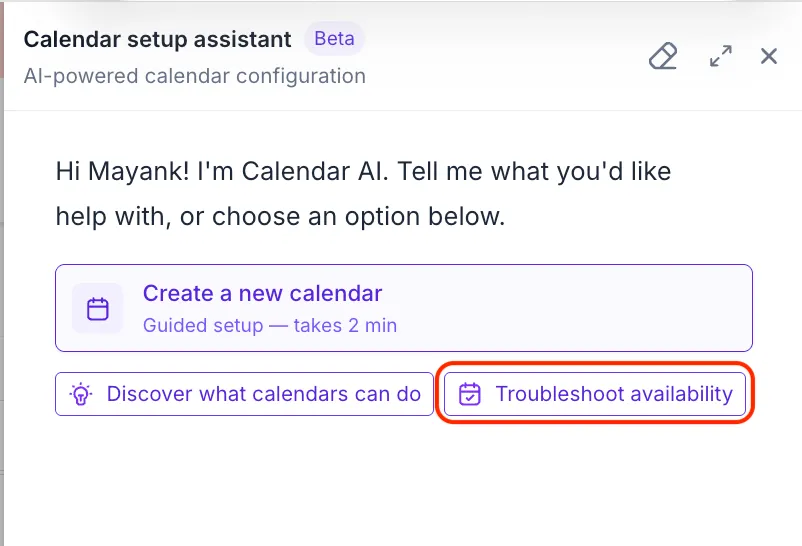
- Go to Calendars and open the Calendar AI launcher.
- Select Troubleshoot availability or ask a plain-language question about a slot, full day, calendar, or team member.
- Answer any clarifying question if Calendar AI needs more context.
Why it matters
Appointment-booking issues account for roughly a third of calendar-related support issues. This gives users a faster way to understand availability problems directly inside Calendars.
The update also keeps the troubleshooting experience controlled. Calendar AI does not invent reasons when it cannot verify an answer, and privacy and permission checks are enforced by default.
Release Images
Need Help Applying This Update?
Want help turning this update into a working part of your CRM, marketing, or automation setup?
Get Started or schedule a demo and we’ll help you map the right next step.