SMBcrm now supports Tax Zones for Manual Taxes, giving businesses a clearer way to organize user-defined tax rates by customer country or state.
Tax Zones are part of Payments & Commerce. They help businesses define regional manual tax behavior while keeping automatic taxes first when available.
What changed
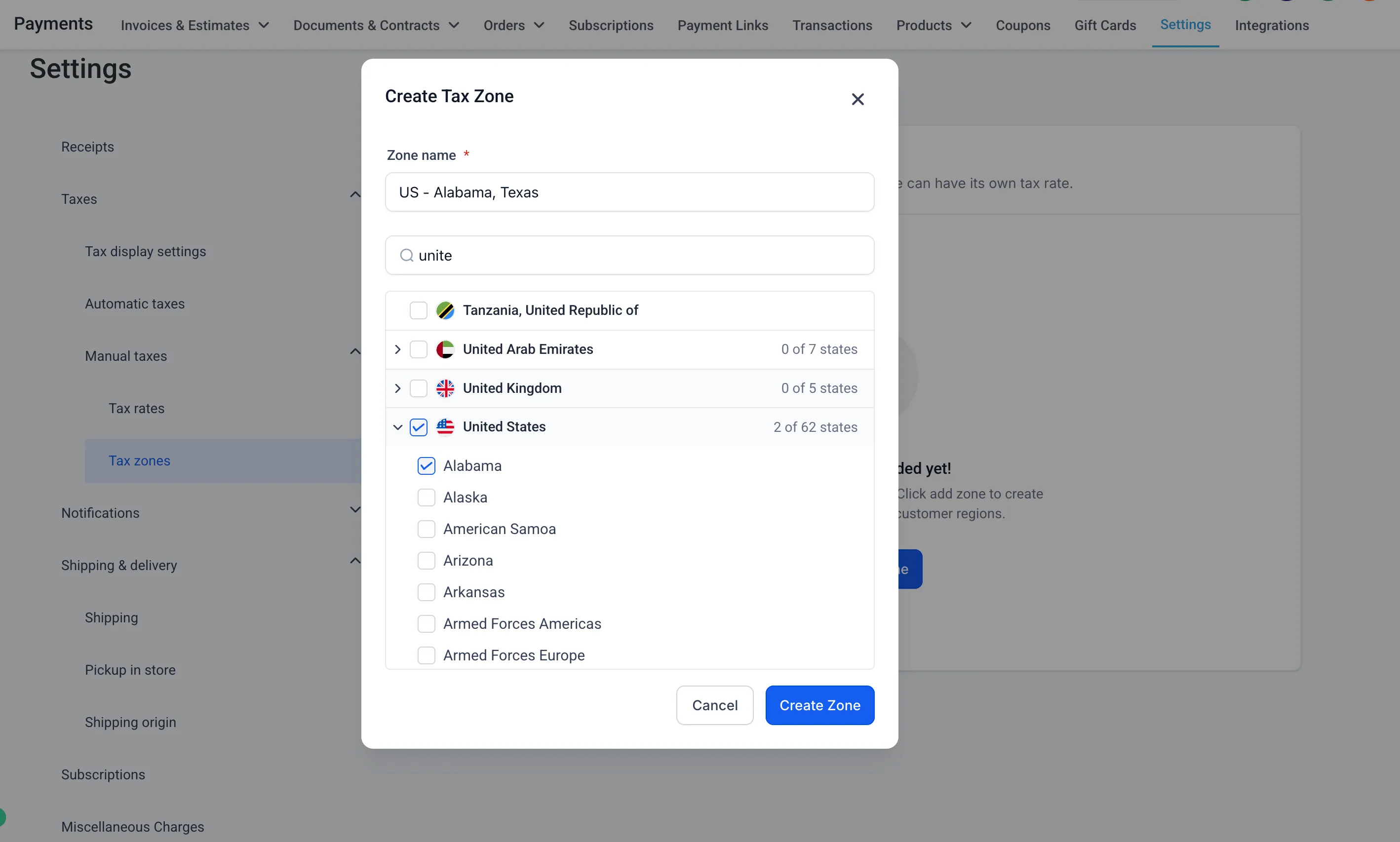
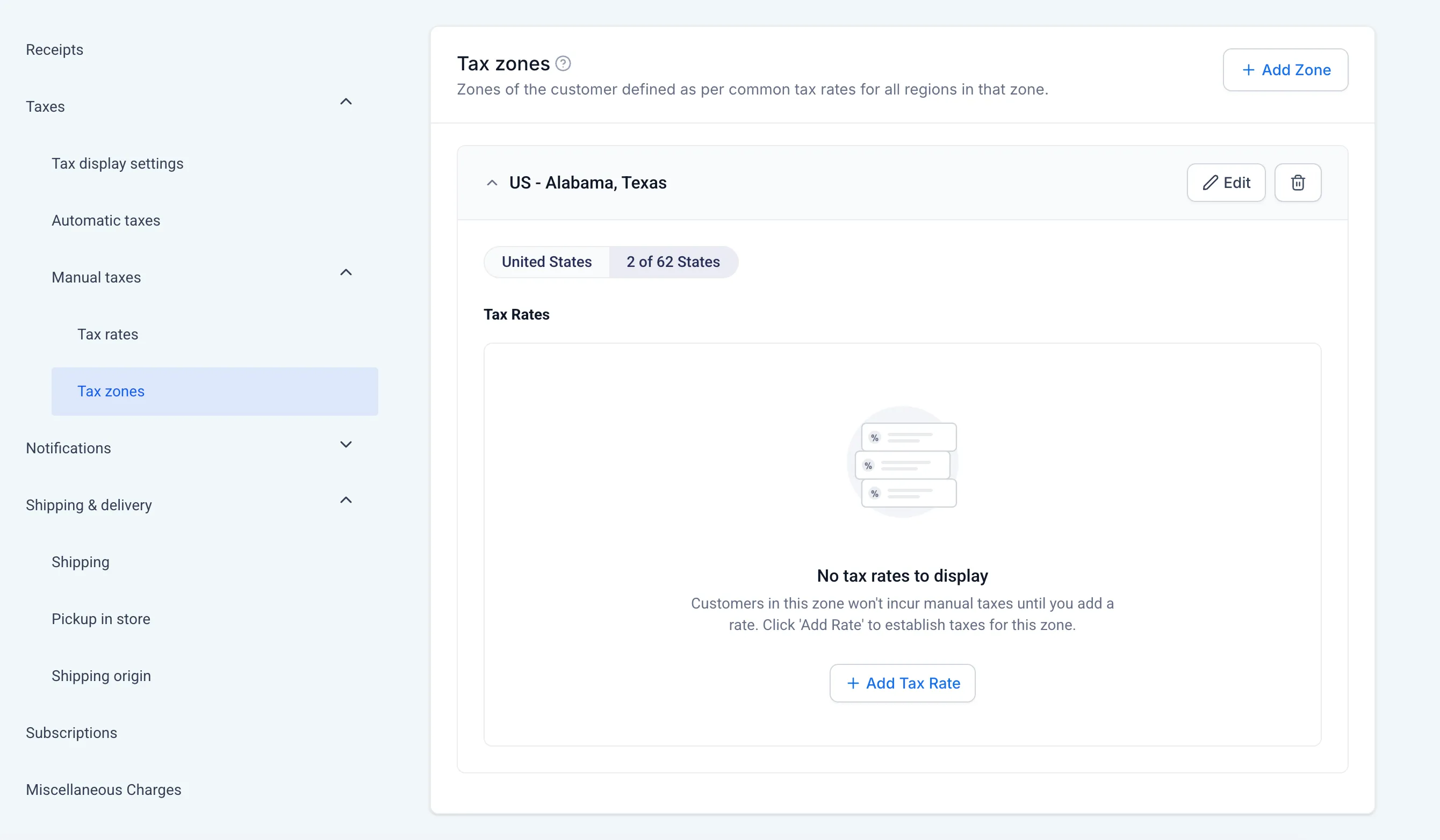
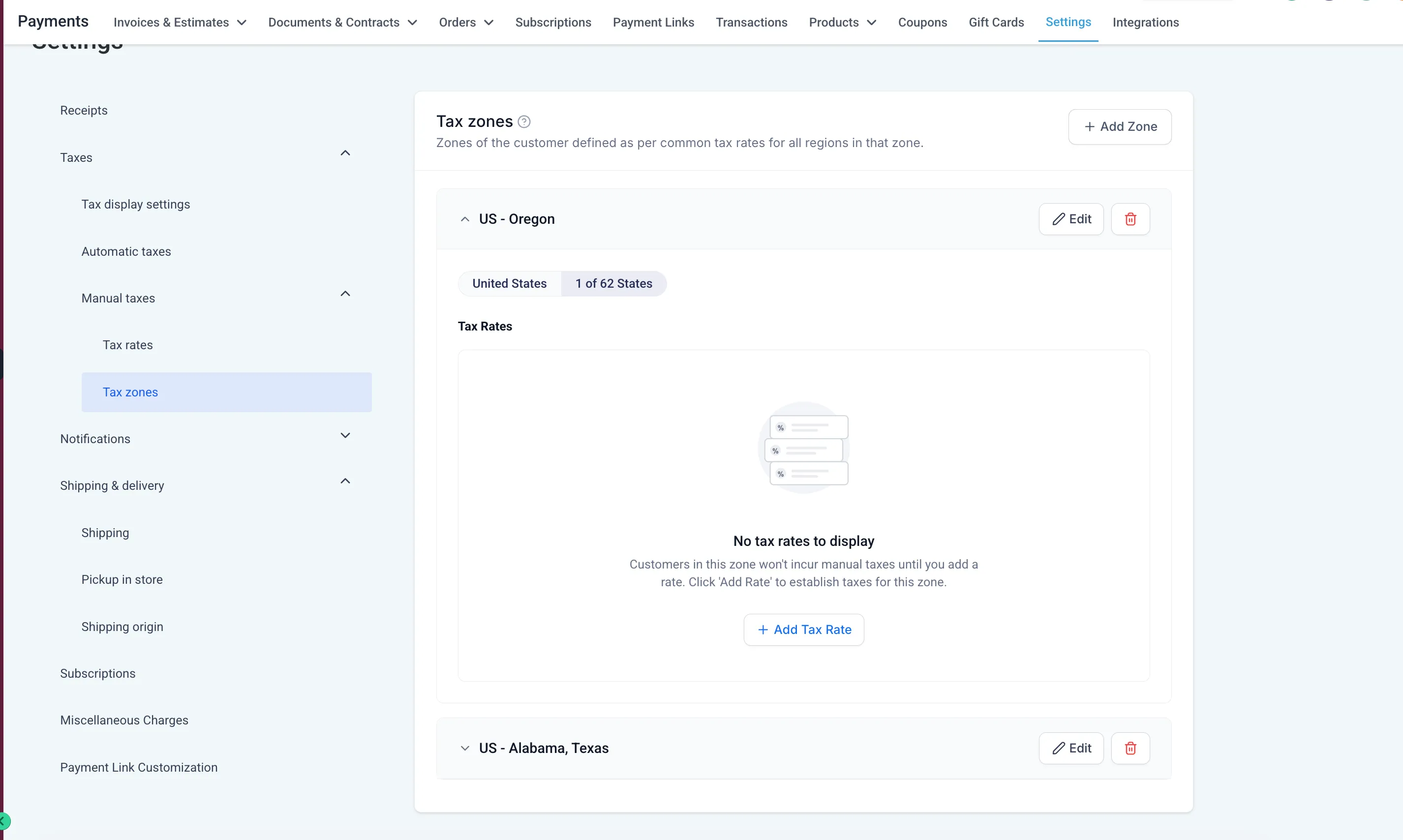
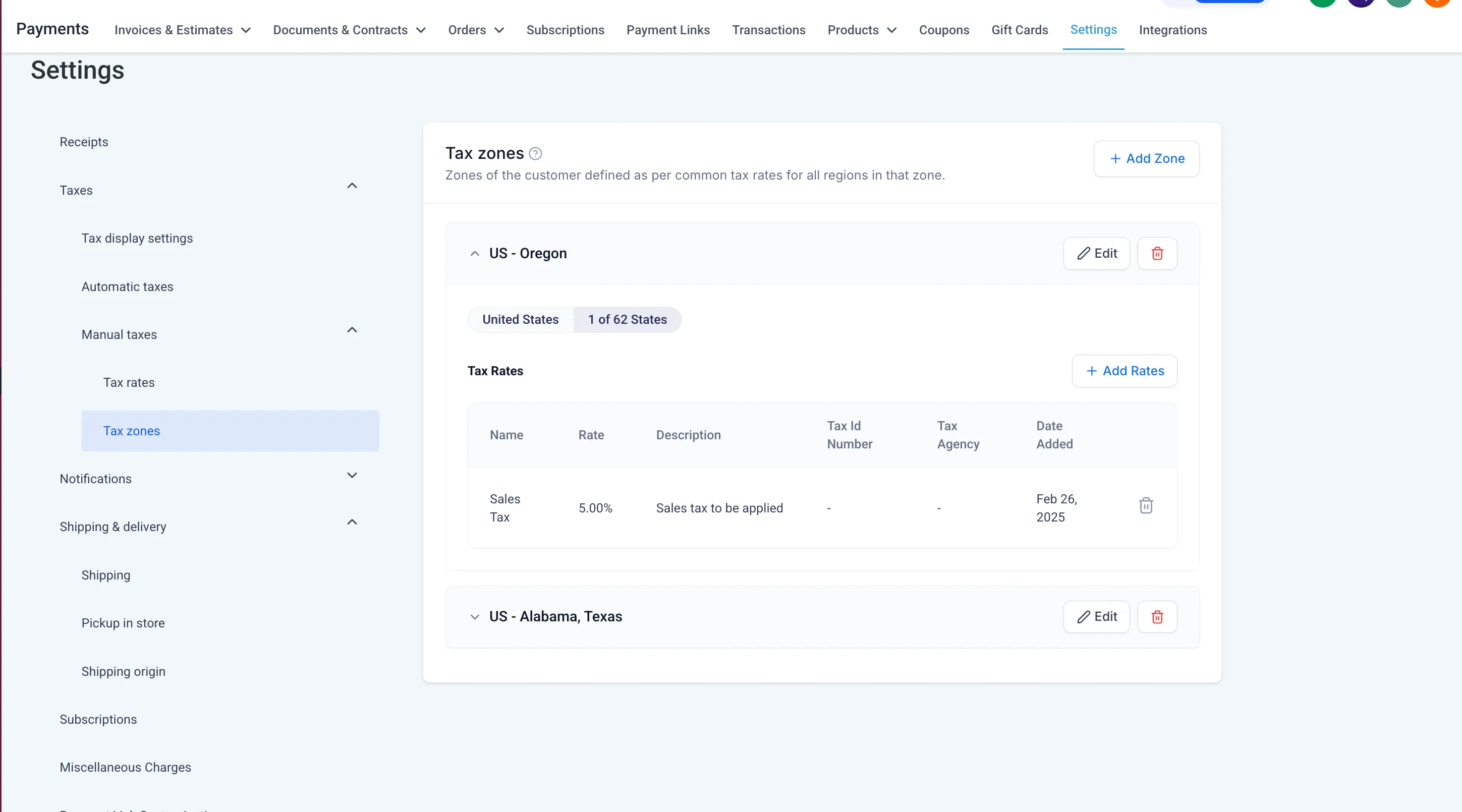
You can create geographic Tax Zones by grouping specific countries and states, then attaching existing manual tax rates to each zone. Each country or state can belong to only one Manual Tax Zone at a time, which helps prevent overlapping tax configurations.
For example, a business can create a Canada Tax Zone, select the relevant Canadian regions, and associate the manual tax rates that should apply for customers in that zone.
How manual tax rates apply
Manual Tax Zones use the tax rates you already define in SMBcrm.
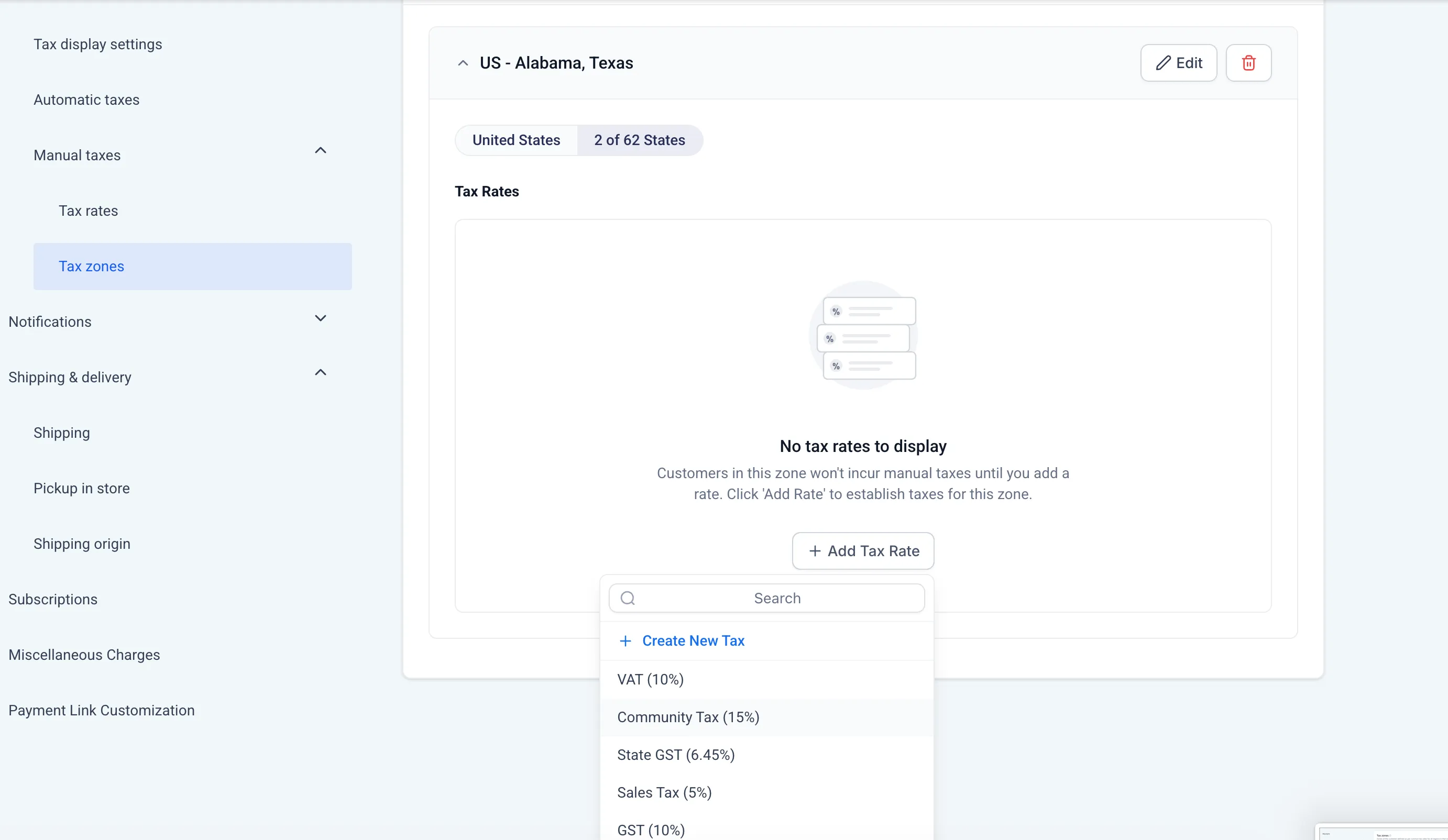
- Add up to 10 tax rates per zone.
- Add or remove rates as your tax setup changes.
- A manual tax rate applies at checkout only when it is attached to both the product and the customer’s zone.
- For regions not included in any zone, all tax rates attached to the product apply without zone filters.
- If a zone has no tax rates, customers in that zone will not be charged manual taxes.
- Existing tax rates attached to products keep the same behavior when no zones are defined.
- Removing a tax rate from a zone only removes it from that zone and does not delete the primary tax rate.
How this works with automatic taxes
Automatic taxes continue to take priority when they are available for the applicable country and product combination. Manual Tax Zones apply when automatic taxes are turned off or unavailable for that combination.
This lets businesses configure regional manual tax rates while still using manual taxes as a fallback alongside automatic taxes.
Where to find it
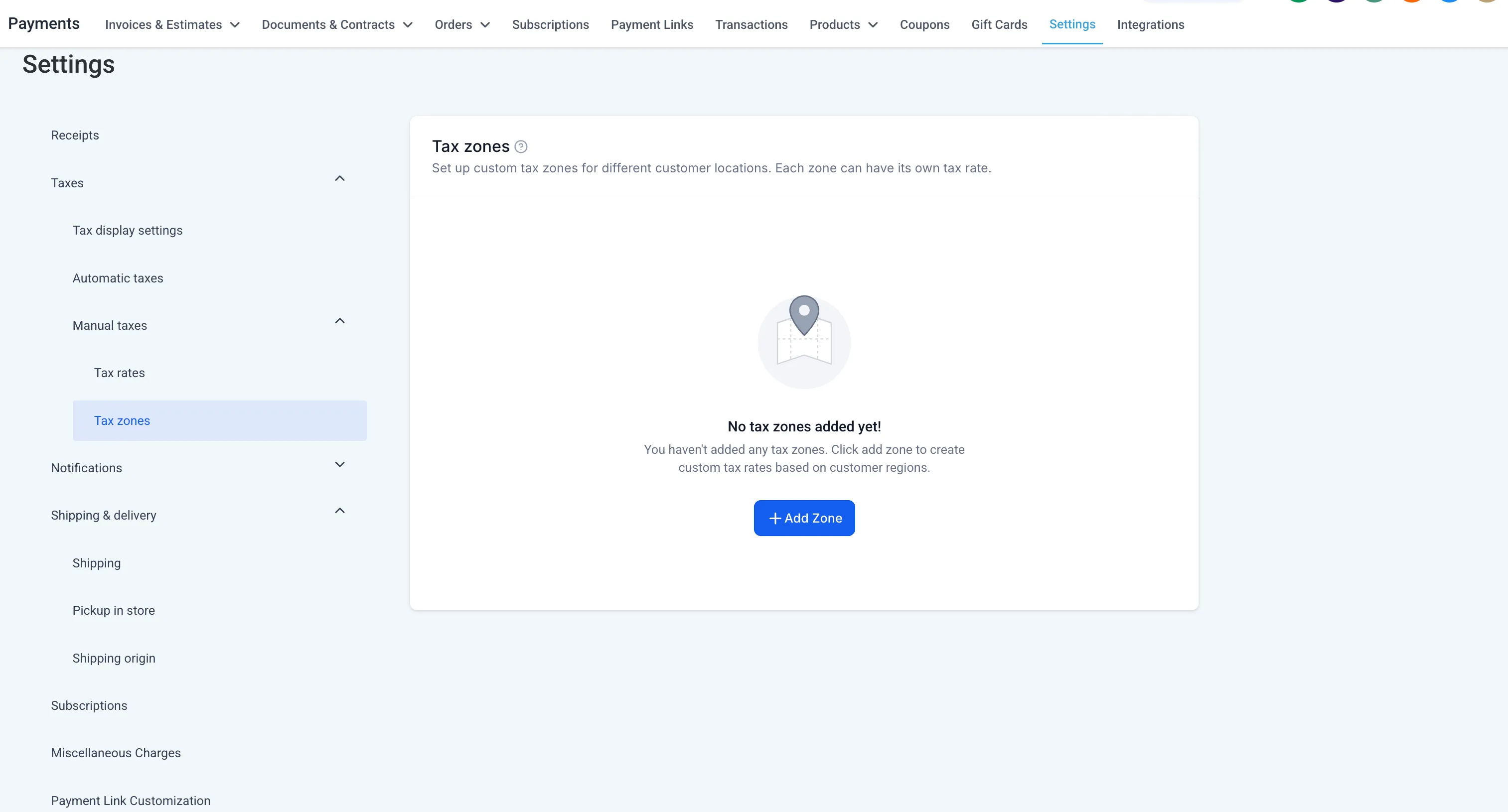
Go to Payments > Settings > Taxes > Manual Taxes.
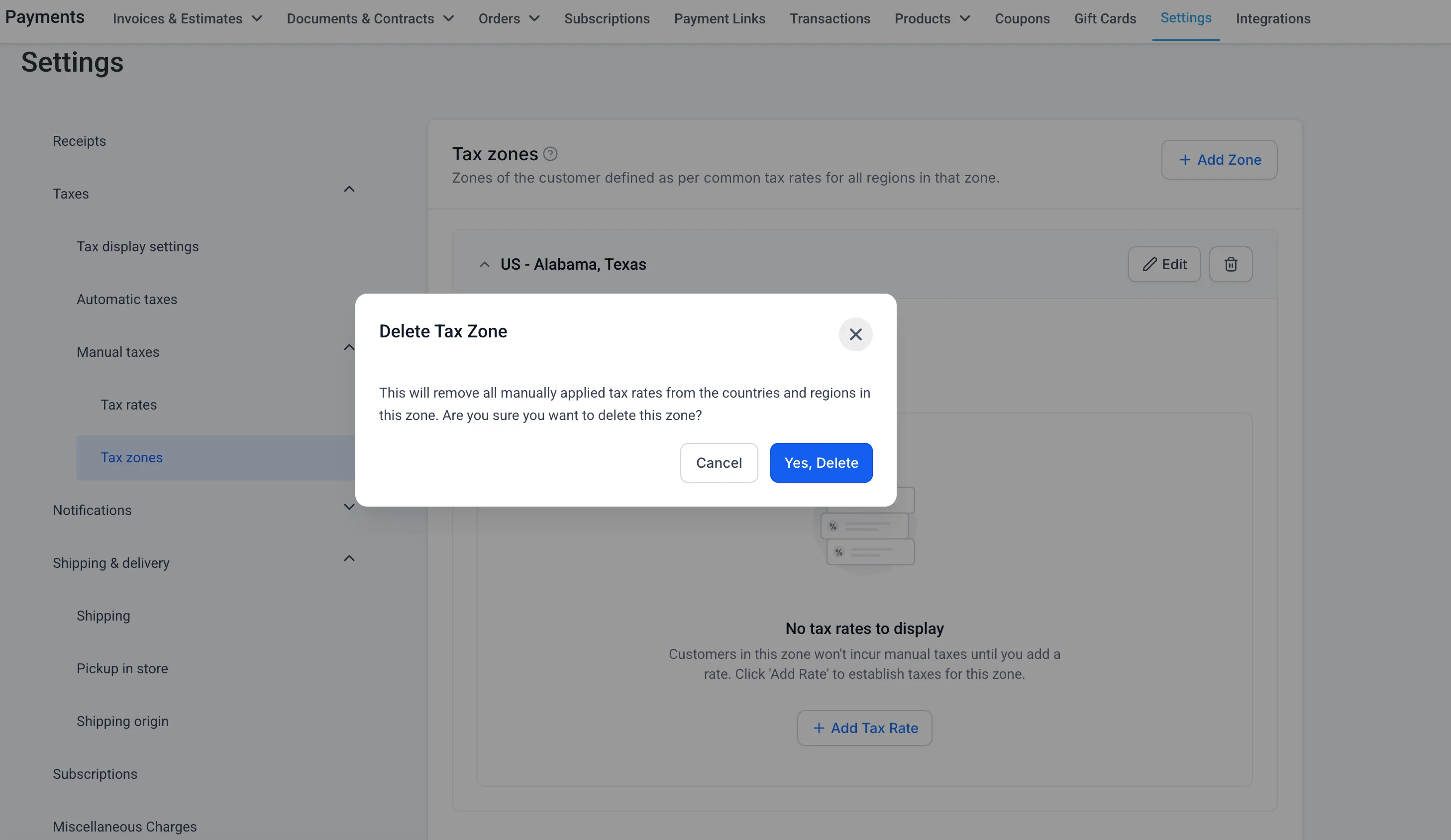
From there, you can create and manage manual tax rates, create Tax Zones, select countries or states for each zone, associate existing manual tax rates, and review or update zone rates.
Tax settings are also organized into dedicated areas for display settings, tax inclusive or exclusive defaults, automatic taxes, and manual taxes.
In Case You Missed It
For more payment administration updates, read Granular Gift Card Permissions for Team Access.
Release Images
Need Help Applying This Update?
Want help turning this update into a working part of your CRM, marketing, or automation setup?
Get Started or schedule a demo and we’ll help you map the right next step.