SMBcrm now lets you adjust a service price directly on a service appointment. This helps teams handle negotiated rates, complimentary services, or one-off pricing without changing the standard service price used for other bookings.
What changed
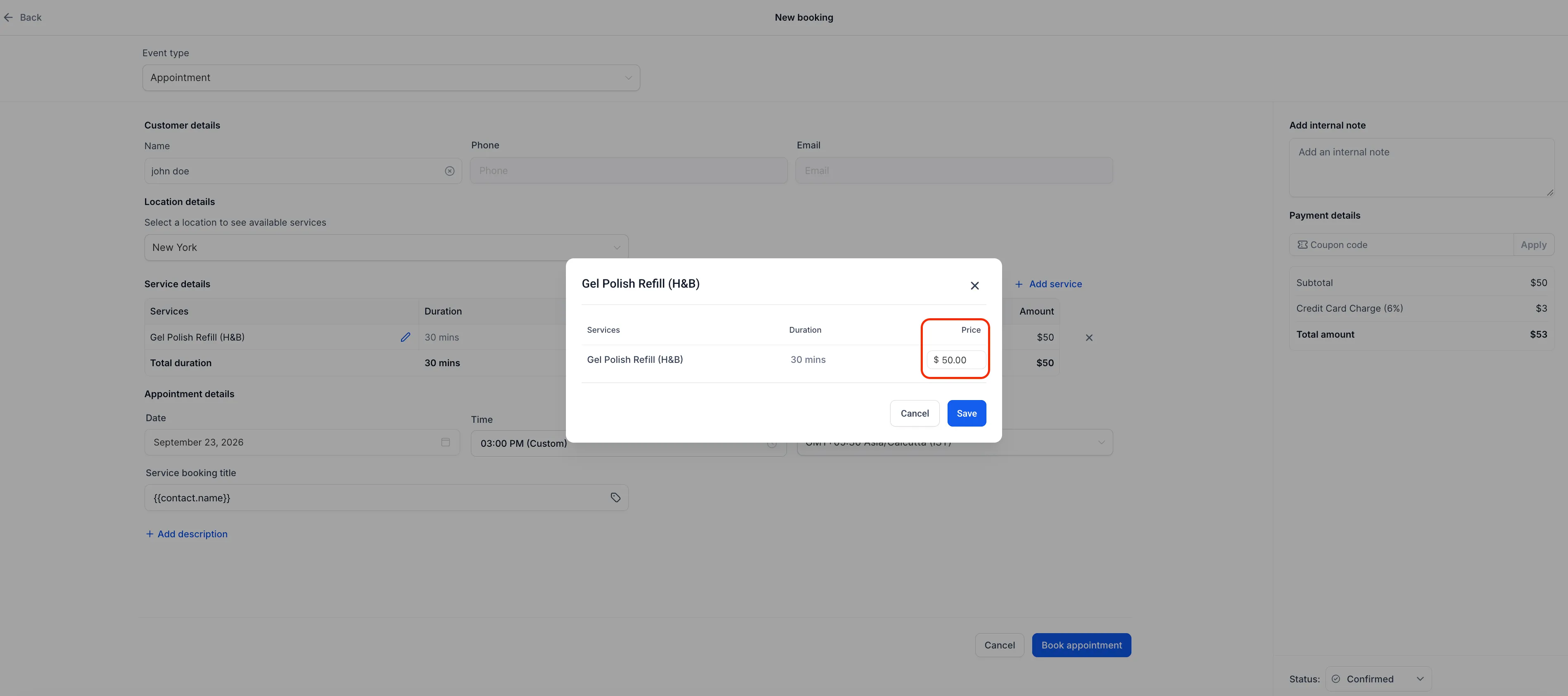
When creating, editing, or duplicating a service appointment, you can edit the price for that appointment from the appointment modal. The appointment total updates immediately based on the price you enter.
The edited price applies only to that appointment. The standard service price remains unchanged for future bookings.
Pricing rules
- A custom price can be entered for a single appointment.
- Zero is allowed for cases such as complimentary services.
- Negative values are blocked with a validation error before the appointment can be saved.
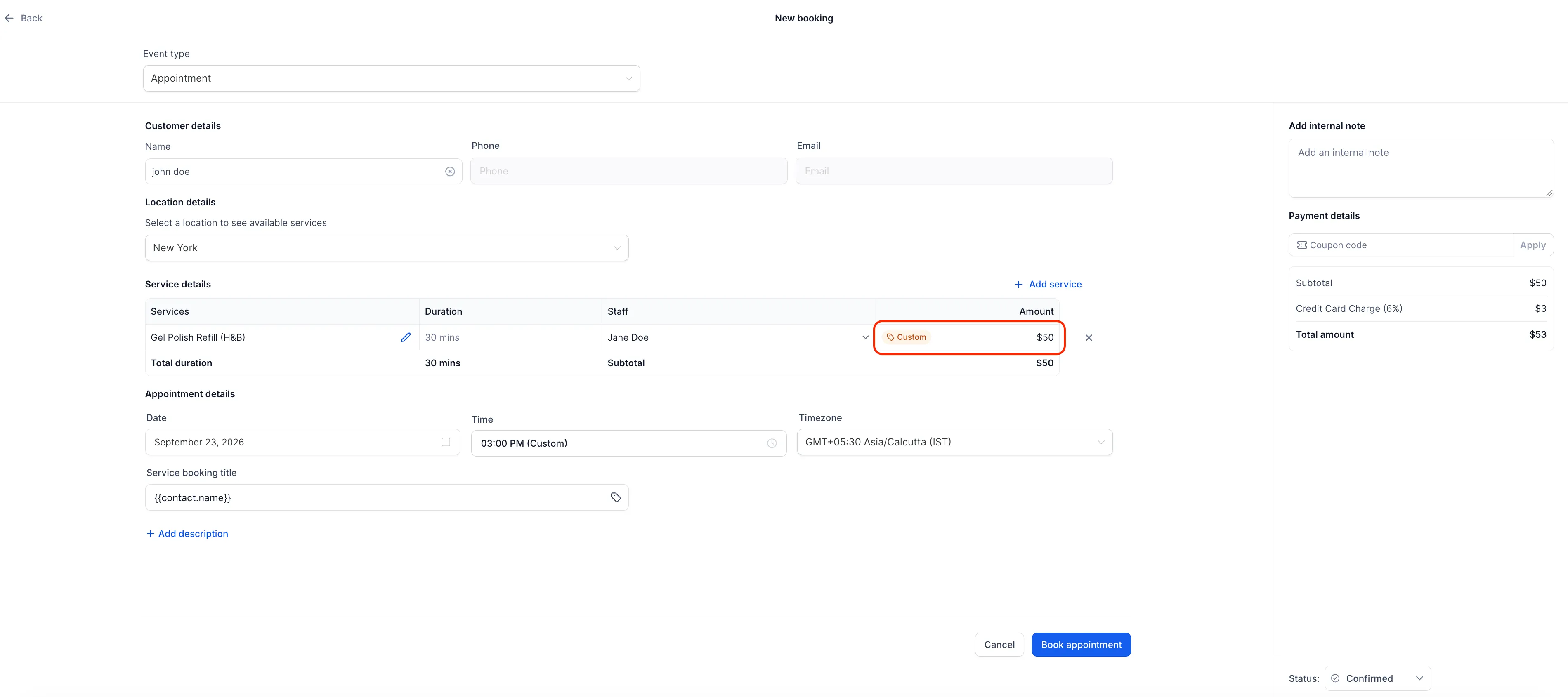
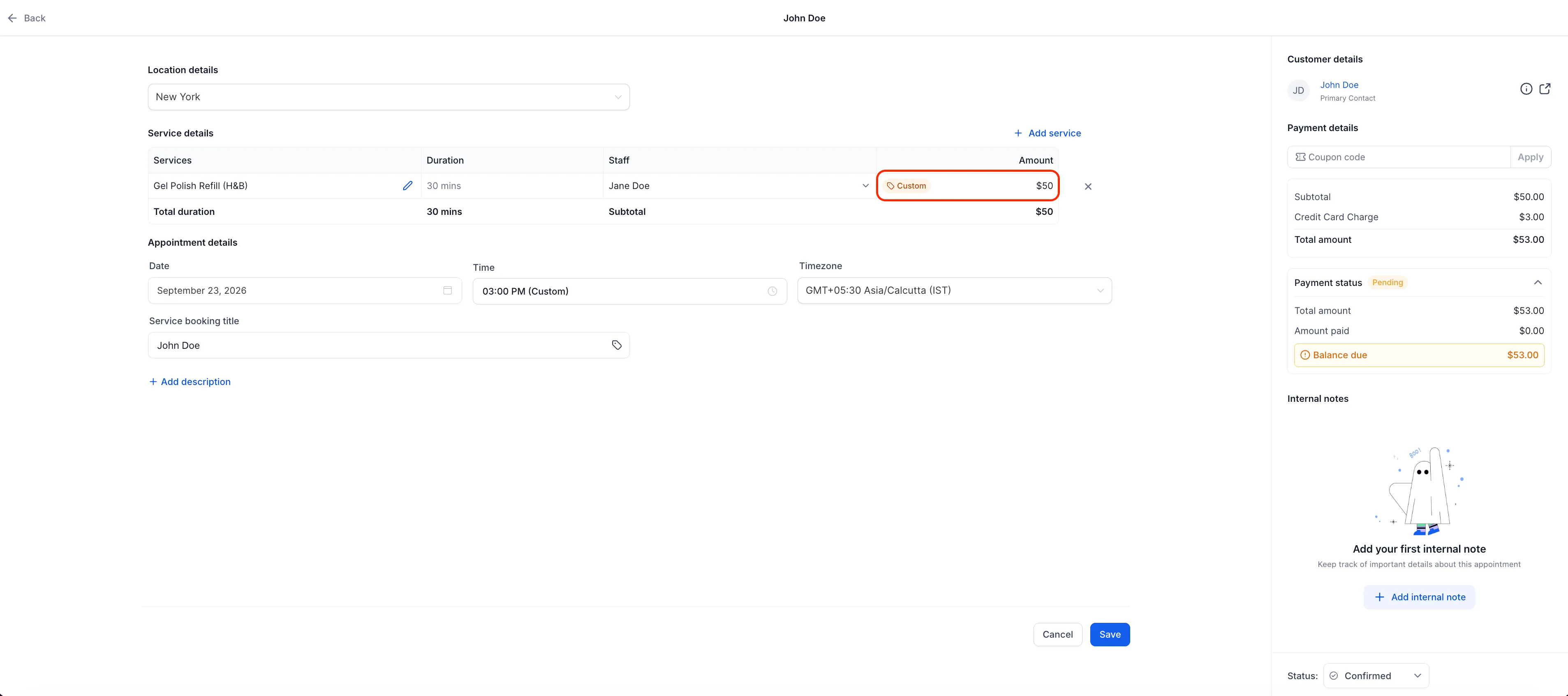
- Edited prices display a Custom tag next to the amount.
- Appointment-level pricing overrides staff-specific service pricing for that booking.
Mobile access
The same appointment pricing edit is also available in the SMBcrm Mobile app, so staff can update service pricing while on the go.
How to use it
- Open the service appointment modal when creating, editing, or duplicating an appointment.
- Select the edit icon next to the service.
- Enter the updated service price.
- Save the appointment.
The custom price applies only to that appointment.
Why it matters
This update makes it easier to charge the correct price for a specific booking while keeping standard service pricing consistent across future appointments.
In Case You Missed It
You may also want to read Jotform Actions and Triggers Added to Workflows.
Release Images
Need Help Applying This Update?
Want help turning this update into a working part of your CRM, marketing, or automation setup?
Get Started or schedule a demo and we’ll help you map the right next step.
Explore this in SMBcrm
Connect booking to the next conversation.
Explore calendars and lead capture, then see how a booking fits into the wider CRM workflow.
Explore calendars and lead captureAlready using this feature? Find setup help