The SMBcrm Mobile app includes a notification diagnosis tool that helps users check why mobile notifications may not be arriving.
What changed
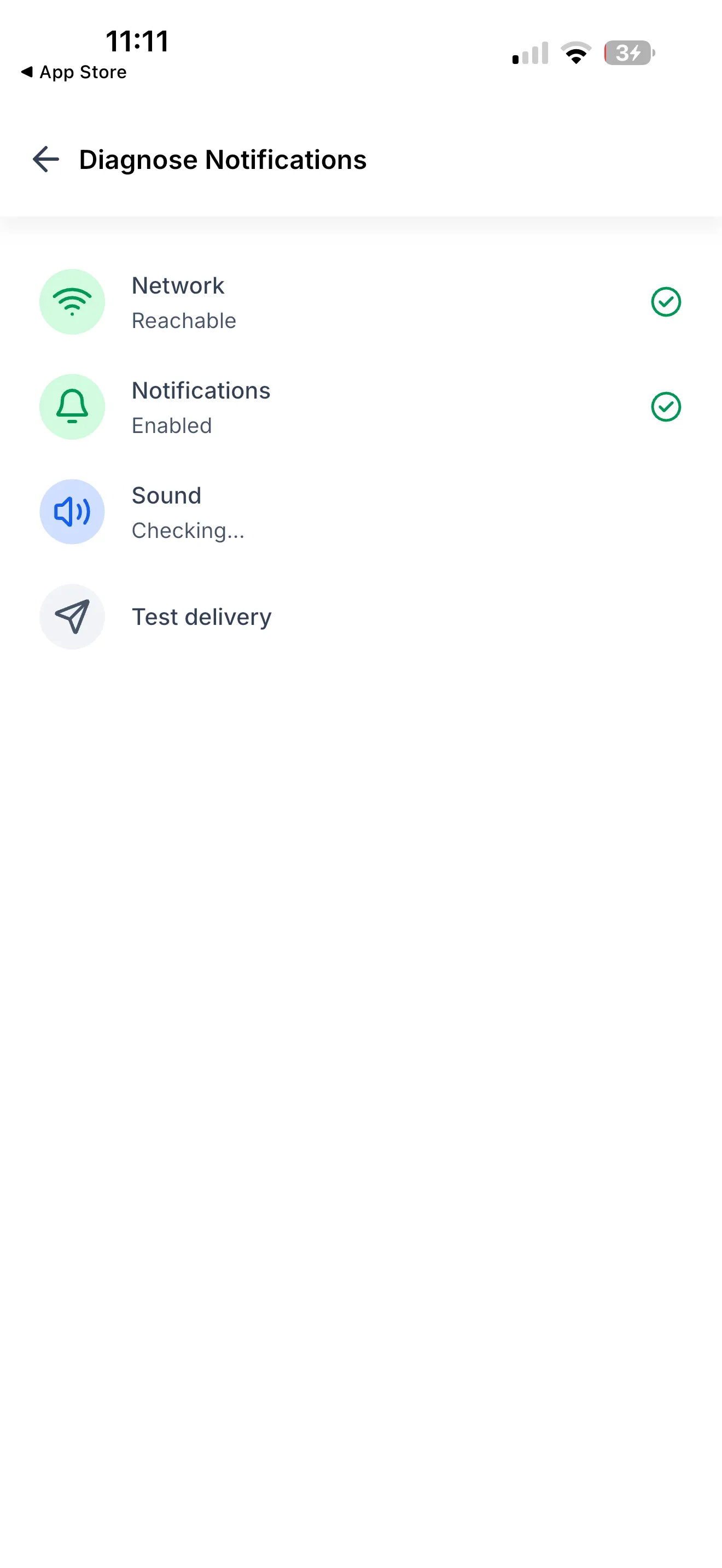
From Settings, users can run a one-tap diagnosis that checks four areas:
- Network connection
- Notification permissions
- Sound settings
- Test notification delivery
Each check returns a clear result, either passing or showing that attention is needed.
How the diagnosis helps
When notifications stop arriving, it can be difficult to know whether the issue is network access, phone settings, sound mode, notification permissions, or something else. The diagnosis gives users a faster way to narrow down the cause.
Users can:
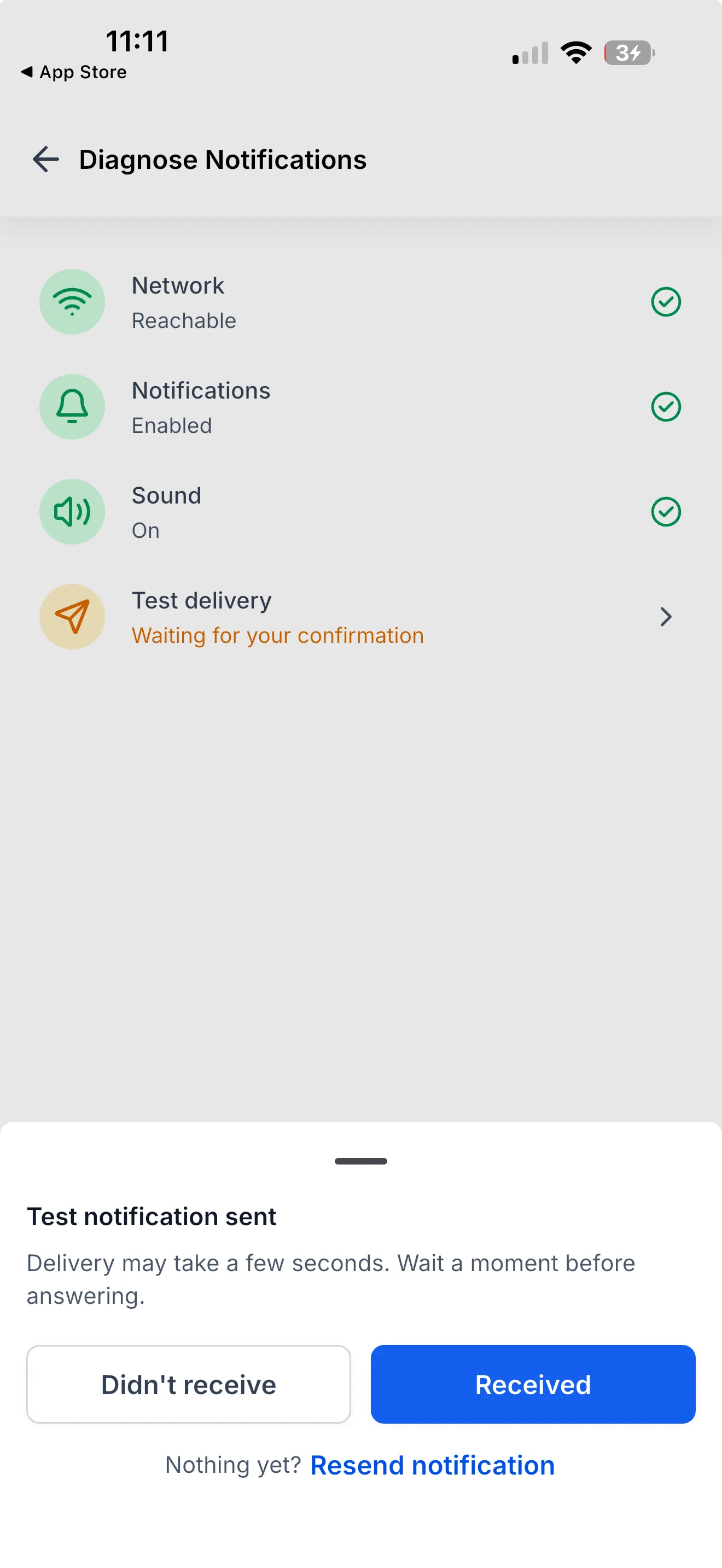
- Send a real test notification to their phone
- Confirm whether the test notification was received
- Tap Resend if the test notification does not arrive
- See suggested fixes for failed checks
- Copy the diagnosis report for support
- Run the diagnosis again after making changes
How to use it
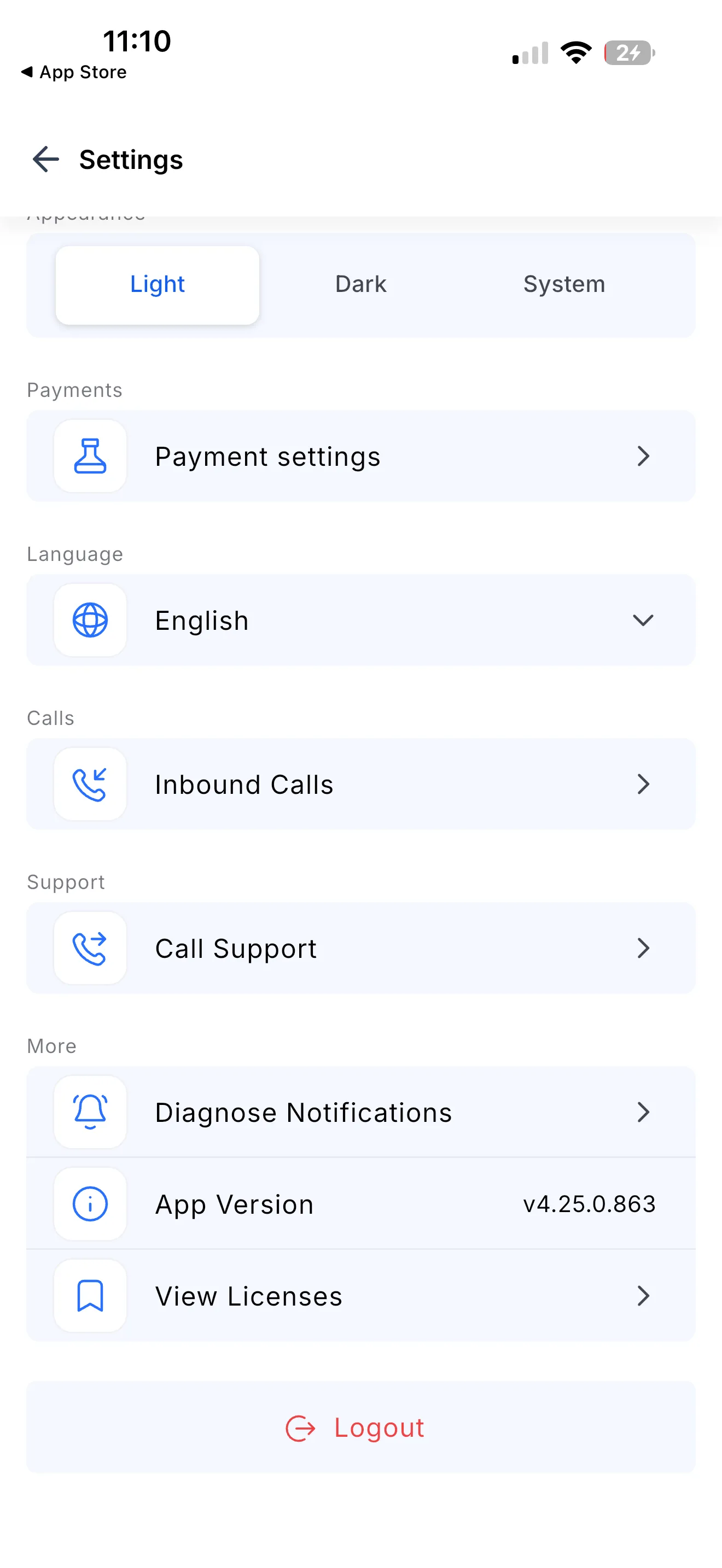
Open the SMBcrm Mobile app and go to Settings > Diagnose Notifications, then tap Start Diagnosis.
After the test notification is sent, choose one of the available responses:
- Received
- Didn’t receive
- Resend
If the diagnosis flags an issue, adjust the related setting and run the diagnosis again. If the issue continues, copy the report and send it to support.
Availability
- Release date: September 2026
- Available version: 4.25.0 or higher
- Status: Production
In Case You Missed It
You may also want to read Jotform Actions and Triggers Added to Workflows.
Release Images
Need Help Applying This Update?
Want help turning this update into a working part of your CRM, marketing, or automation setup?
Get Started or schedule a demo and we’ll help you map the right next step.
Explore this in SMBcrm
See the CRM tools available on mobile.
Explore mobile access to contacts, conversations, and tasks, then review the apps your team will use.
Explore the mobile CRMAlready using this feature? Find setup help