SMBcrm now supports localized default notification templates for calendars, services, and rentals. Default templates use the Business Profile platform language, while templates that users have already customized stay exactly as saved.
What Changed
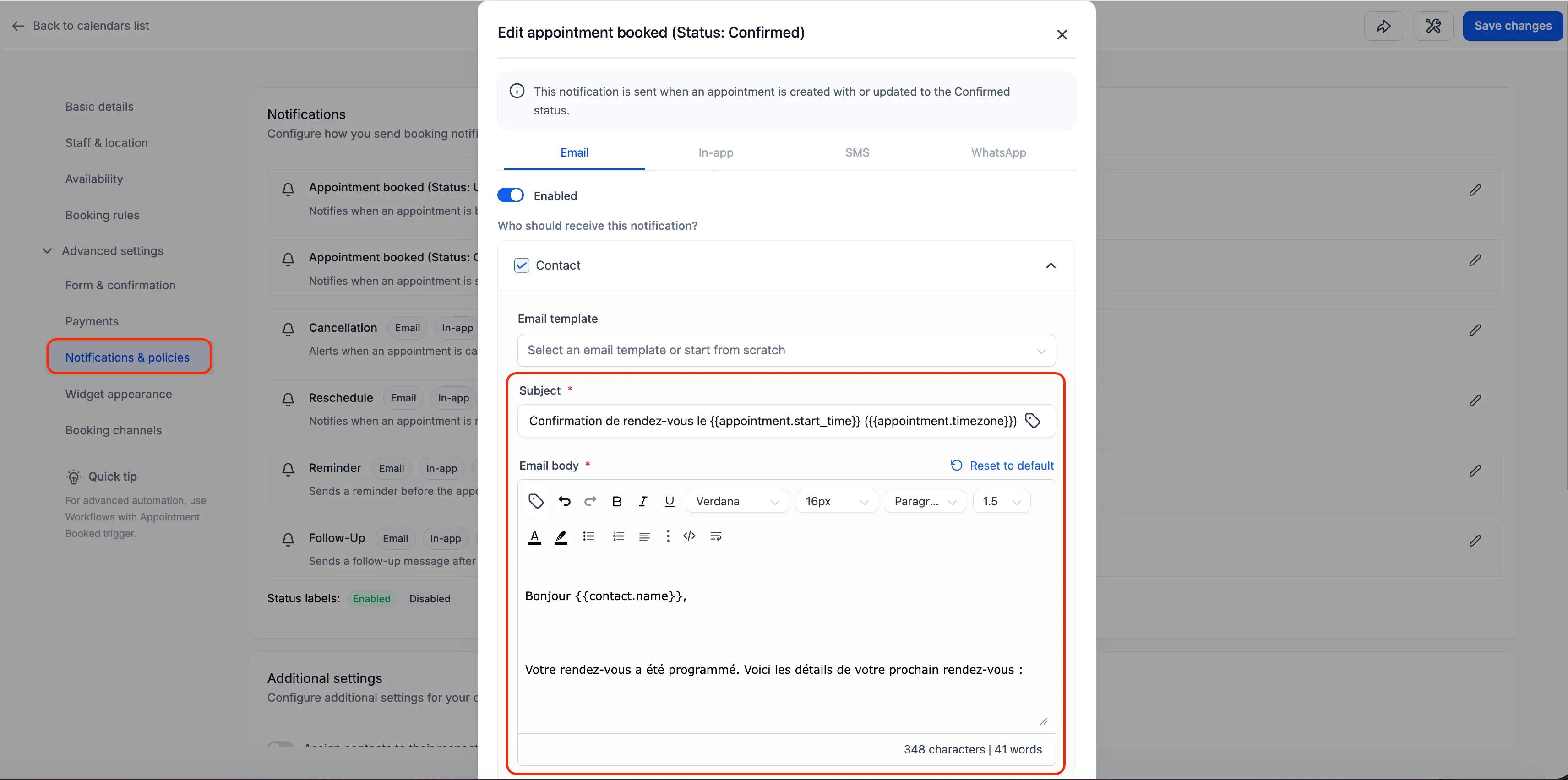
Notification templates can display in the appropriate language automatically across supported email, SMS, and WhatsApp channels.
Coverage follows the notification types supported by each product:
- Calendars: Assigned User, Additional Email, Additional Phone, Contact, and Guest templates.
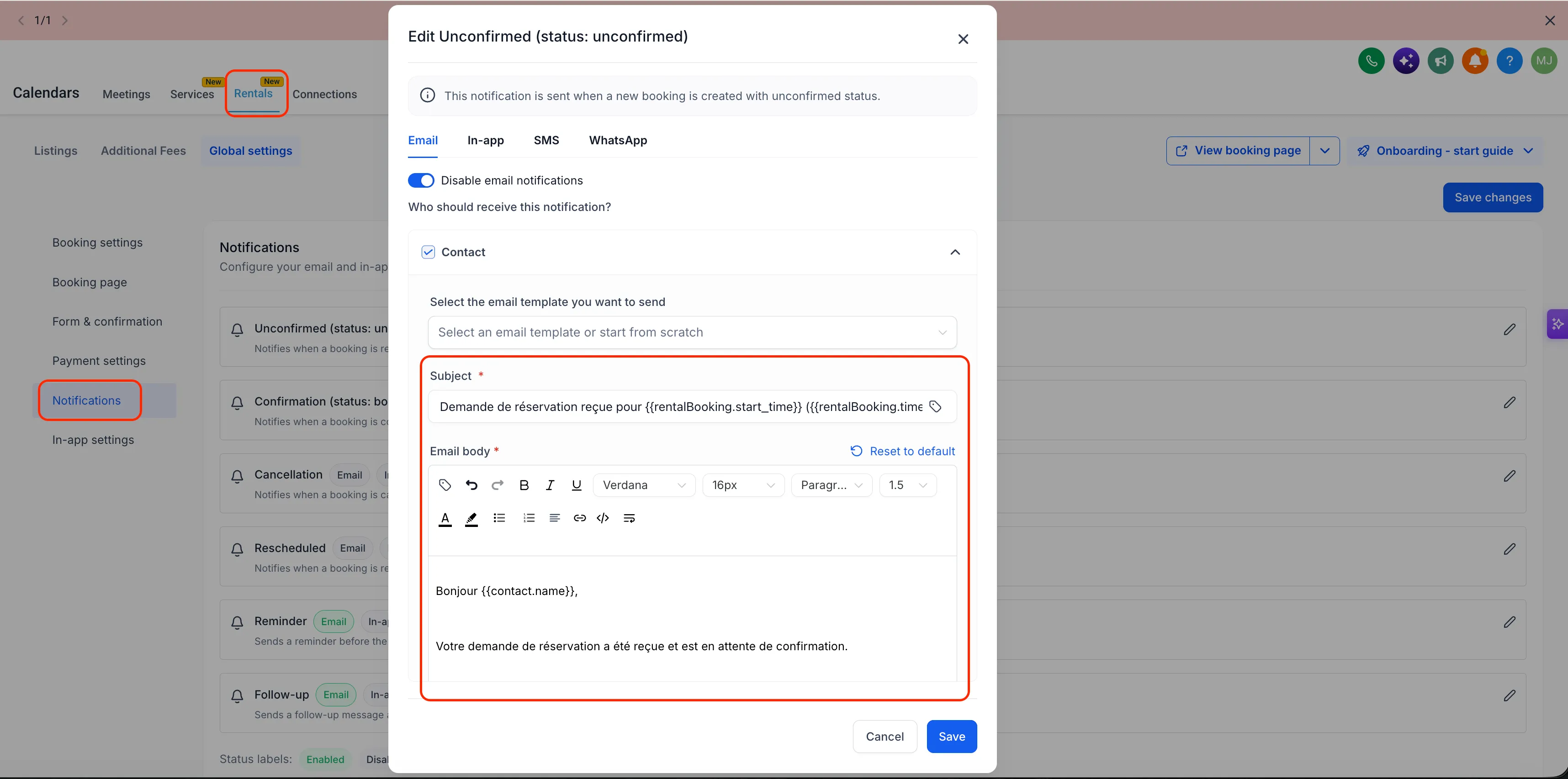
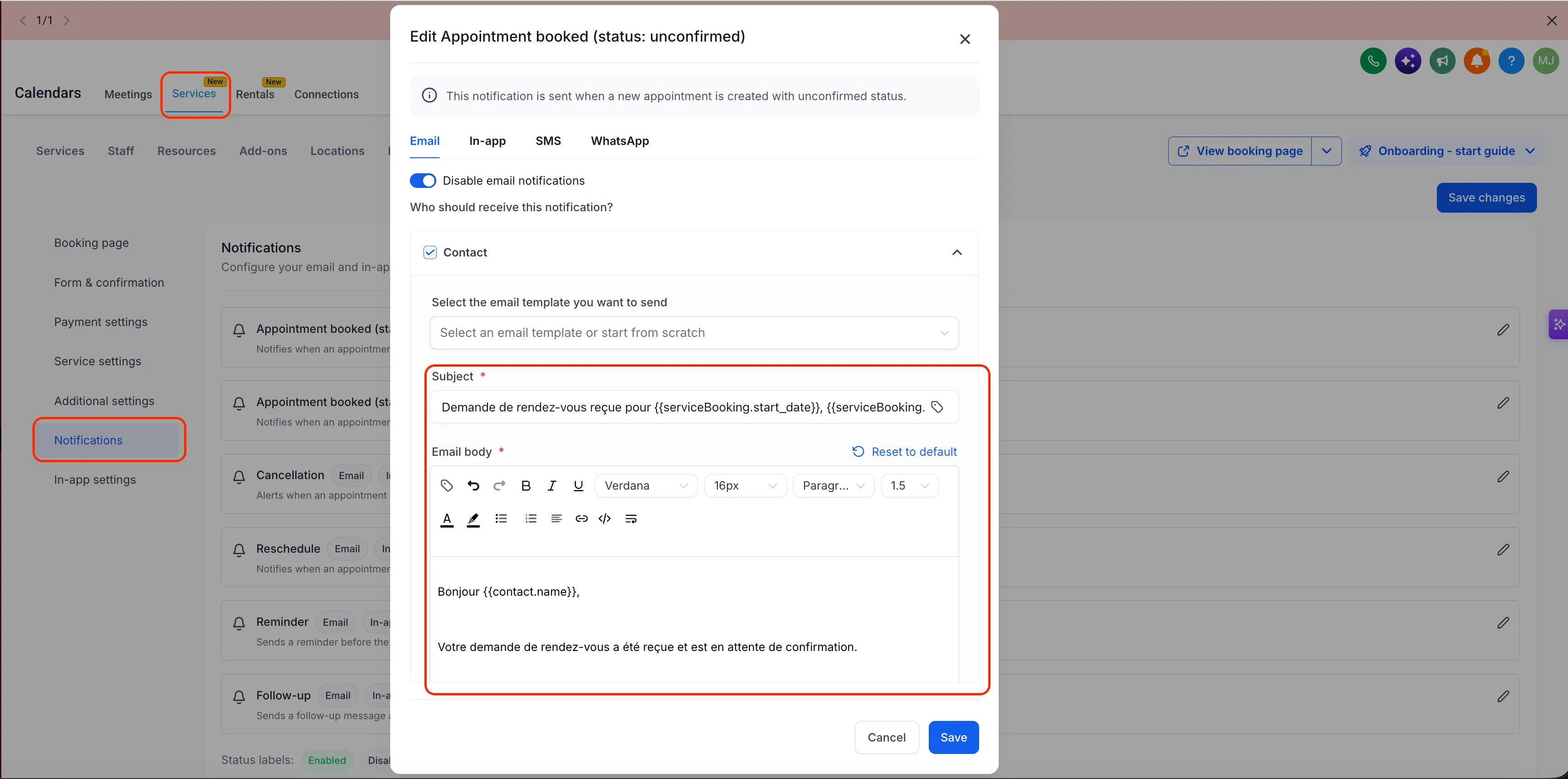
- Services and rentals: all recipients for each supported notification.
How Localization Works
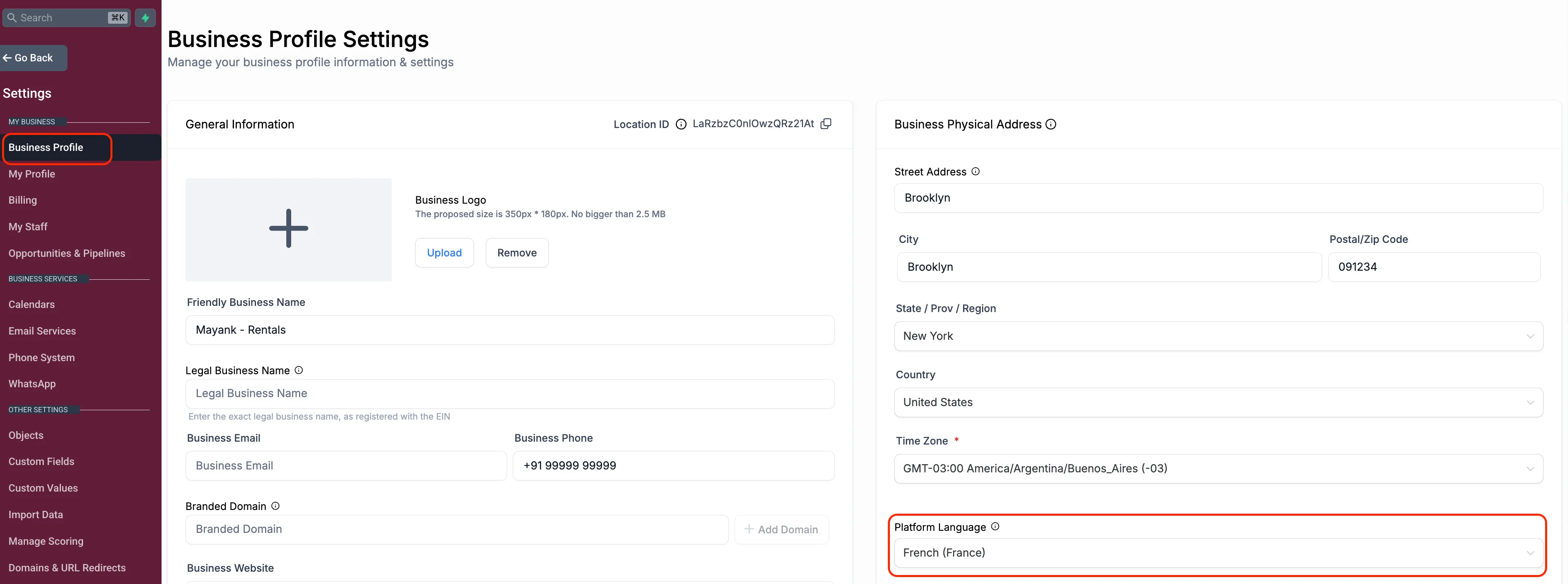
The Business Profile platform language is the single language source for these default notification templates. This keeps behavior consistent across products, recipient types, and channels.
Custom templates are not overwritten, retranslated, or reset by this update. Only untouched default templates are eligible for localized defaults.
How to Use It
- Calendars: go to Calendar Settings > Notifications for the calendar you want to update.
- Services and rentals: go to Global Settings > Notifications.
- New calendars, services, and rentals: no action is needed. Default templates already display in the Business Profile platform language.
- Existing calendars, services, and rentals: templates keep their current English content by default, even if they have never been edited. To use the localized version, select Reset to Default on the relevant notification template.
Why It Matters
Multi-language businesses can reduce manual translation work across calendars, services, and rentals. Existing customizations remain protected, and new setups can start with localized default notifications right away.
Release Images
Need Help Applying This Update?
Want help turning this update into a working part of your CRM, marketing, or automation setup?
Get Started or schedule a demo and we’ll help you map the right next step.
Explore this in SMBcrm
Connect booking to the next conversation.
Explore calendars and lead capture, then see how a booking fits into the wider CRM workflow.
Explore calendars and lead captureAlready using this feature? Find setup help