AI Studio now lets editable React/Vite projects migrate to SSR from Project Settings. The process creates a separate draft project in the same account, so the original published site and its domains stay unchanged.
What changed
For projects that need server-rendered pages, server functions, or secrets, SMBcrm AI Studio can copy an eligible React project and convert that copy to TanStack Start.
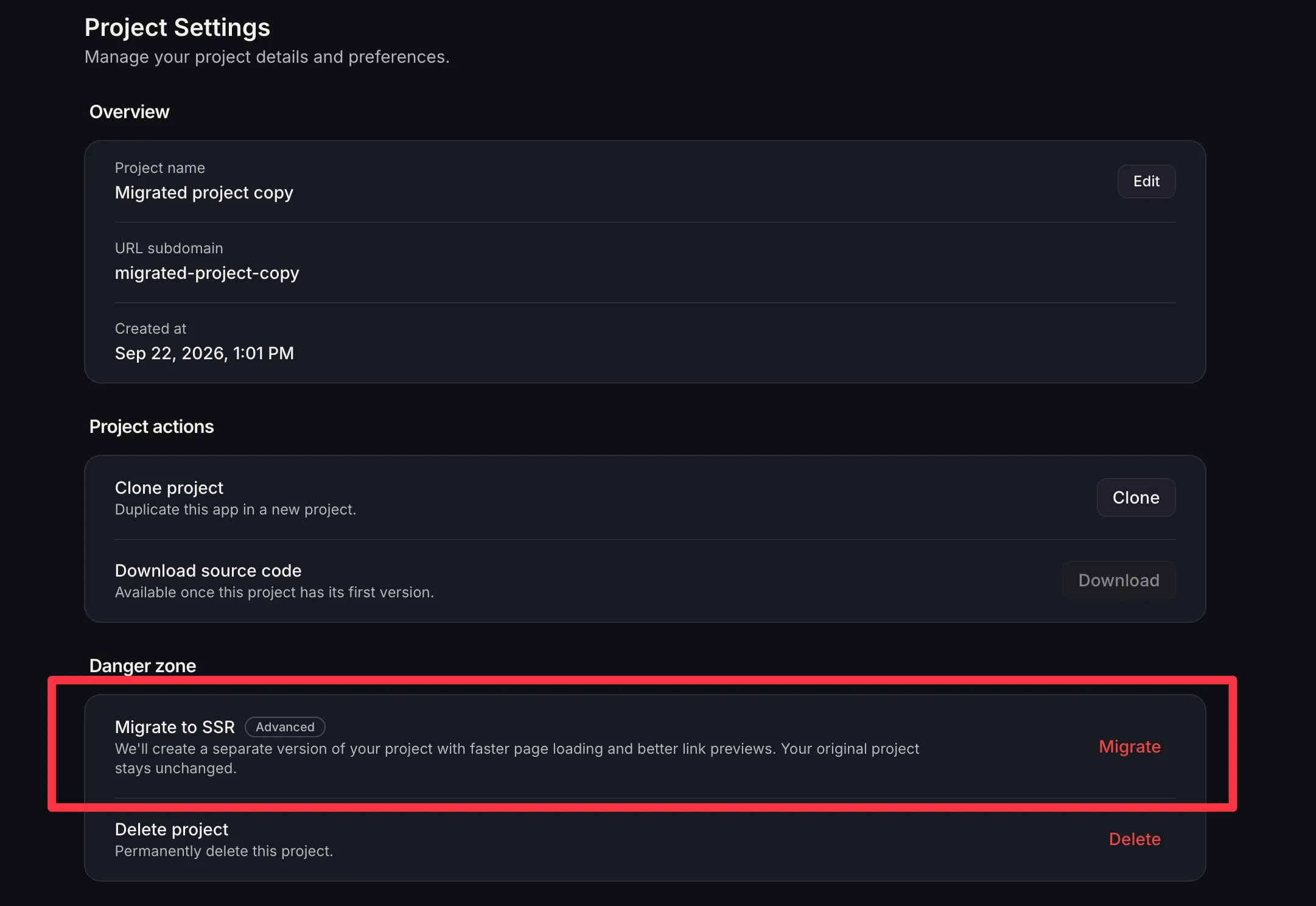
The Migrate to SSR action appears in Project Settings as an advanced option when the project is a React/Vite project and you have edit access. Projects already on TanStack do not show the action, and React projects stay on React unless someone runs the migration.
When you confirm the migration:
- AI Studio creates a new project in the same account.
- Pages are copied into the new project.
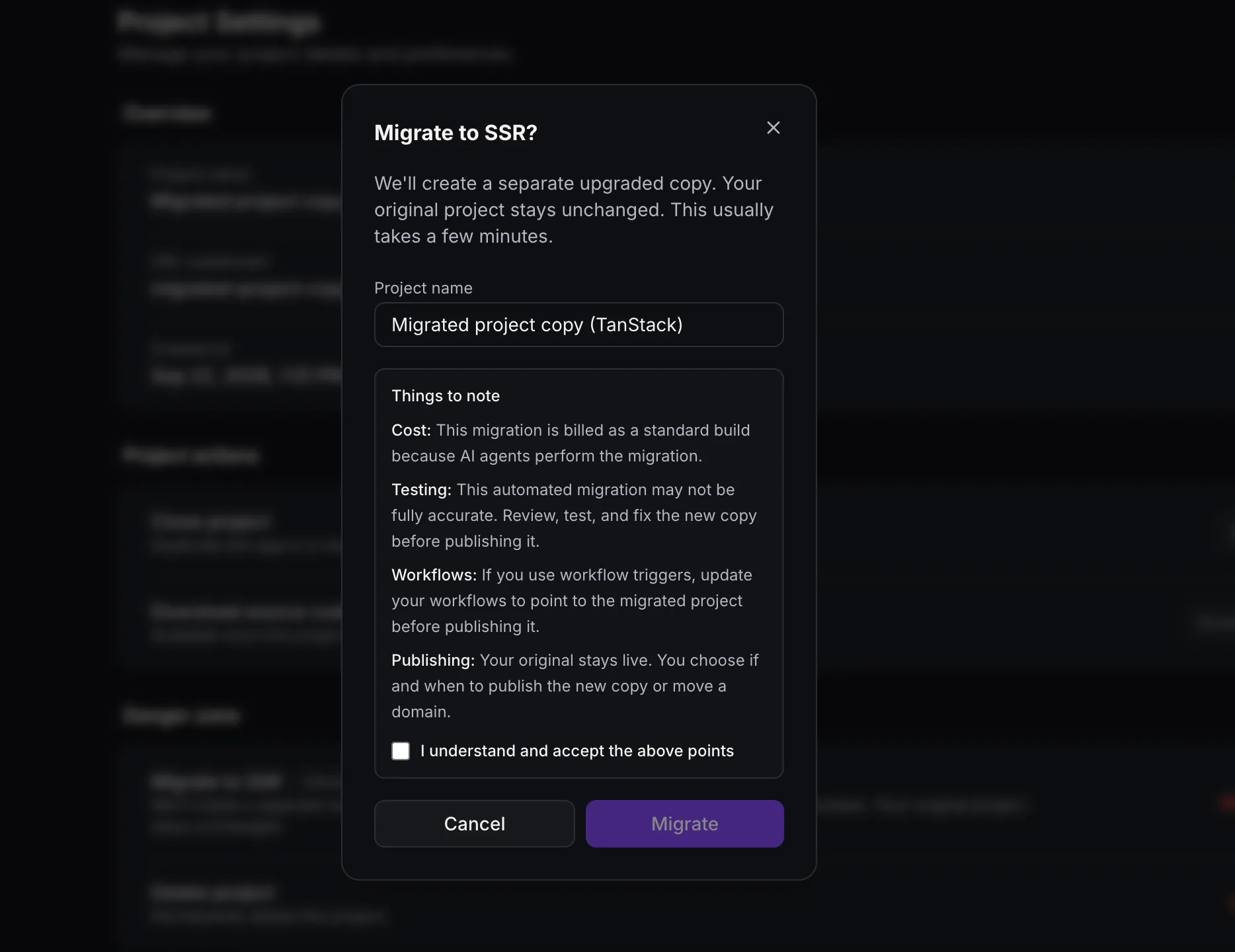
- You can rename the suggested TanStack project before starting.
- The copy is a draft, while the published site and domains remain on the original project.
- Earlier versions stay with the original project, and the copy starts a new chat.
How to run it
To start the migration:
- Open the React project that needs SSR capabilities.
- Go to Project Settings and choose Migrate next to Migrate to SSR.
- Confirm the copied project’s name.
- Accept the notes.
- Click Migrate.
During migration
After confirmation, you land in the copied project and the upgrade starts in chat. The dashboard card shows Migrating to SSR until the project is ready as a TanStack app.
While the copy is migrating, publish, code save, version restore, domain changes, slug changes, and remix are blocked on the copy. Preview, chat, and delete remain available.
If the run stops before completion, the migration badge stays visible. In that copied project’s chat, continue the migration picks up the same copy. Starting Migrate again from the original creates another copy.
Before publishing the copy
Use this migration when a React project needs server rendering, server functions, or secrets. It is charged like a normal build, and agents handle the conversion.
Before publishing, review the copied project. The conversion can leave items that need to be fixed. Workflow triggers continue listening to the original project until they are pointed at the copied project. Publishing the copy or moving a domain is a separate choice.
If you walk away from the copy, the original project is not edited.
Why it matters
Existing React projects that need SSR capabilities can move to the newer stack without rebuilding inside the published project or forcing an immediate cutover. Projects that do not need those capabilities can stay on React.
In Case You Missed It
For another recent automation update, read Jotform Actions and Triggers Added to Workflows.
Release Images
Need Help Applying This Update?
Want help turning this update into a working part of your CRM, marketing, or automation setup?
Get Started or schedule a demo and we’ll help you map the right next step.
Explore this in SMBcrm
See where this fits in AI Studio.
Explore the app builder, its connection to your CRM, and the AI usage and Cloud costs to consider.
Explore the AI Studio app builderAlready using this feature? Find setup help