Chat Widget styling can now use colors and fonts from your Brand Boards. This puts your saved brand choices in the widget’s style controls.
Use Brand Board colors and fonts
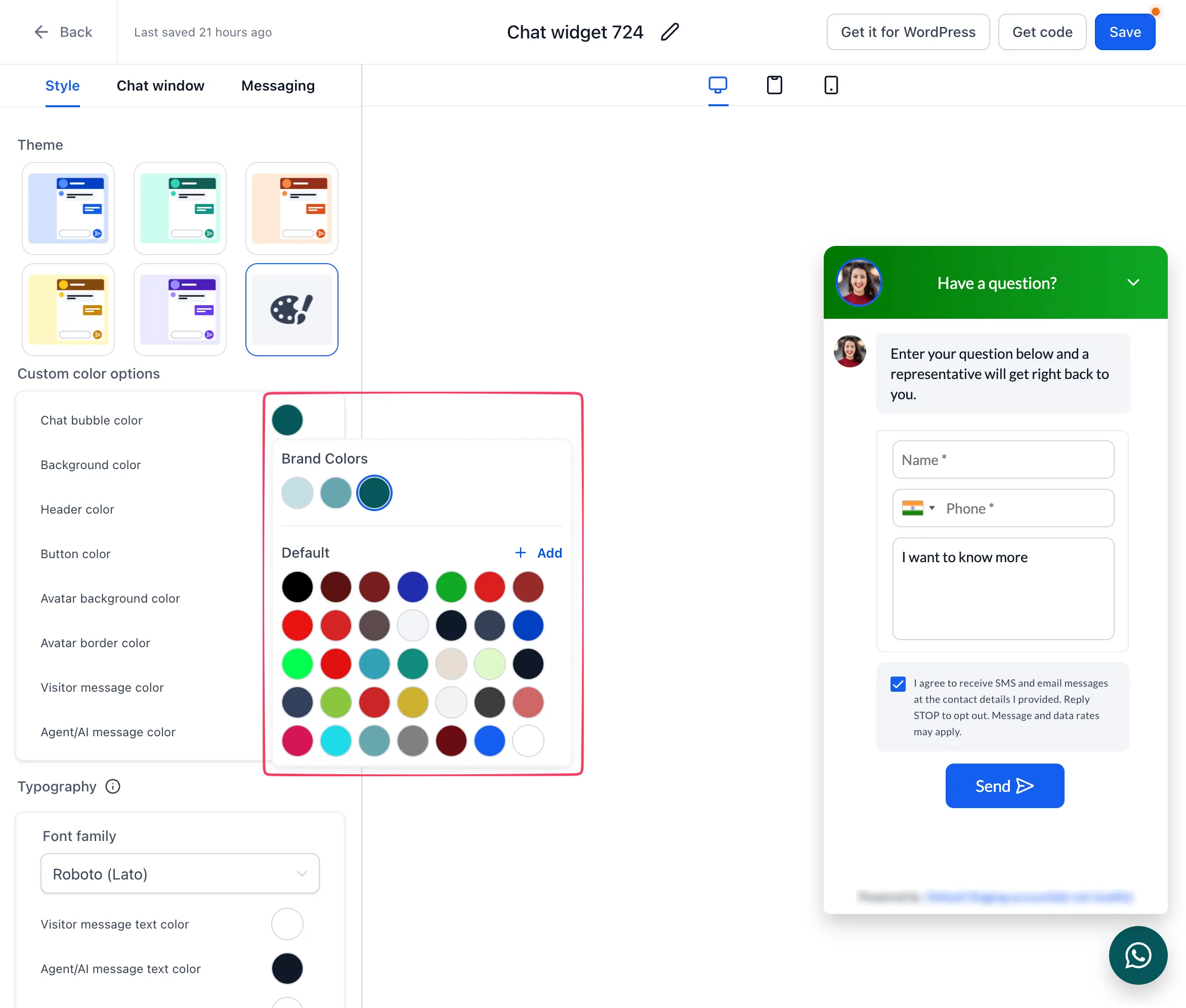
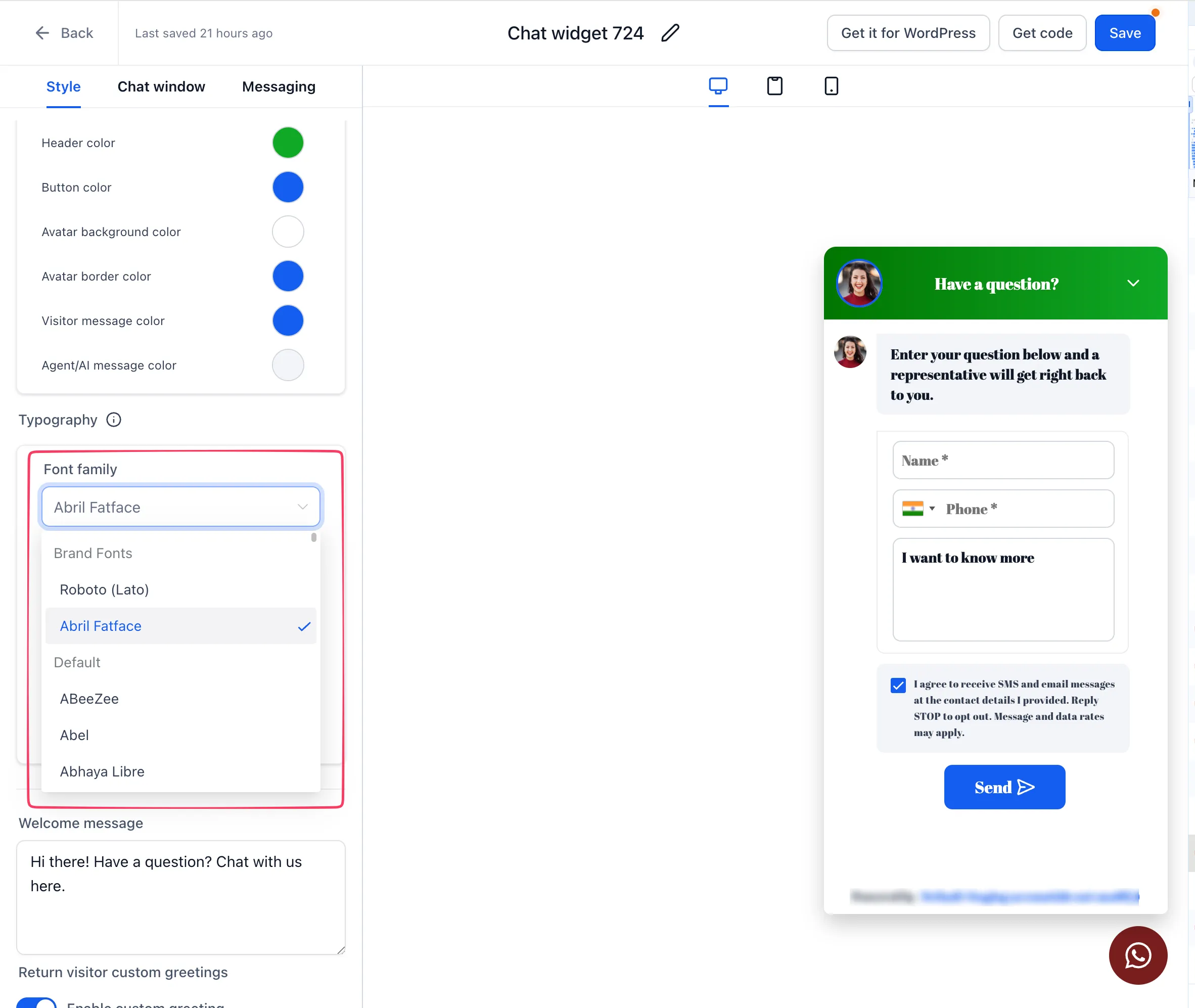
Open the Chat Widget’s Styles settings to choose a Brand Board color or font. Brand Board colors are read-only in the widget; edit the Brand Board when you need to change the source color.
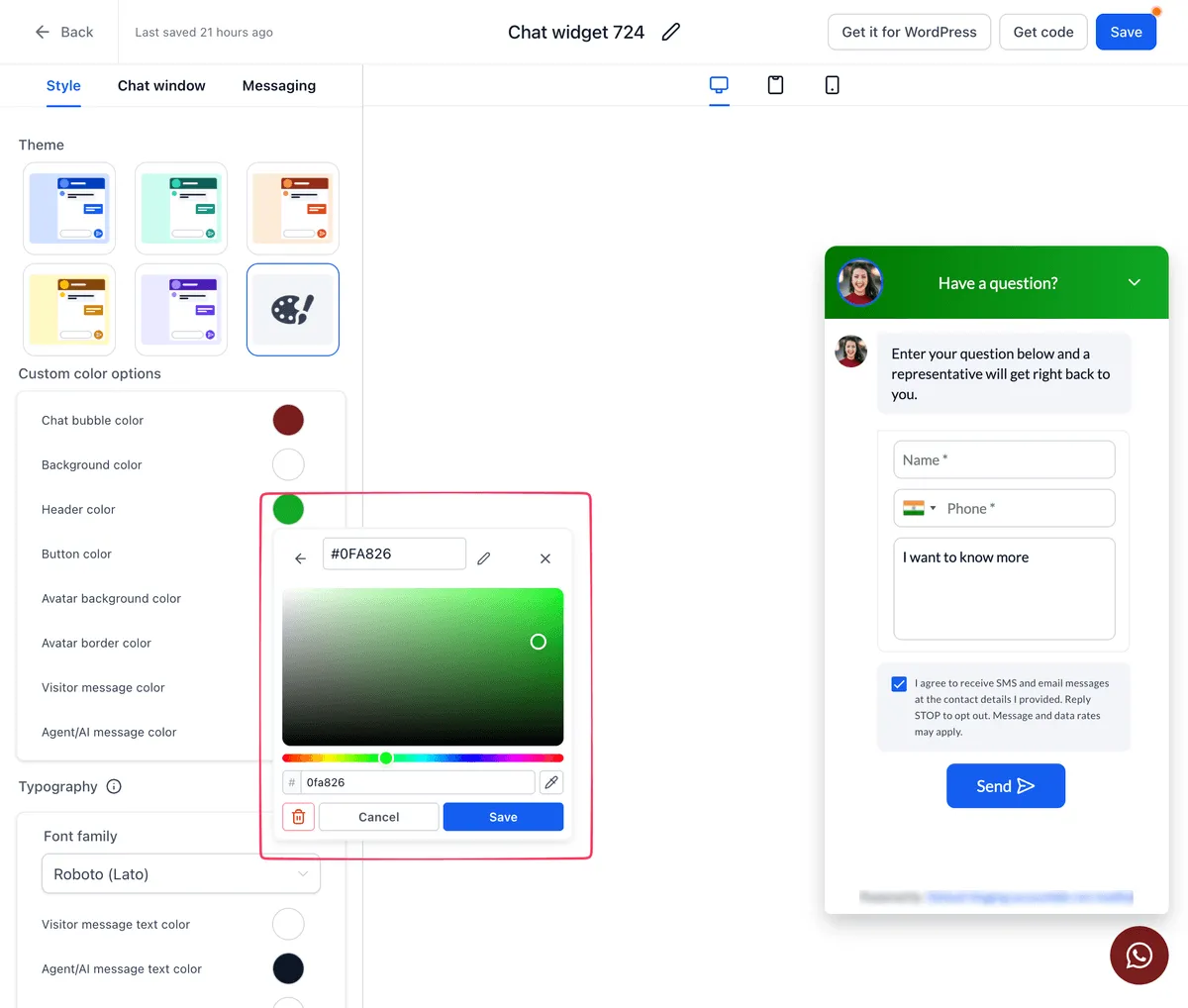
The color picker also includes a shared Default palette for the account. Existing widget colors are added when you first open the picker. New colors are added without duplicating an existing color value.
Apply the styling
Choose the colors and fonts you want, then save the widget. Font choices appear separately from the color palette. The integration does not require new website embed code.
Release images
Related SMBcrm Features
Need Help Applying This Update?
Want help turning this update into a working part of your CRM, marketing, or automation setup?
Get Started or schedule a demo and we’ll help you map the right next step.