Chat Widget Can Load After Visitor Interaction
SMBcrm now includes a Load on user interaction setting for customer-facing chat widgets. When enabled, the widget waits to load until a visitor interacts with the website, helping reduce immediate script execution during page rendering while keeping customer communication available.
What changed
- Added a Load on user interaction toggle in Sites > Chat Widget Builder > Chat Window > Additional Options.
- When enabled, the chat widget loads after a visitor interaction such as scrolling, clicking, or touching the page.
- If no interaction occurs, the widget automatically loads after a fallback delay of about 8 seconds.
- Existing widgets continue using immediate load behavior unless this setting is manually enabled.
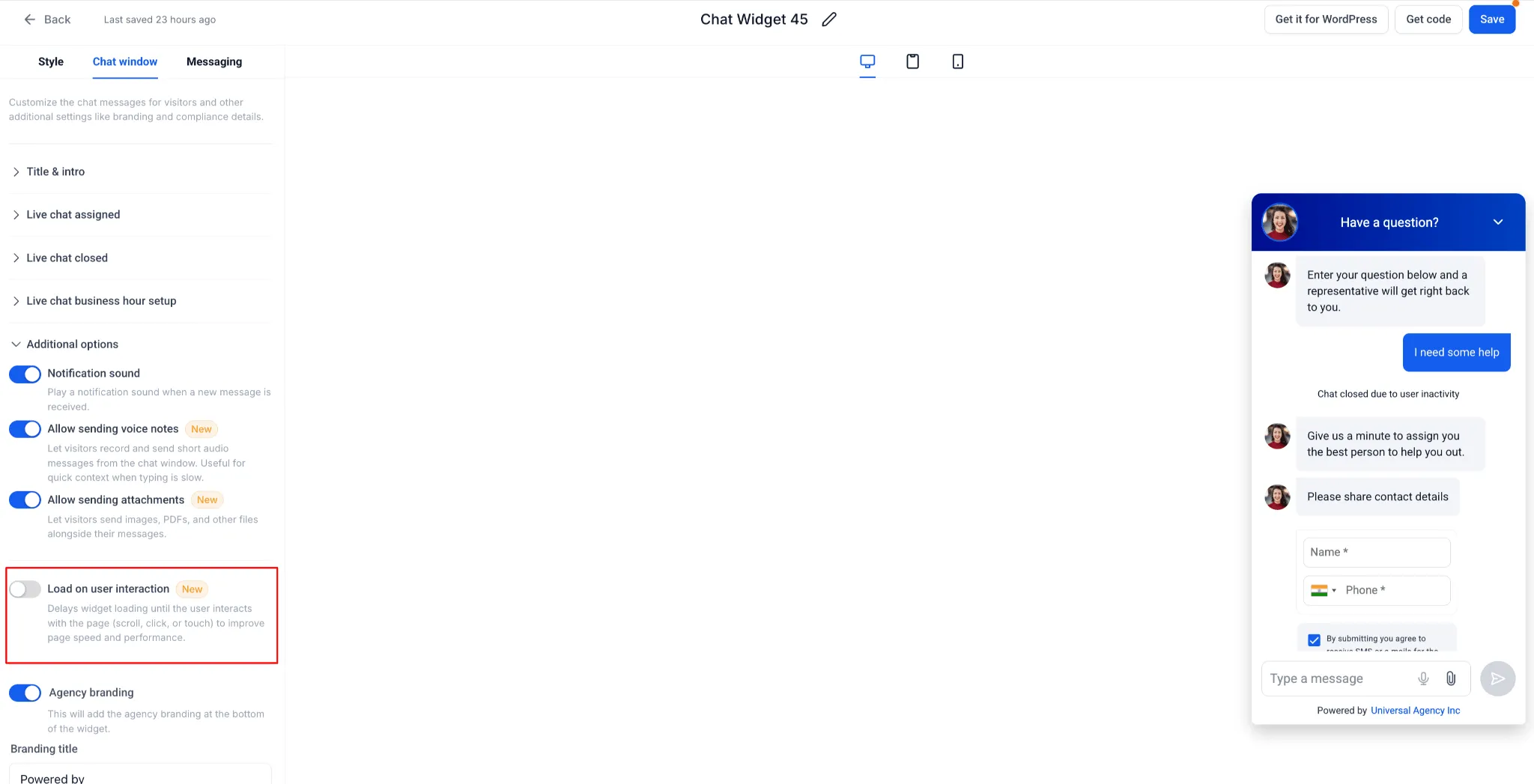
How to enable it
- Go to Sites > Chat Widget Builder.
- Open the specific chat widget you want to update.
- Select the Chat Window tab.
- Under Additional Options, enable Load on user interaction.
Why it matters
This setting gives businesses more control over the balance between website performance and chat availability. It can help reduce unnecessary widget loading during the initial page render, especially on mobile devices, while still making the widget available for visitors who interact with the page.
If the toggle is disabled or not configured, the chat widget loads immediately using the existing behavior.
In Case You Missed It
You may also want to read Upload and Download Folders in Media Center.
Need Help Applying This Update?
Want help turning this update into a working part of your CRM, marketing, or automation setup?
Get Started or schedule a demo and we’ll help you map the right next step.