Conditional Visibility Adds Layout and Field Options
Conditional Visibility in the email builder is now easier to manage with support for layout-level visibility rules and value-based field conditions.
What Changed
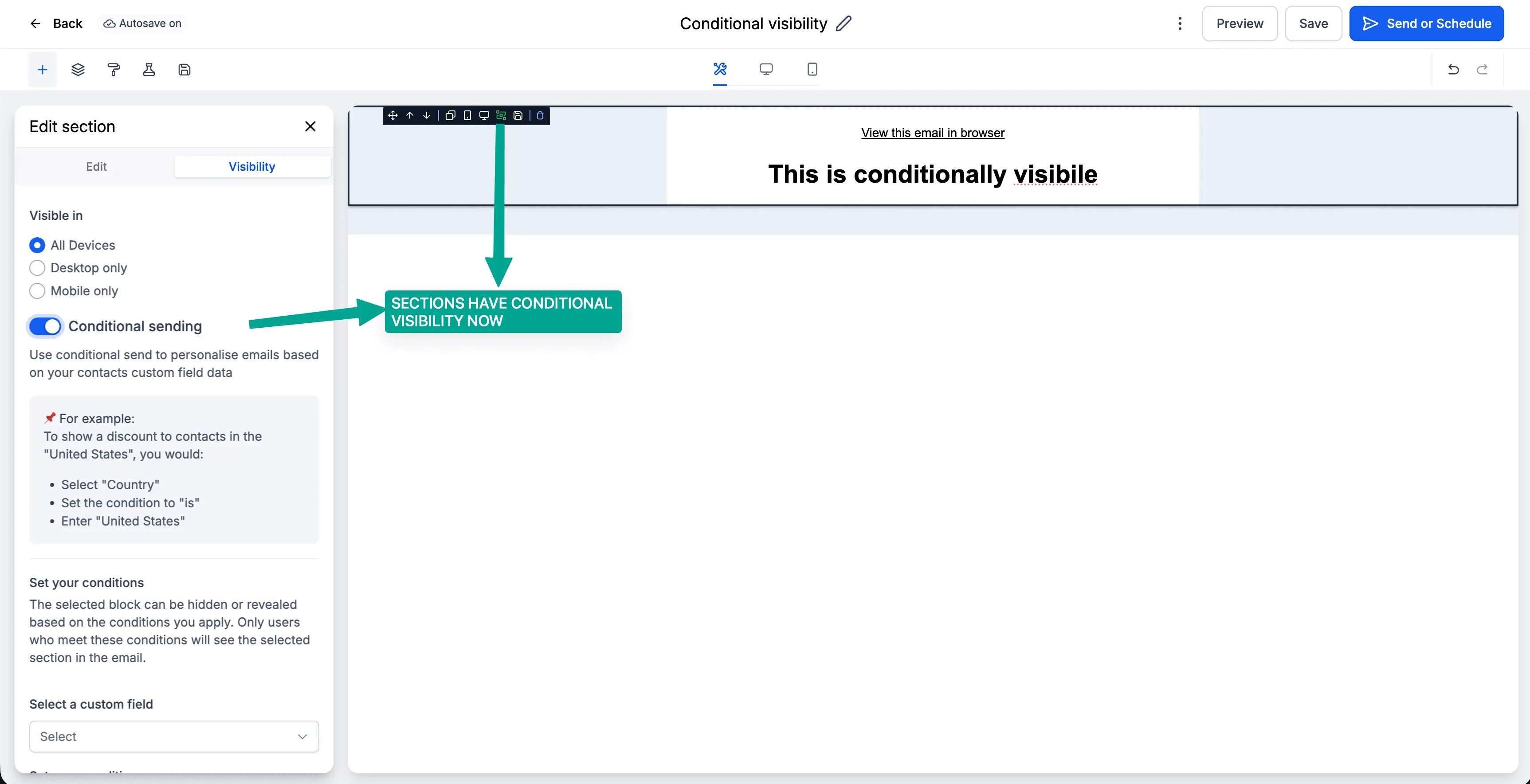
Visibility rules for layouts
You can now apply conditional visibility to an entire layout instead of setting the same rule on each individual element. Layouts include a dedicated Visibility tab alongside Edit, making it easier to hide or show whole sections based on field values.
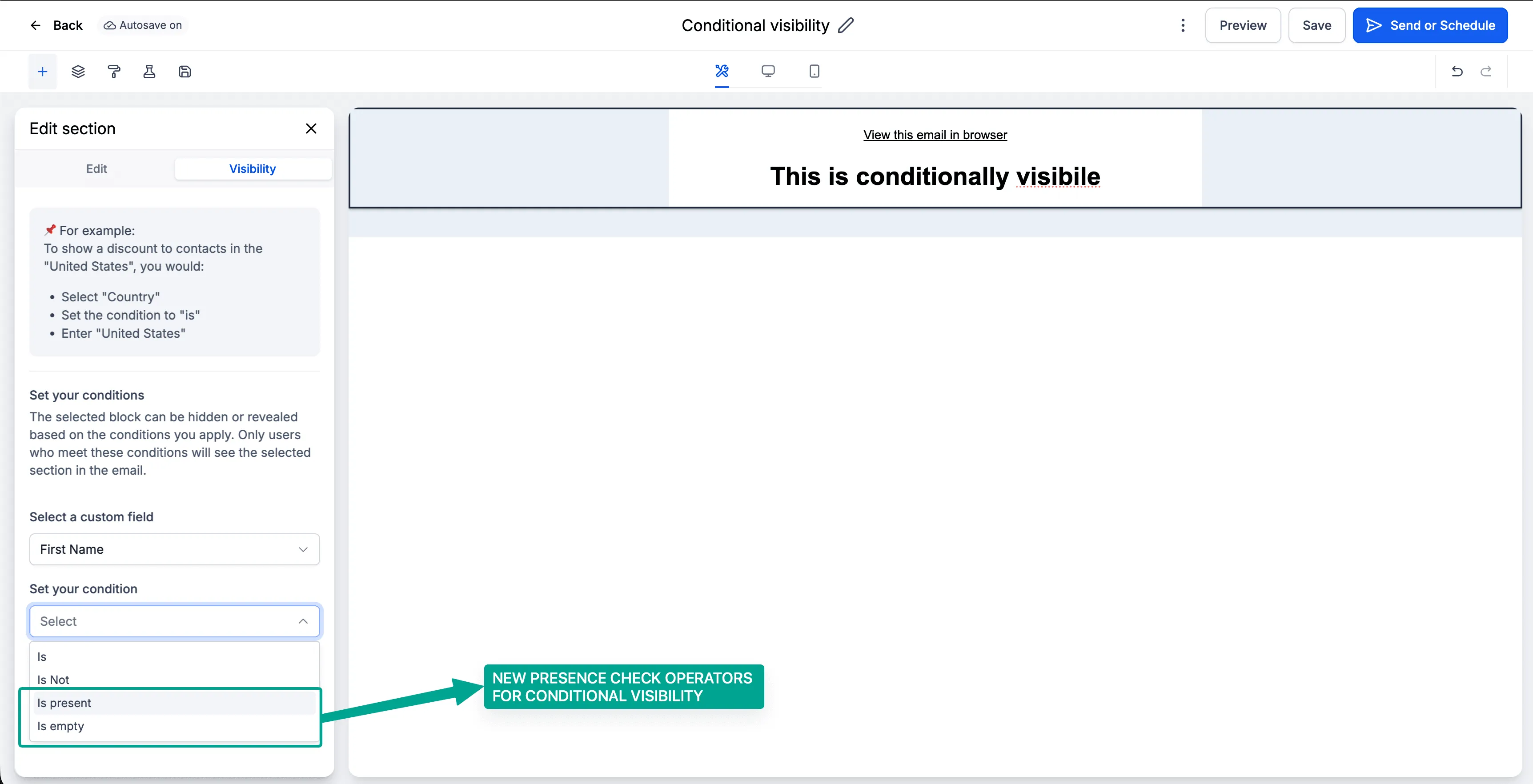
Value-based operators
Conditional Visibility now supports additional operators:
ISIS NOTIS EMPTYIS PRESENT
All custom fields, including attachment fields, are now available in the conditional visibility dropdown.
Example Uses
- Show a Download Invoice button only when an attachment field
IS PRESENT - Hide a personalized greeting when
first_nameIS EMPTY
Why It Matters
This update reduces repetitive setup across multiple elements, improves handling for empty or missing field values, and allows full email sections to hide more cleanly when conditions are not met.
How to Use It
- Select any layout or element inside the email builder.
- Open the Visibility tab.
- Choose the field you want to evaluate.
- Select a condition such as
IS,IS NOT,IS EMPTY, orIS PRESENT. - Set the required value if applicable, then save.
In Case You Missed It
You can also read about how to upload and download folders in Media Center.
Need Help Applying This Update?
Want help turning this update into a working part of your CRM, marketing, or automation setup?
Get Started or schedule a demo and we’ll help you map the right next step.