Client Portal Domain Setup Moves to Domain Configuration
SMBcrm has moved Client Portal email domain configuration from Notifications Domain Configuration to the main Domain Configuration page under Dedicated Domain Setup.
This centralizes email domain management and keeps Client Portal email activity visible in Conversations, so teams can review those messages alongside other conversation history.
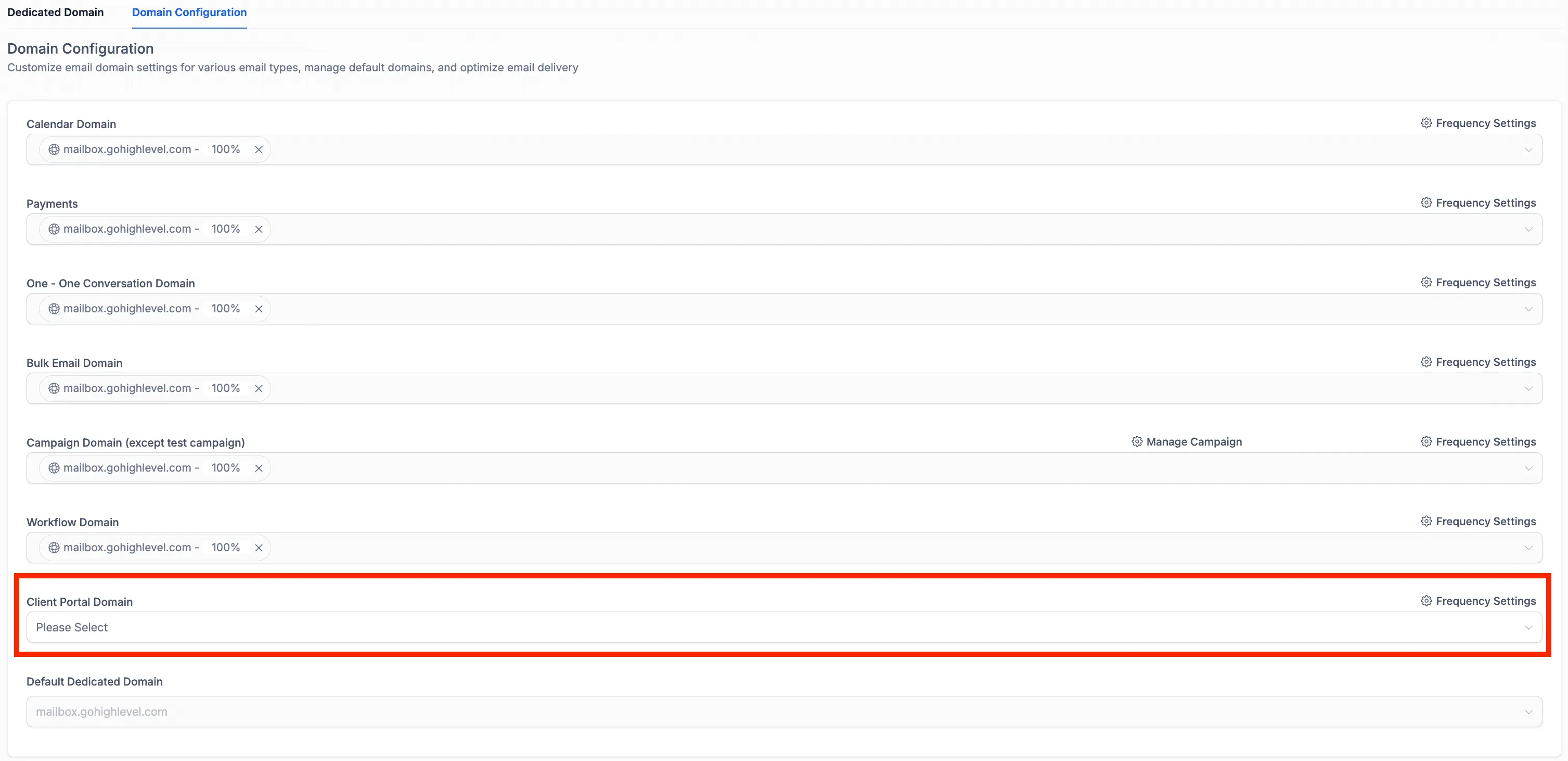
What changed
- Client Portal Domain configuration is now managed from Domain Configuration.
- The setting is available under Dedicated Domain Setup.
- Client Portal emails can still be viewed directly within Conversations.
- Email domain types are managed in one centralized area.
Why it matters
This update makes it easier to manage Client Portal email domains without switching between separate domain configuration areas. It also keeps Client Portal email activity accessible with the rest of the customer conversation history.
How to configure the Client Portal domain
- Go to Email Services.
- Open Dedicated Domain Setup.
- Navigate to Domain Configuration.
- Configure the Client Portal Domain.
In Case You Missed It
You may also want to read Upload and Download Folders in Media Center.
Need Help Applying This Update?
Want help turning this update into a working part of your CRM, marketing, or automation setup?
Get Started or schedule a demo and we’ll help you map the right next step.