Company Smart Lists for Saved CRM Views
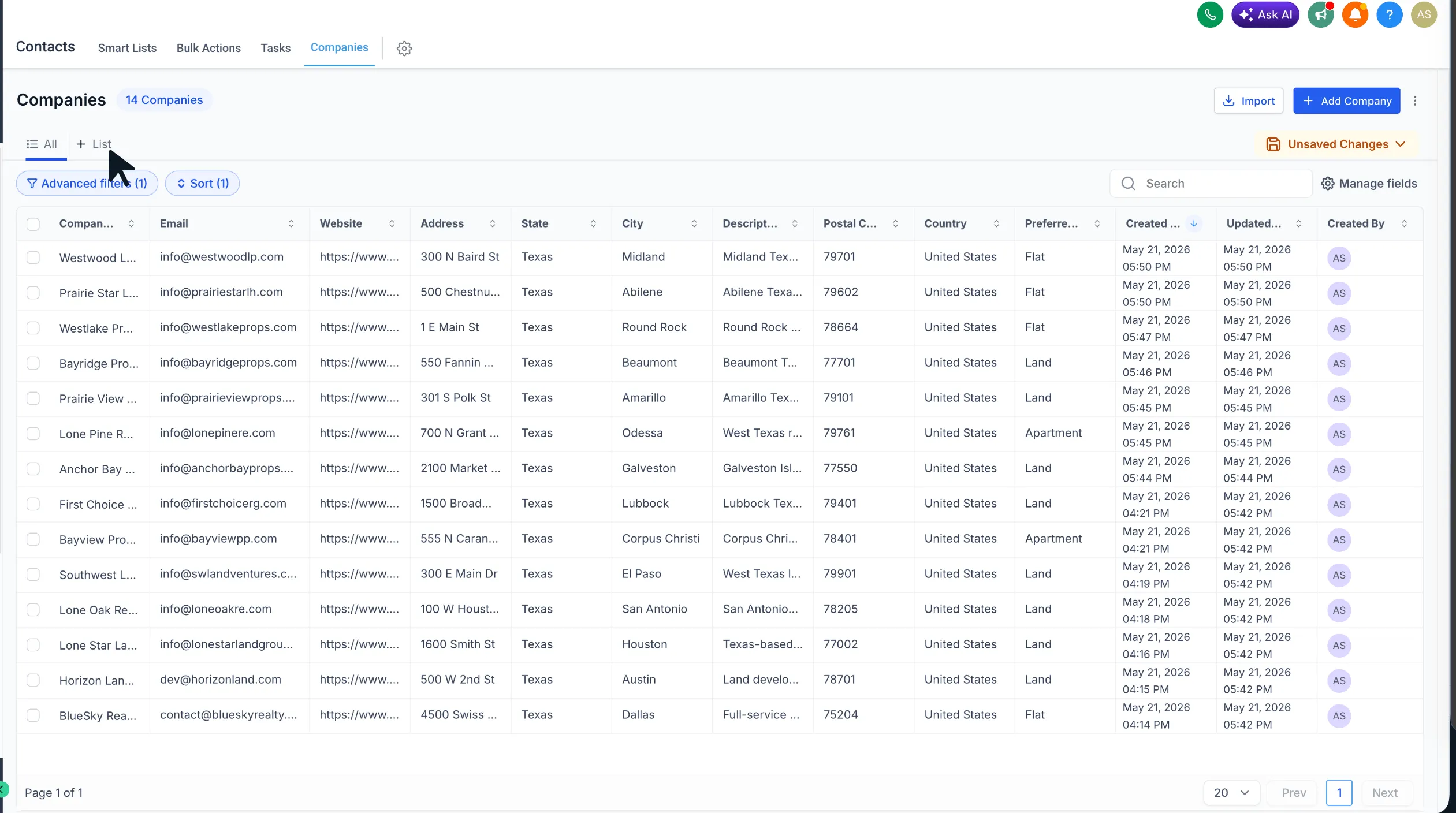
Managing company records in SMBcrm is more flexible with Company Smart Lists. In CRM & Sales, teams can save a customized company view and return to it without rebuilding filters, sorting, or visible fields.
What changed
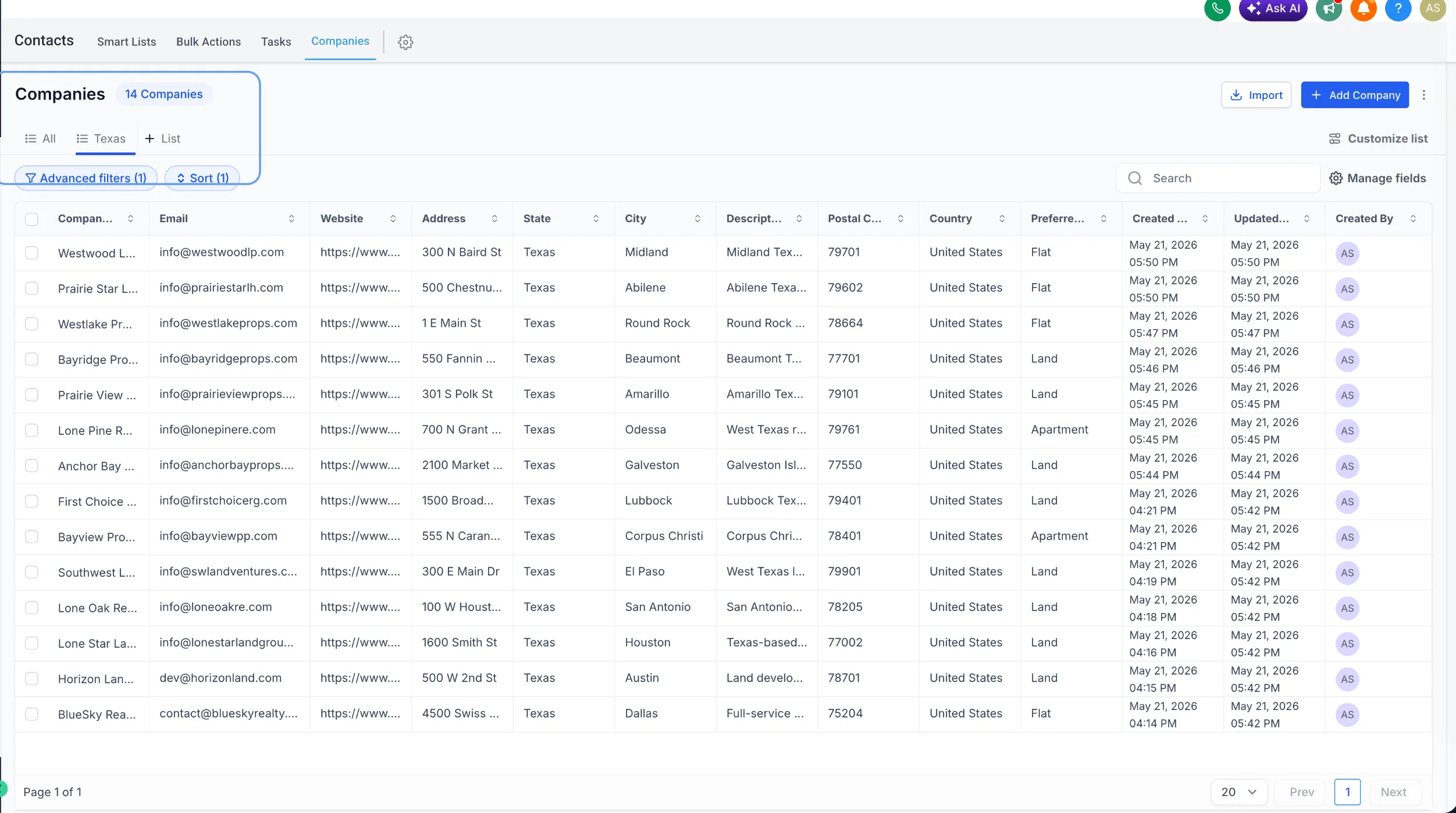
Company Smart Lists are available inside Companies. You can save a preferred company view with:
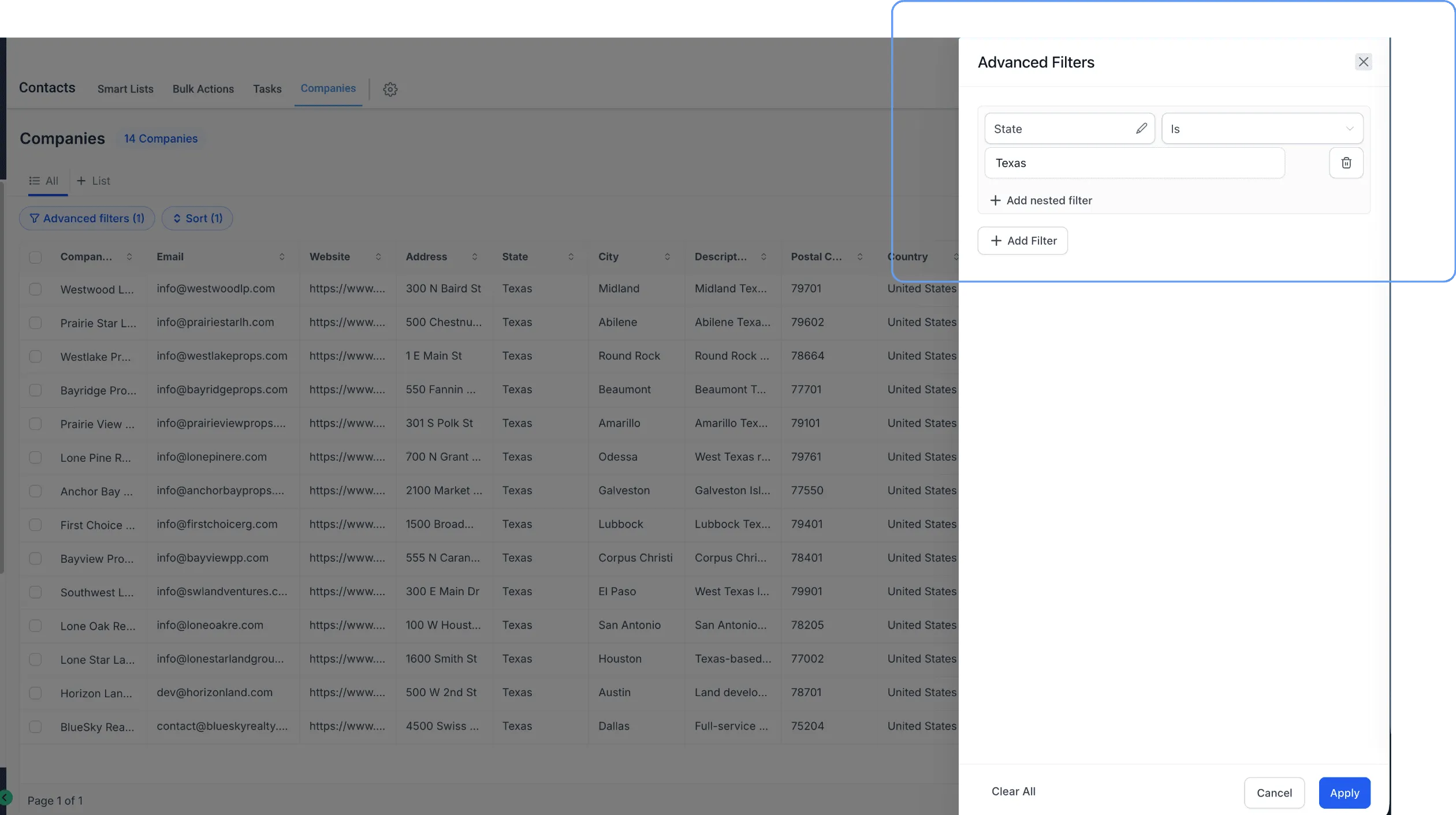
- Advanced filters
- Sort order
- Visible fields
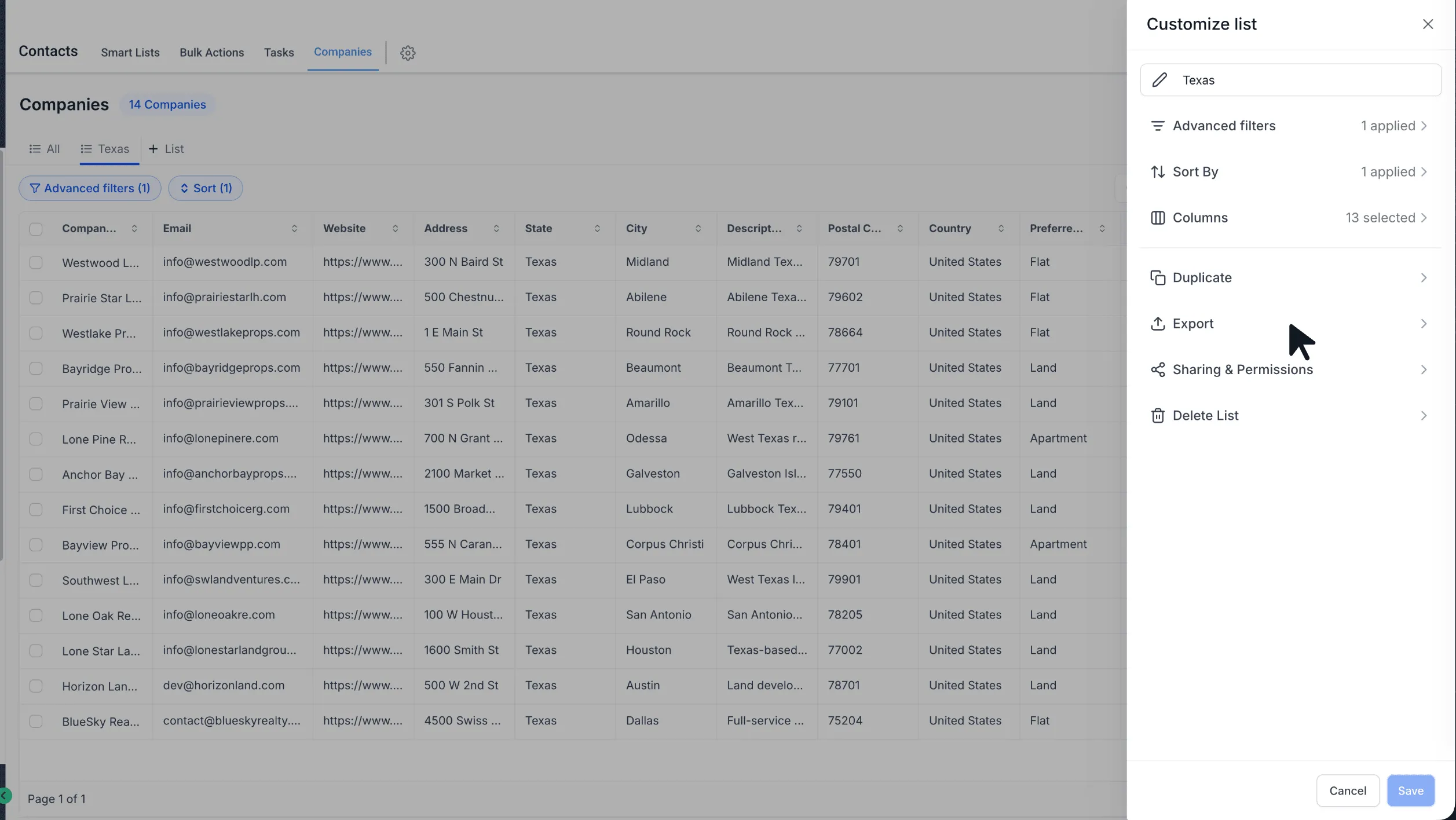
You can also:
- Duplicate an existing Smart List to create another version quickly
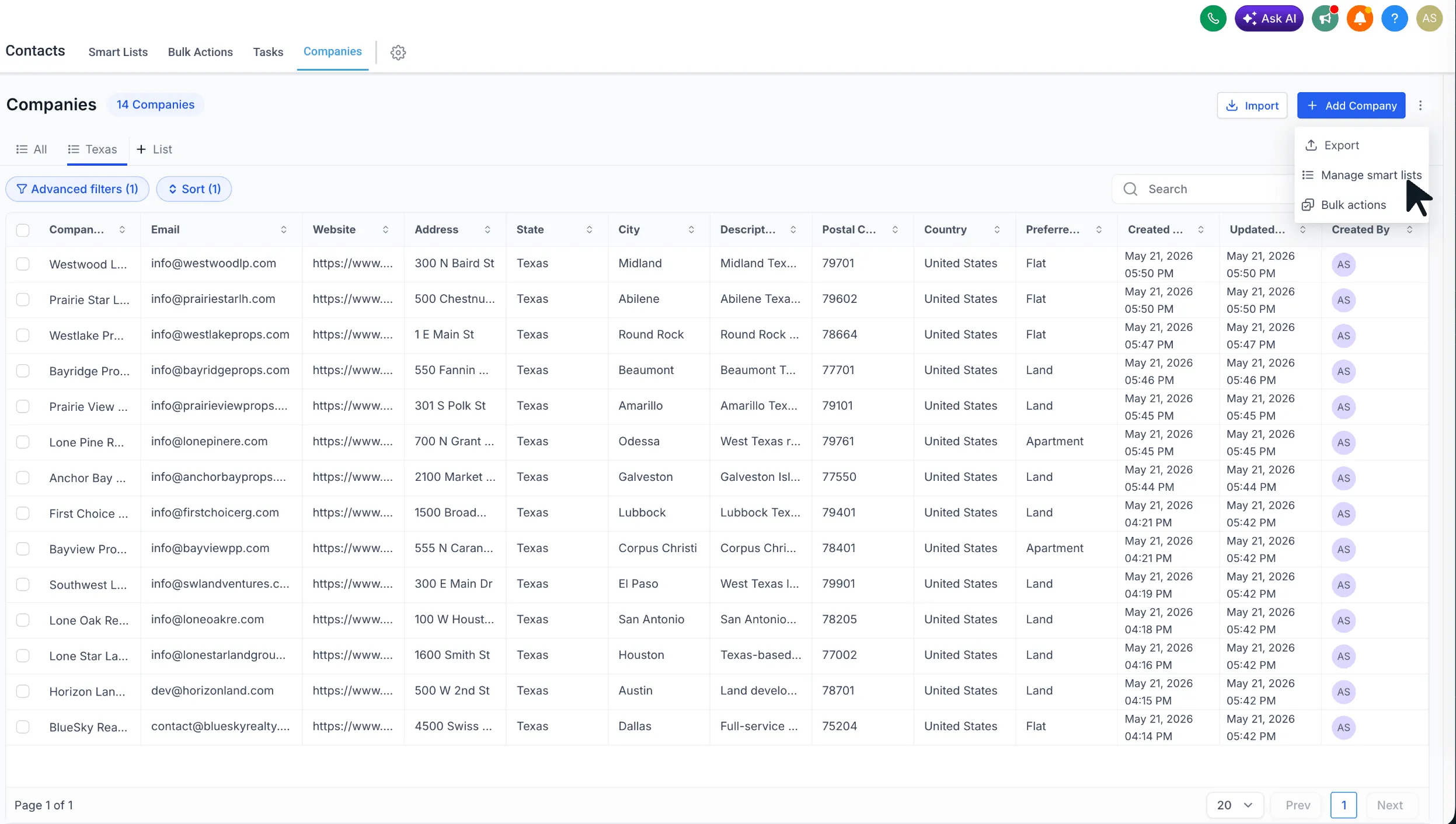
- Export Smart List results to CSV
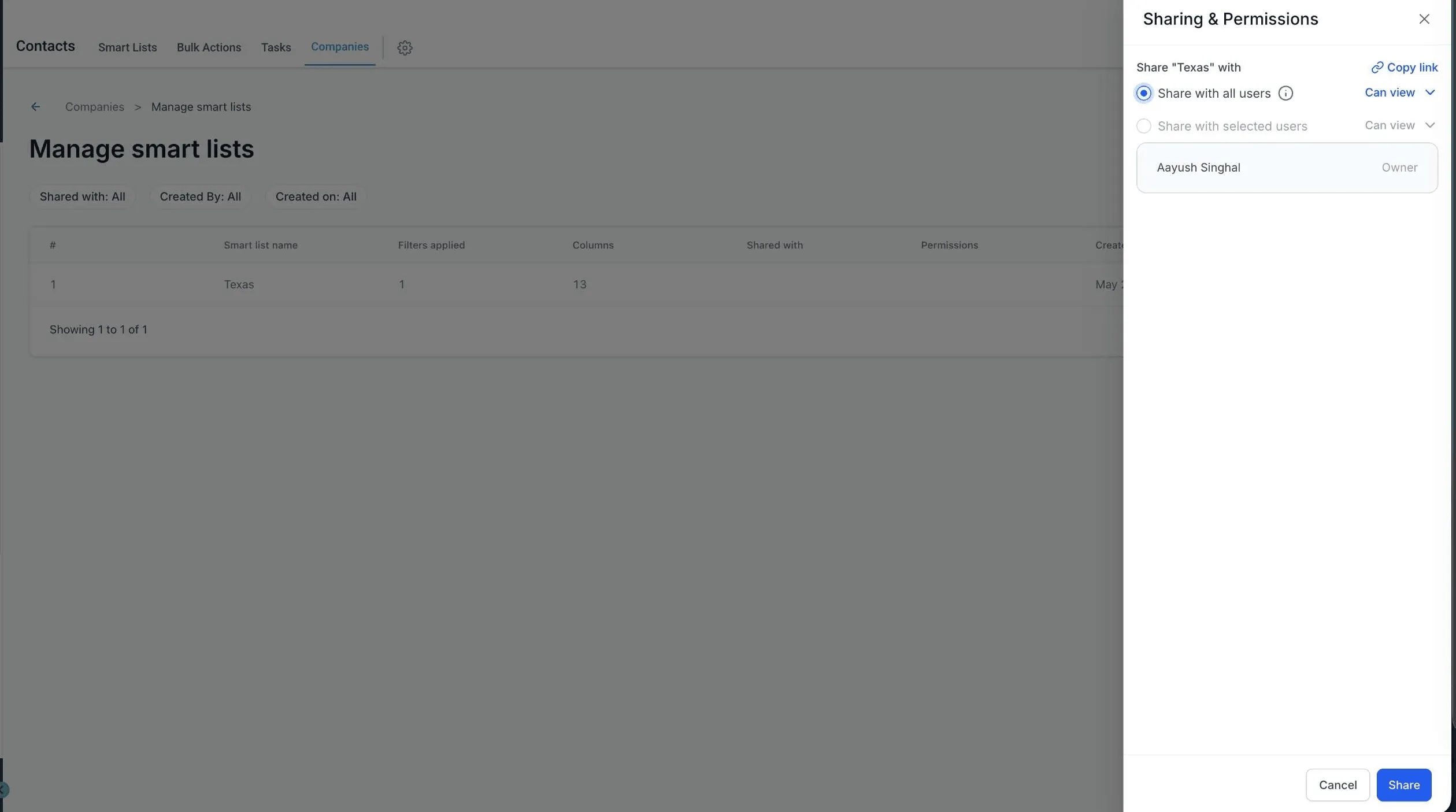
- Share Smart Lists with all users or selected users
- Give shared users view access or edit access
- Copy and share a direct link to a Smart List
- Save updates back to the same Smart List or save them as a new one
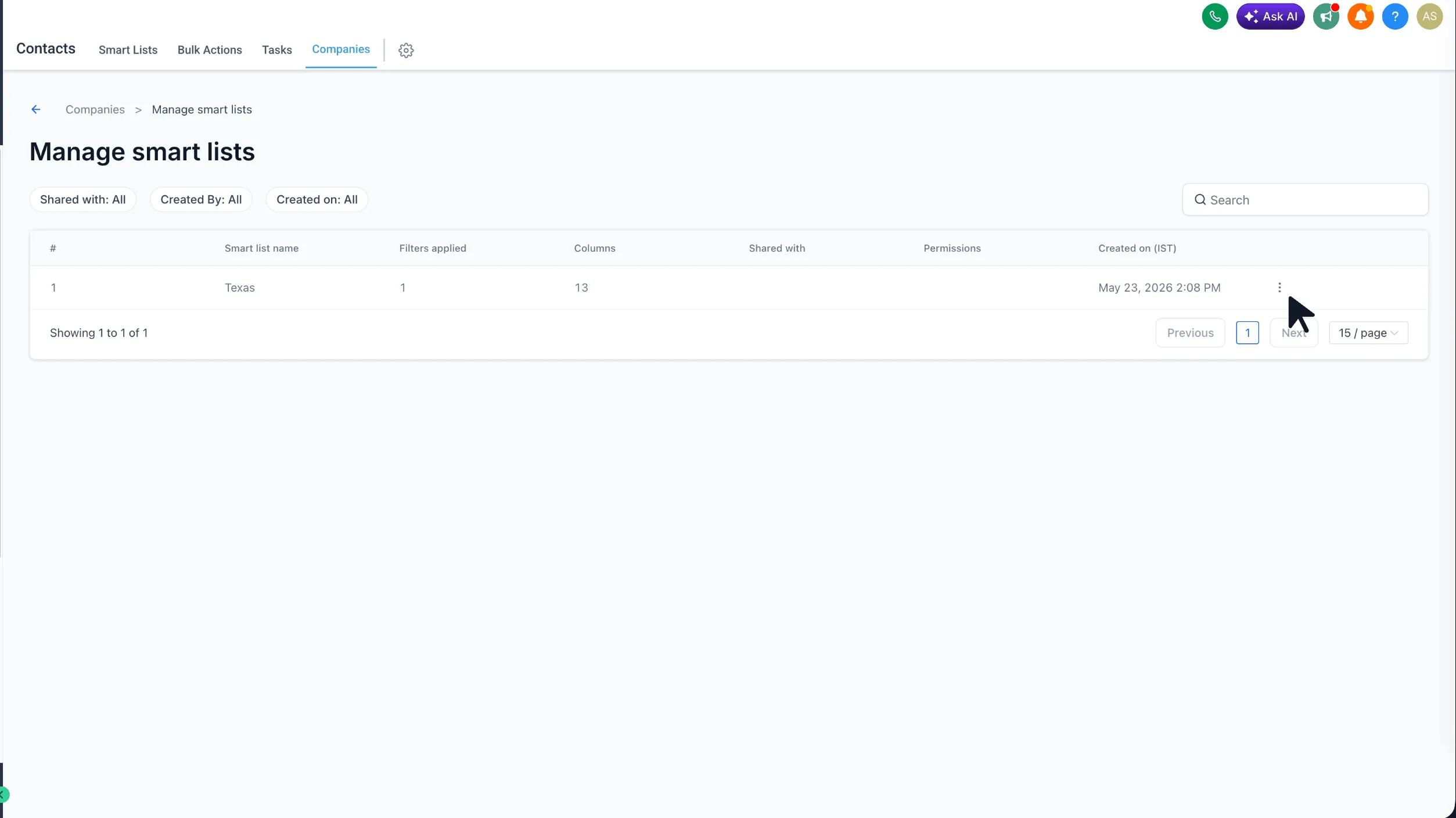
- Use the Manage Smart Lists page to review all Smart Lists in one place
How it works
- Turn on Company Smart Lists from Account Labs.
- Go to Contacts > Companies.
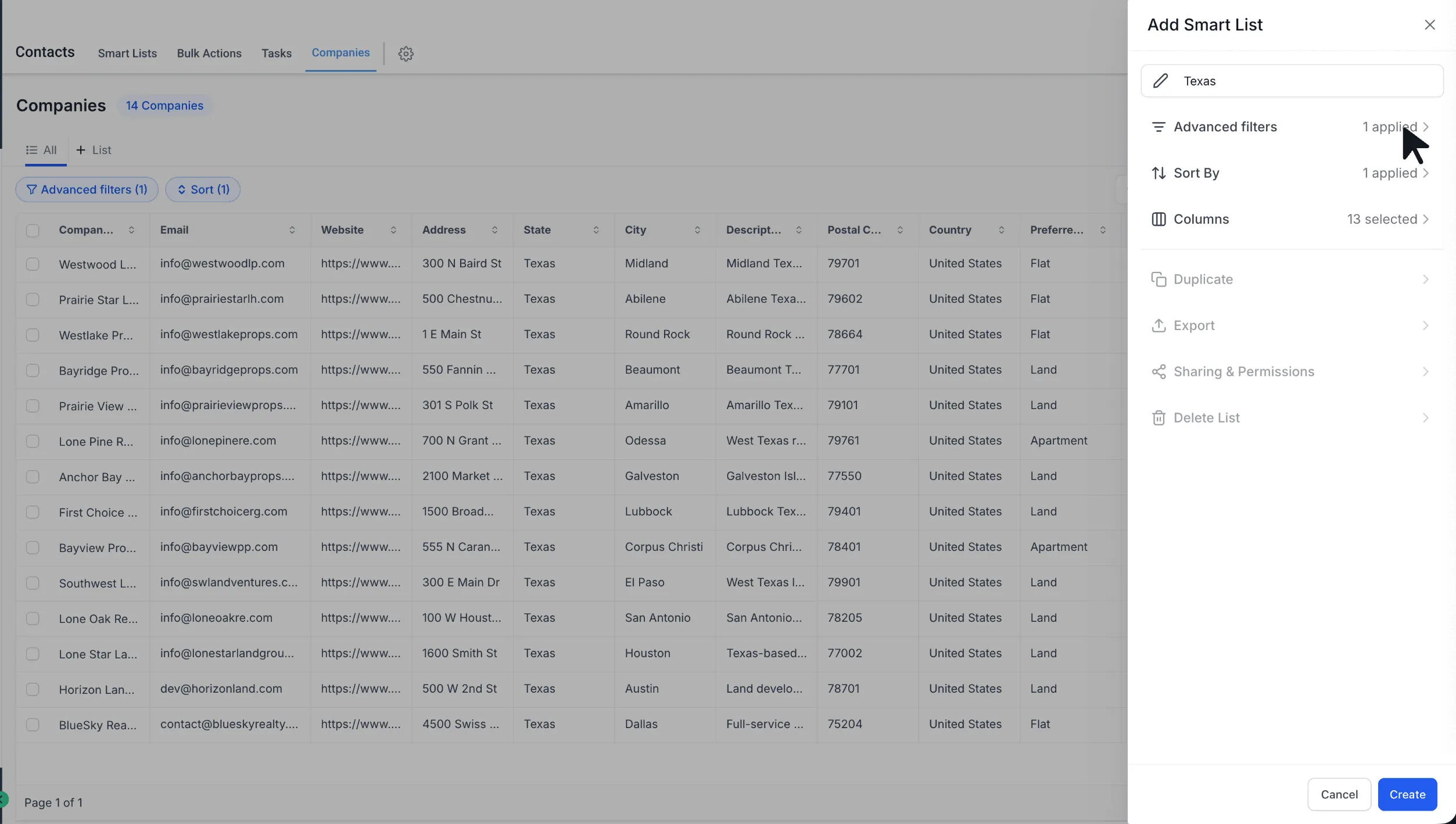
- Select + List.
- Apply the filters, sorting, and fields you want.
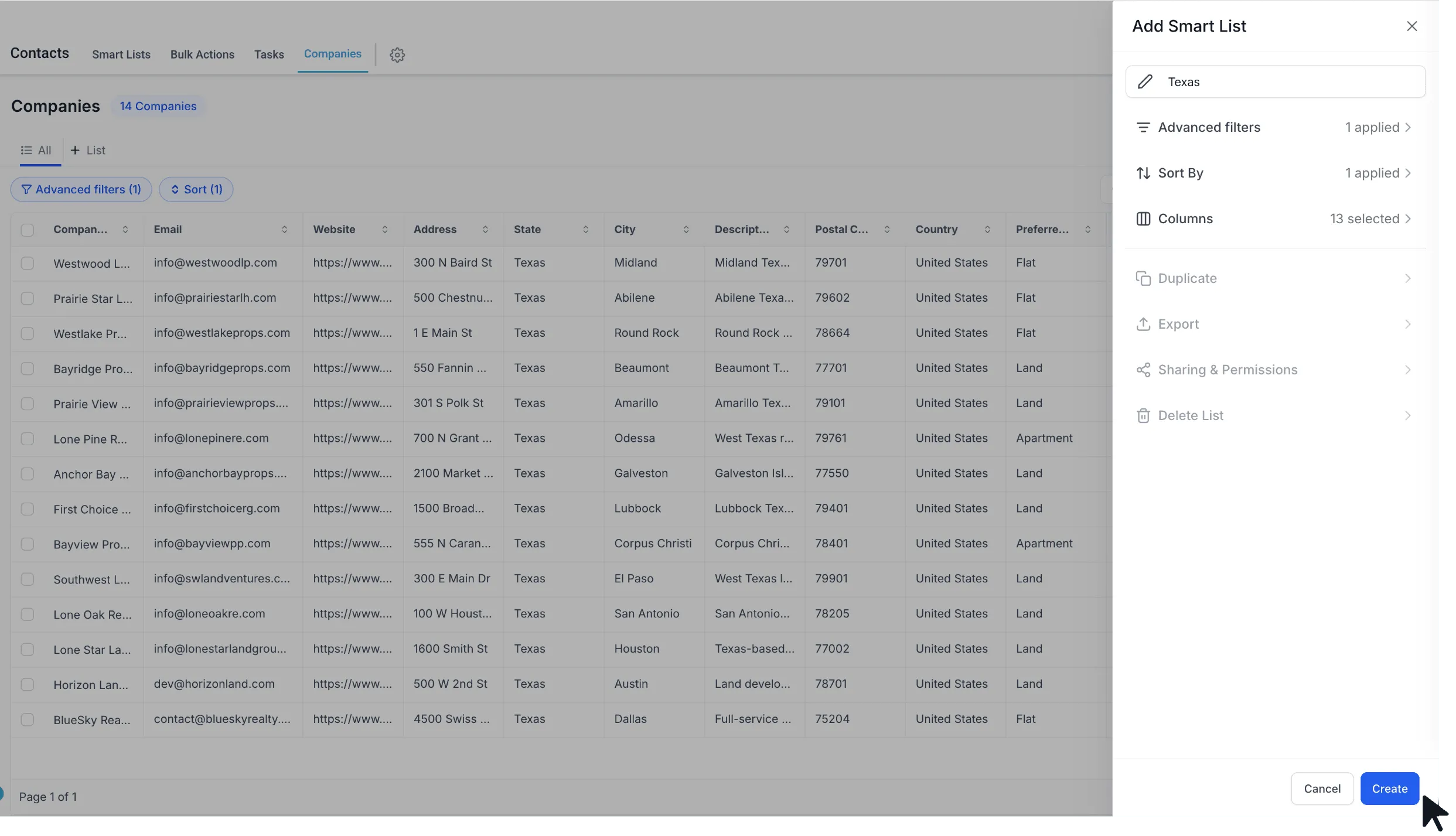
- Name the Smart List and save it.
- Reopen it anytime to continue editing, sharing, exporting, or duplicating it.
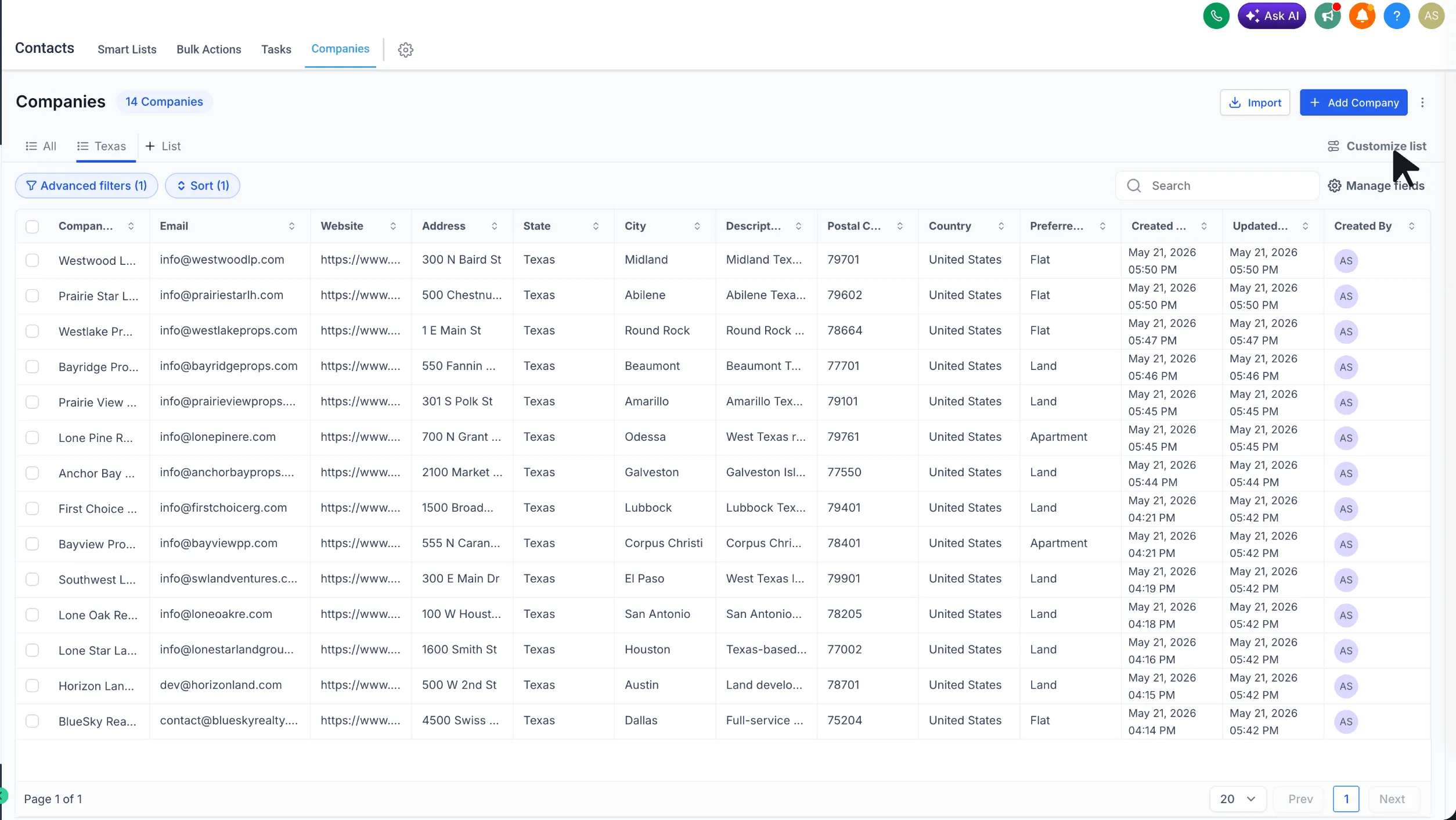
- Open Customize List to manage duplicate, export, sharing and permissions, and delete options.
Why it matters
Company Smart Lists reduce repetitive setup for teams that work with company records. They also make it easier to return to frequently used views, standardize company lists across users, and share important filtered lists with the right people.
Notes
- This feature is currently available in Account Labs.
- Users with edit access can also change sharing permissions.
In Case You Missed It
For another CRM workflow update, read Contact Tag Updates Now Require Confirmation.
Release Images
Need Help Applying This Update?
Want help turning this update into a working part of your CRM, marketing, or automation setup?
Get Started or schedule a demo and we’ll help you map the right next step.