Company Fields Now Work in the Custom Value Picker
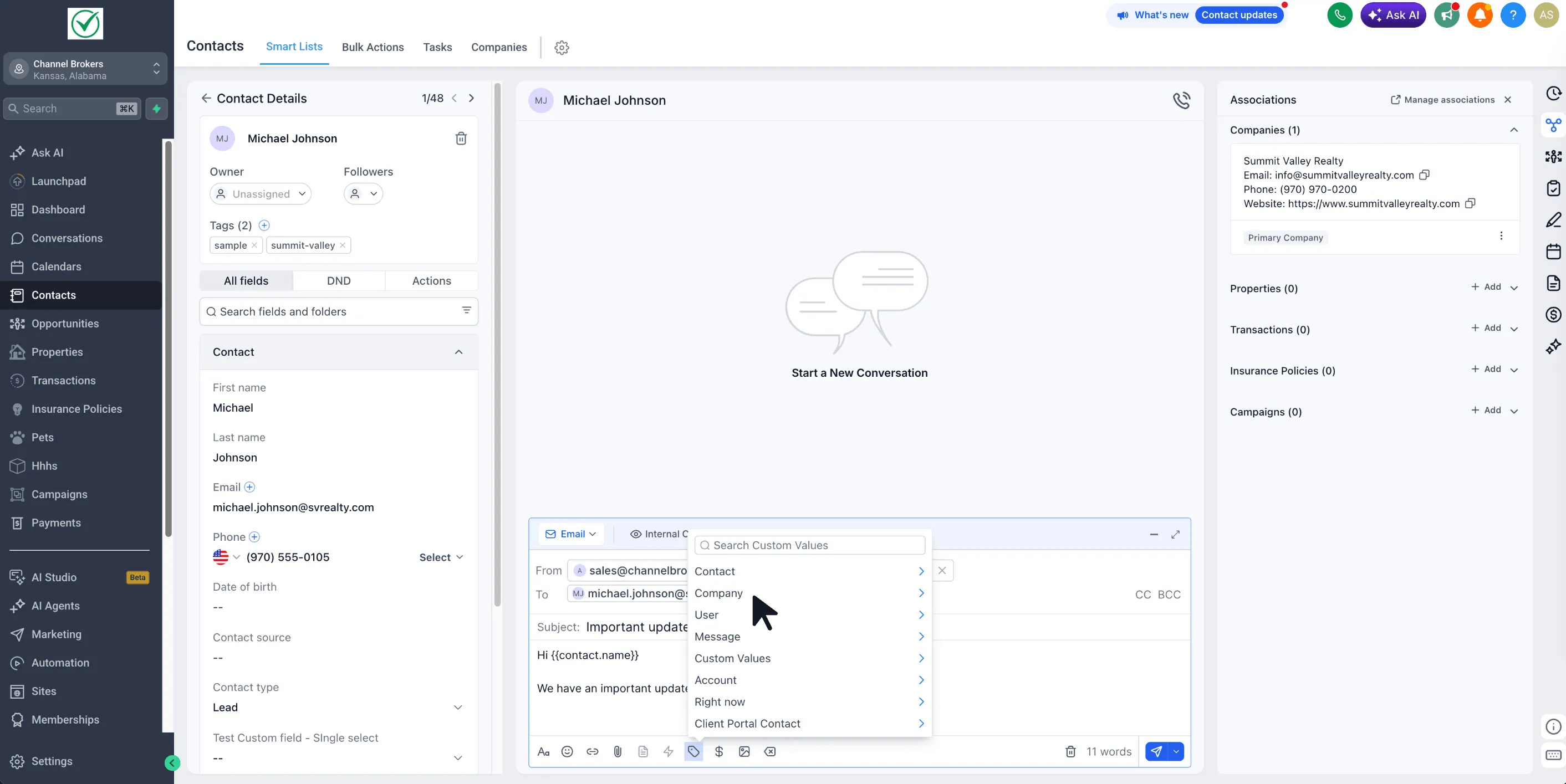
SMBcrm now supports Company fields in the Custom Value Picker, making company-level data available across more customer communication and automation tools.
This applies to both standard Company fields and custom Company fields.
What changed
You can now select Company fields as custom values in supported areas of SMBcrm, including:
- Workflows
- Email Builder
- Email Campaigns
- Conversations
- Documents and Contracts
- Bulk Actions
- Conversation AI
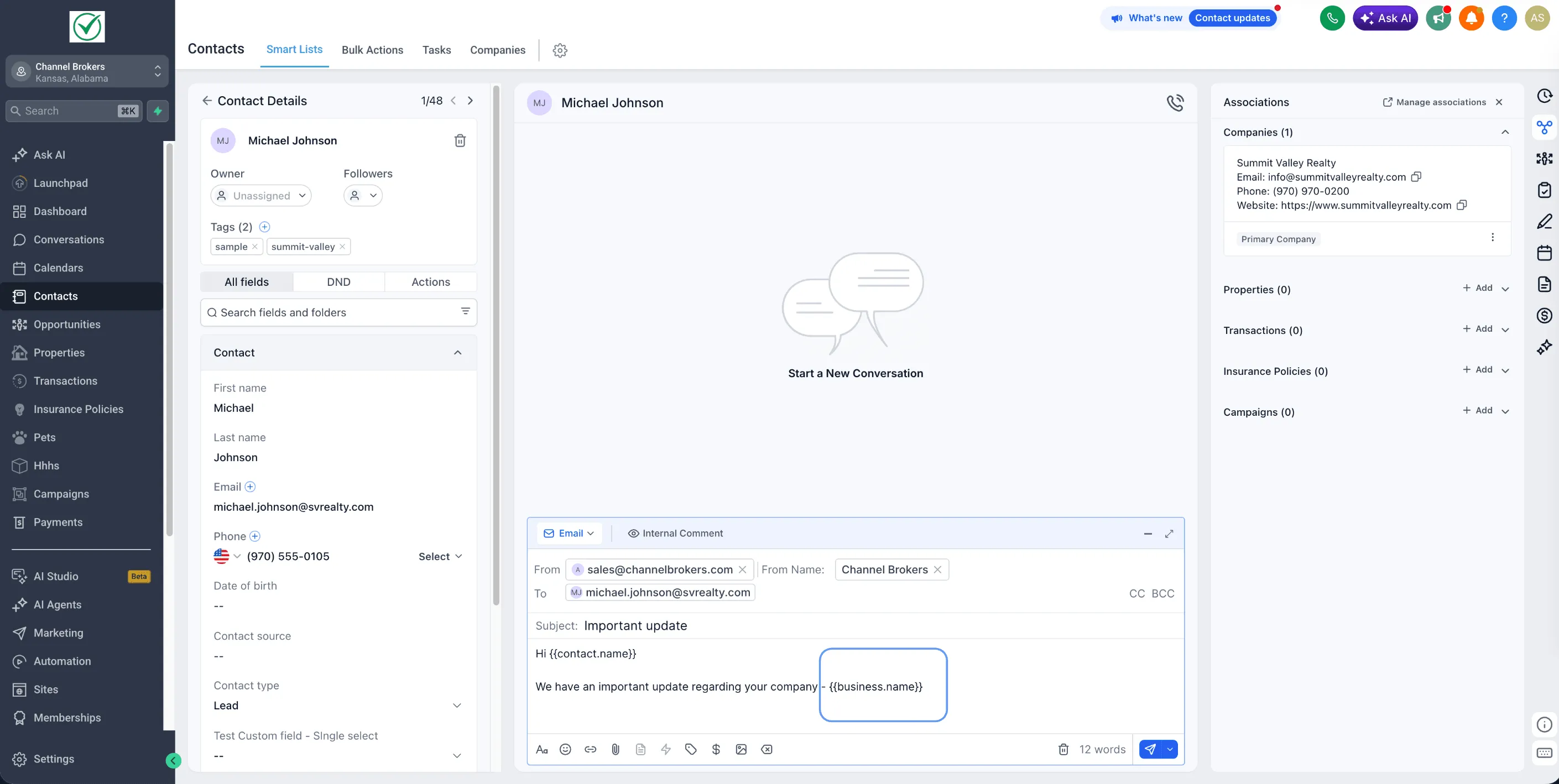
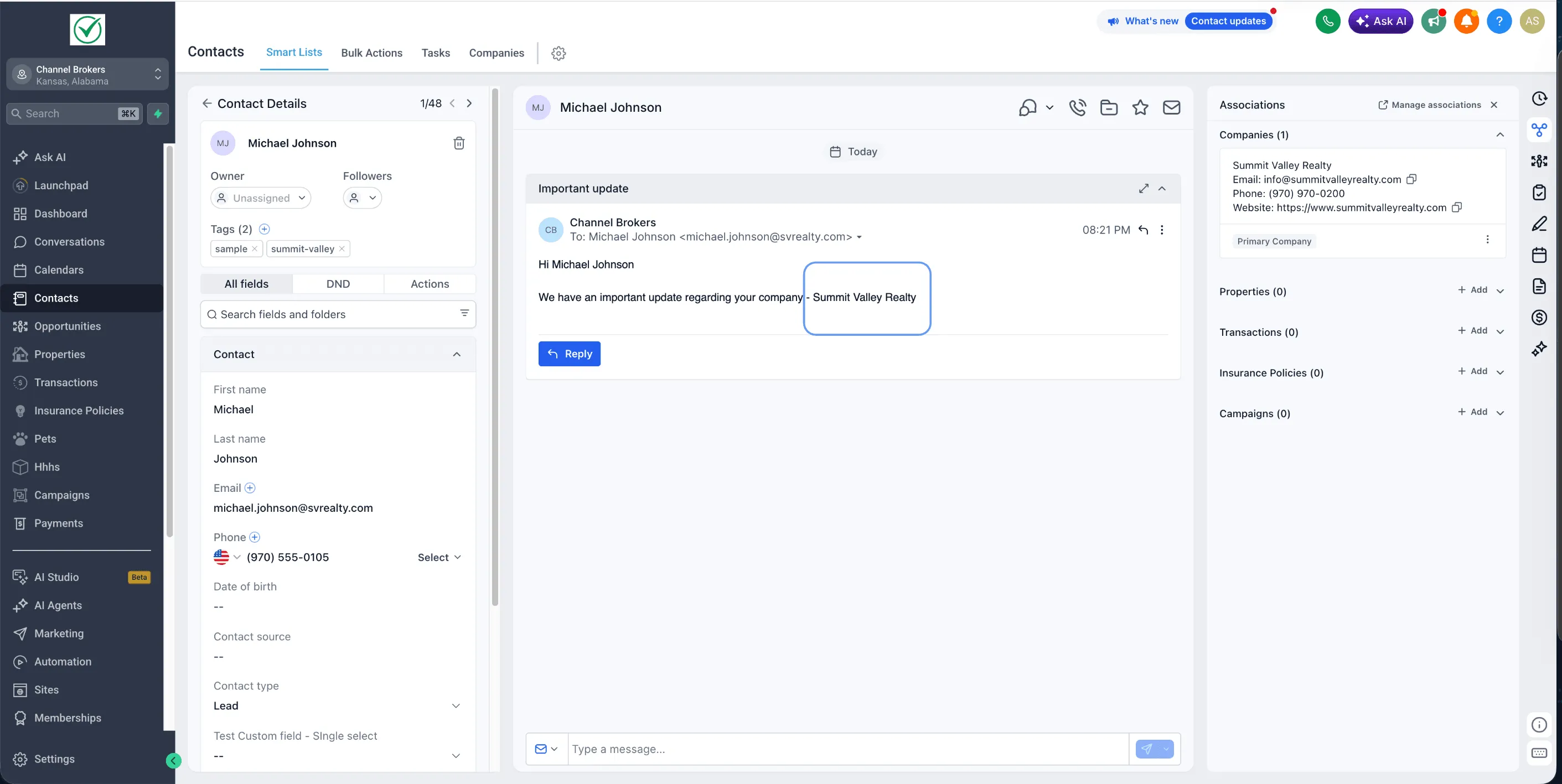
Each custom value resolves at runtime to the Company associated with the Contact.
Why it matters
Company data stored in your CRM and sales workspace can now be used directly where you communicate, automate, and generate documents.
This helps you:
- Personalize messages with details such as company name, industry, account tier, or custom attributes
- Auto-fill proposals, agreements, and contracts with Company context
- Give Conversation AI access to Company information when generating replies
- Build workflows that use Company data without extra workarounds
How to use Company fields
- Open a supported tool, such as Conversations or a Workflow Send Email action.
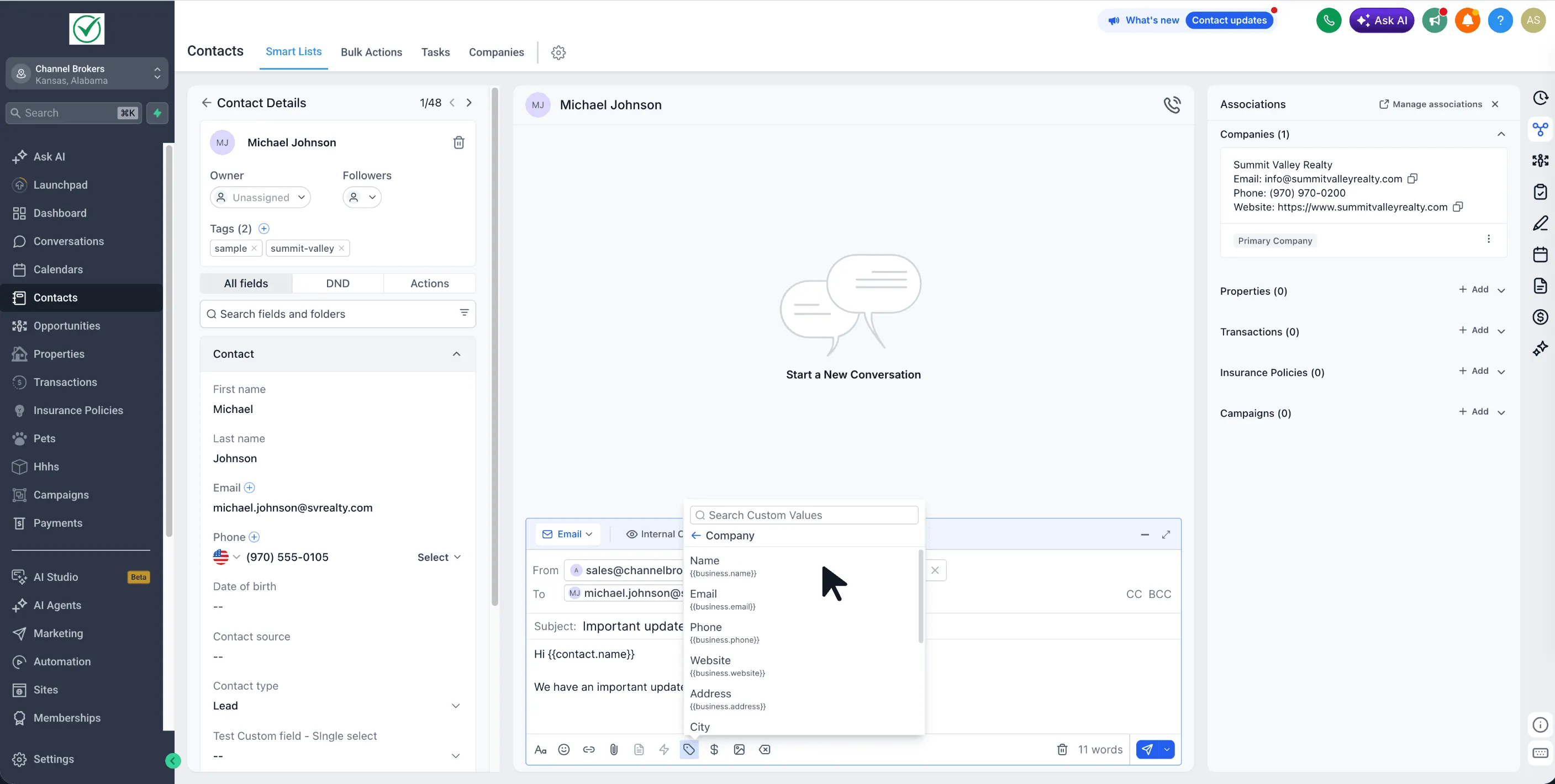
- Click the Custom Value Picker in the editor toolbar.
- Select the Company group.
- Choose any standard or custom Company field.
In Case You Missed It
For another CRM workflow update, read Contact Tag Updates Now Require Confirmation.
Need Help Applying This Update?
Want help turning this update into a working part of your CRM, marketing, or automation setup?
Get Started or schedule a demo and we’ll help you map the right next step.