Skip to content
· Improvement Lead Capture Calendars

Conditional Form Support – Services & Rentals

Custom forms attached to your bookings now have complete conditional logic support across Services and Rentals. Show/hide field conditions have always applied.

S
SMBcrm Team · September 10, 2026

Overview

🧭 Overview Custom forms attached to your bookings now have complete conditional logic support across Services and Rentals. Show/hide field conditions have always applied automatically during booking — and now, post-booking actions like red

Details

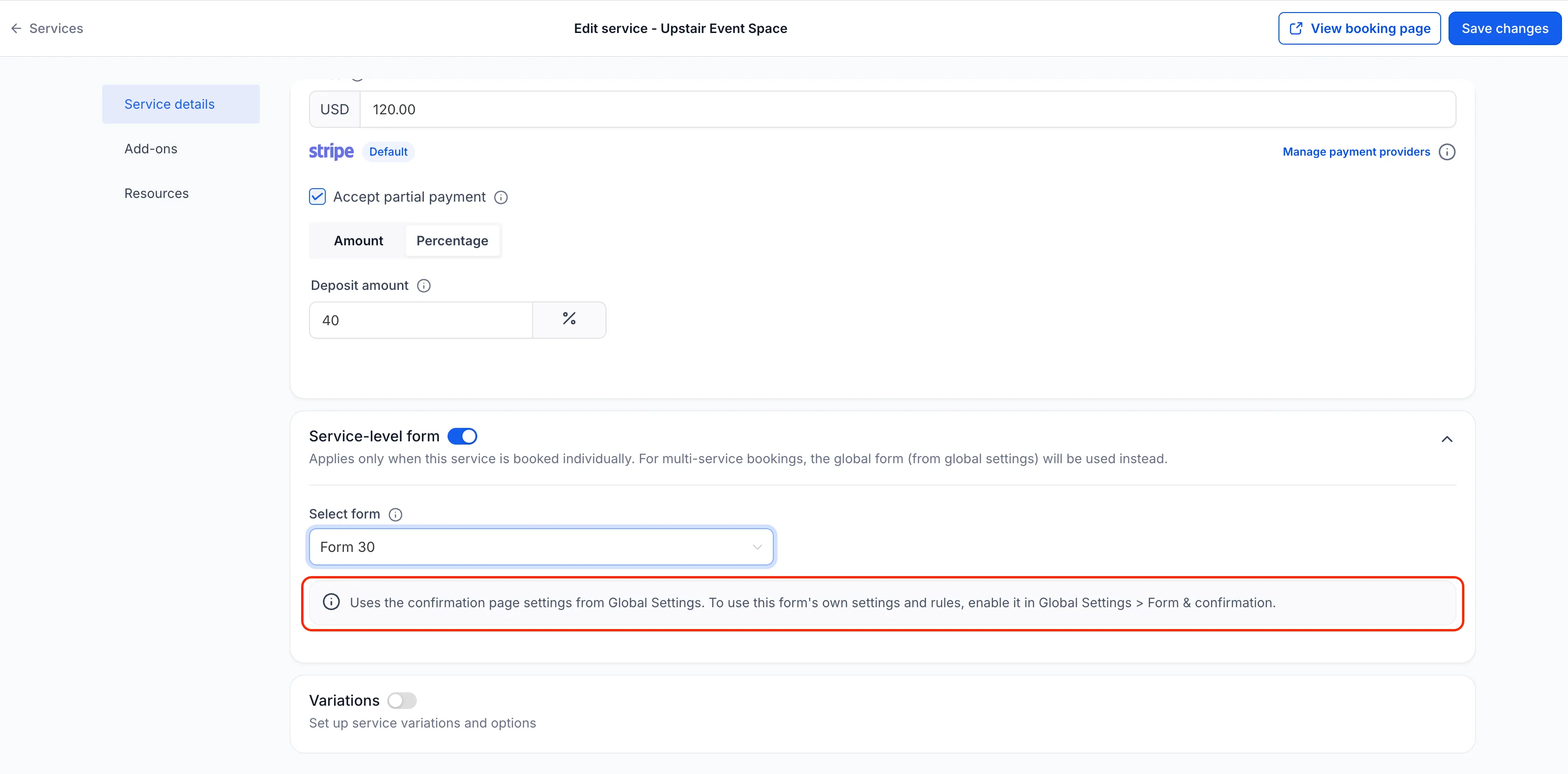
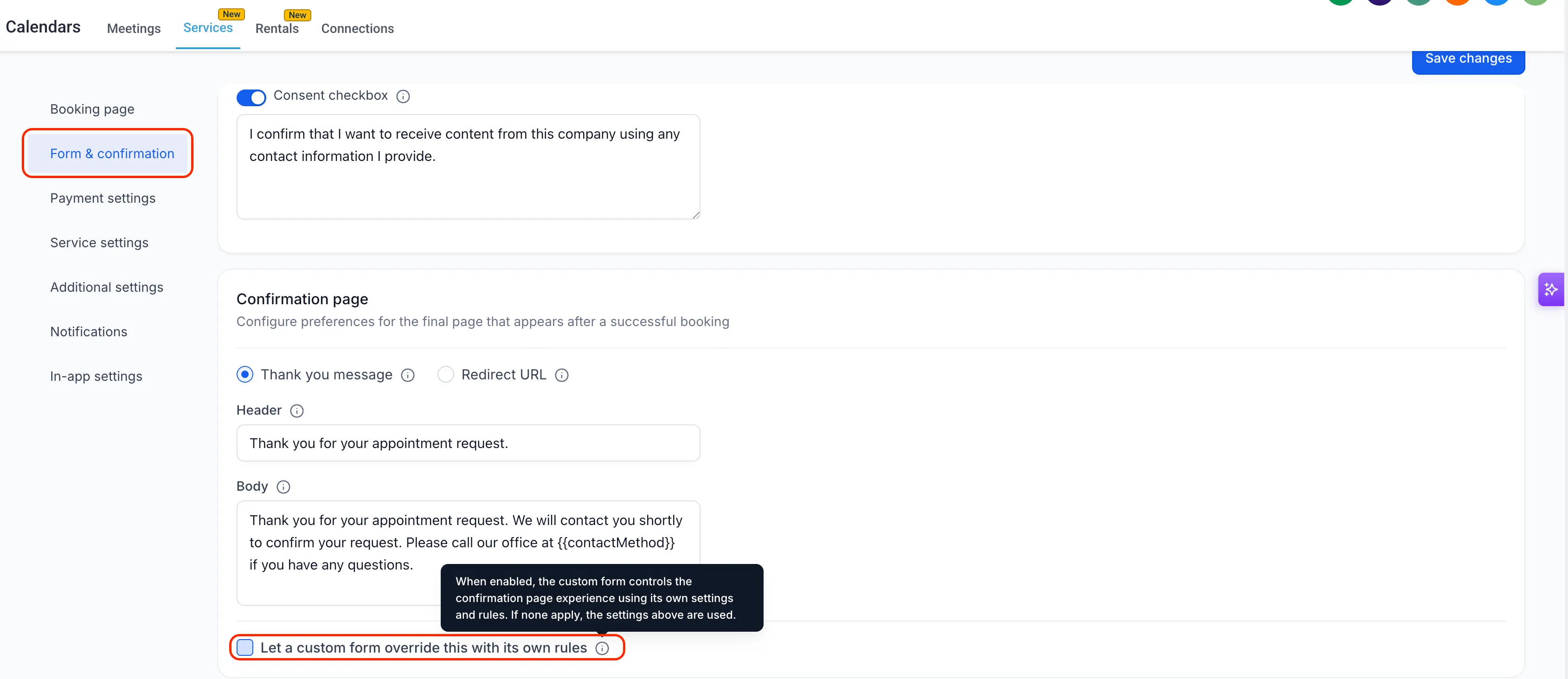
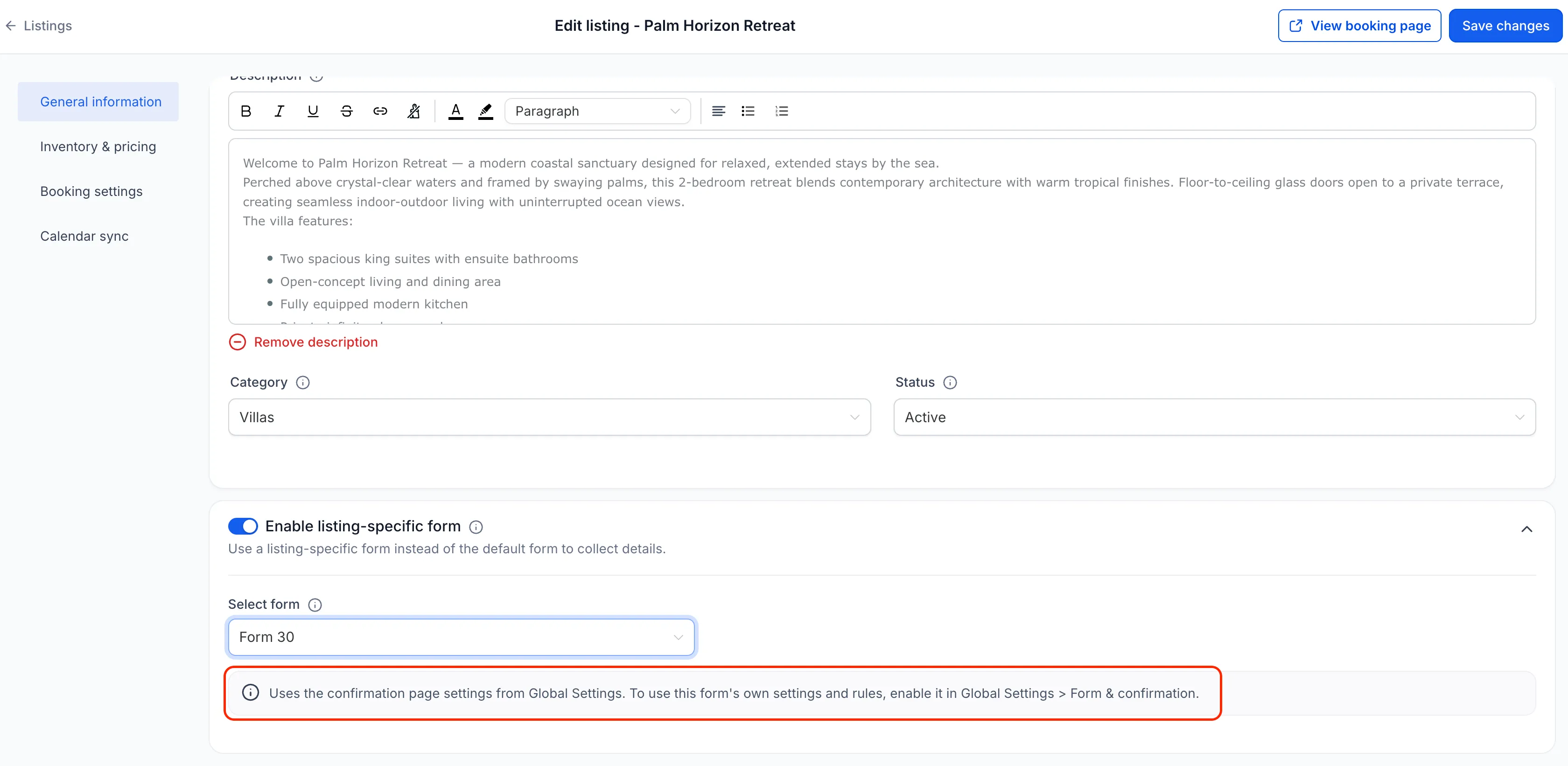
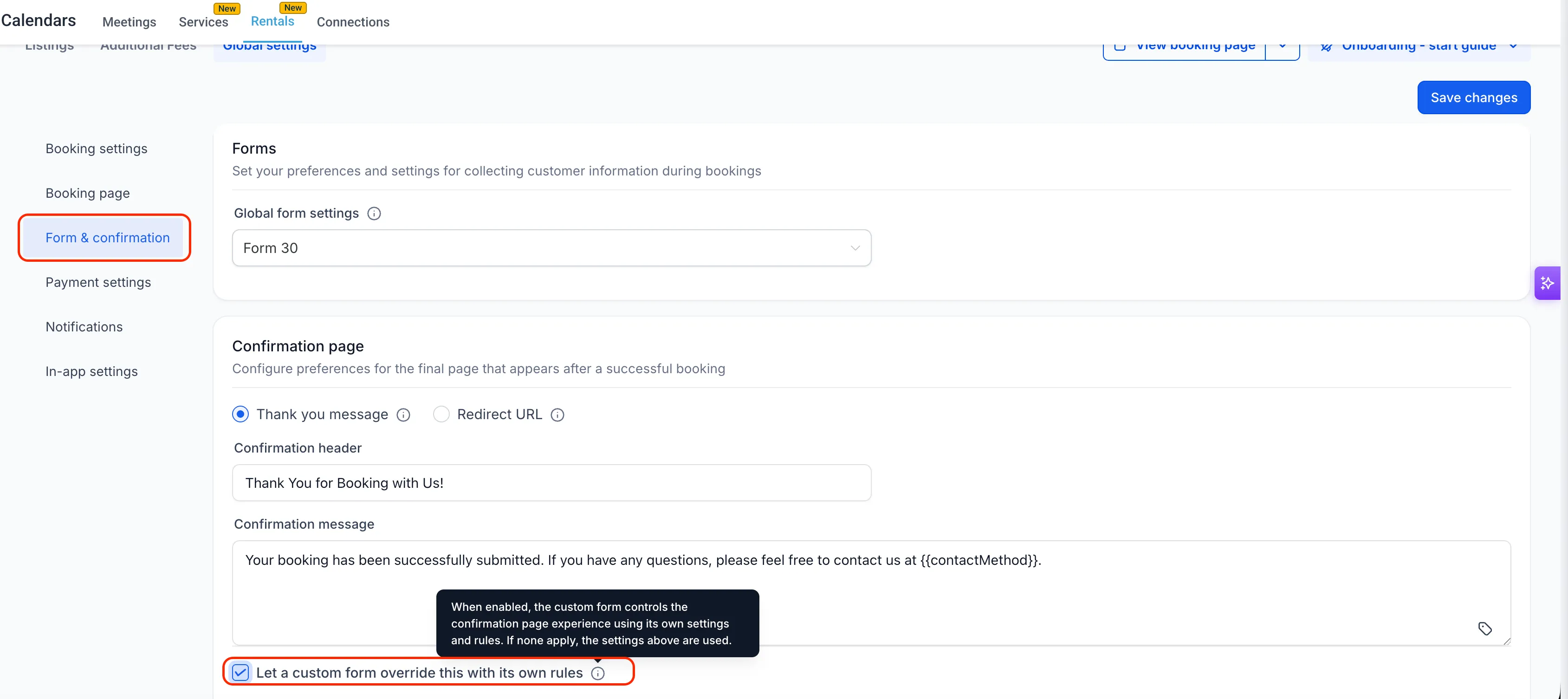
🧭 Overview Custom forms attached to your bookings now have complete conditional logic support across Services and Rentals. Show/hide field conditions have always applied automatically during booking — and now, post-booking actions like redirects, custom messages, and lead disqualification or confirmation page configured in the form can also be activated through a new global setting. This gives businesses full control over the booking experience from start to finish, powered entirely by their custom form. # 🚀 What’s New? ✅ Post-Booking Conditional Rules Now Supported Custom form conditions that control the confirmation page — including Redirect to URL, Display custom message, and Disqualify lead — now fully apply after a booking is submitted, when enabled in Global Settings. ✅ Form’s On Submit Actions Now Apply When the global setting is enabled, the custom form’s On Submit action also controls the confirmation page experience, replacing the calendar-level confirmation settings. ✅ New Global Toggle to Enable Form Control A new checkbox — “Let a custom form override this with its own rules” — in Global Settings > Form & confirmation gives you one place to activate full form control across all listings and services. A tooltip clarifies exactly what enabling it does. ✅ Smart Fallback Behavior If the attached custom form has no applicable settings or rules, the confirmation page automatically falls back to whatever is configured in Global Settings — so nothing breaks if a form is attached without applicable post-booking rules (such as On Submit action set to Order Confirmation). ✅ Contextual Banners at the Listing and Service Level When selecting a custom form at the individual listing or service level, a new inline banner tells you if and exactly how the form’s rules will behave. # 🧩 How to Use It - Go to **Services/Rentals > Global settings > Form & confirmation ** - Select a custom form under Global form Settings - Under the Confirmation page section, check “Let a custom form override this with its own rules.” - At the individual listing or service level, select your custom form under Select form — the inline banner will confirm whether form rules are active. - Show/hide field conditions from your custom form apply automatically during booking — no additional setup needed for those. # 🎯 Why This Matters - Businesses can now route customers to different URLs, show personalized messages, or disqualify leads — all driven by the answers customers give during booking. - No more partial conditional logic — custom forms now have end-to-end control over the booking experience when enabled. - The smart fallback ensures existing setups aren’t disrupted — if a form has no post-booking rules, the Global Settings confirmation page is used seamlessly. - Contextual banners at the listing and service level eliminate guesswork — users always know what their form will do and where to change it. - Consistent behavior across Calendars, Services, and Rentals reduces confusion and makes the platform easier to reason about. Screenshot 2026-09-10 at 4 Screenshot 2026-09-10 at 4 Screenshot 2026-09-10 at 4 Screenshot 2026-09-10 at 4


Need Help Applying This Update?

Want help turning this update into a working part of your CRM, marketing, or automation setup?

Get Started or schedule a demo and we’ll help you map the right next step.

Tags Improvement Lead Capture Calendars
Share
60-day money-back guarantee

See what's new in SMBcrm.

Every release adds more ways to capture leads, automate work, and grow — all included in your plan.

60-day money-back guarantee

Full refund within 60 days if SMBcrm isn't right for you

No setup fees

Get started in minutes, we handle the heavy lifting

Cancel anytime

No long-term contracts, stay because you want to