Connect Shopify Faster with OAuth
Connecting a Shopify store in SMBcrm is now simpler with Shopify OAuth. Users can connect directly without creating a custom Shopify app, generating API tokens, or involving developer setup.
Existing Shopify integrations are not affected. If a store was already connected using the custom app method, it continues to work as-is and no action is required.
What Changed
- Simplified OAuth connection: Connect a Shopify store directly with a one-click authorization flow.
- No API token setup: Users no longer need to manually generate an API token or create a custom app in Shopify.
- Scoped access: OAuth 2.0 uses scoped, auditable access that can be revoked from Shopify admin at any time.
- Same sync capabilities: Existing sync features remain supported, including historic and real-time sync for customers, orders, transactions, products, and collections.
- Faster onboarding: Connecting Shopify can now take under a minute.
How It Works
- Go to Settings > Integrations > Shopify and click Connect.
- Enter the Shopify store URL and click Next.
- Select import and sync preferences, then click Save.
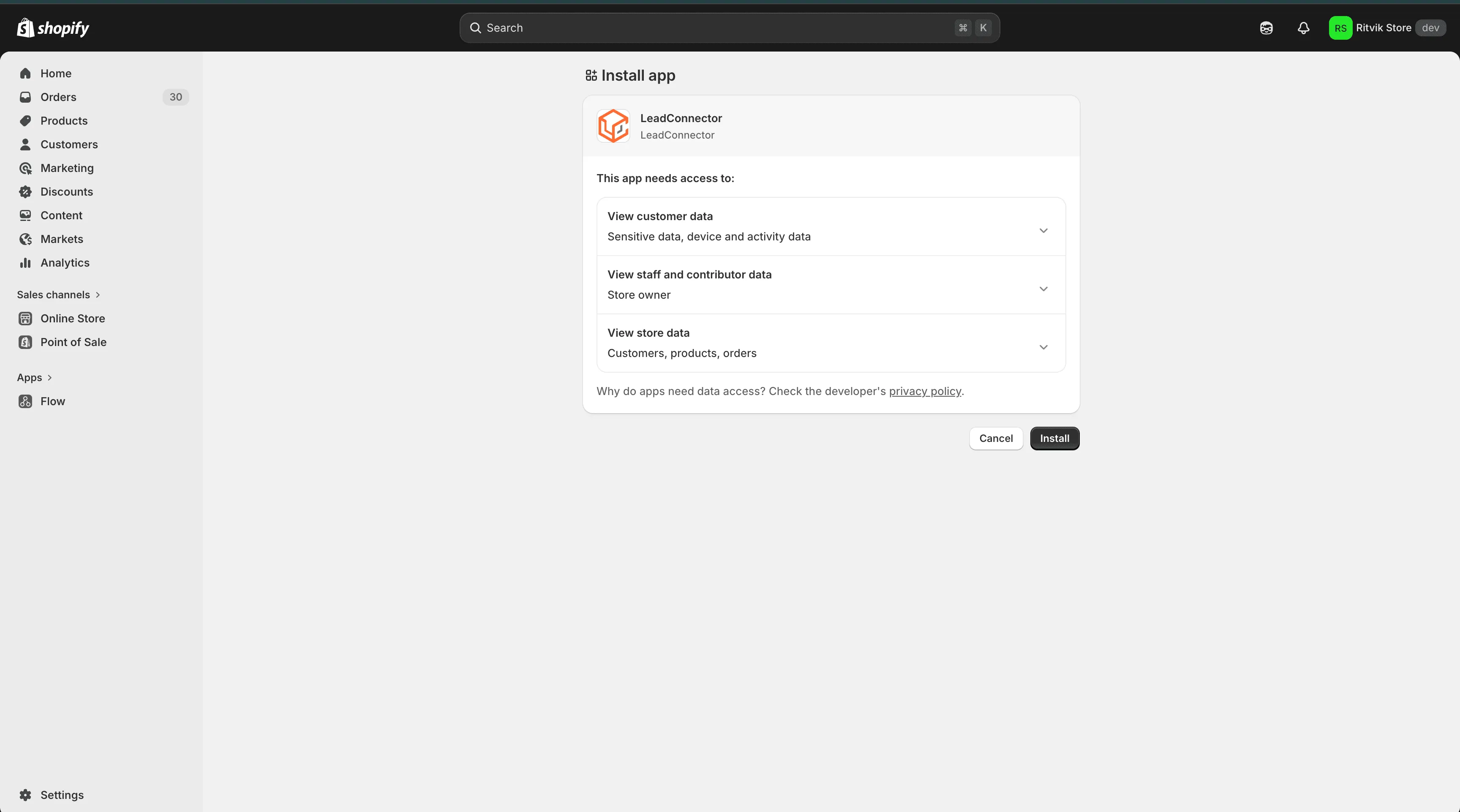
- Review the requested permissions in Shopify and click Install.
- After approval, Shopify redirects back to the account automatically.
Why It Matters
This update lowers the technical barrier for merchants who want to connect Shopify without managing API scopes or custom app setup.
It also helps teams that manage multiple Shopify stores onboard integrations more quickly while using Shopify’s standard authorization flow.
In Case You Missed It
Read about the recent update to contact tag confirmation.
Need Help Applying This Update?
Want help turning this update into a working part of your CRM, marketing, or automation setup?
Get Started or schedule a demo and we’ll help you map the right next step.