Klaviyo Triggers and Actions in Workflows
SMBcrm now supports Klaviyo triggers and actions in the Workflow Builder, helping teams connect Klaviyo activity with CRM and marketing automation steps.
With this integration, a Klaviyo signup can create a CRM contact, a segment match can trigger an internal alert, and a workflow milestone can send a draft Klaviyo campaign. These actions can be configured inside SMBcrm automation without building a custom webhook connection.
What the Klaviyo Integration Supports
The integration includes two main parts:
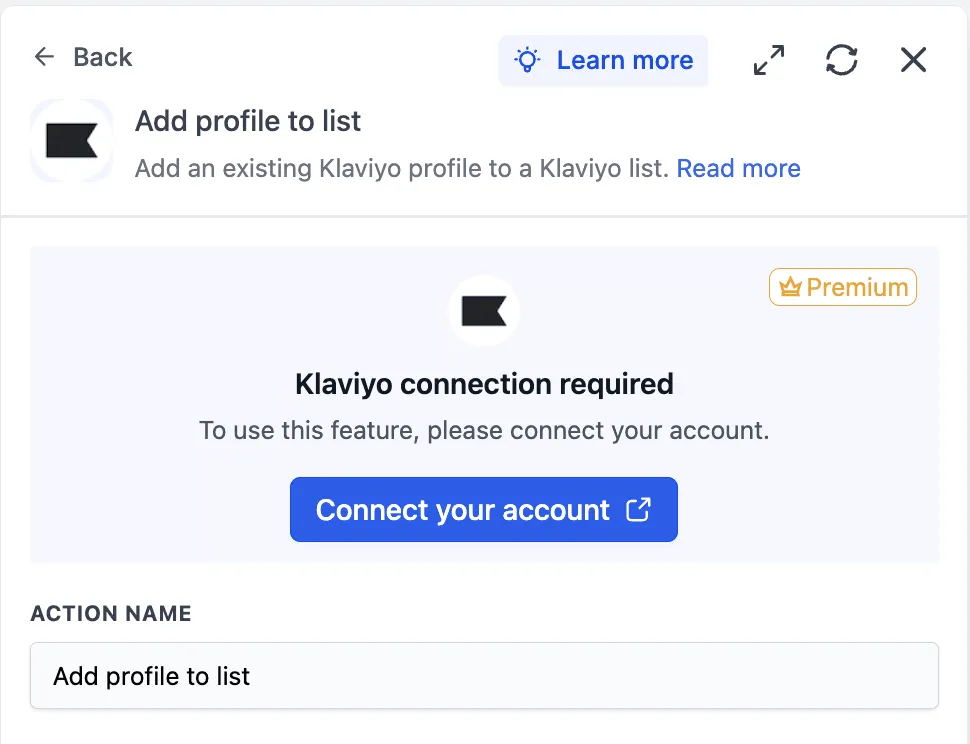
- Triggers from Klaviyo to workflows: New event, new profile, profile added to list, and profile added to segment.
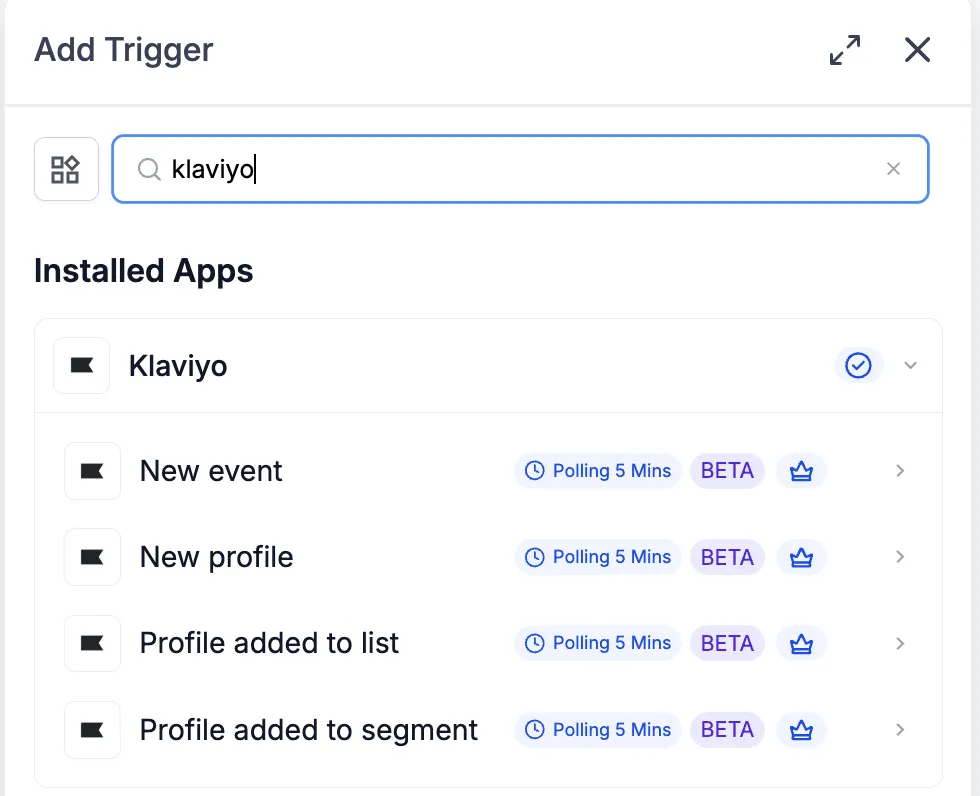
- Actions from workflows to Klaviyo: Seventeen actions for profiles, lists, segments, tags, campaign lookup, and sending draft campaigns.
All Klaviyo triggers poll every 5 minutes and return matching records since the last poll, in order. All Klaviyo triggers and actions are premium workflow components, so premium action credits apply at the standard automation rate. Klaviyo plan usage, such as active profiles and SMS credits, is billed directly by Klaviyo on your Klaviyo account.
Available Triggers
Klaviyo triggers can start workflows when profile, list, segment, or event activity is detected.
- New event: Fires when a tracked event is recorded against a profile. It can be filtered by metric, such as Placed Order, Viewed Product, or a custom event.
- New profile: Fires when a new profile is created in Klaviyo and returns the profile payload, including email and SMS subscription status.
- Profile added to list: Fires when a profile is added to a selected Klaviyo list.
- Profile added to segment: Fires when a profile matches a selected Klaviyo segment for the first time.
Available Actions
Klaviyo actions let workflows write data back to Klaviyo or look up Klaviyo records during an automation.
Profile actions include:
- Create profile
- Update profile
- Find profile
- Subscribe profile
- Unsubscribe profile
List, segment, and tag actions include:
- Create list
- Find list
- Add profile to list
- Remove profile from list
- Find segment
- Find tags
- Add tag to list
- Remove tag from list
- Add tag to segment
- Remove tag from segment
Campaign actions include:
- Find campaigns
- Send campaign
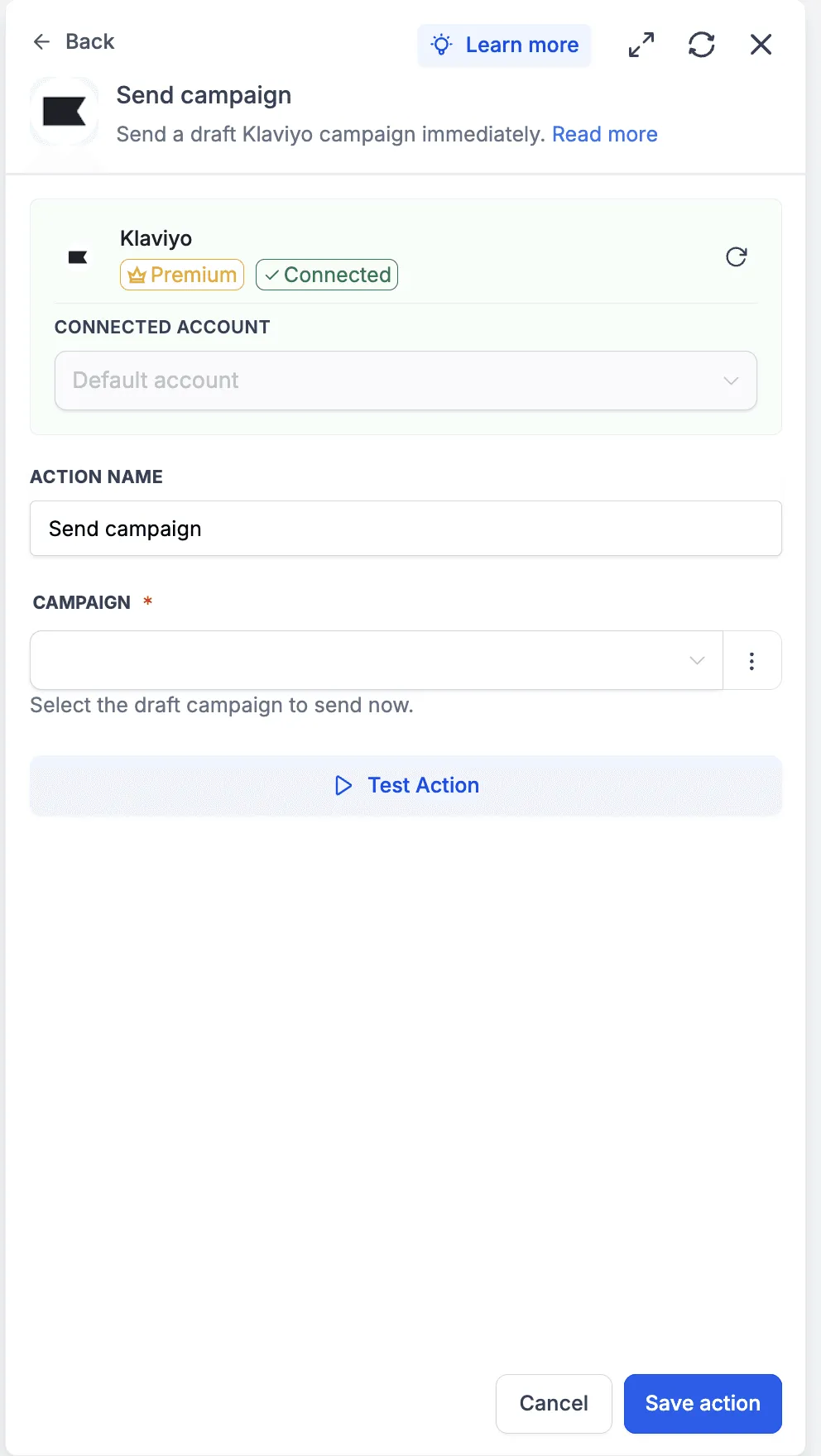
The Send campaign action sends a draft Klaviyo campaign immediately. The campaign recipients, subject, and content must already be configured inside Klaviyo.
Setup and Authentication
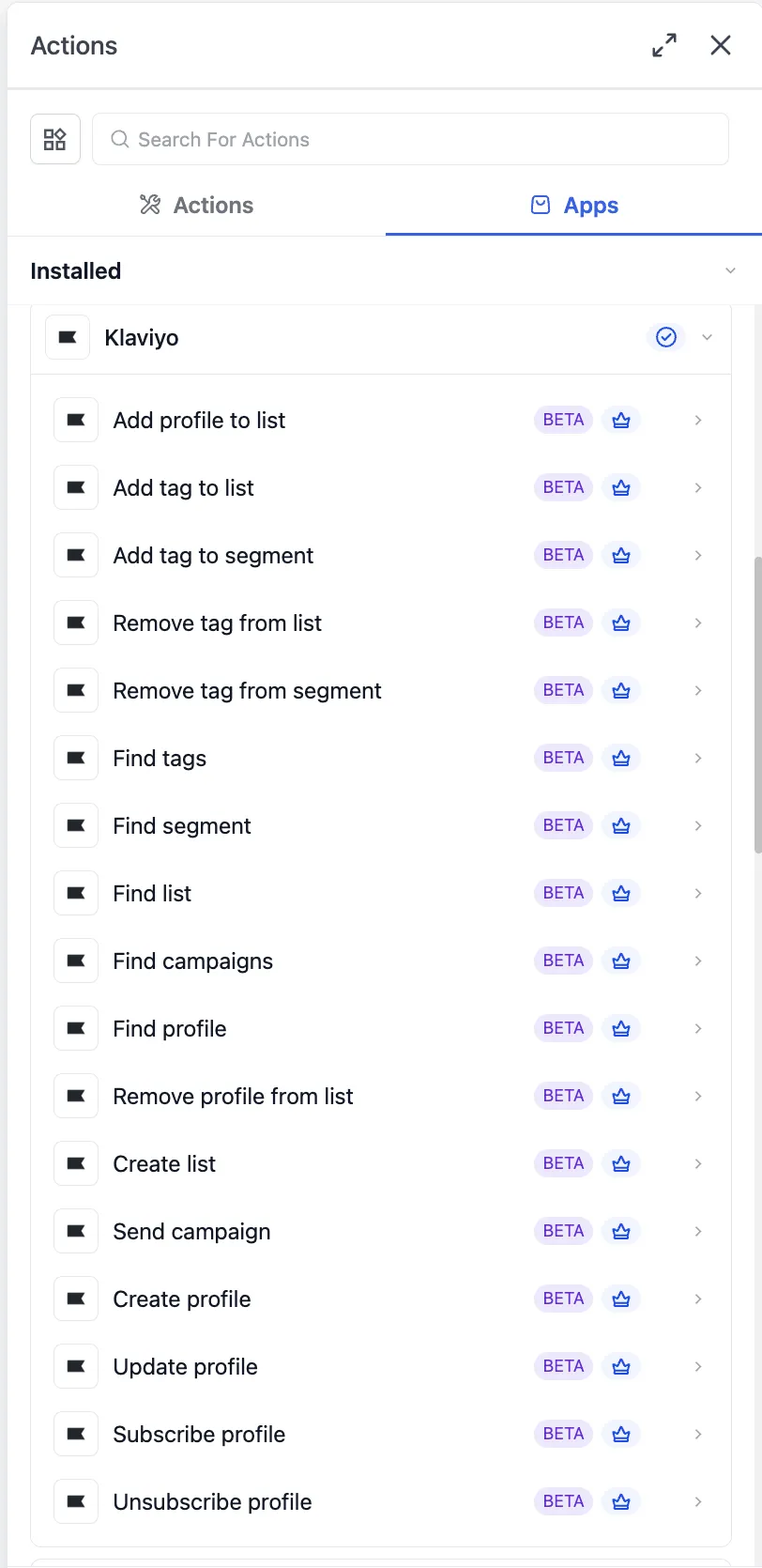
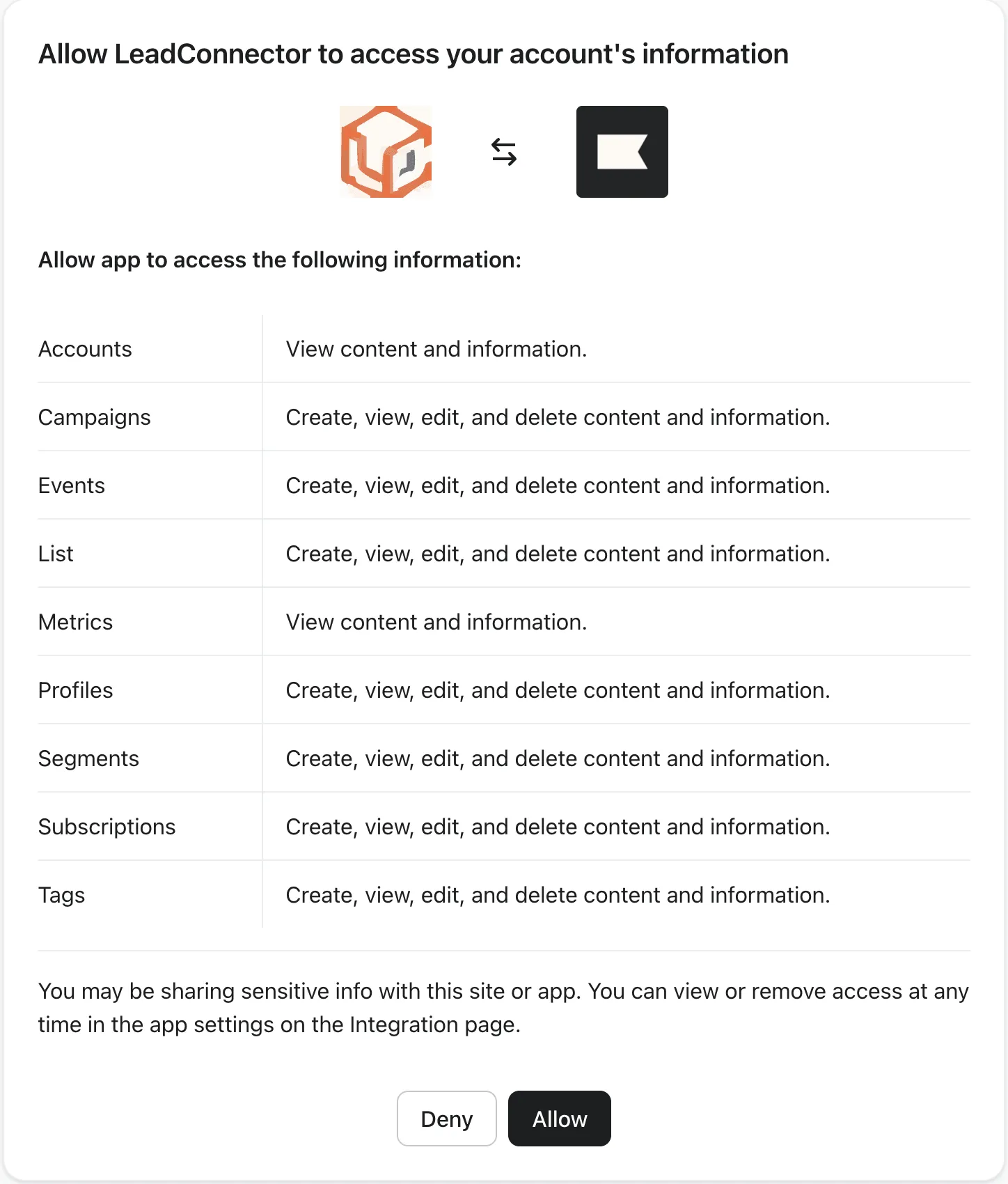
Before a Klaviyo trigger or action can run, connect the Klaviyo account through OAuth.
Connect from the Workflow Builder
- Open Automation > Workflows and choose or create a workflow.
- Add a Klaviyo trigger or action from the Apps tab.
- Select the Klaviyo step.
- Click Connect your account.
- Review the requested Klaviyo scopes and click Allow.
- Return to the Workflow Builder and confirm the panel shows Connected.
Connect from Settings
- Go to Settings > Integrations.
- Locate Klaviyo and click Connect.
- Complete the OAuth flow on Klaviyo’s authorization screen.
- Return to SMBcrm.
Example: Profile Added to List Trigger
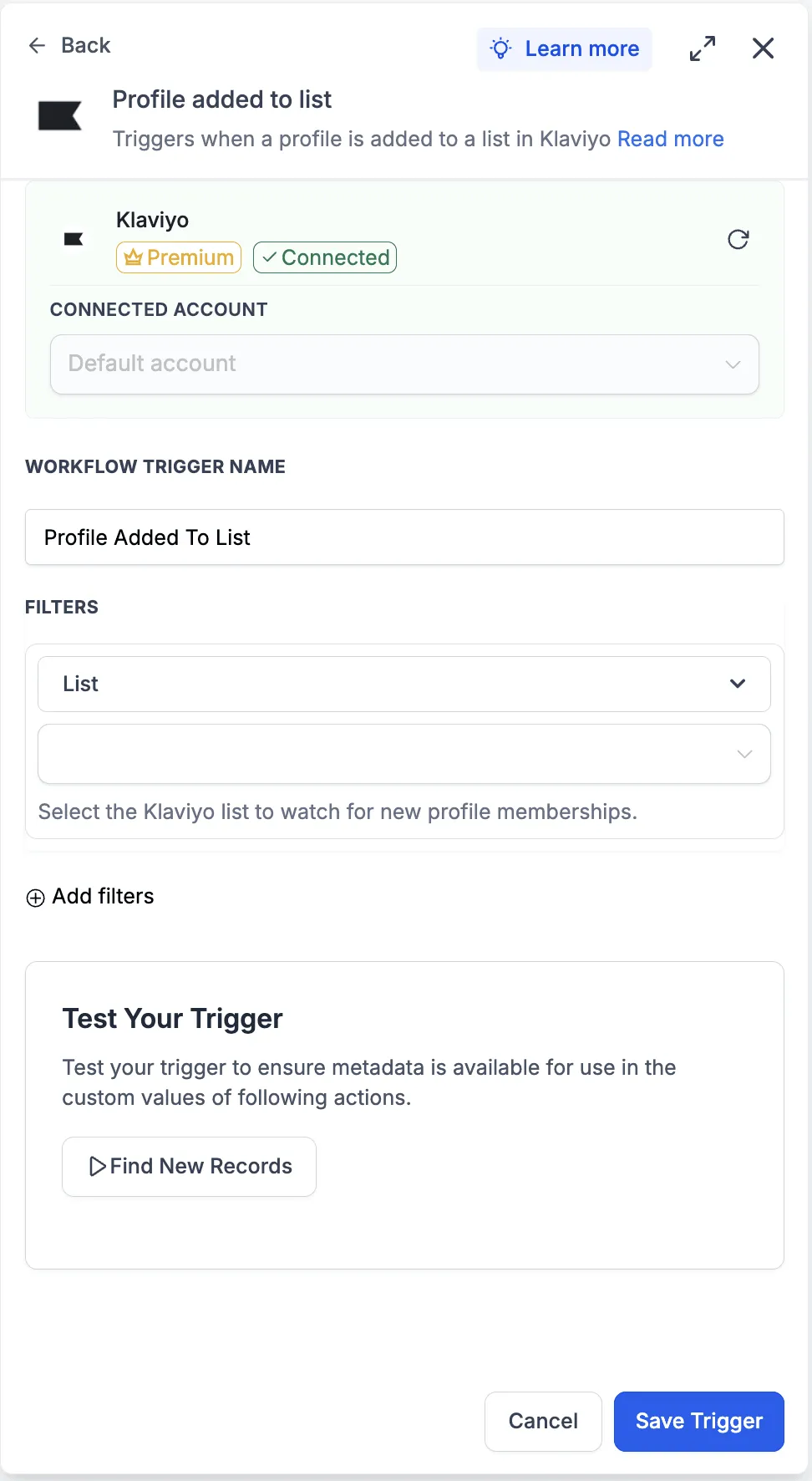
A common setup is a workflow that starts when a profile is added to a specific Klaviyo list.
- Open the workflow and click Add Trigger.
- Select Klaviyo from the Apps tab.
- Choose Profile added to list.
- Select the connected Klaviyo account.
- Name the trigger, such as New VIP List Member.
- Choose the Klaviyo list to watch.
- Use Find New Records to test the trigger.
- Select a returned record as the mapping reference.
- Save the trigger.
Testing the trigger locks the profile payload schema so downstream workflow steps can use the returned fields.
Example: Send a Draft Campaign
The Send campaign action can send a pre-staged Klaviyo campaign when a workflow condition is met.
- Build the campaign in Klaviyo and leave it in draft status.
- Add a new workflow step.
- Choose Klaviyo from the Apps tab.
- Select Send campaign.
- Pick the connected Klaviyo account.
- Choose the draft campaign from the dropdown.
- Click Test Action.
- Confirm the result in Klaviyo, then save the action.
Only campaigns currently in draft status appear in the campaign dropdown. Treat tests carefully because the action runs against the live Klaviyo account.
Important Notes
- Klaviyo triggers are polled every 5 minutes, not instant.
- Email and SMS consent are handled separately in Klaviyo.
- Creating or updating a profile does not automatically subscribe that profile.
- To update profile properties and subscribe a profile, use separate actions.
- Tags are organizational metadata for Klaviyo lists and segments. They do not contain profiles themselves.
In Case You Missed It
You may also want to review the related update, HubSpot Actions and Trigger Added to Workflows.
Release Images
Need Help Applying This Update?
Want help turning this update into a working part of your CRM, marketing, or automation setup?
Get Started or schedule a demo and we’ll help you map the right next step.