Multi-Level Ad Campaign Previews in SMBcrm
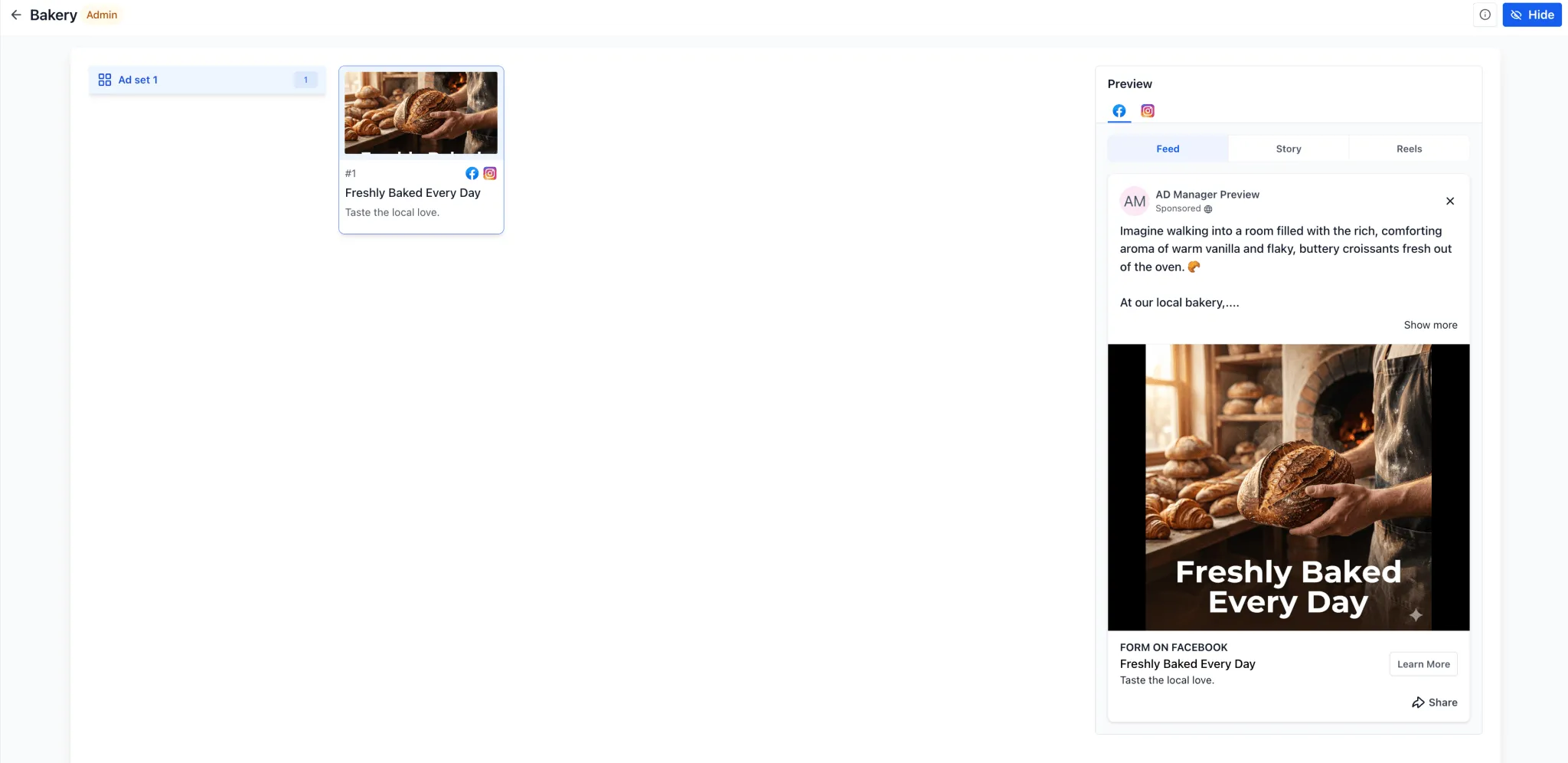
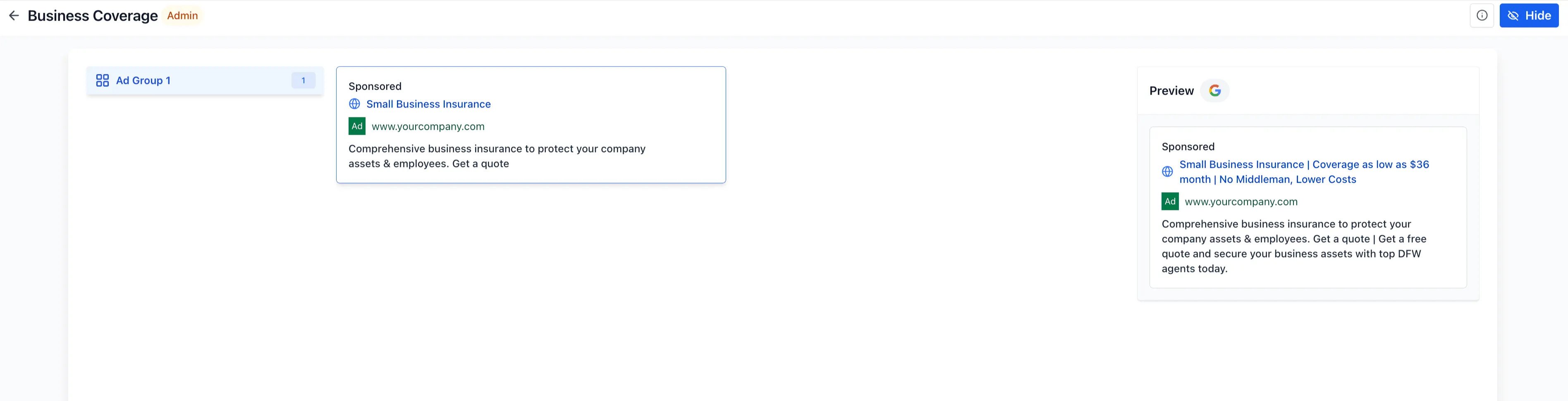
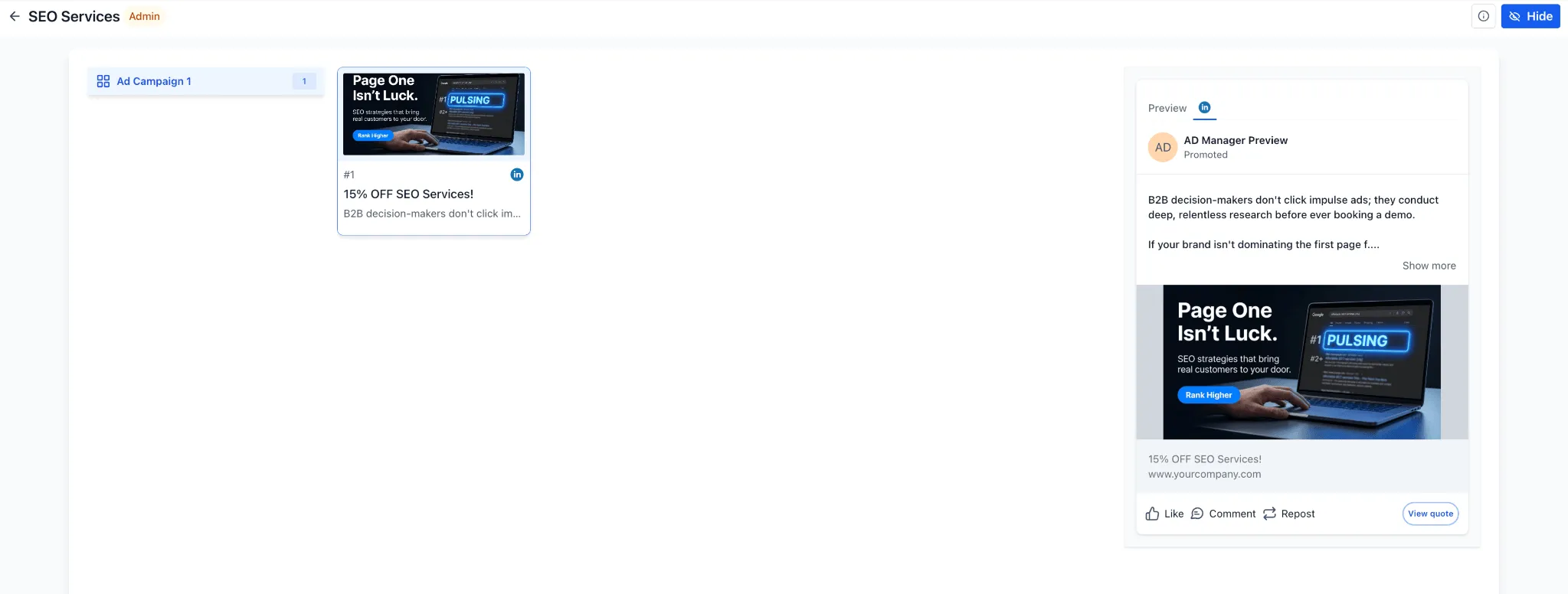
SMBcrm now supports multi-level ad campaign previews for Meta, Google, and LinkedIn campaign templates. Users can review the full campaign structure before creating a campaign, including multiple ad sets or ad groups and the ads inside each one.
What Changed
When selecting a campaign template from the Ad Template Library or while creating a campaign in SMBcrm Ad Manager, the preview can now show the full hierarchy:
- Campaign > Ad Set or Ad Group > Ads
- Multiple ads within each ad set or ad group
- Placement-specific previews based on the selected platform
- Sidebar navigation for switching between ad sets, ad groups, and associated creatives
This gives users a clearer view of how campaign templates are structured before they move forward with campaign creation.
Platform-Specific Preview Support
The preview experience is aligned with common ad placements and formats across supported platforms:
- Meta: Feed, Story, and Reels
- Google: Search, YouTube, and Gmail
- LinkedIn: native LinkedIn placement
The same preview component is supported in both the Template Library and template-based campaign creation flows in SMBcrm Ad Manager.
Why It Matters
Previously, single-ad previews could make larger campaign templates harder to understand. Multi-level previews help users evaluate campaign hierarchy, creative groupings, and placement-specific layouts with more context.
For teams using ad campaigns as part of their lead capture workflow, this can reduce confusion before launch and make template-based campaign setup easier to review.
Additional Improvements
This update also includes UI and preview refinements, including fullscreen preview improvements and non-scrollable preview optimizations.
In Case You Missed It
You may also want to read about Upload and Download Folders in Media Center.
Release Images
Need Help Applying This Update?
Want help turning this update into a working part of your CRM, marketing, or automation setup?
Get Started or schedule a demo and we’ll help you map the right next step.