Course Video Analytics adds visibility into how learners watch videos in SMBcrm courses. Review engagement, identify drop-off points, and use Course AI recommendations to guide content improvements.
What You Can Track
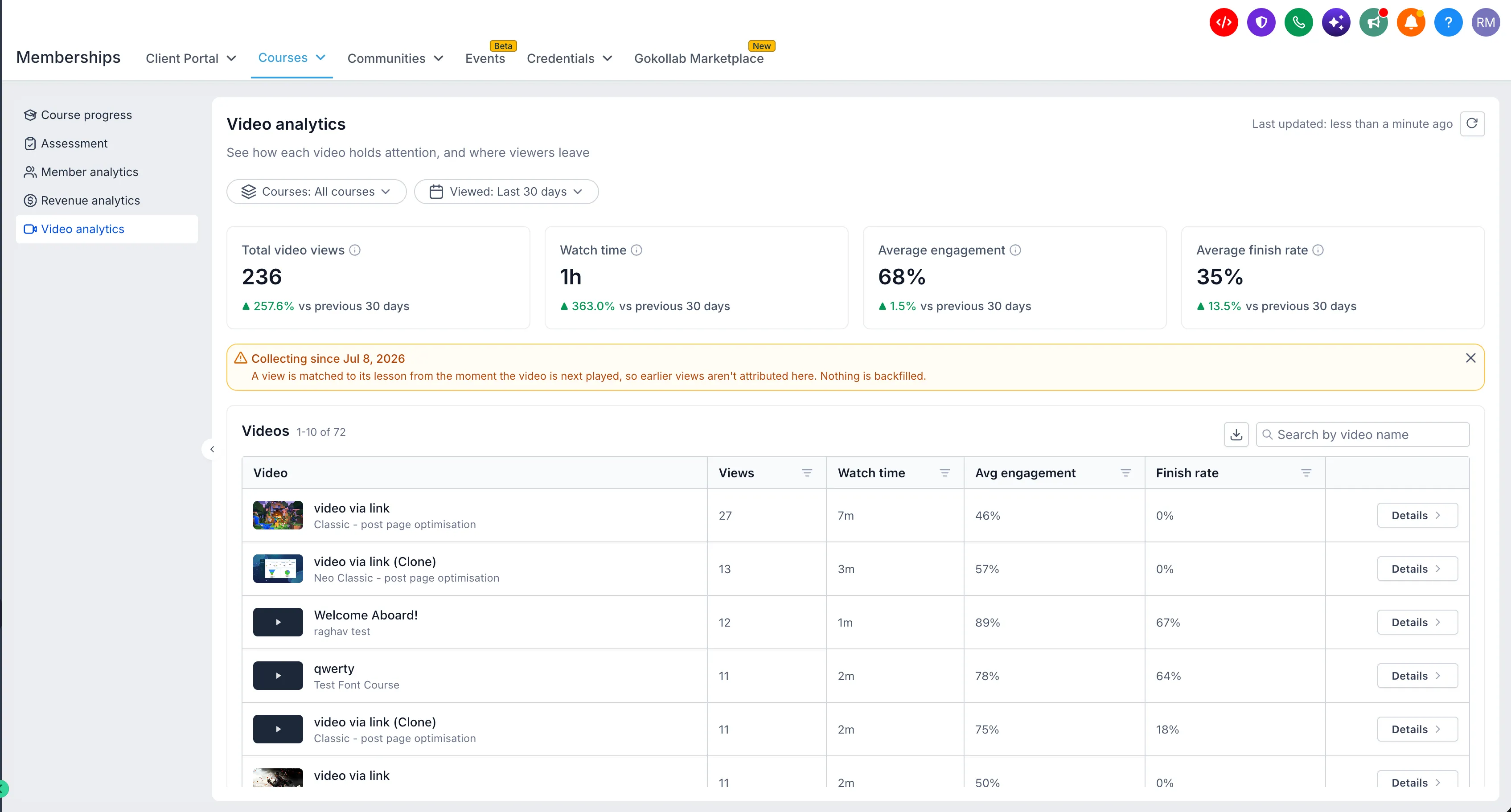
- Dashboard metrics: Views, watch time, average engagement, and finish rates across course videos, with comparisons to previous periods.
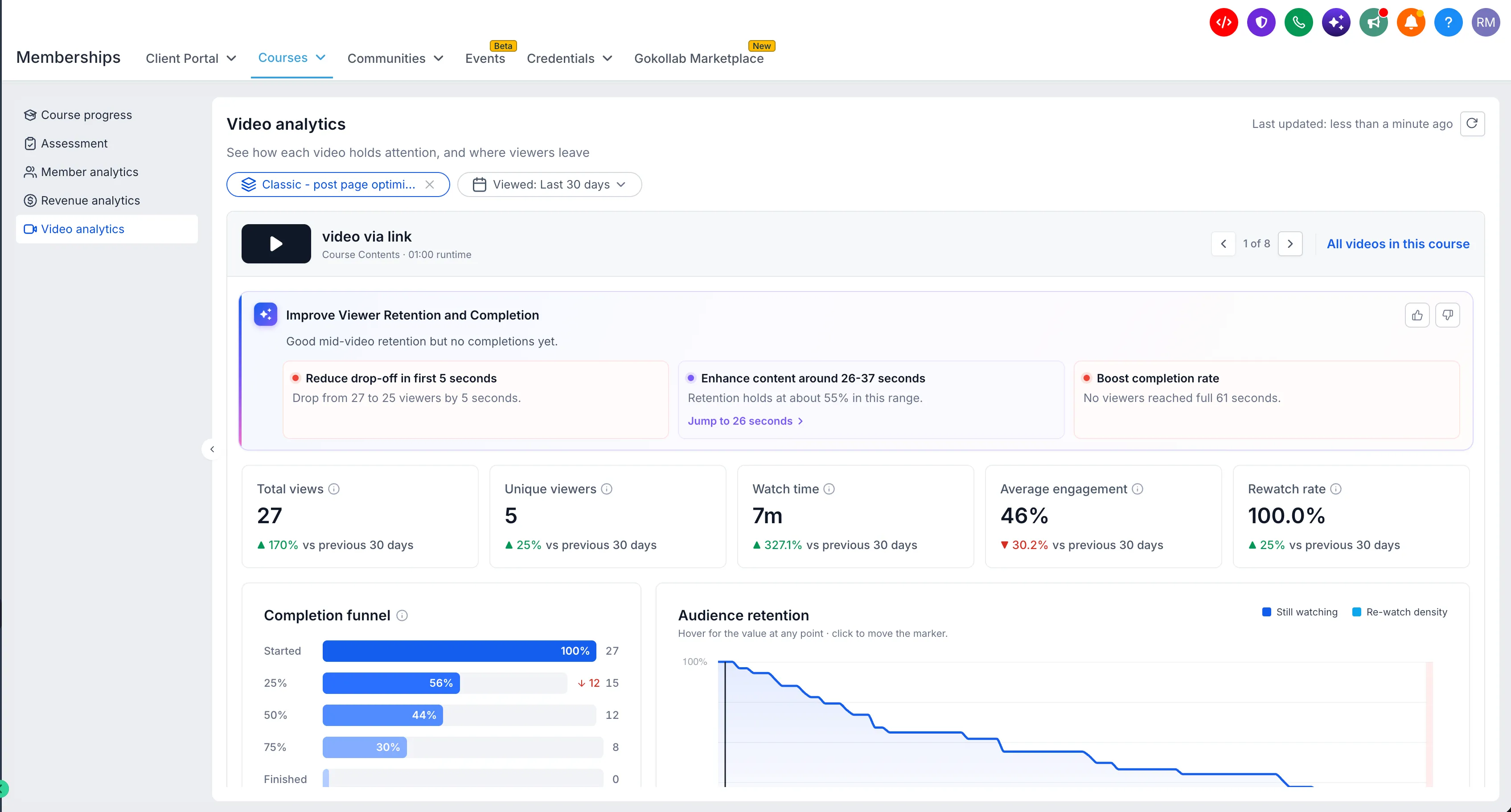
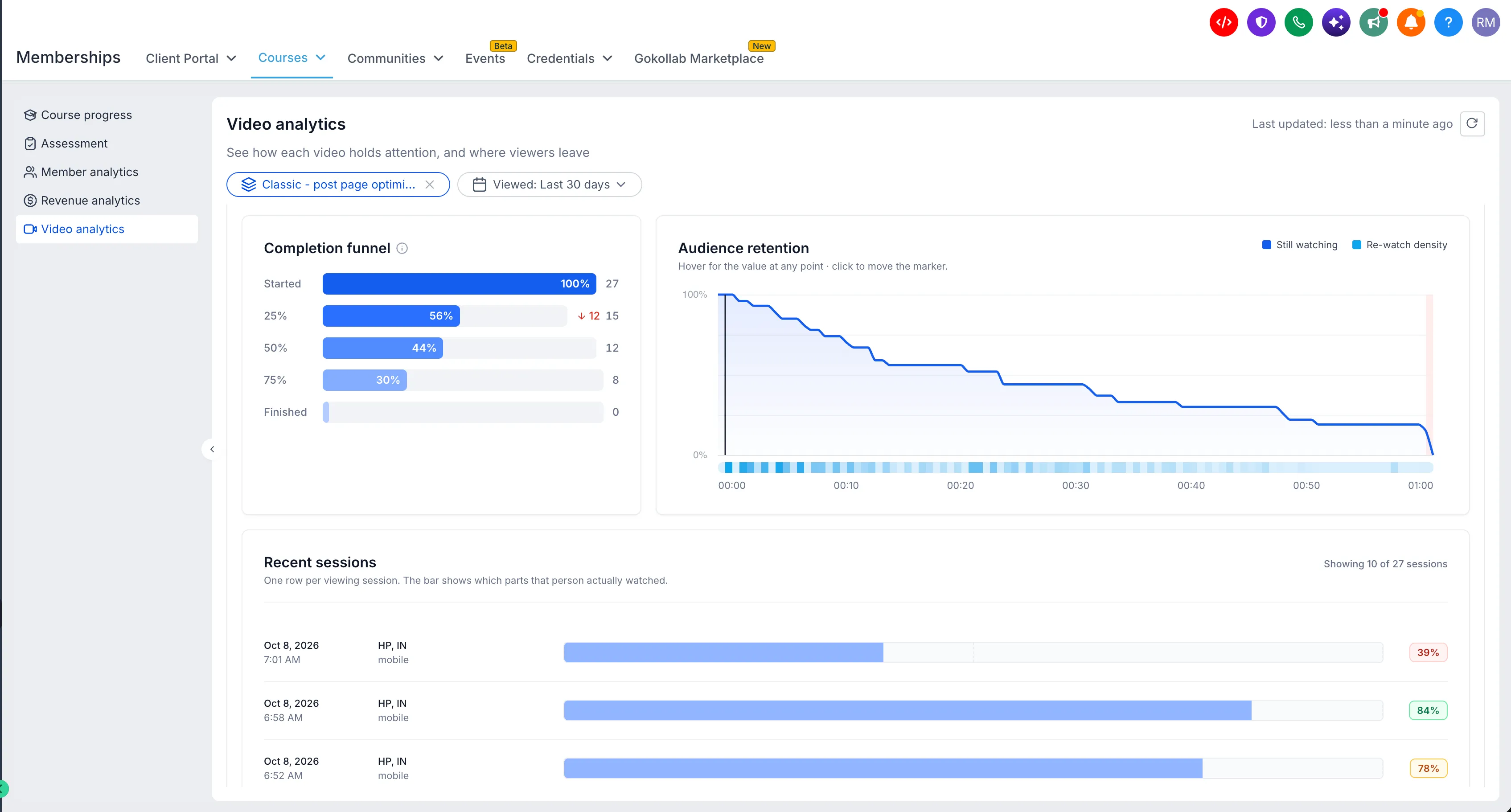
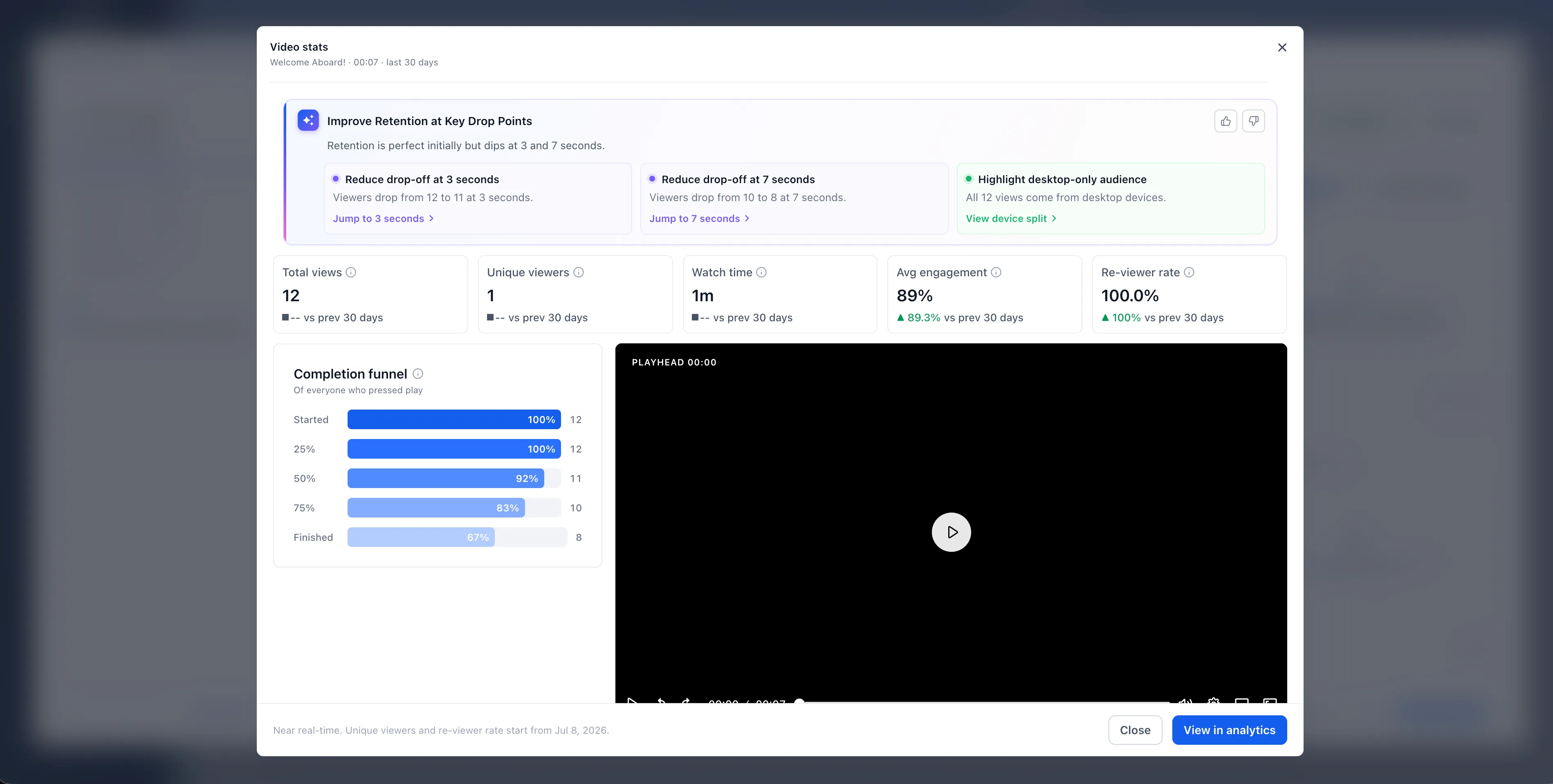
- Individual video performance: Unique viewers, rewatch rates, completion funnels, and audience retention.
- Retention heatmaps: Moments where learners drop off, skip ahead, or rewatch.
- Audience breakdowns: Viewing patterns by device, country, and region.
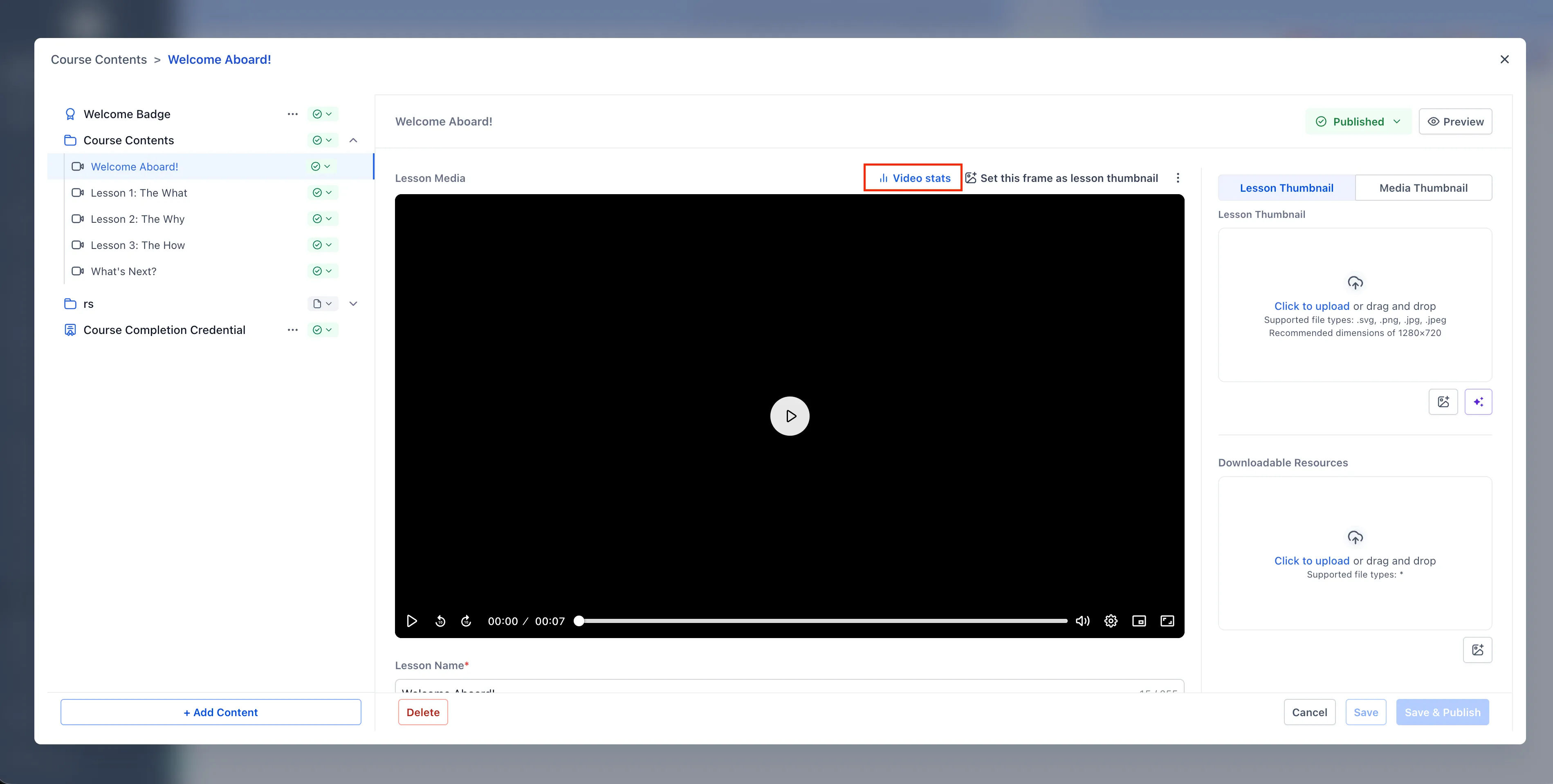
- Lesson editor metrics: Key video performance data from the last 30 days, available while editing lessons.
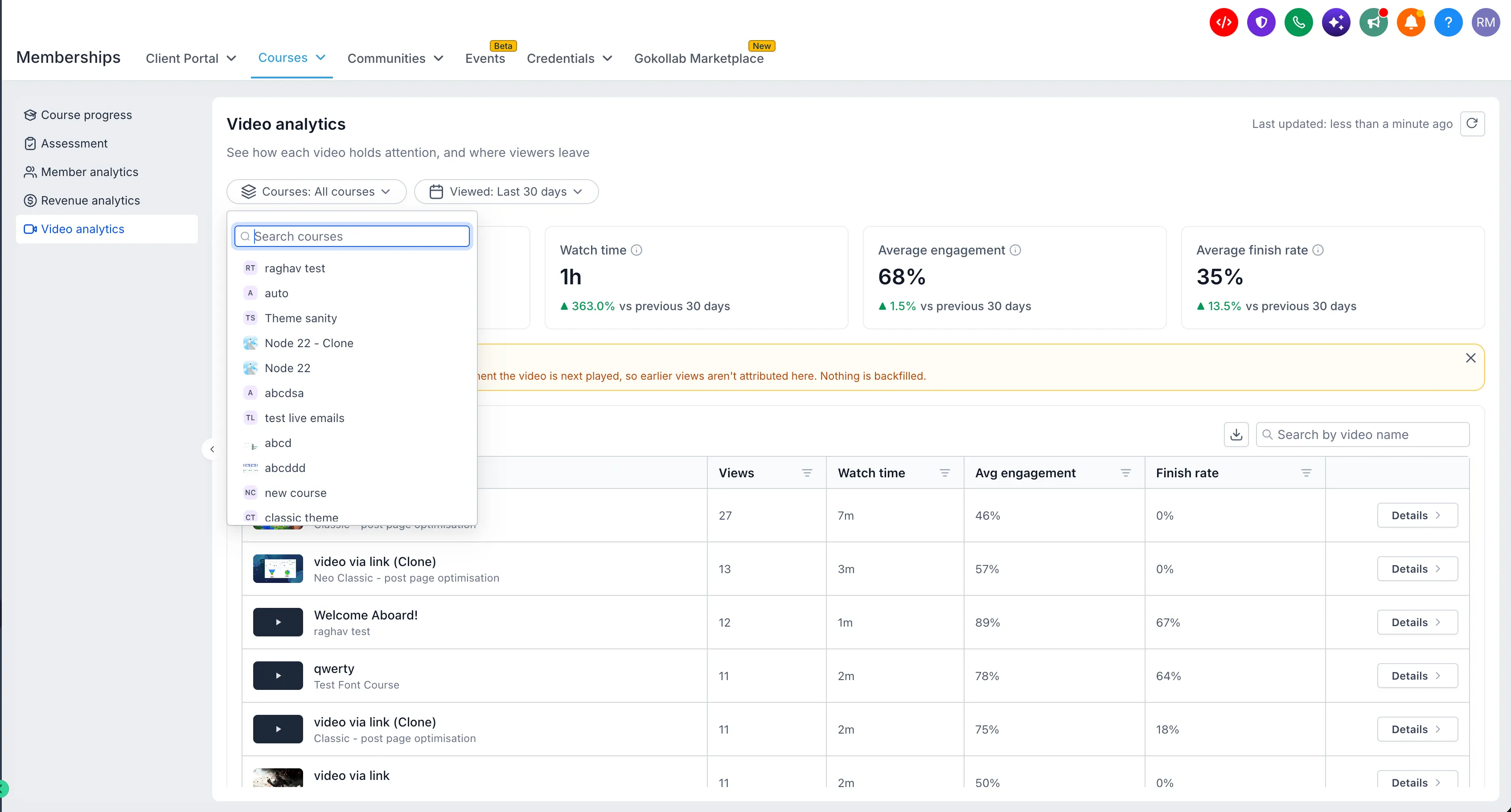
- Filters and exports: Filter by course and date range, search for specific videos, and export performance data.
Course AI Recommendations
With access to Course AI, you can review recommendations based on video performance data. These insights highlight engagement patterns, drop-off points, and opportunities to improve lessons. AI-powered insights require access to the Course AI beta.
How to Get Started
- Open Labs → Accounts → Video analytics and enable the feature.
- Go to Memberships → Courses → Analytics → Video analytics.
- Review performance across your courses or select an individual video for detailed insights.
- Use retention heatmaps, completion funnels, and engagement metrics to identify lessons that need attention.
Availability and Data Coverage
Video Analytics is available under Labs and currently supports only videos uploaded natively in Courses.
- Desktop viewing data: Available from July 4, 2026.
- Mobile viewing data: Available from September 18, 2026.
Historical views before these dates are not included.
Release Images
Need Help Applying This Update?
Want help turning this update into a working part of your CRM, marketing, or automation setup?
Get Started or schedule a demo and we’ll help you map the right next step.