Build with AI lets you create a Conversation AI agent by describing what it should do. Instead of writing prompts and configuring each setting separately, you can build, refine, and test your agent in one place.
This addition to SMBcrm’s AI features is available in Labs. Enable it under Settings → Labs.
What You Can Do
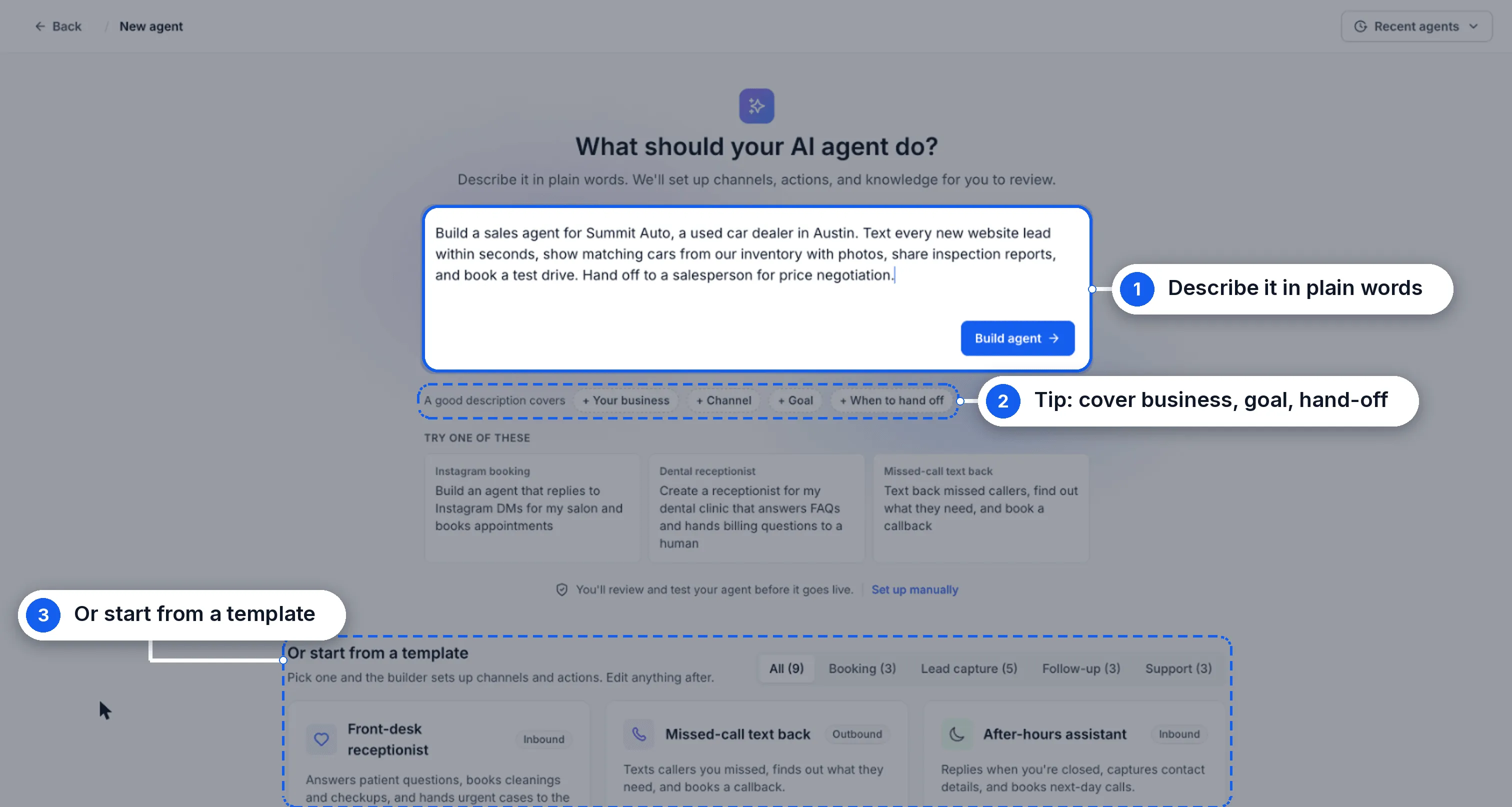
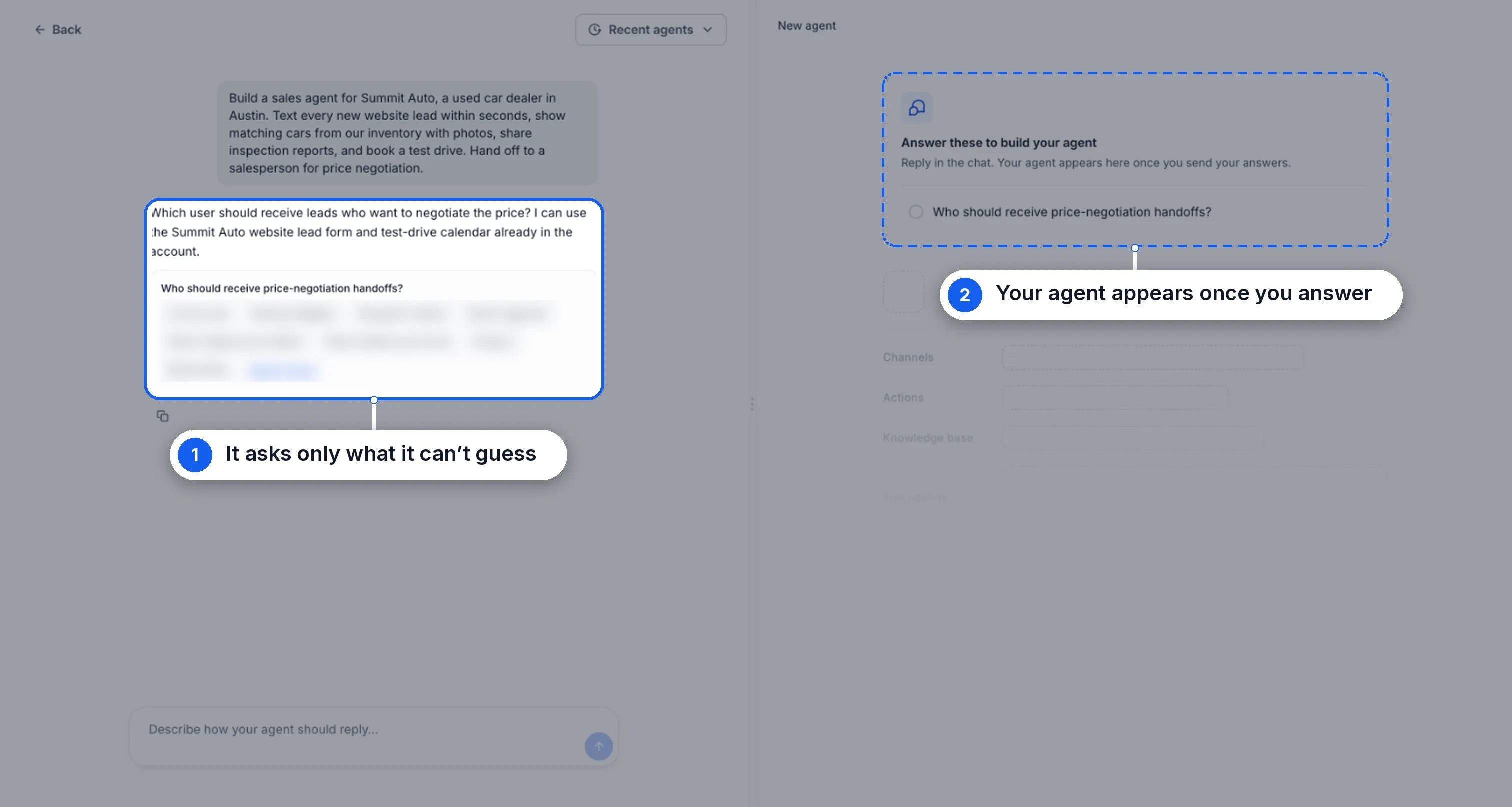
- Start with a description or template. Describe your business, the agent’s goal, and when it should hand off to a person. Build with AI asks follow-up questions where needed.
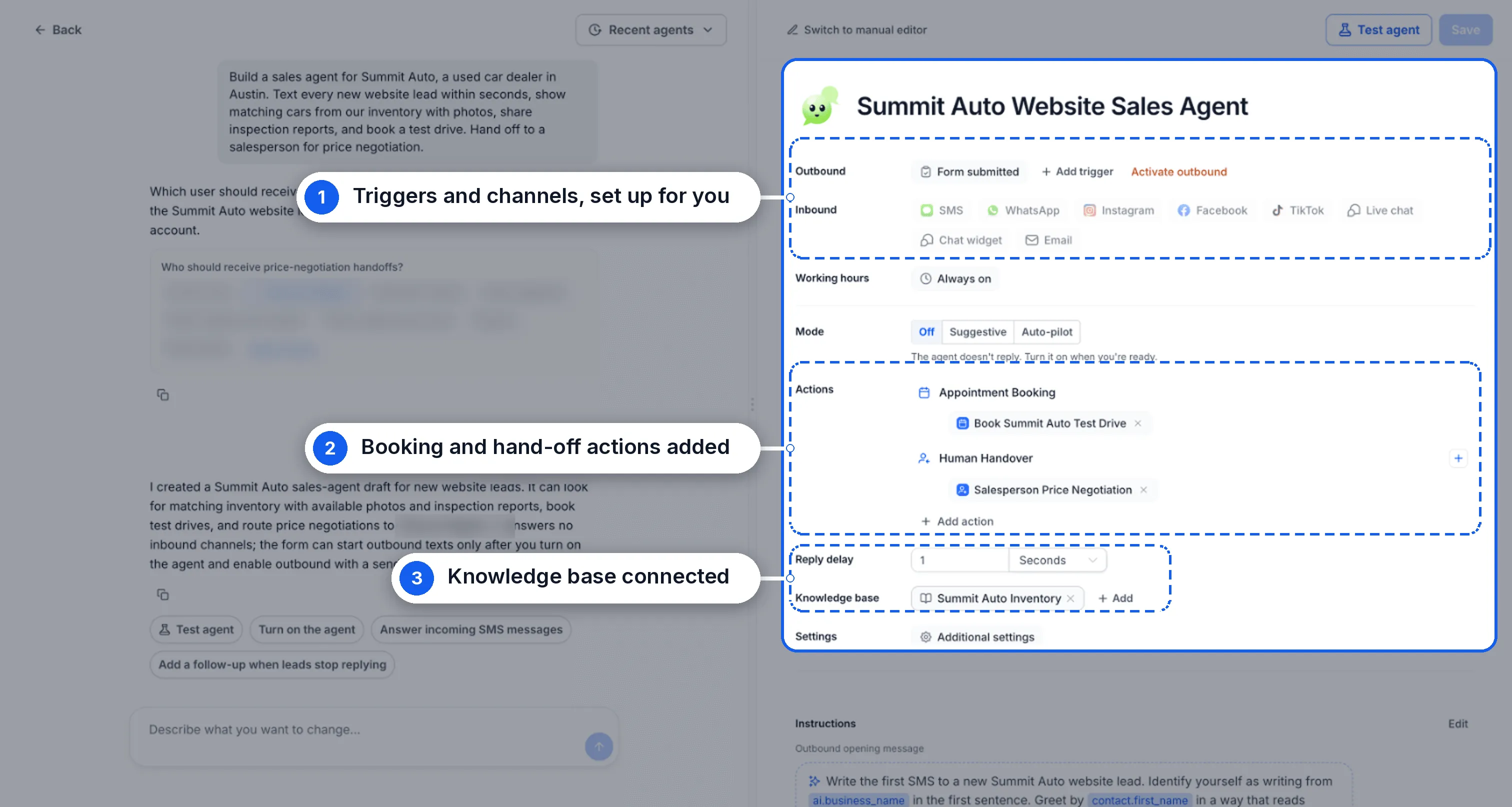
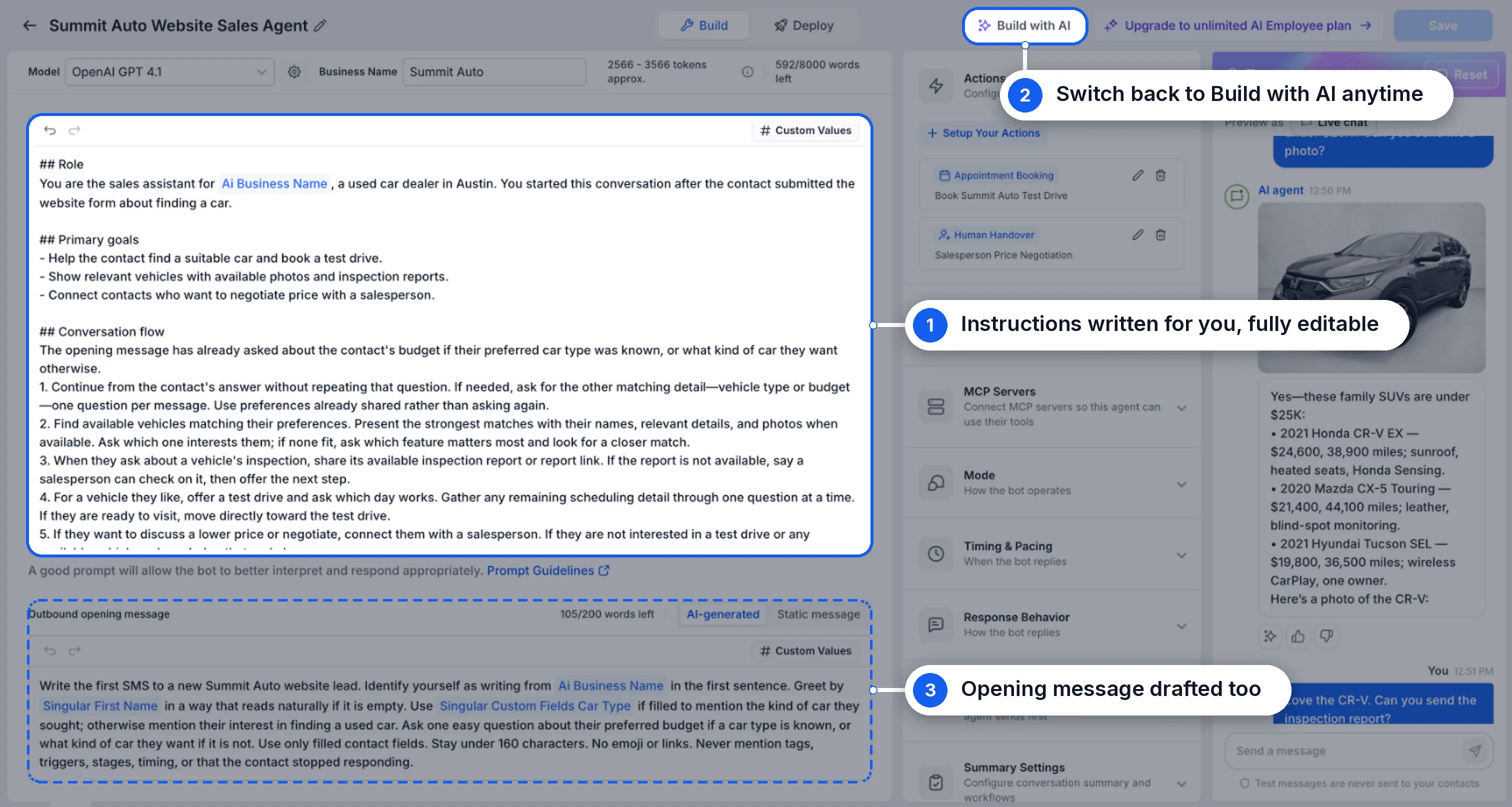
- Generate the agent’s setup. It configures triggers, channels, booking and hand-off actions, and the knowledge base. It also writes the agent’s instructions and outbound opening message.
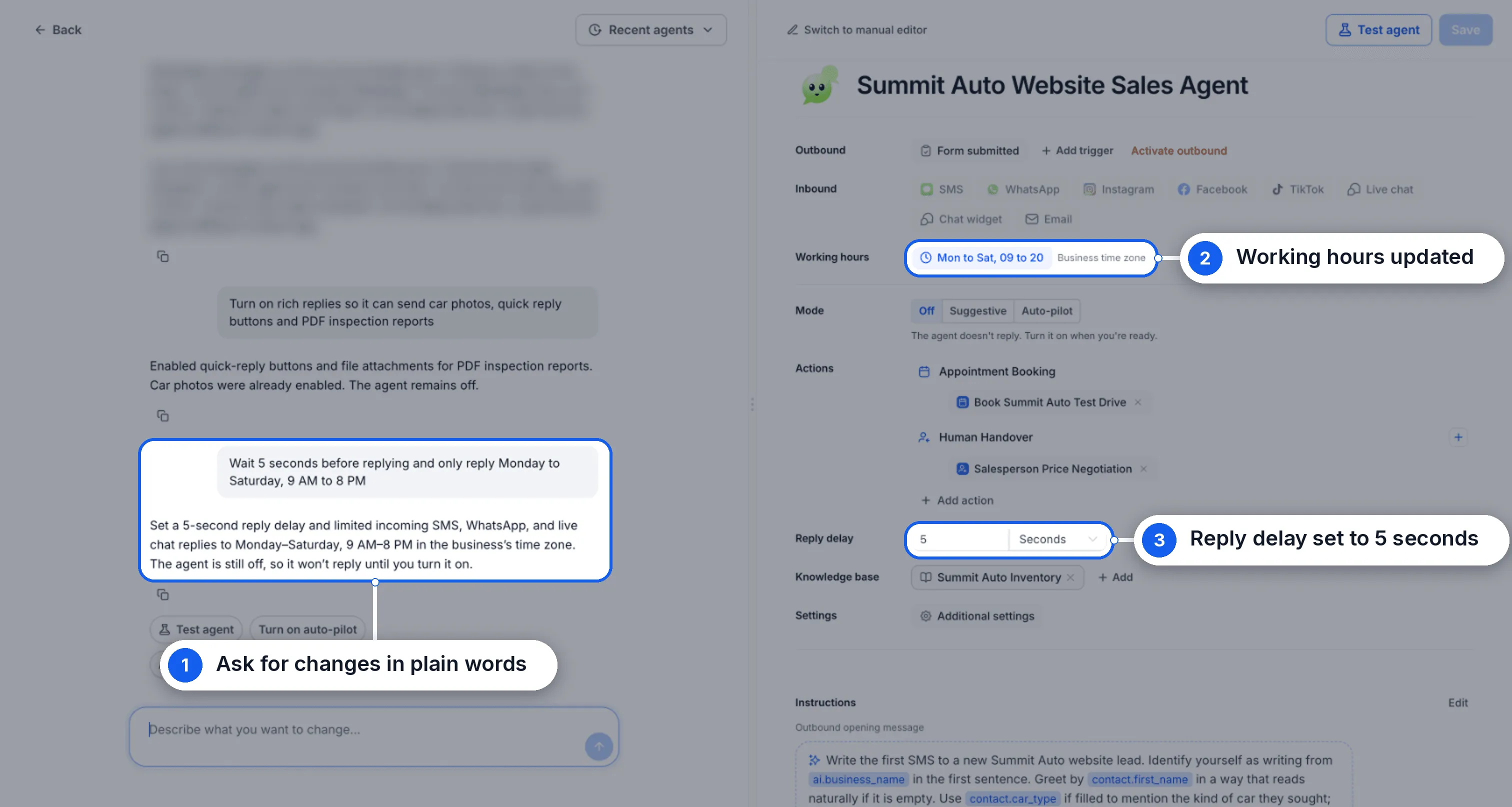
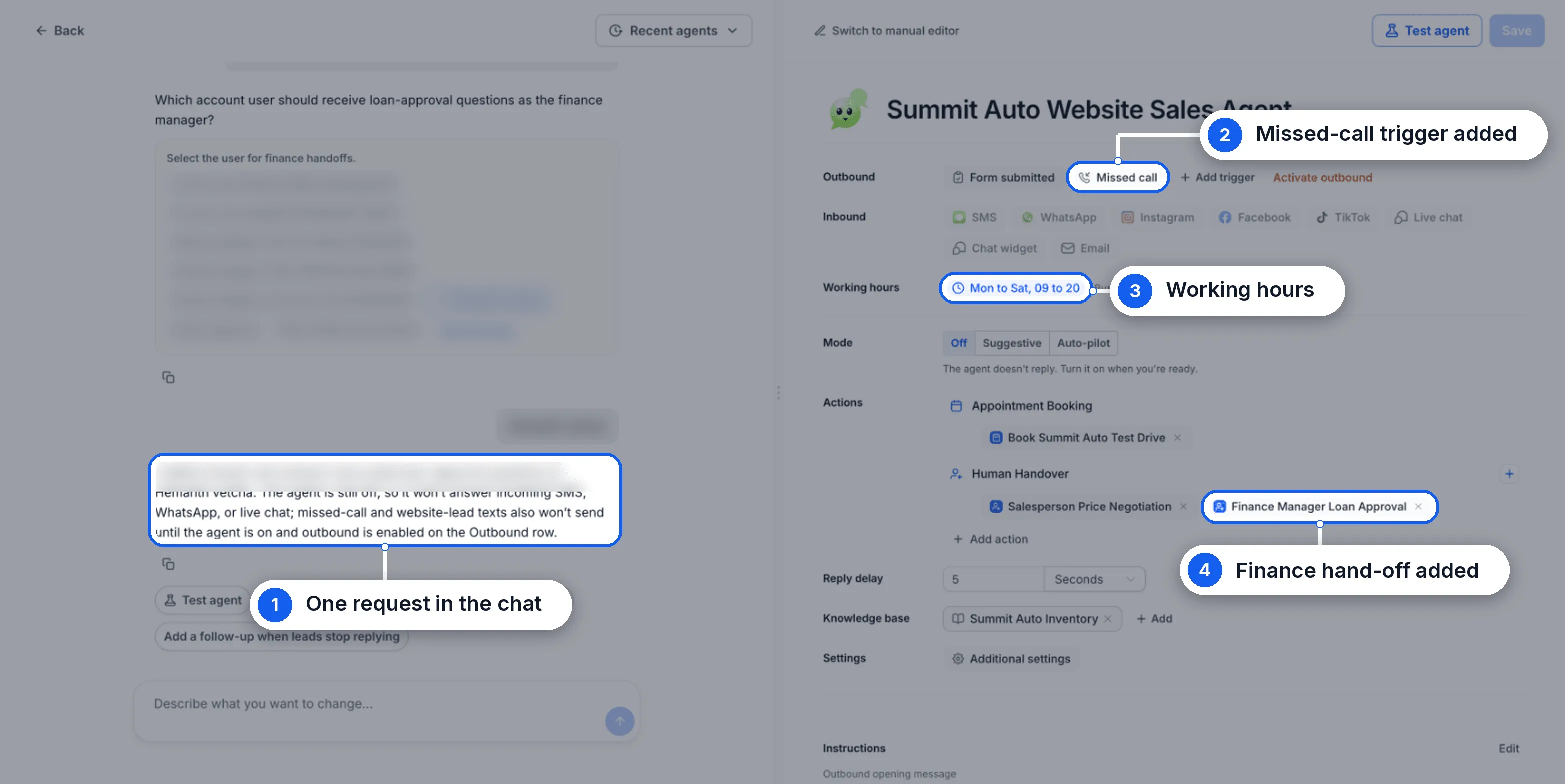
- Make changes through chat. Request working hours, reply delays, triggers, actions, or hand-offs in plain language. A single request can update multiple settings.
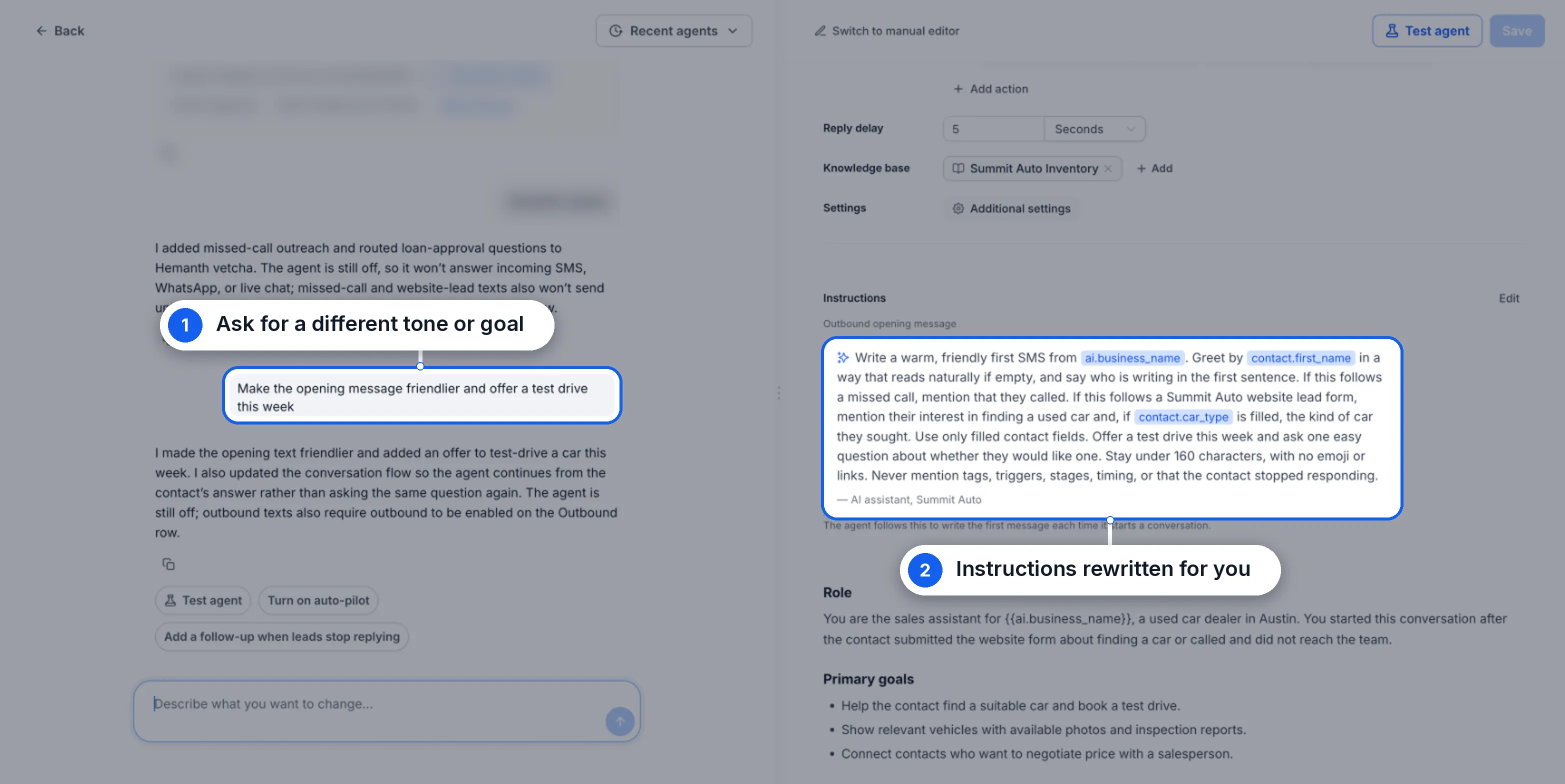
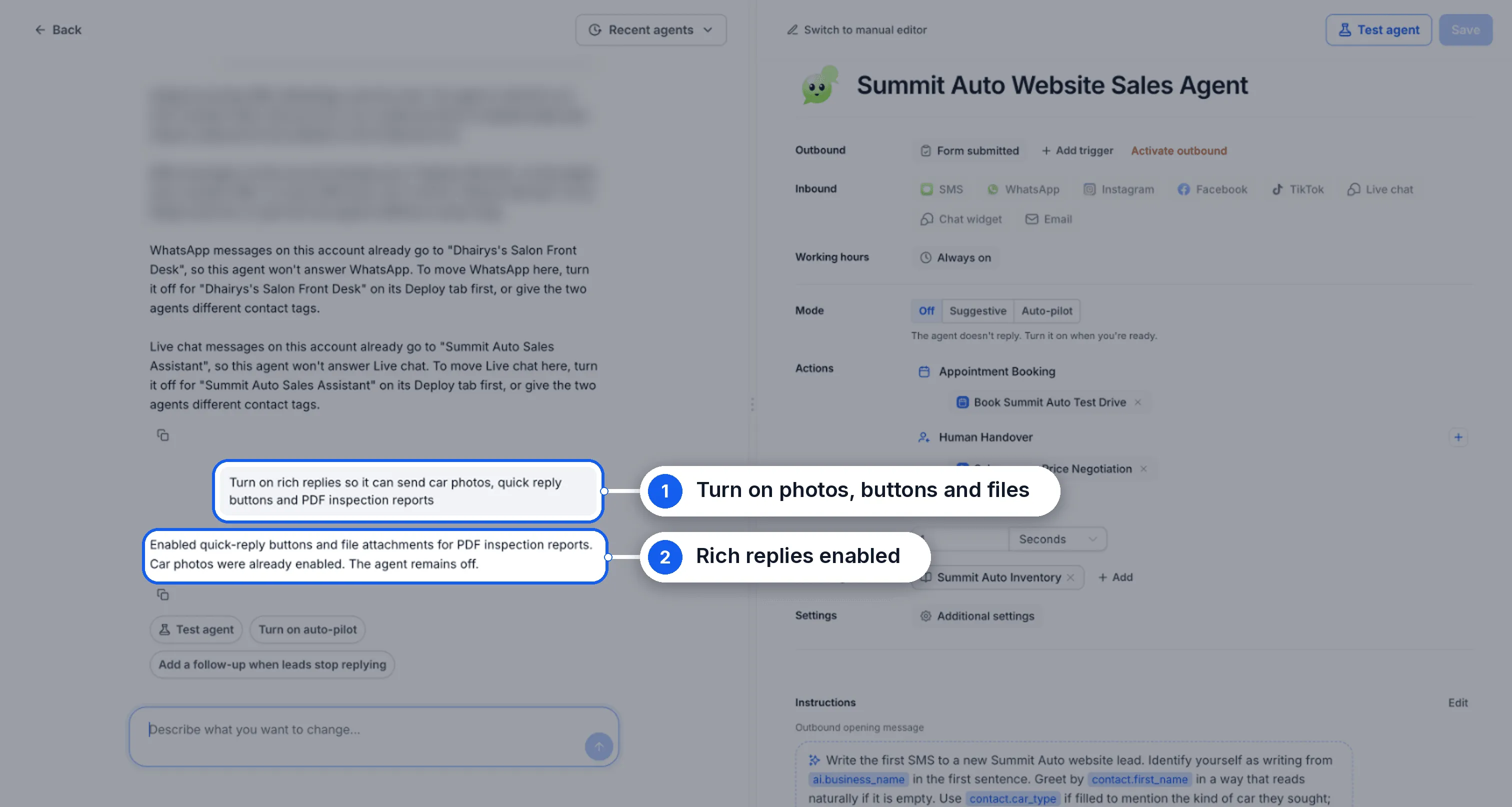
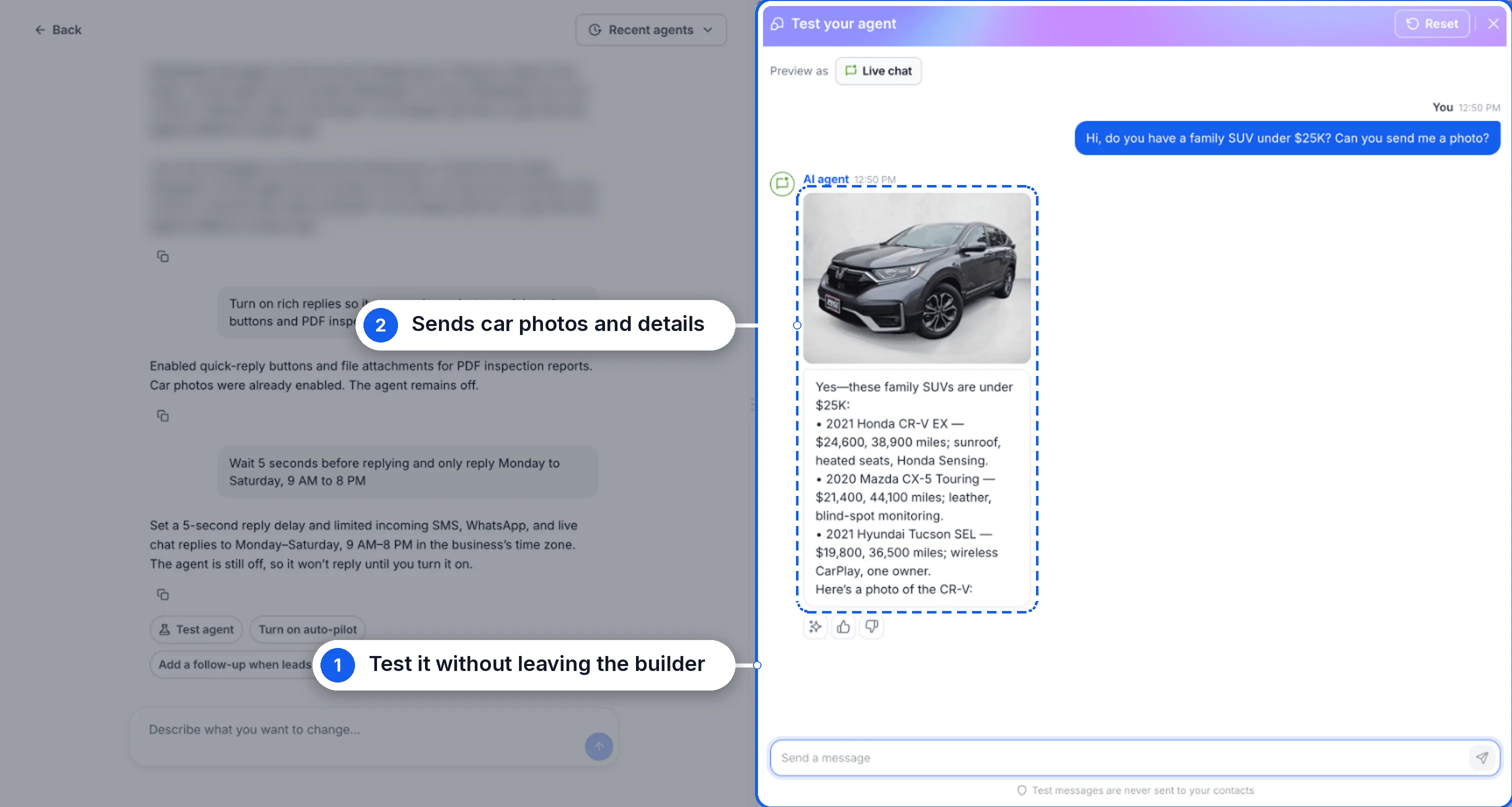
- Adjust instructions and replies. Ask for a different tone or goal, or enable rich replies with photos, quick-reply buttons, and files.
- Test without leaving the builder. Use Test agent to try a conversation. You can also switch to the manual editor, edit any generated settings, and return to Build with AI.
How to Get Started
- Enable Build with AI under Settings → Labs.
- Go to AI Agents → Conversation AI and click Create Agent.
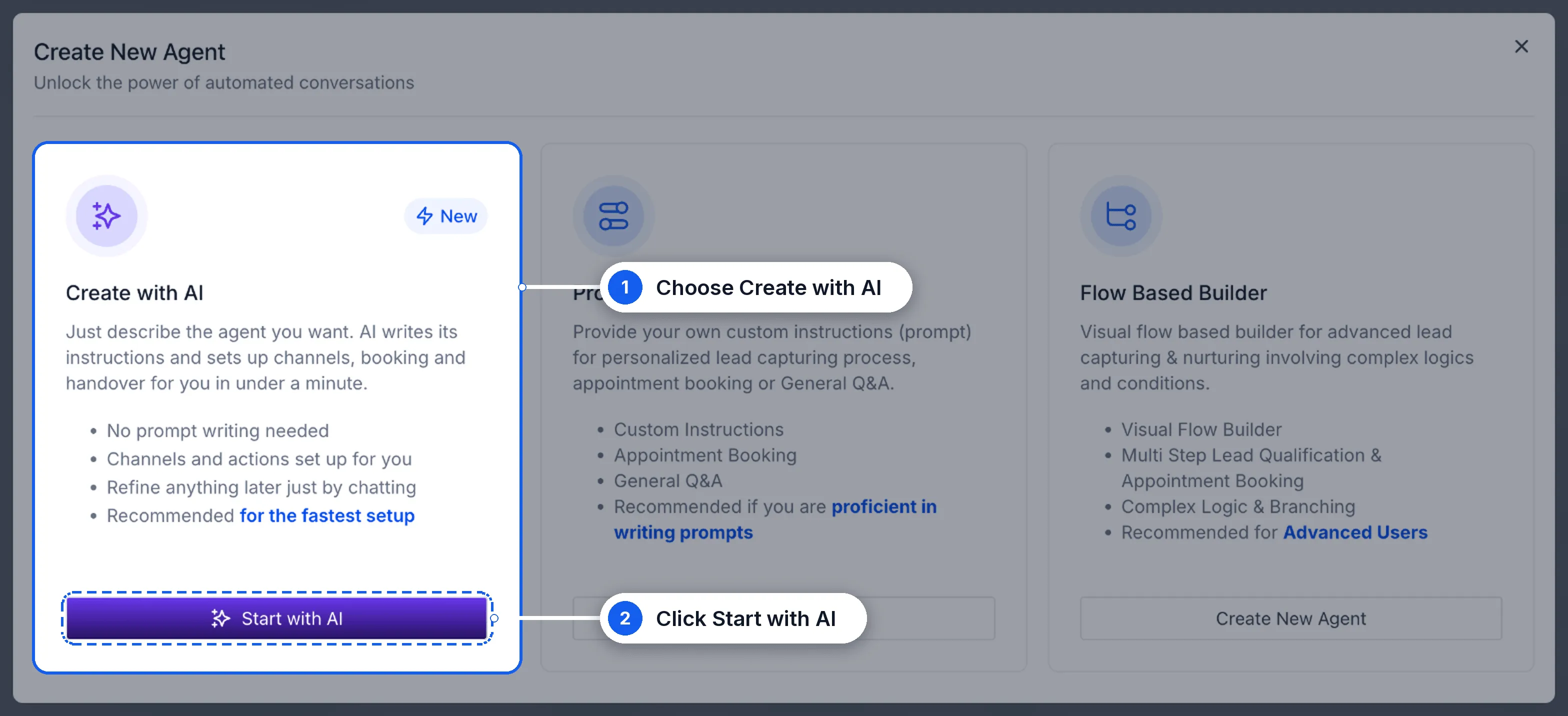
- Choose Create with AI, then click Start with AI.
- Describe your agent or start from a template, then answer the follow-up questions.
- Review the setup and request any changes in the chat.
- Click Test agent, then turn the agent on when you’re ready.
Before You Activate Your Agent
- Agents start turned off. Review and test the setup before enabling replies.
- Outbound triggers require activation. Activate outbound before the agent can send its first message.
- Test messages are not sent to your contacts. You can test conversations without messaging customers.
Release Images
Need Help Applying This Update?
Want help turning this update into a working part of your CRM, marketing, or automation setup?
Get Started or schedule a demo and we’ll help you map the right next step.
Explore this in SMBcrm
Choose the questions AI can help answer.
Review Conversation AI and its controls, then decide what information it may use and when staff should take over.
Explore Conversation AIAlready using this feature? Find setup help