Forms can now create an opportunity without collecting a contact’s name, email, or phone first. They can also create two linked CRM records from a single submission.
Availability: This functionality is part of the Opportunity-First private beta for accounts enabled for the beta.
Supported record combinations
Use lead capture forms to create:
- An opportunity only, such as a quote request or project inquiry.
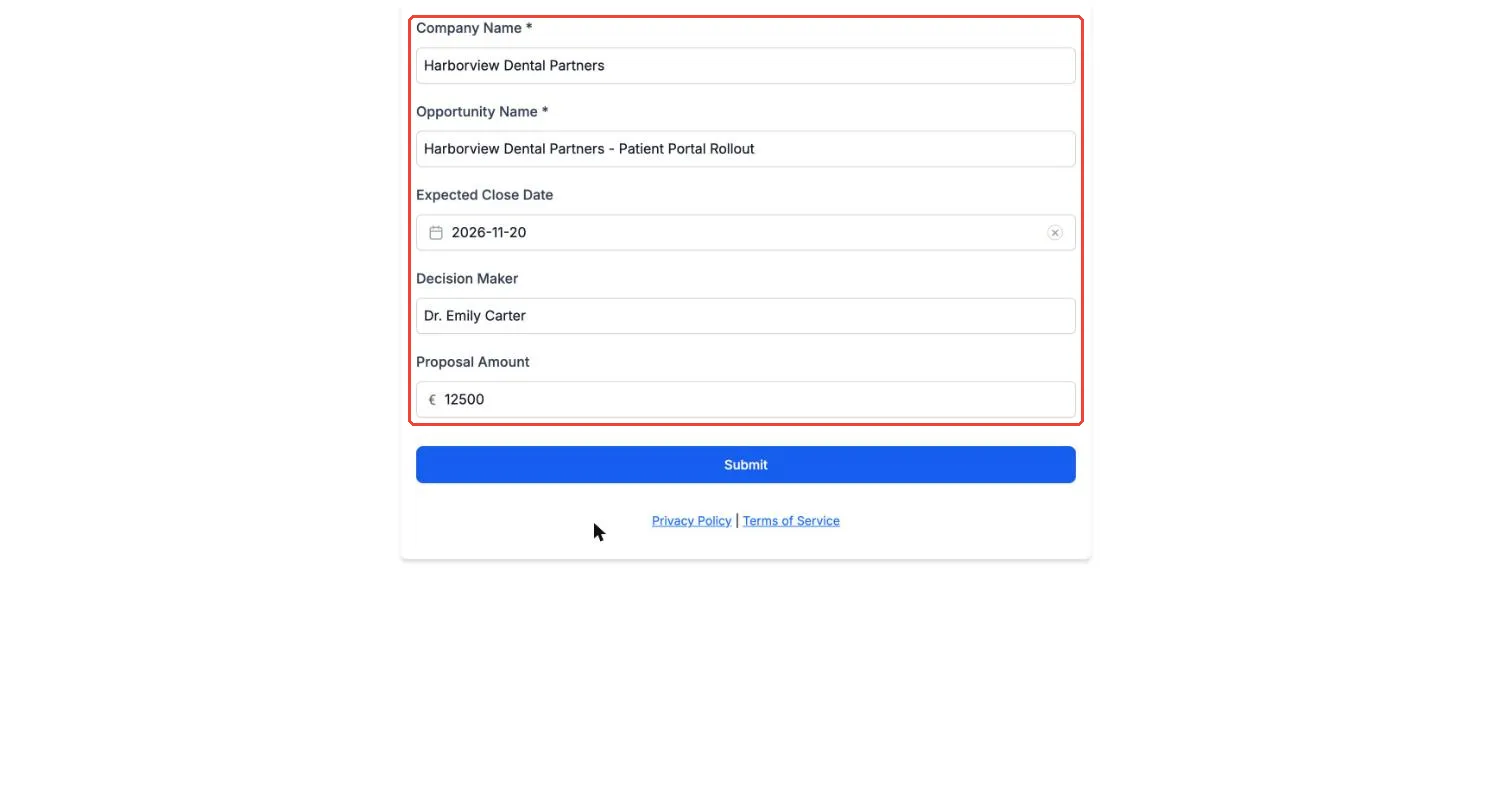
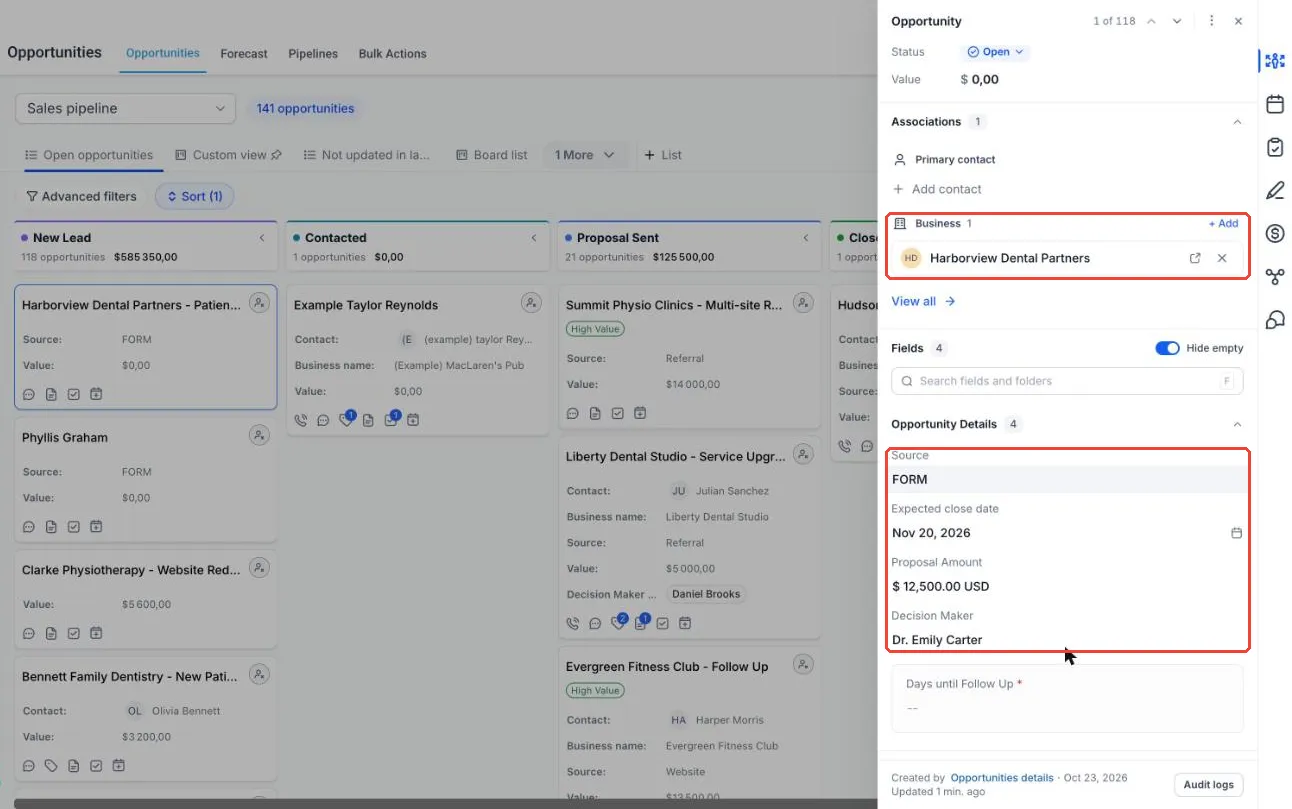
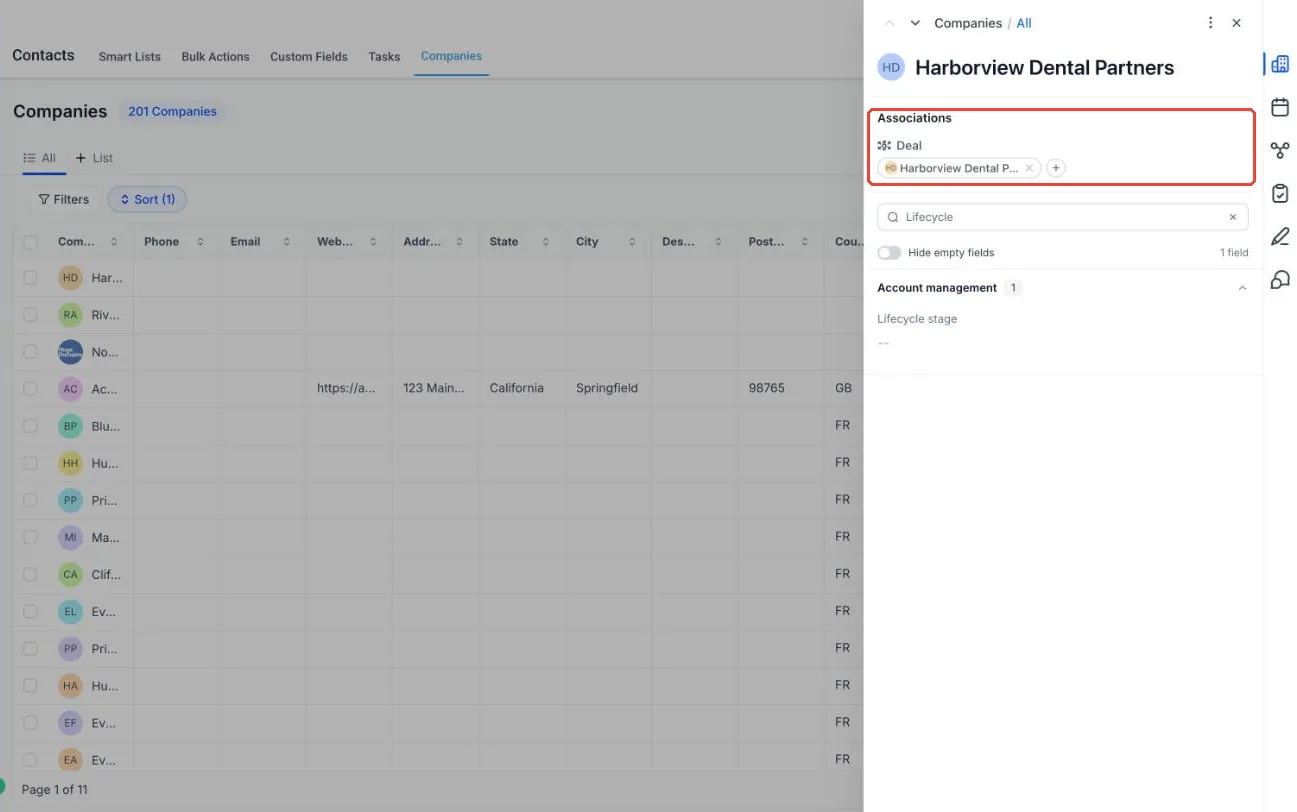
- An opportunity and a company, such as a partner deal registration.
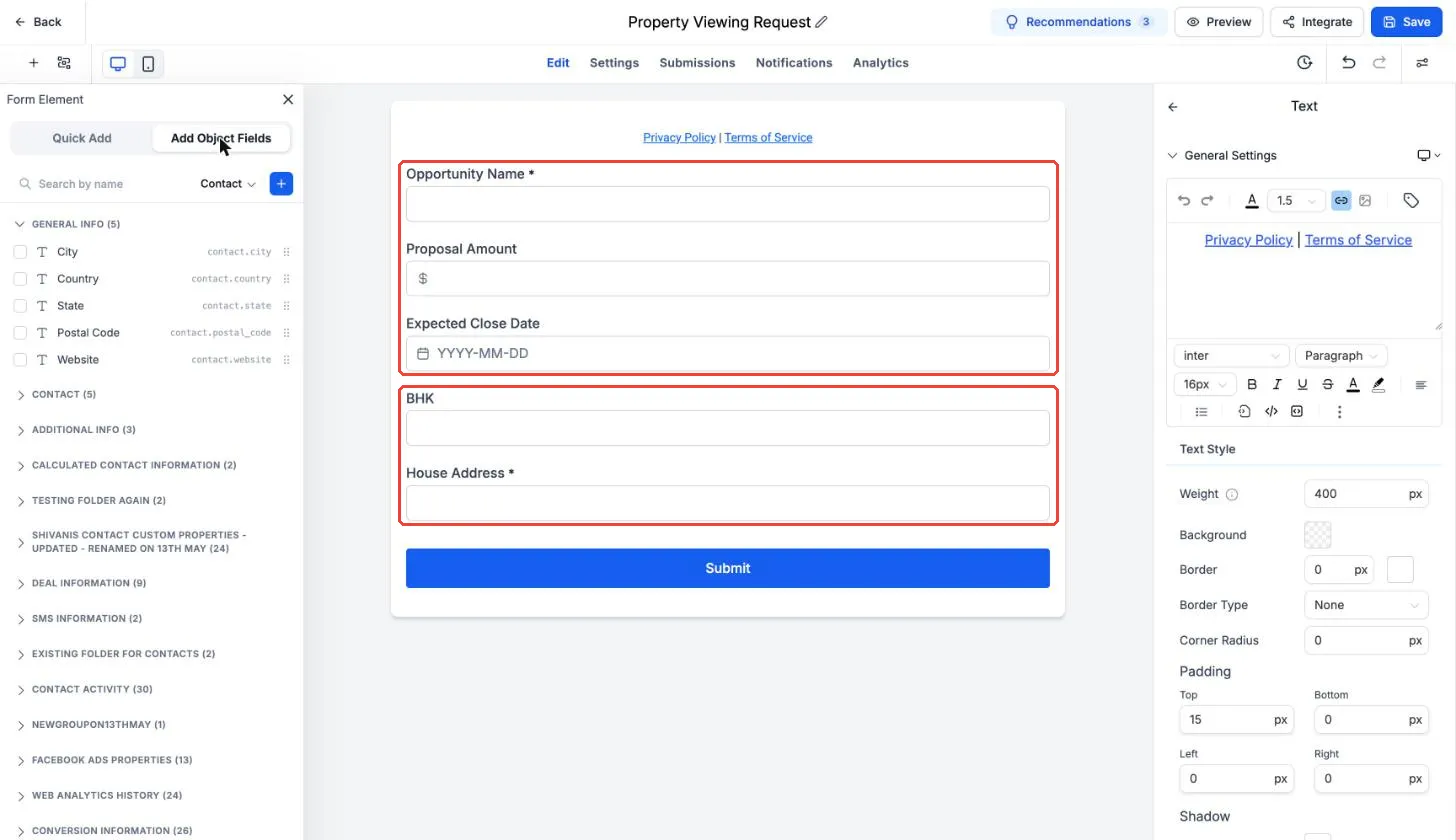
- An opportunity and a custom object record, such as a property viewing request that creates a deal and property record.
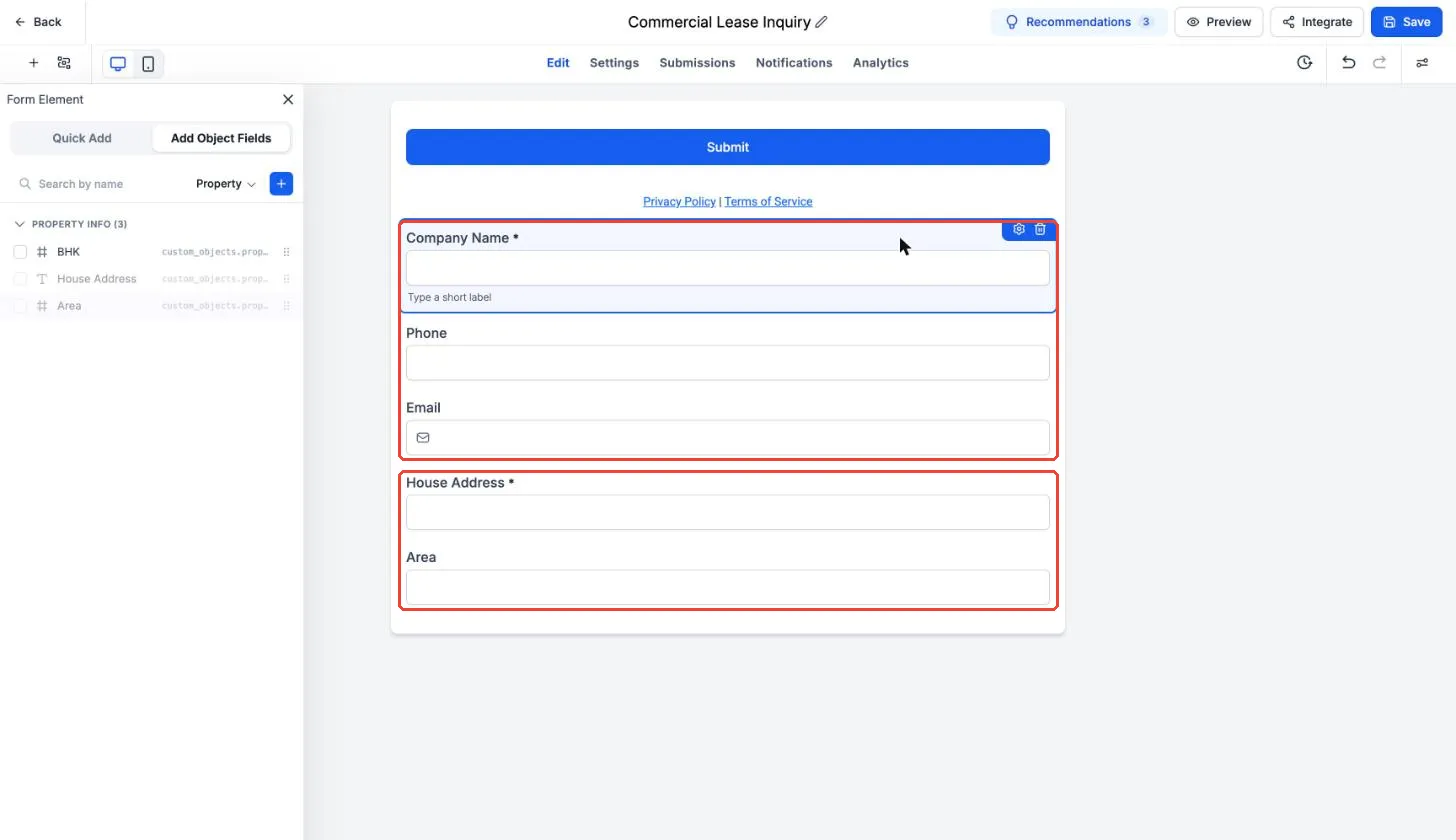
- A company and a custom object record, such as a commercial lease inquiry.
For two-record forms, each submission creates both records and links them using your selected association label. This reduces manual record creation and linking in your CRM.
How to set up a form
- Go to Sites > Forms, open or create a form, and remove the default contact fields.
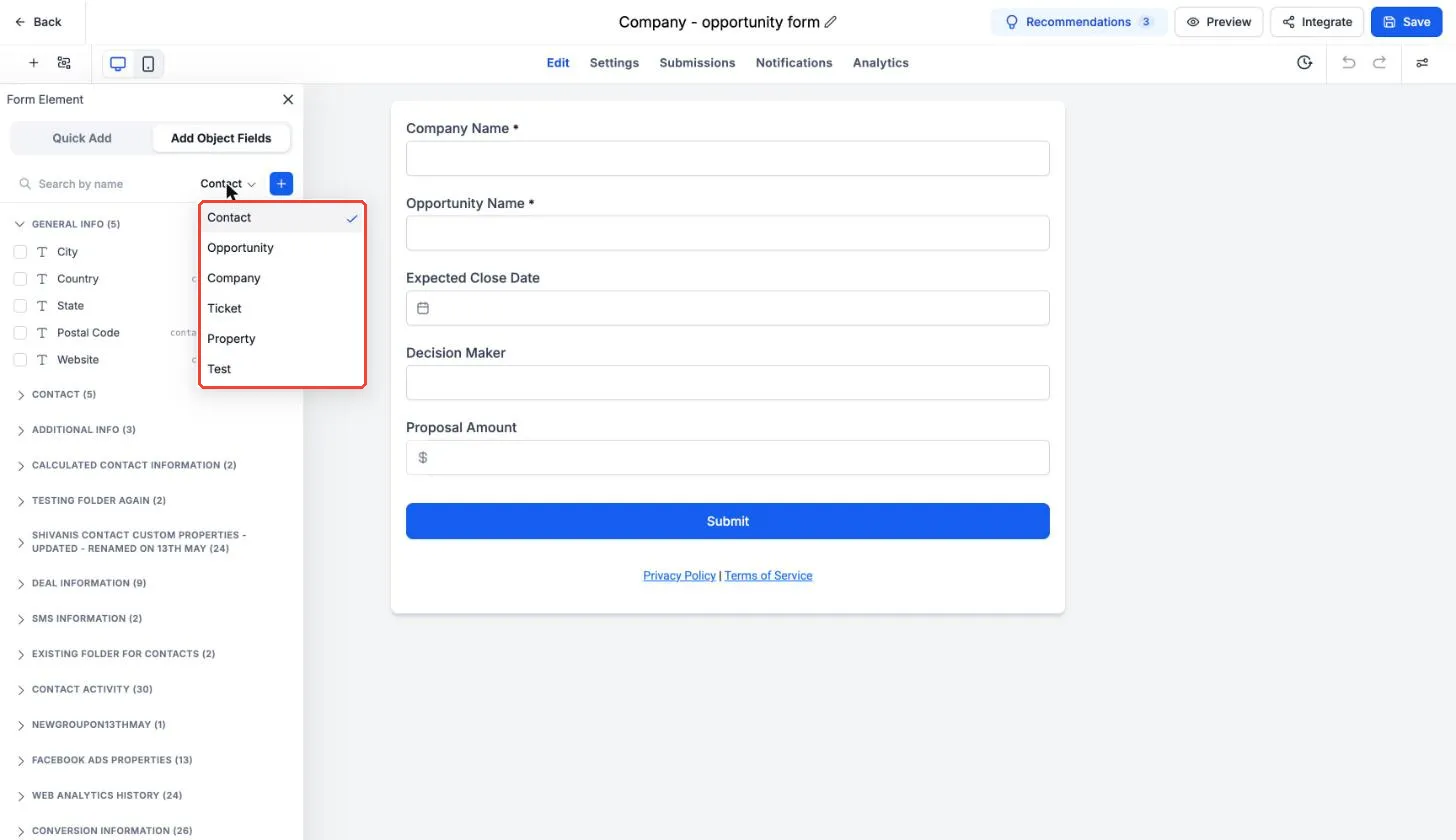
- Select Add Object Fields, choose Opportunity or Company, and add the fields you need.
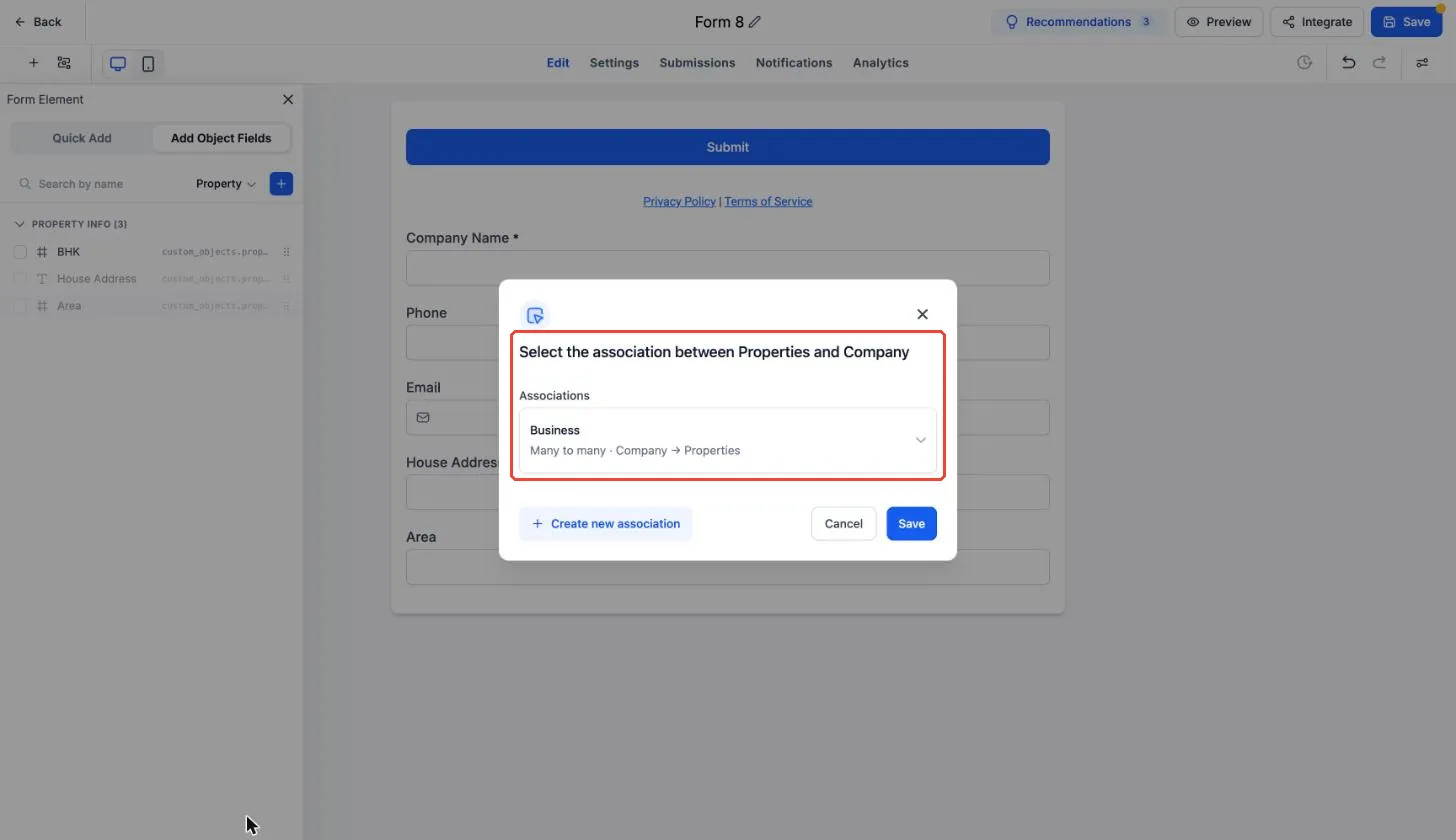
- To create a second record, switch the object dropdown to Company or a custom object, add its fields, choose an association label, and save. Skip this step for opportunity-only forms.
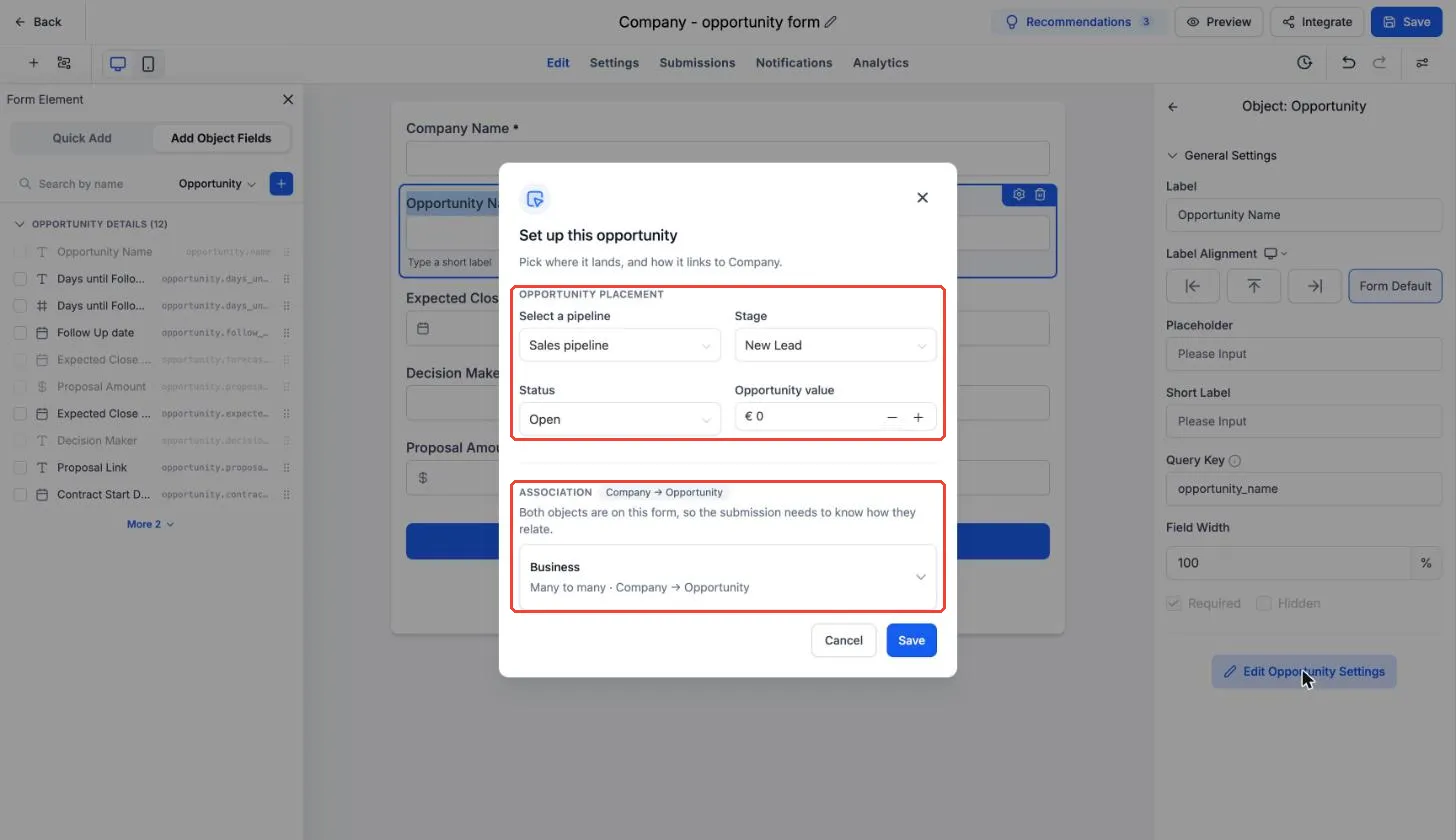
- For opportunities, select Opportunity Name > Edit Opportunity Settings and set the pipeline, stage, status, and opportunity value.
- Save and share the form. Review entries in Submissions.
Important setup details
- Opportunity Name is required on every form that includes opportunity fields.
- Opportunity value comes from Set up this opportunity, not from a visitor’s form response. To collect an amount from the visitor, use an opportunity custom field such as Proposal Amount.
- Association labels come from your association settings. Create any needed labels under Settings > Objects > Associations before building the form.
- Created opportunities appear in the selected pipeline stage with the source set to FORM.
Release Images
Need Help Applying This Update?
Want help turning this update into a working part of your CRM, marketing, or automation setup?
Get Started or schedule a demo and we’ll help you map the right next step.