The Client Portal now includes a Discover section where learners can explore courses, published offers, and communities. Available through Labs, this update helps learners find content beyond the courses they are already enrolled in.
For businesses using SMBcrm memberships and education tools, Discover brings content browsing and access to checkout into the learner portal.
What Discover Includes
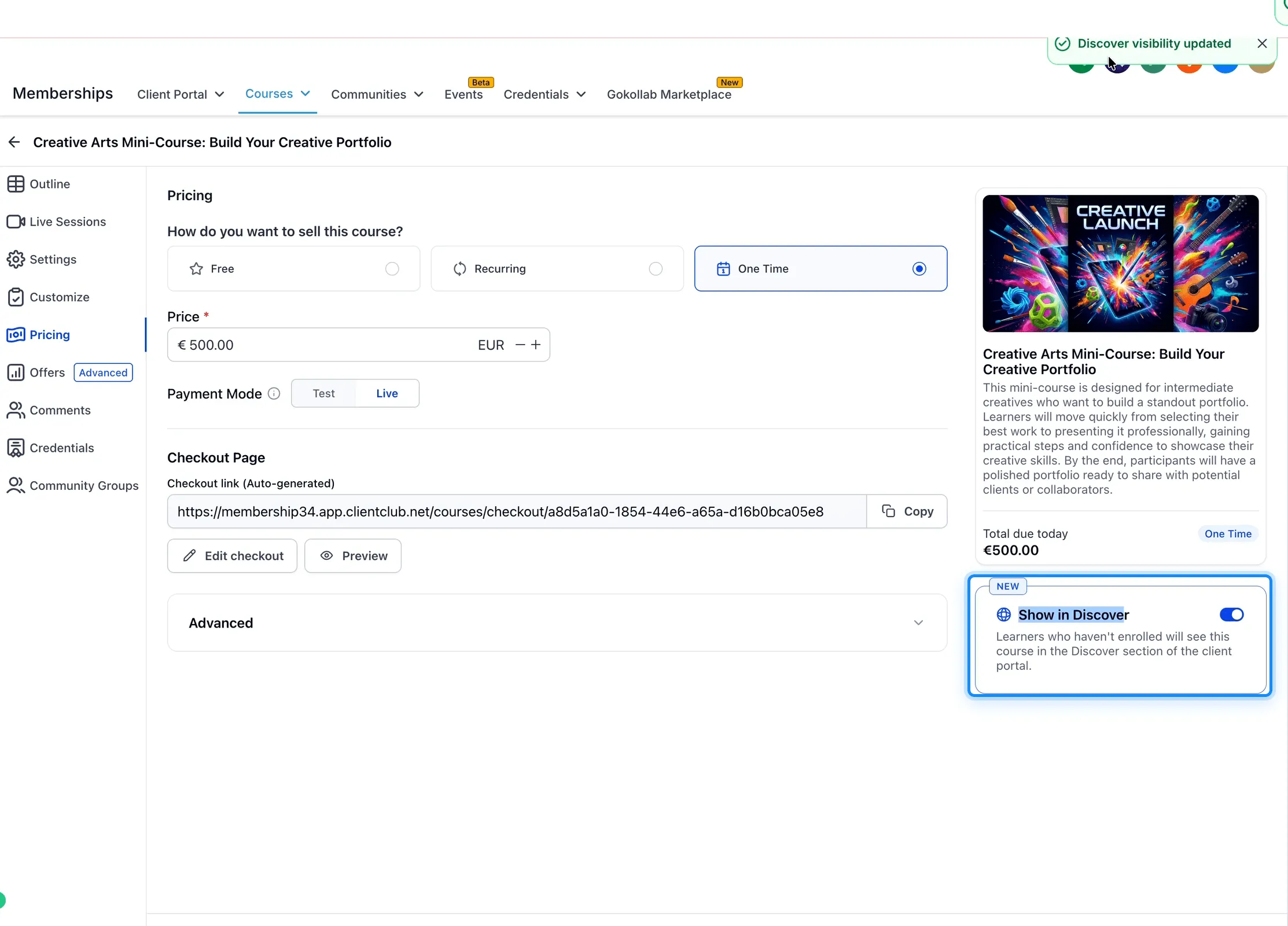
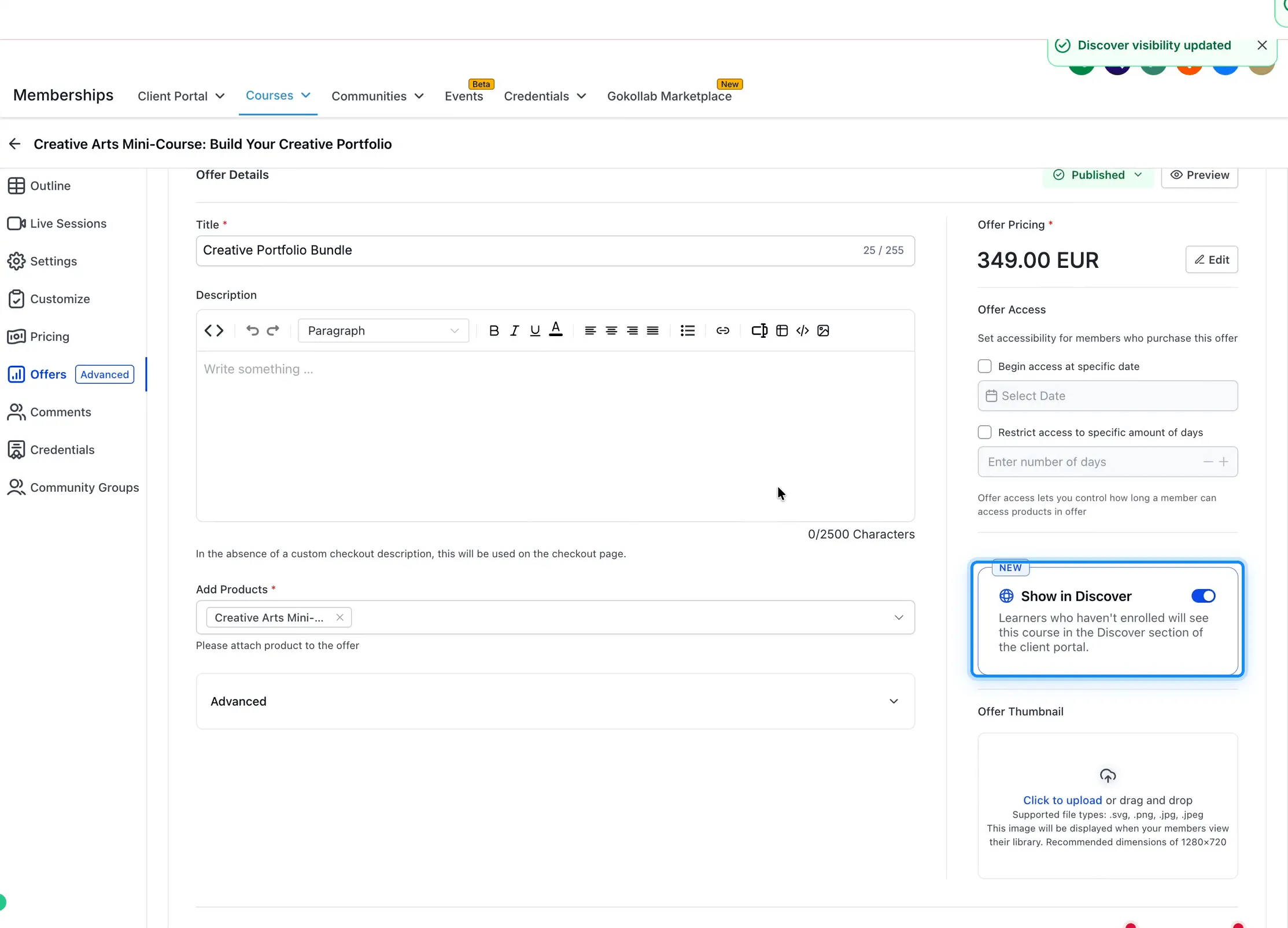
- Visibility controls: Use Show in Discover to choose which courses and published offers appear.
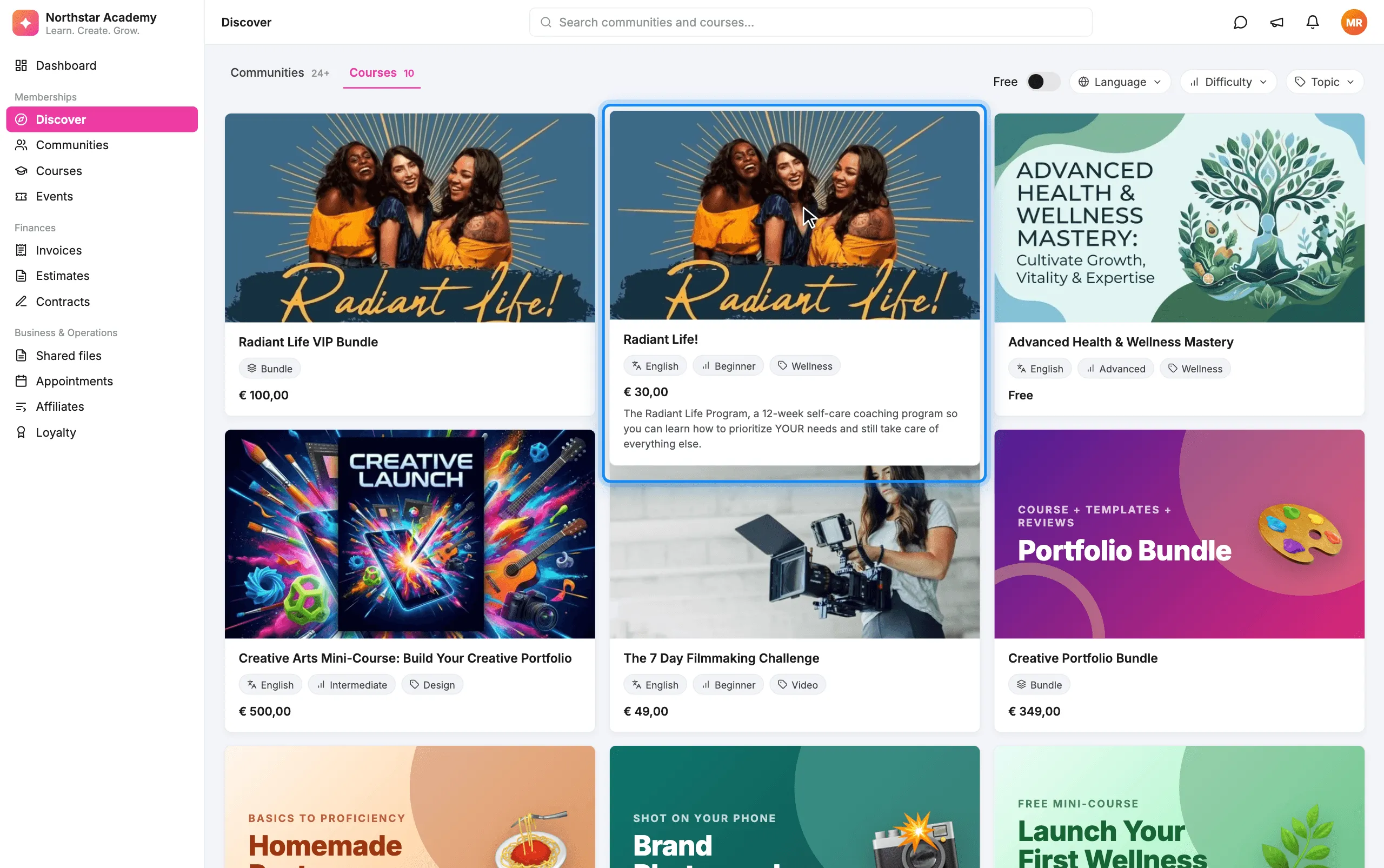
- Course and bundle browsing: Learners can view thumbnails, pricing, descriptions, and tags. Published offers appear as bundles.
- Search and filters: Learners can search content and filter by Free, Language, Difficulty, and Topic.
- Direct checkout access: Learners can open a course or bundle’s checkout page from Discover.
- Optional landing page: Set Discover as the default page learners see when entering the Client Portal.
How to Enable Discover
- Go to Labs → Accounts → Discovery of Course and Offers and enable the feature.
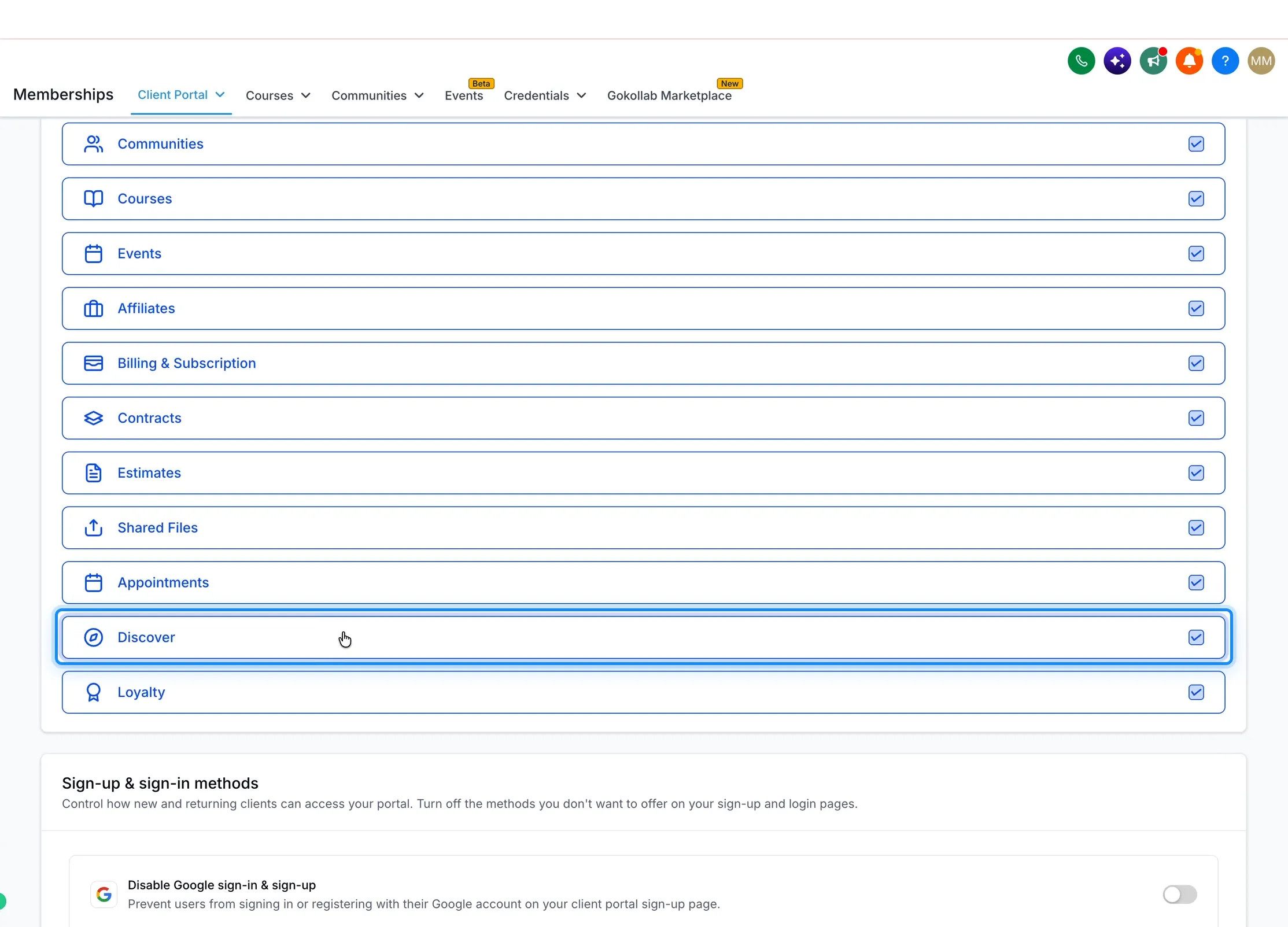
- Open Client Portal → Settings → App permissions and enable Discover.
- Open a course’s Pricing tab or a published offer and turn on Show in Discover.
- Optionally, set Discover as the default landing page.
Once enabled, learners can explore the courses and offers you have chosen to display alongside communities in the Client Portal.
Release Images
Need Help Applying This Update?
Want help turning this update into a working part of your CRM, marketing, or automation setup?
Get Started or schedule a demo and we’ll help you map the right next step.