Two Opportunities updates are rolling out in SMBcrm to make personal pipeline views easier to manage and give users more context at a glance.
What Changed
Dynamic me filter for Owner and Follower
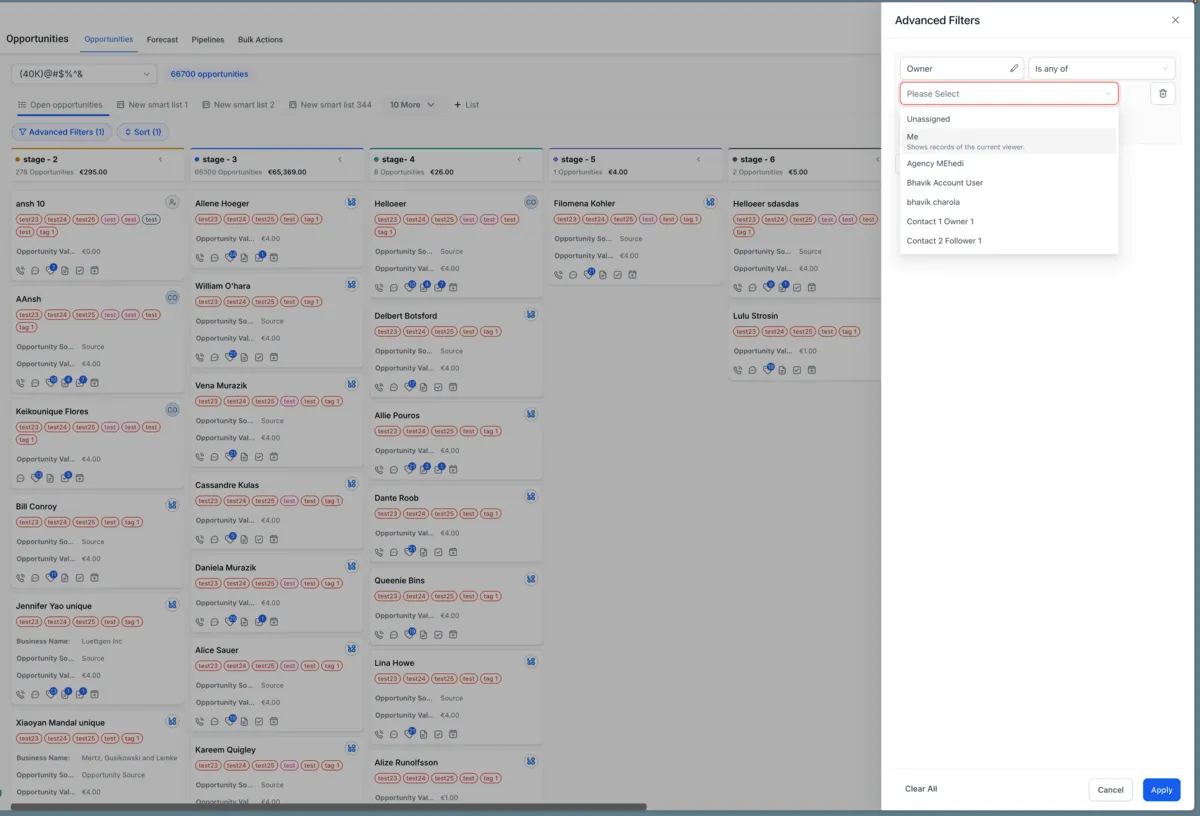
SMBcrm now includes a dynamic me option in Owner and Follower filters. It is available in both Advanced Filters and Smart Tags, and it automatically resolves to the logged-in viewer.
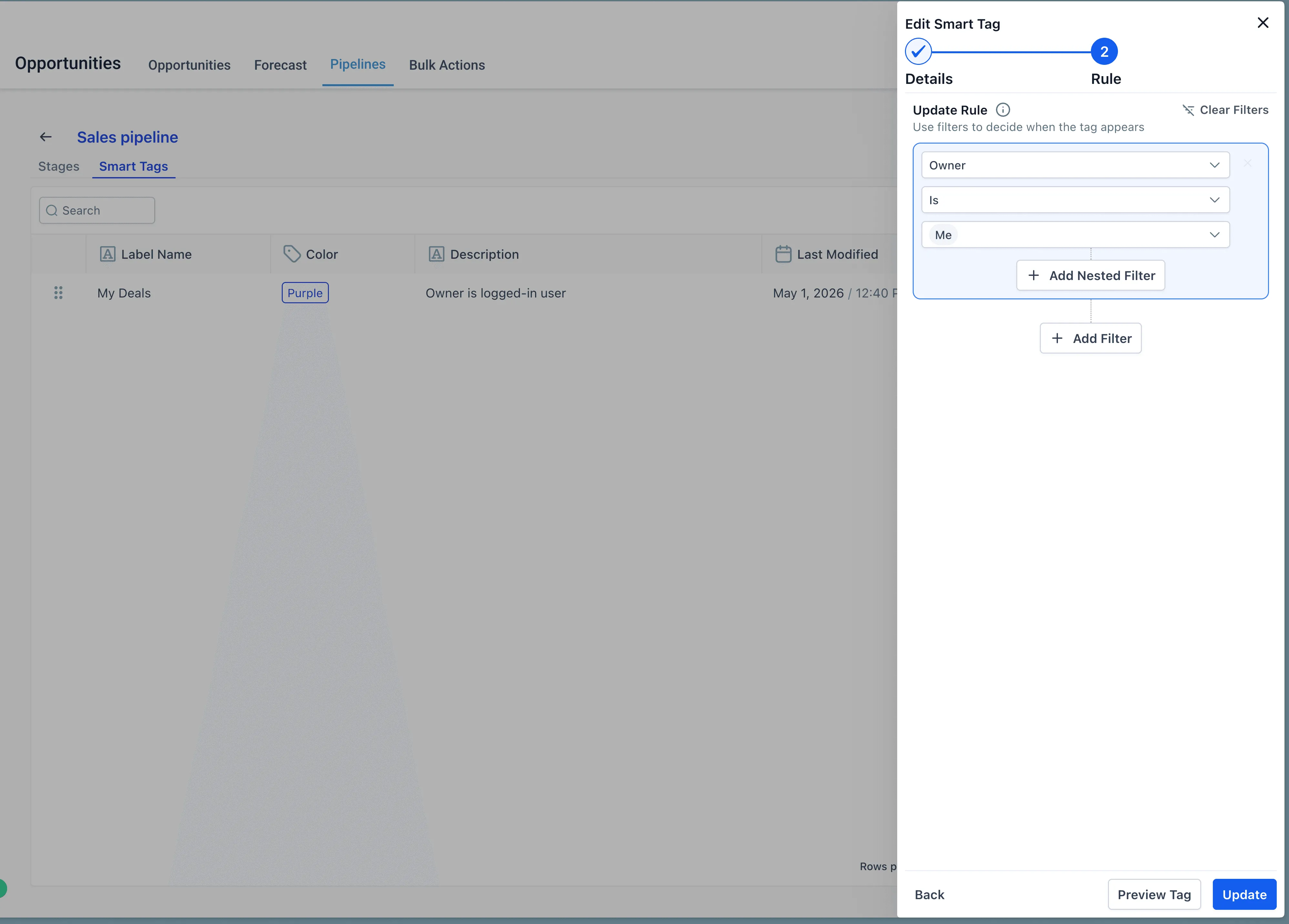
To use the dynamic me filter:
- Open Opportunities.
- Open Advanced Filters or the Smart Tag editor.
- Add a filter on Owner or Follower.
- In the value dropdown, select me.
- Save it as a Smart Tag to reuse across sessions or share with the team.
When a Smart Tag using me is shared, each viewer sees only their own opportunities.
Primary contact notes in List view
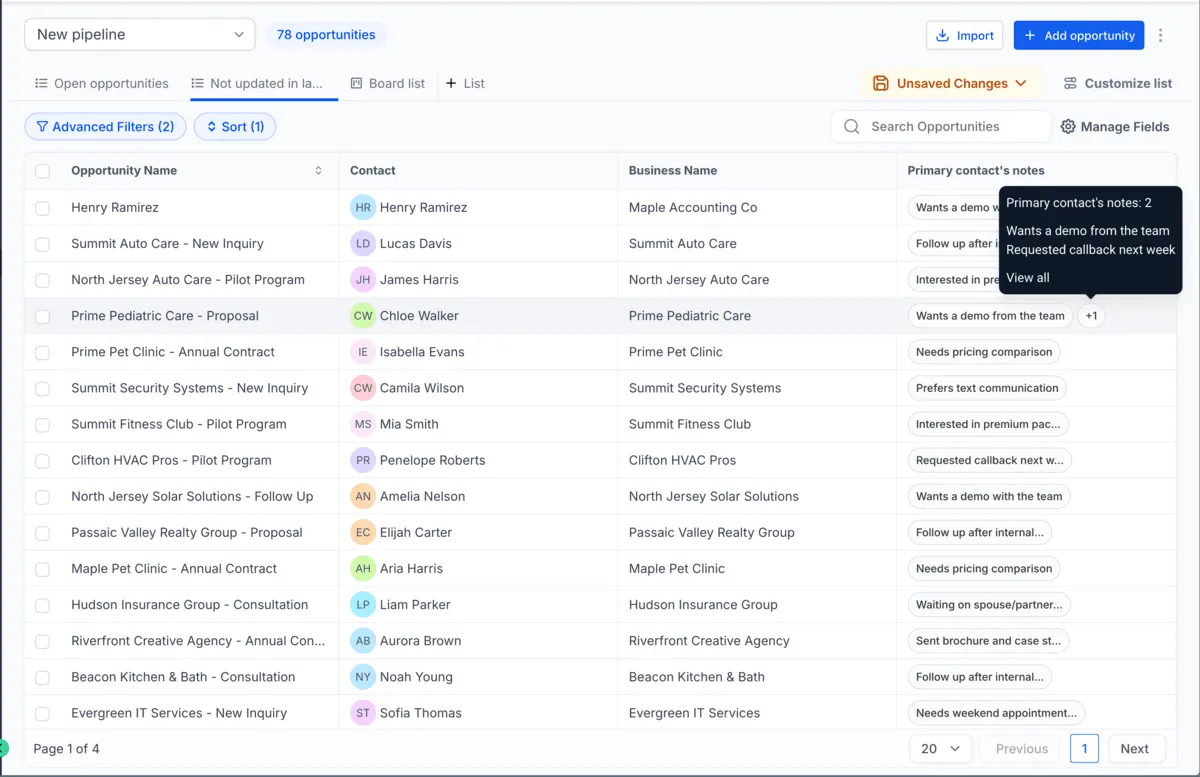
You can now add Primary Contact Notes as a column in the Opportunities List view. The column shows all notes from each opportunity’s primary contact and behaves like other list view columns. It can be sorted, resized, and included in saved views.
To add the column:
- Open Opportunities in List view.
- Open Customize Columns.
- Toggle on Primary Contact Notes.
Why It Matters
These updates make CRM and sales workflows easier to manage. The dynamic me filter reduces the need to create separate filter views for each user, while the notes column helps reps scan important contact context before calls and during daily pipeline review.
In Case You Missed It
Read AI Studio Deleted Projects Are Now Marked Inactive for another recent SMBcrm product update.
Need Help Applying This Update?
If you’d like help rolling this out in SMBcrm, visit Support or request a demo.
Explore this in SMBcrm
See the next step for each opportunity.
Explore contacts and pipelines, then follow a sample lead through the CRM and plan your own stages.
Explore contacts and pipelinesAlready using this feature? Find setup help