SMBcrm now lets you create blocked slots for rental listings. A blocked slot reduces availability like a booking, but it is not tied to a customer or order.
This gives teams more control over rental inventory and helps keep availability accurate across calendar and booking flows, including rental operations connected to Reputation & Growth workflows.
What Changed
You can now:
- Create blocked slots for rental listings
- Reduce listing availability without creating a customer booking
- Optionally block specific variants and quantities, when enabled
- View, edit, and delete blocked slots from the Calendar View
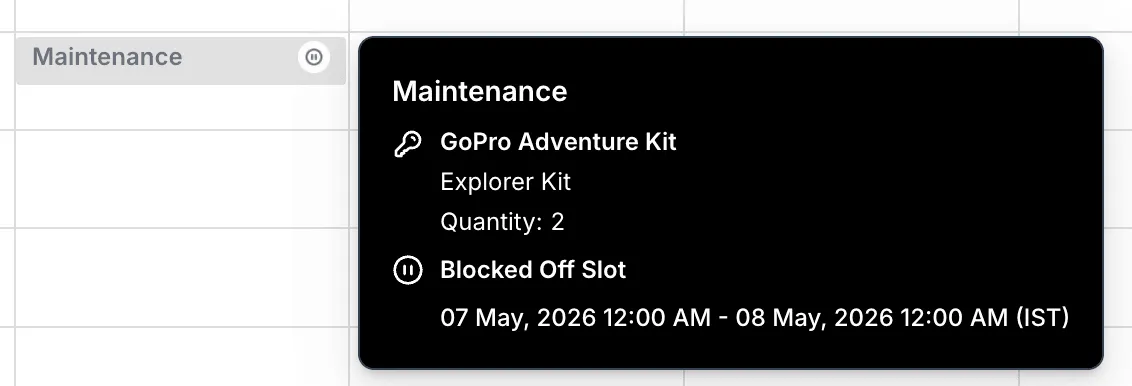
- See blocked slots clearly on the calendar with relevant details
How It Works
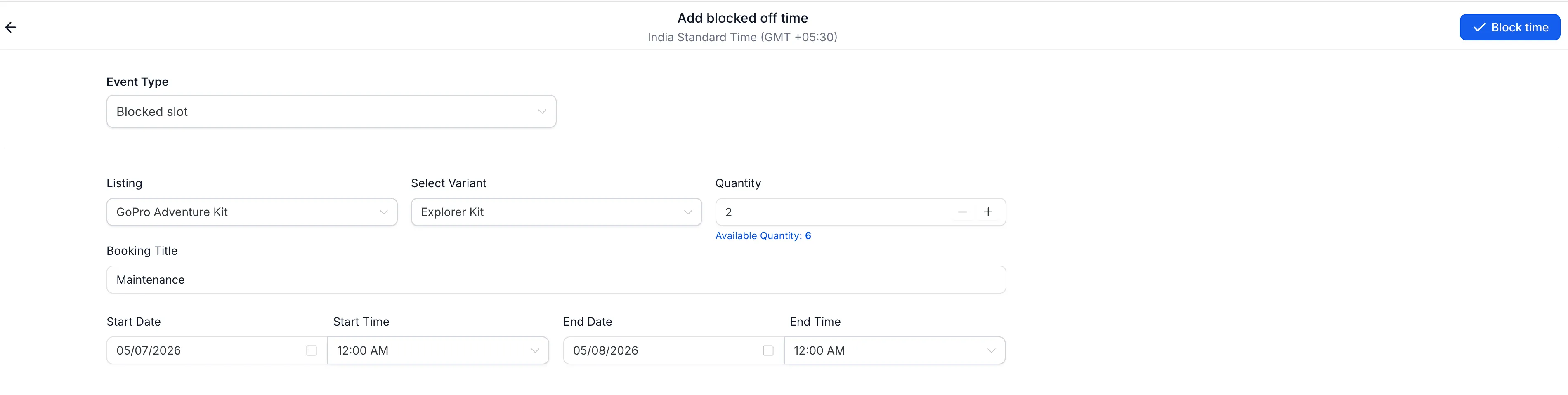
When creating a new booking, set the event type to Blocked slot. Then select the listing, date and time range, and optional variant and quantity if those settings apply.
Once the blocked slot is created, the selected listing becomes unavailable for that time period and availability is updated across booking flows.
You can also open the blocked slot later to view details, edit it using the same form, or delete it to release availability.
Why It Matters
Blocked slots help teams manage rental inventory beyond customer bookings. They are useful for real-world scenarios such as maintenance, internal use, holds, or offline commitments.
By reserving inventory directly on the calendar, teams can reduce scheduling conflicts and keep booking availability more accurate.
In Case You Missed It
You may also want to read AI Builder for Workflows Gets a Major Upgrade.
Need Help Applying This Update?
If you’d like help rolling this out in SMBcrm, visit Support or request a demo.