SMBcrm has rebuilt the AI Builder in workflows as a streaming, context-aware copilot for creating, editing, and learning about workflows. The update improves transparency, session continuity, and multi-step requests inside automation workflows while connecting naturally with broader AI features.
What changed
Live streaming progress
Builds, edits, and questions now stream results in real time. A step-by-step progress card shows when the AI is asking clarifying questions, searching for actions and triggers, creating the schema, placing it into the workflow, or validating the result.
Multiple edits in one request
You can ask for several workflow changes in a single message, such as renaming a workflow step, adding a 24-hour wait, and turning off re-entry. The AI can process those changes together instead of requiring separate prompts.
Session memory and continuity
The AI keeps the current session context, so follow-up instructions like changing a wait from 24 hours to 48 hours can refer back to the previous request. If you close the sidebar and reopen it, the chat history and progress remain available.
Smarter workflow canvas behavior
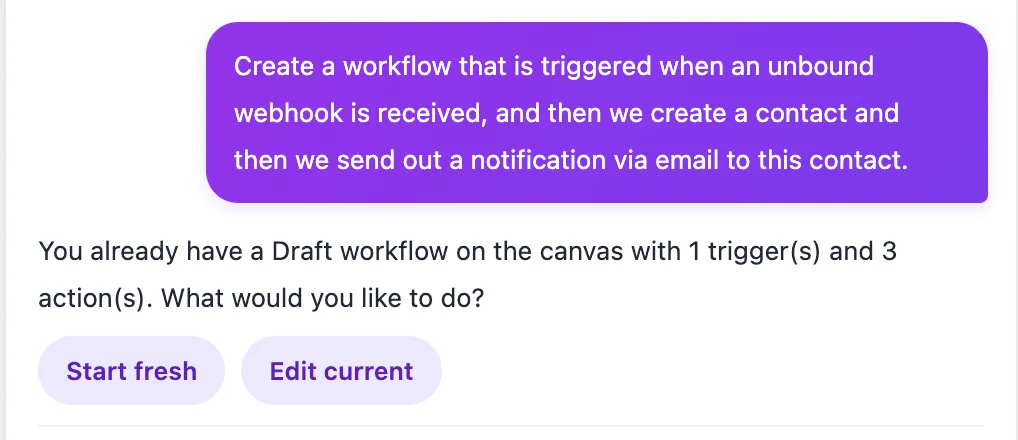
When you start a build from a canvas that already contains a workflow, the AI asks whether you want to start fresh or edit the existing workflow. This removes the need to manually create a separate workflow just to begin a new AI-assisted build.
Context-aware suggestions
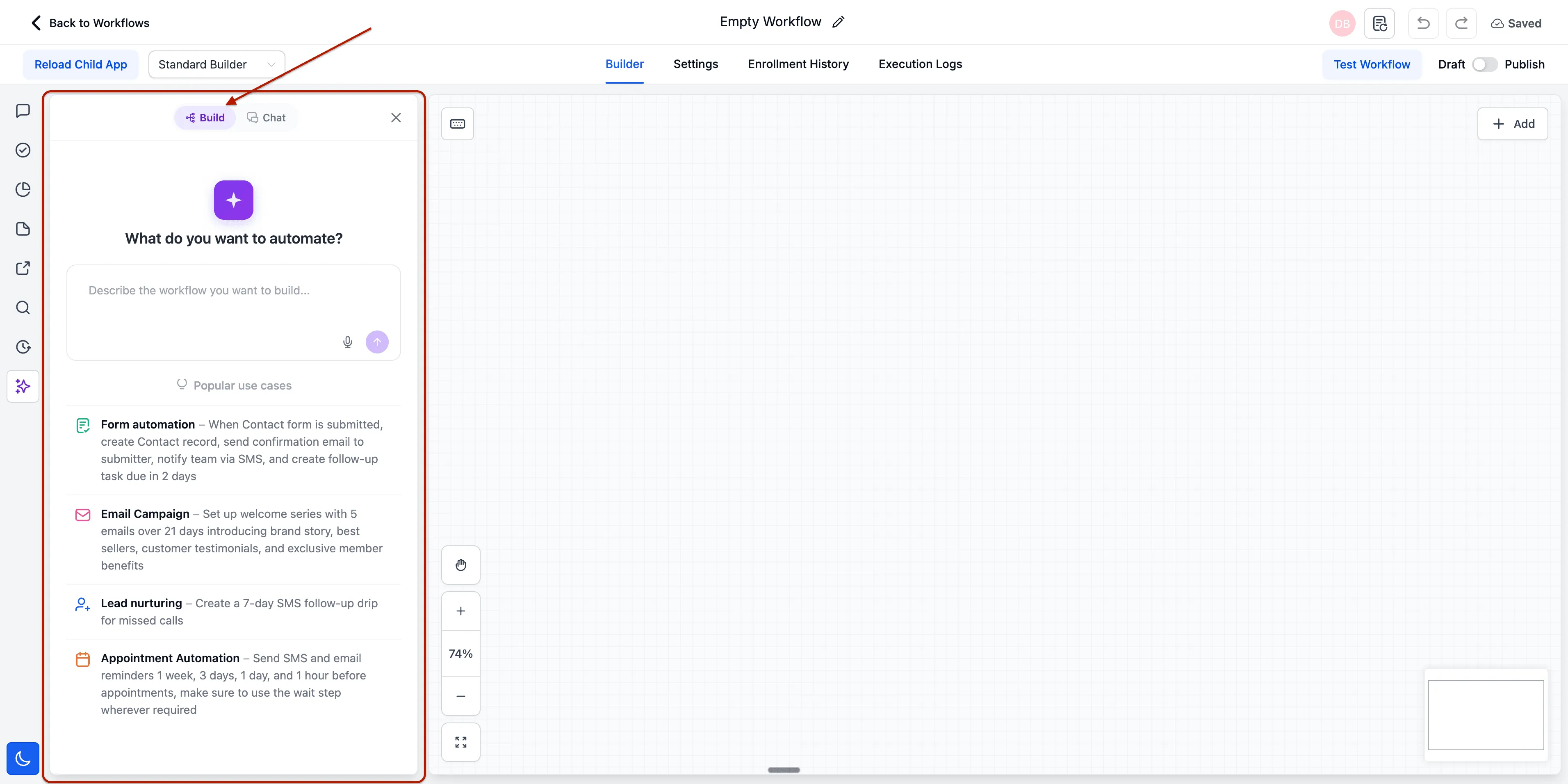
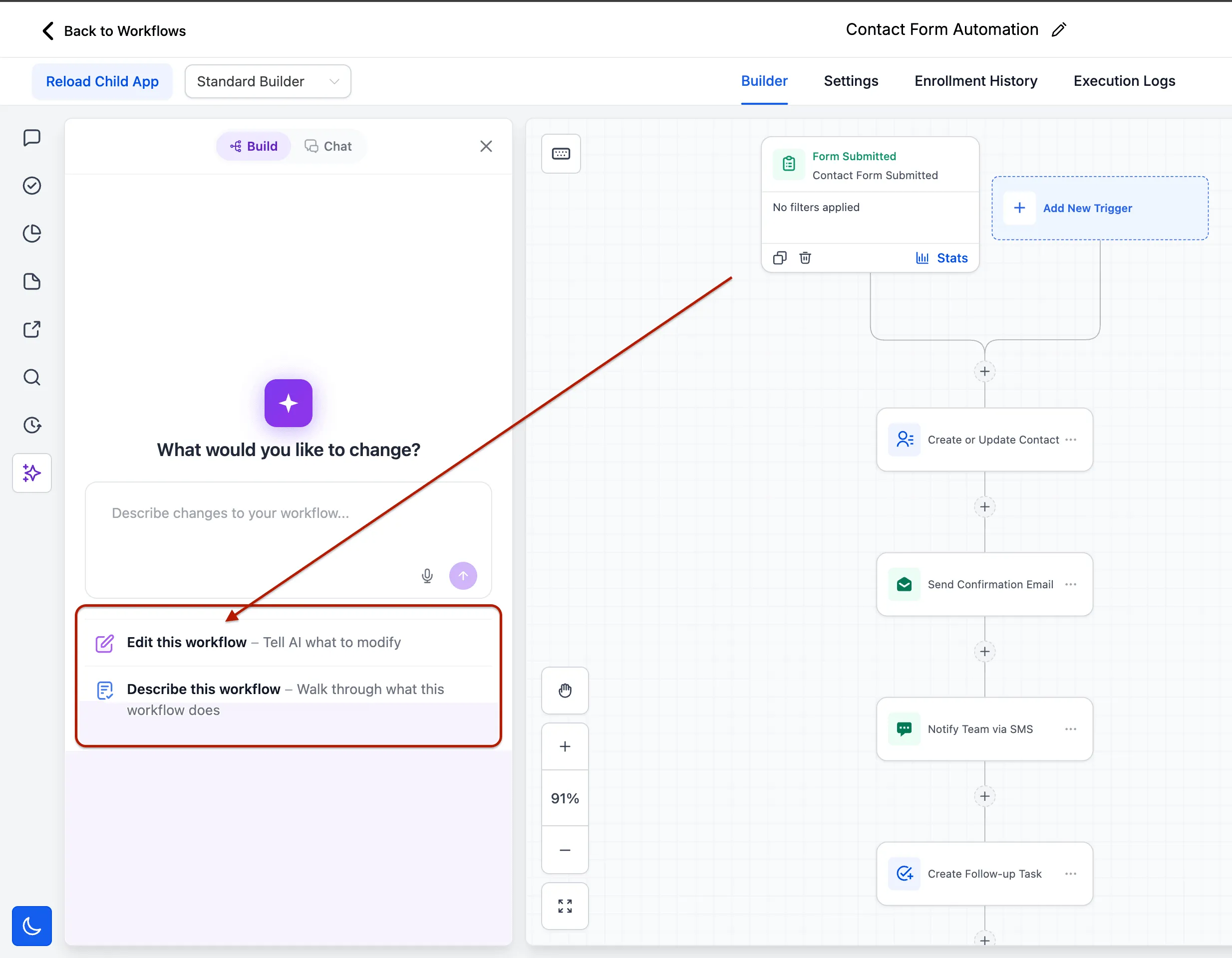
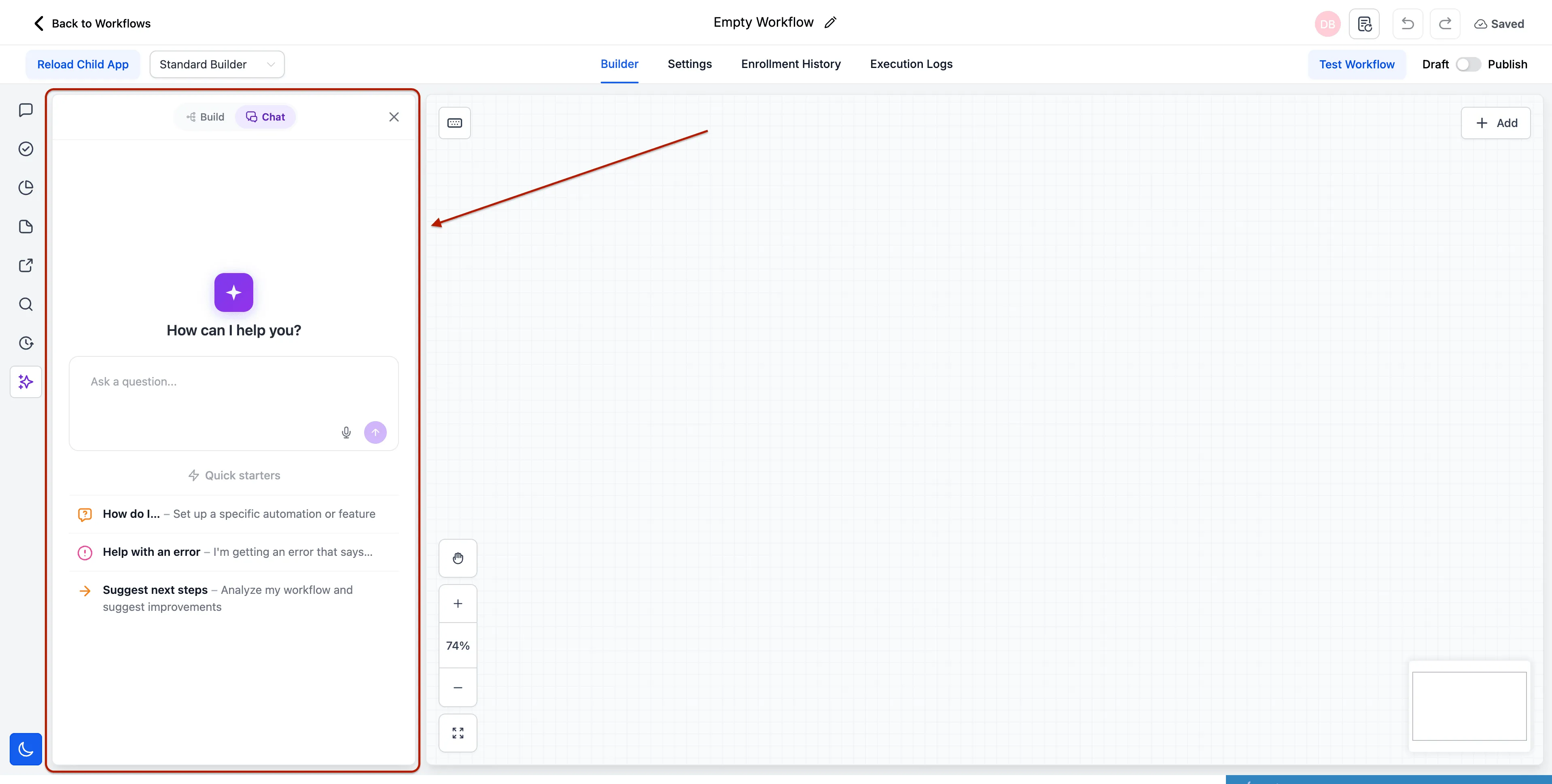
The AI sidebar now adapts to the workflow state. A blank canvas shows build-from-scratch prompts, an existing workflow shows Make it and Fix it suggestions based on the current flow, and Chat Mode surfaces knowledge prompts.
Chat to Build handoff
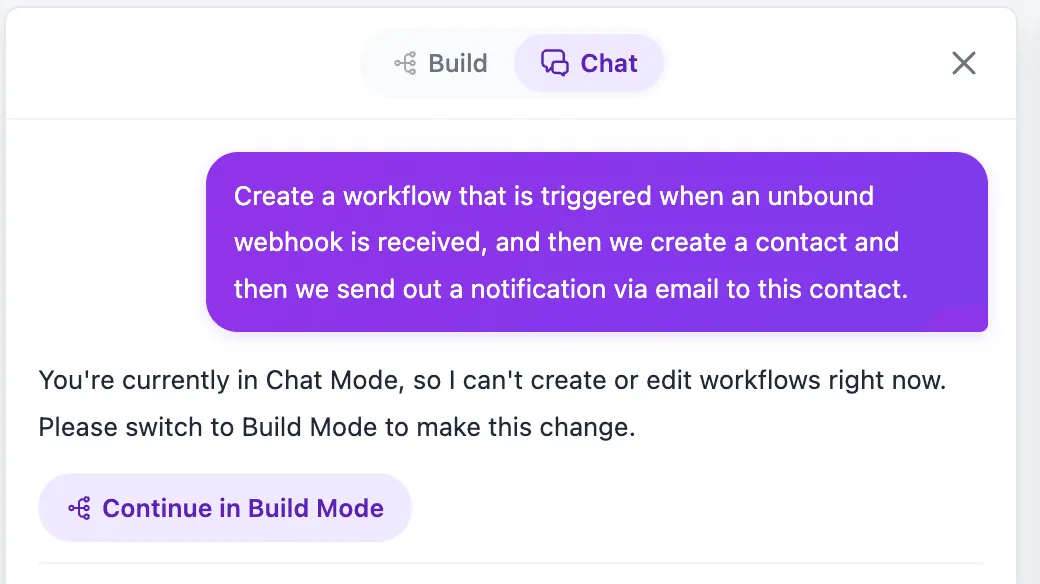
When you ask a build-related question in Chat Mode, a Continue in Build Mode button appears. Selecting it switches modes and auto-submits the request.
Learn Mode 2.0
Learn Mode responses stream in real time and include related follow-up questions at the end of each answer, supported by a dedicated knowledge base search tool.
Brand-neutral AI output
The AI is designed not to reference the platform by name in generated output, reducing cleanup for teams that expose the builder to end users.
Why it matters
This update makes Workflow AI Builder interactions easier to follow and reduces the need for repeated prompts. The rebuilt architecture also supports future workflow AI capabilities without requiring the pipeline to be rewritten.
In Case You Missed It
For another automation-related improvement, read Custom Date Reminders Now Support More CRM Record Types.
Release Images
Need Help Applying This Update?
If you’d like help rolling this out in SMBcrm, visit Support or request a demo.