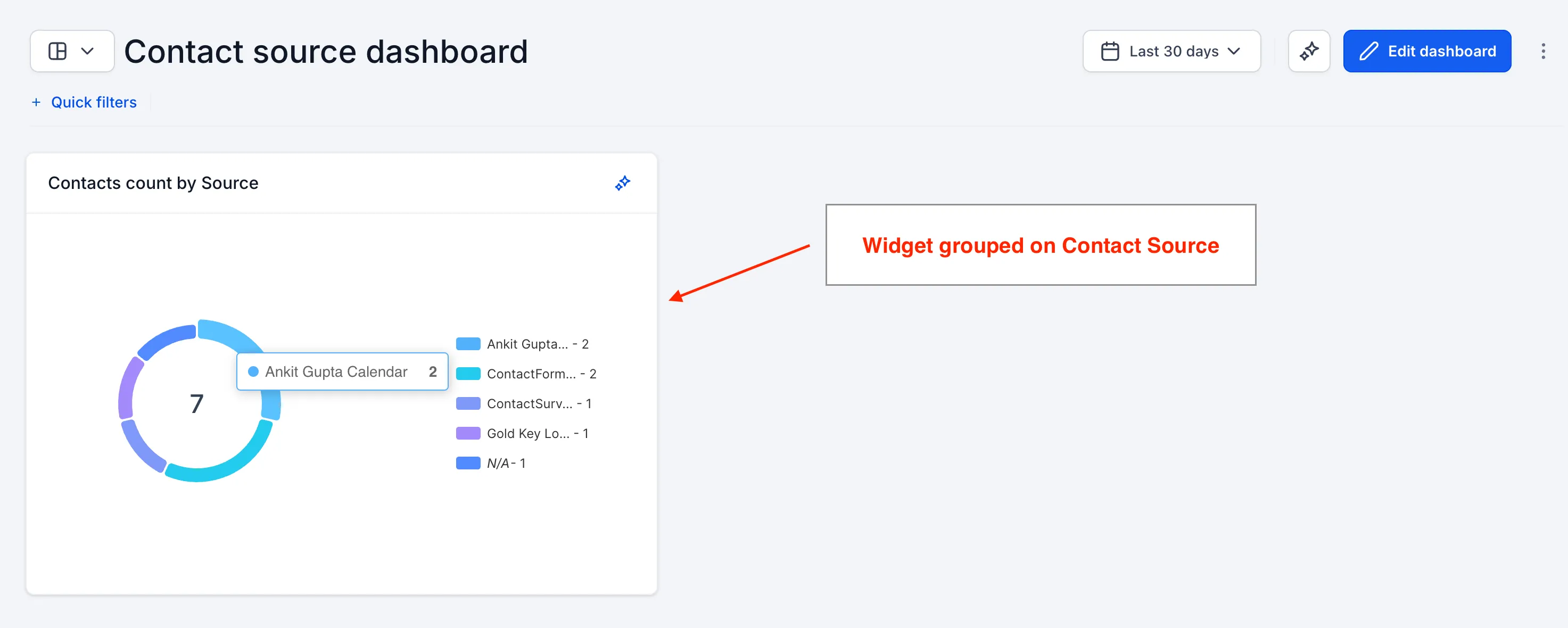
SMBcrm dashboards and reports now support grouping Contacts widgets by Source. This makes it easier to compare contact counts by where they came from and understand which channels are creating the most contacts.
This matches the Source grouping already available for opportunities, creating a more consistent reporting experience across your CRM and sales workflows.
How it works
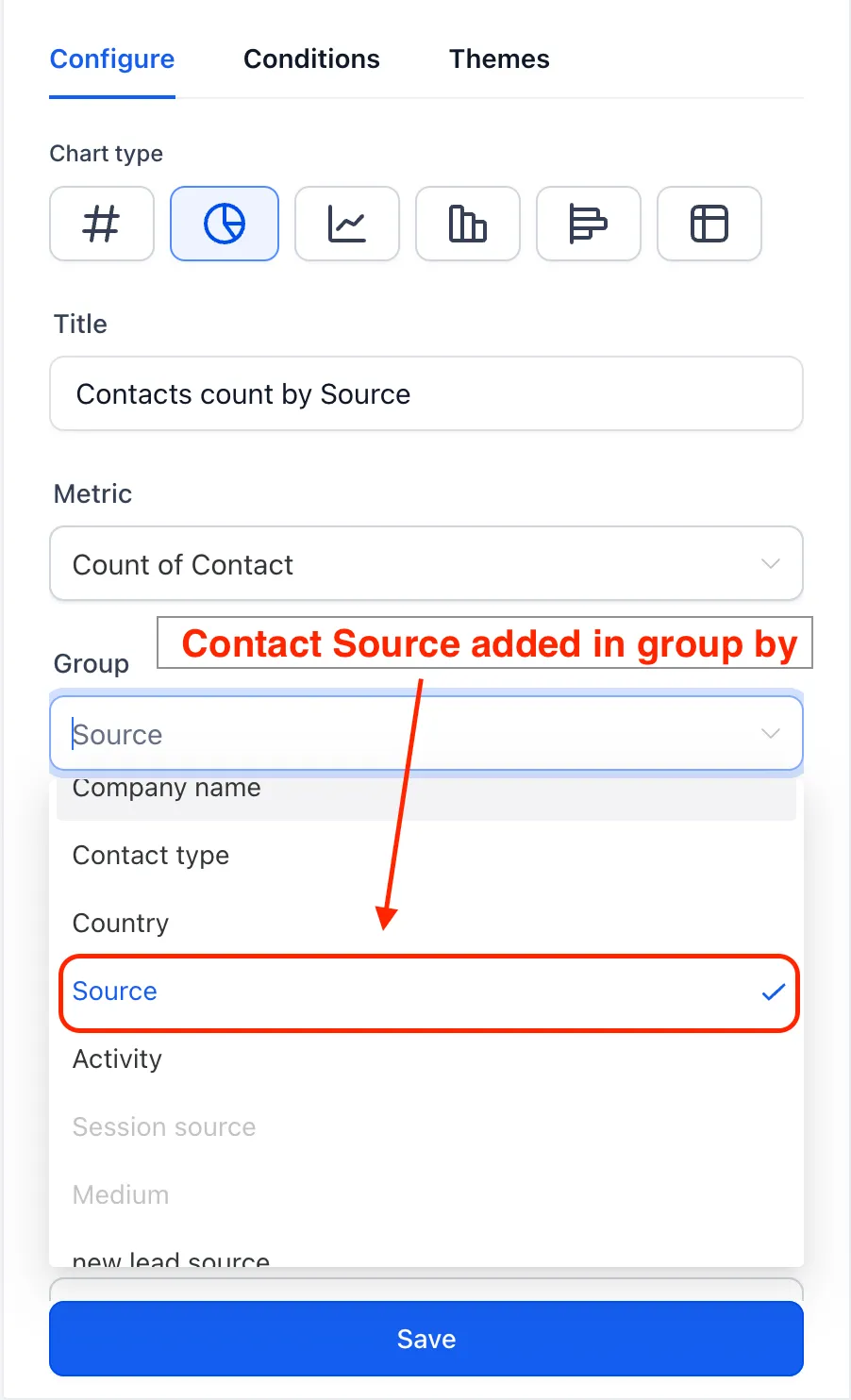
- Open a dashboard and add or edit a Contacts widget.
- In the widget settings, open the Group By dropdown.
- Select Source to bucket contacts by their source.
Why it matters
- Channel visibility: See which sources are generating the most contacts.
- Consistent reporting: Use Source grouping across both contacts and opportunities.
- Better lead-source decisions: Use the breakdown to focus attention on channels that perform.
In Case You Missed It
You may also want to read about SMS Dashboard Widgets and Custom Metrics.
Need Help Applying This Update?
Want help turning this update into a working part of your CRM, marketing, or automation setup?
Get Started or schedule a demo and we’ll help you map the right next step.