SMBcrm has updated the lesson experience in courses to make progression more seamless for learners and easier to manage for course creators.
For teams using Memberships & Education, this update improves how video and text lessons advance, how completion is tracked, and how course-level lesson settings can be applied.
Video Lesson Improvements
Video lessons now auto-play when a lesson opens.
An Up Next overlay has also been added inside the video player. It:
- displays the next lesson thumbnail
- shows a countdown before auto-play starts
- includes a Play Now action to skip the wait
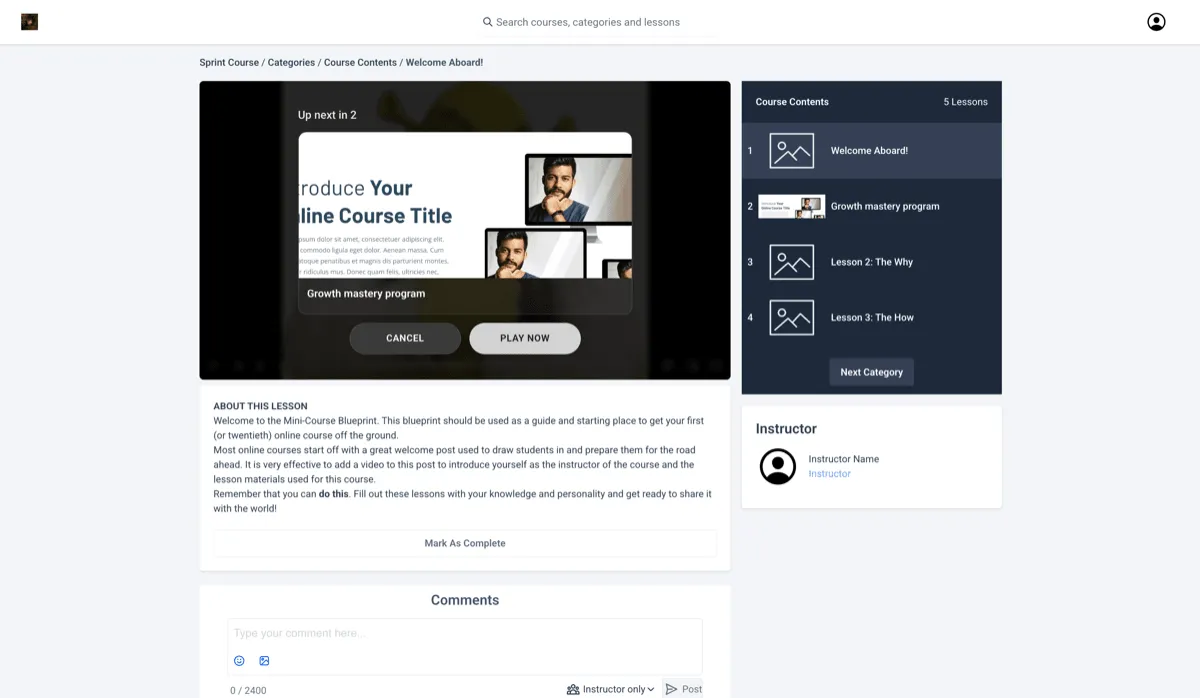
Video lesson completion has also been updated. Lessons are now marked complete when enough progress has been made and the learner moves forward.
Text Lesson Completion Improvements
Text lessons can now be completed automatically when a learner navigates forward.
This reduces the need to manually select Mark as Complete during course progression.
Course-Level Learner Experience Controls
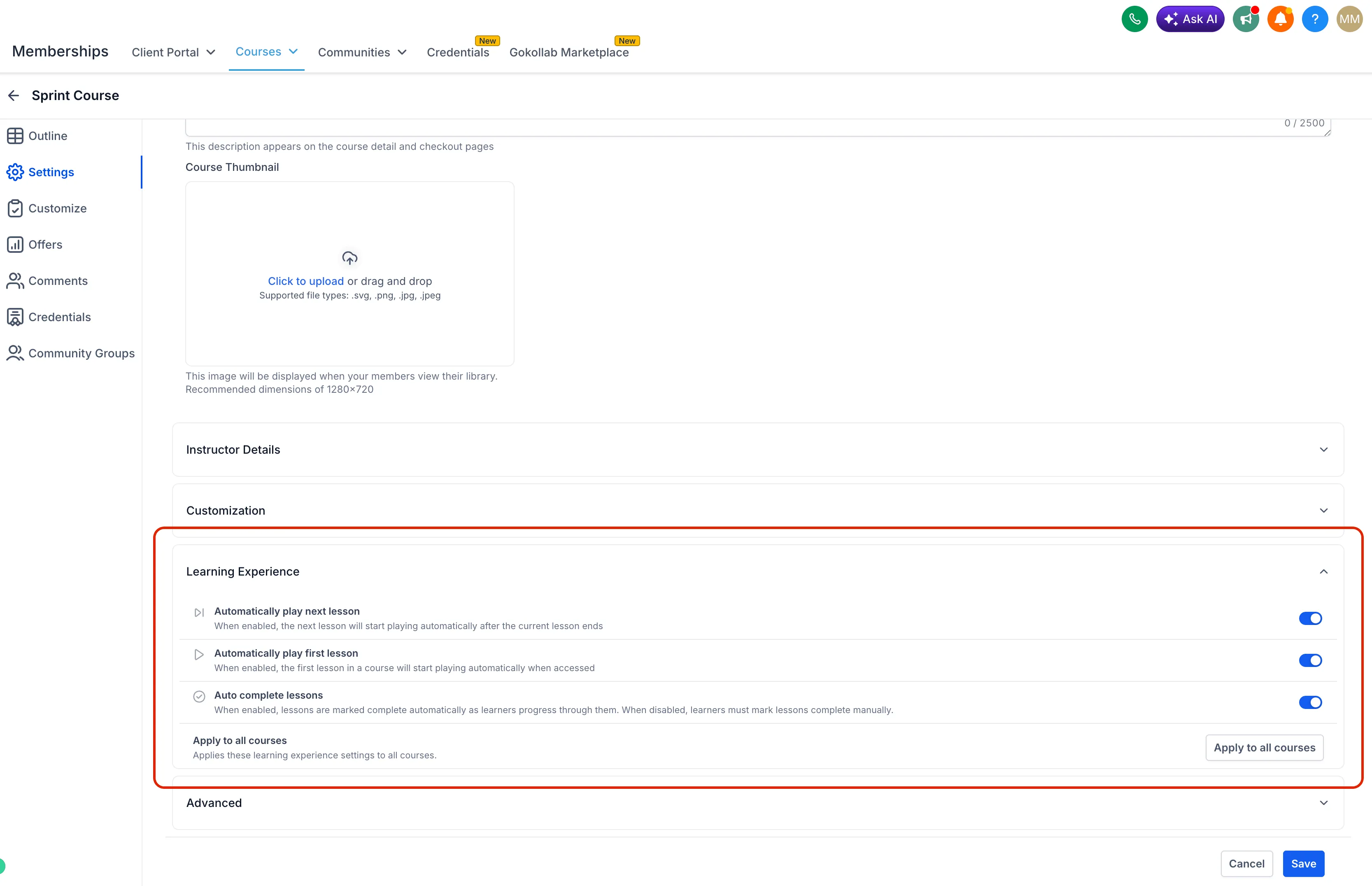
Course creators now have additional settings to shape the learning experience, including:
- auto-start first lesson
- auto-play next lesson
- auto-complete lessons
- apply settings across all courses
What This Changes
For learners, these updates reduce friction between lessons and create a more continuous course experience.
For course creators, they add more control over how lessons progress and make it easier to scale settings across multiple courses.
Coming Soon
SMBcrm has also indicated two planned additions:
- custom lesson completion thresholds
- fully automated course progression
In Case You Missed It
You can also read about Tax Support Added to Course Offer Checkout.
Need Help Applying This Update?
If you’d like help rolling this out in SMBcrm, visit Support or request a demo.