LinkedIn Poll Posts in Social Planner
LinkedIn Polls are now available in Social Planner, so you can create, schedule, and publish poll posts without switching tools.
This update helps teams collect audience feedback, increase interaction on LinkedIn posts, and manage poll content alongside their other social content.
What changed
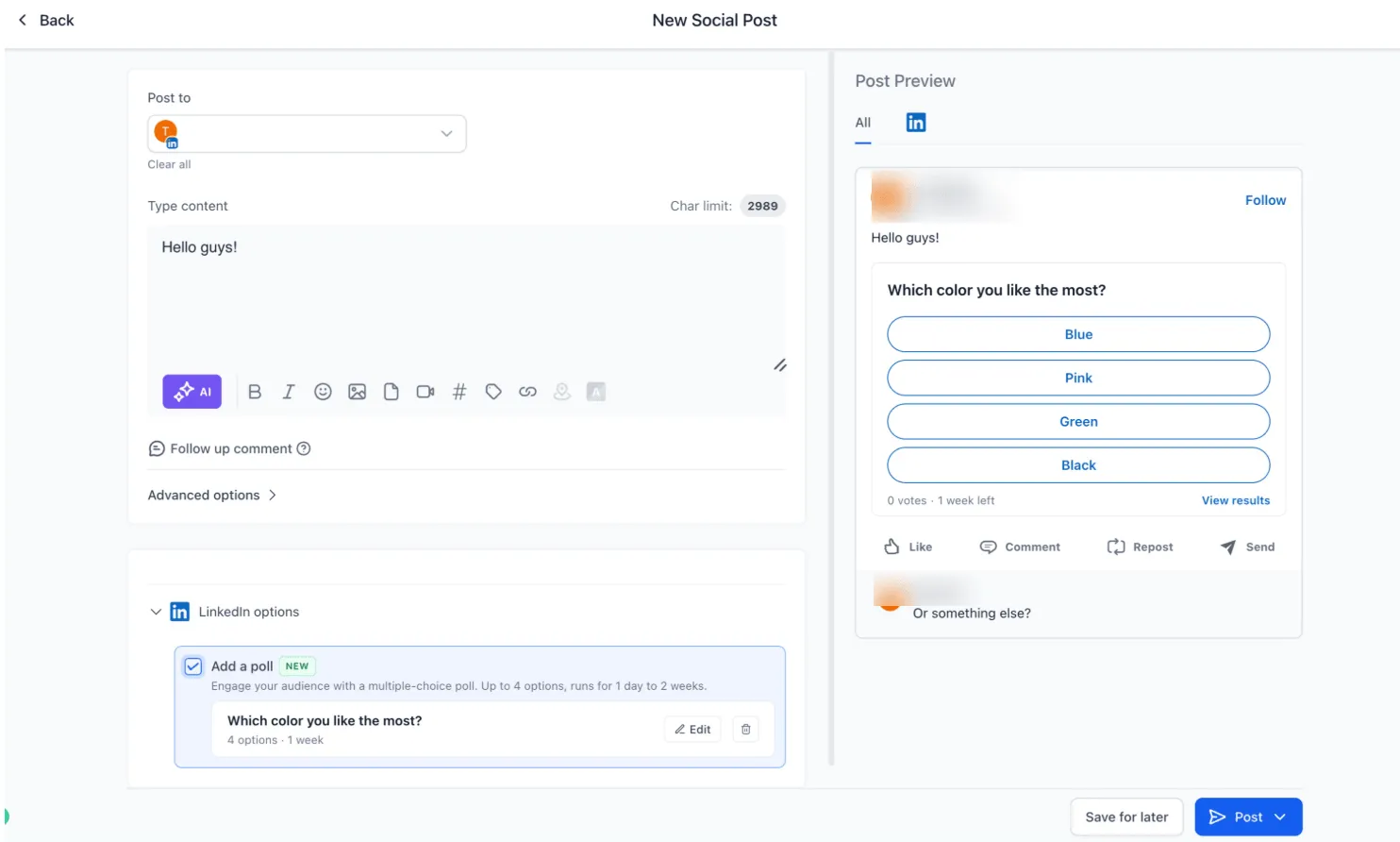
You can now create LinkedIn Polls directly from the Social Planner composer.
Supported poll setup includes:
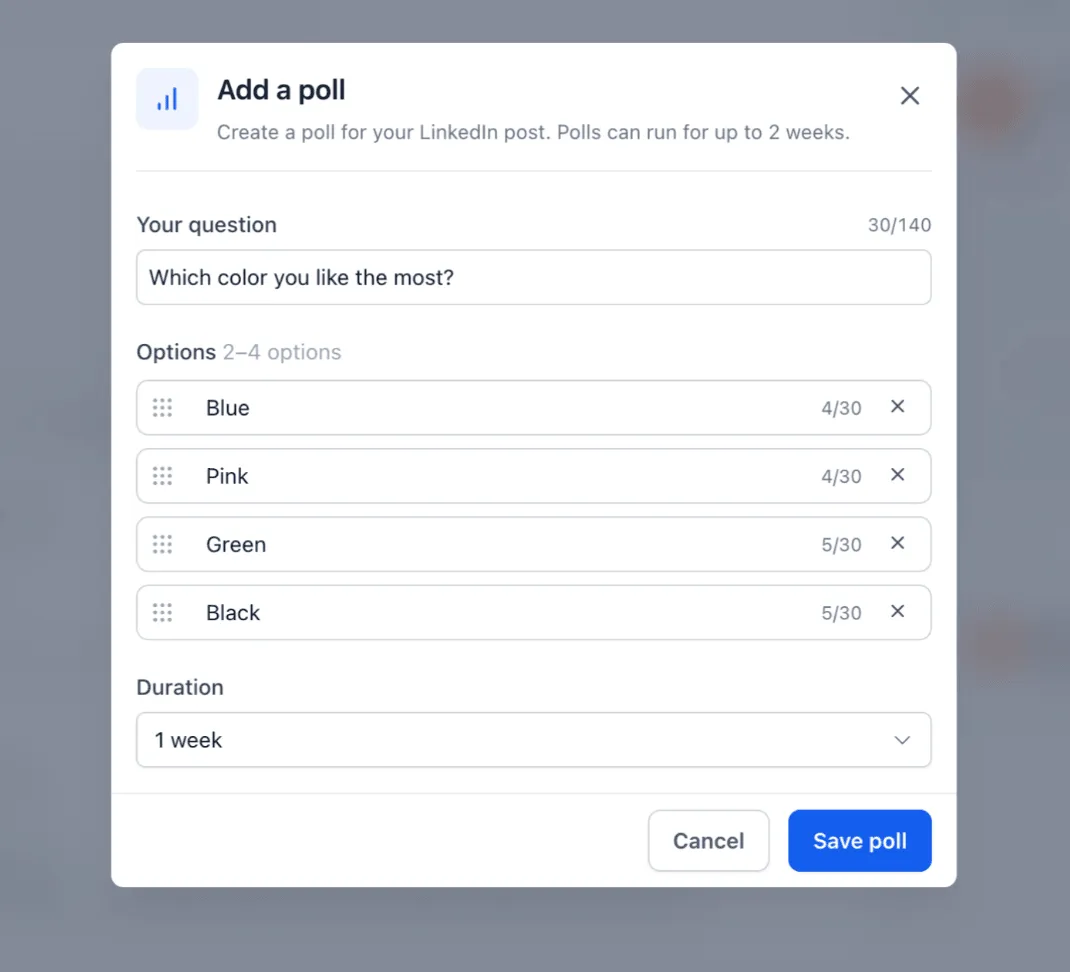
- A poll question up to 140 characters
- 2 to 4 answer options, up to 30 characters each
- Poll duration options of 1 day, 3 days, 7 days, or 14 days
- A poll preview before publishing
LinkedIn Polls work with existing Social Planner publishing flows, including:
- Instant publishing
- Scheduled posts
- Recurring posts
- Category queue
- CSV bulk uploads
- Drafts
How to use LinkedIn Polls
- Go to Marketing, then Social Planner.
- Create a post and select a LinkedIn account.
- Click Add Poll.
- Enter the poll question and answer options.
- Select the poll duration.
- Publish, schedule, save as draft, or add the post to a queue.
Important notes
- LinkedIn Polls cannot be combined with images, videos, PDFs, or other media.
- When publishing to multiple platforms, media can still be added to non-LinkedIn versions of the post.
- If media is attached to the LinkedIn version of the post, the poll will not be published.
- Polls support 2 to 4 answer options only.
In Case You Missed It
You may also want to read about Facebook Background Text Posts in Social Planner.
Need Help Applying This Update?
Want help turning this update into a working part of your CRM, marketing, or automation setup?
Get Started or schedule a demo and we’ll help you map the right next step.