SMBcrm Email Events now include a unique Message ID that can be selected from the custom value picker when building a Send Webhook payload.
What changed
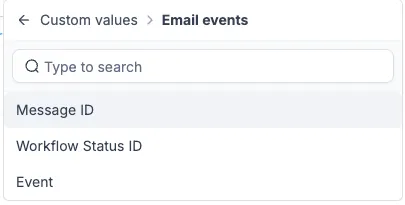
When a workflow starts with Email Events, the Message ID is now available as a custom value in the Send Webhook action. This applies to both Email Opened and Email Clicked events.
This improves workflow automation for teams that send email engagement data to external reporting tools or dashboards.
How it works
Open the Send Webhook action in a workflow that uses Email Events, then choose Message ID from the custom value picker when building the webhook body.
Each open or click on the same email sends the same Message ID. A different email sends a different Message ID. If an open arrives later, the event still points back to the email that generated it.
Why it matters
Email Opened can fire more than once when the same contact opens the same message repeatedly. Without a stable ID, teams sending communication engagement data to another system had a harder time deduplicating activity or matching an event to the correct email.
With Message ID included in the webhook body, repeated opens from the same message can be grouped correctly, while opens and clicks from different emails remain distinct.
Release Images
Need Help Applying This Update?
Want help turning this update into a working part of your CRM, marketing, or automation setup?
Get Started or schedule a demo and we’ll help you map the right next step.