SMBcrm workflow AI Agent Actions now support model choices from Anthropic, Google, and OpenAI. In Automation, you can choose a provider, select a model, and set reasoning effort where supported.
What’s changed
Expanded provider and model support
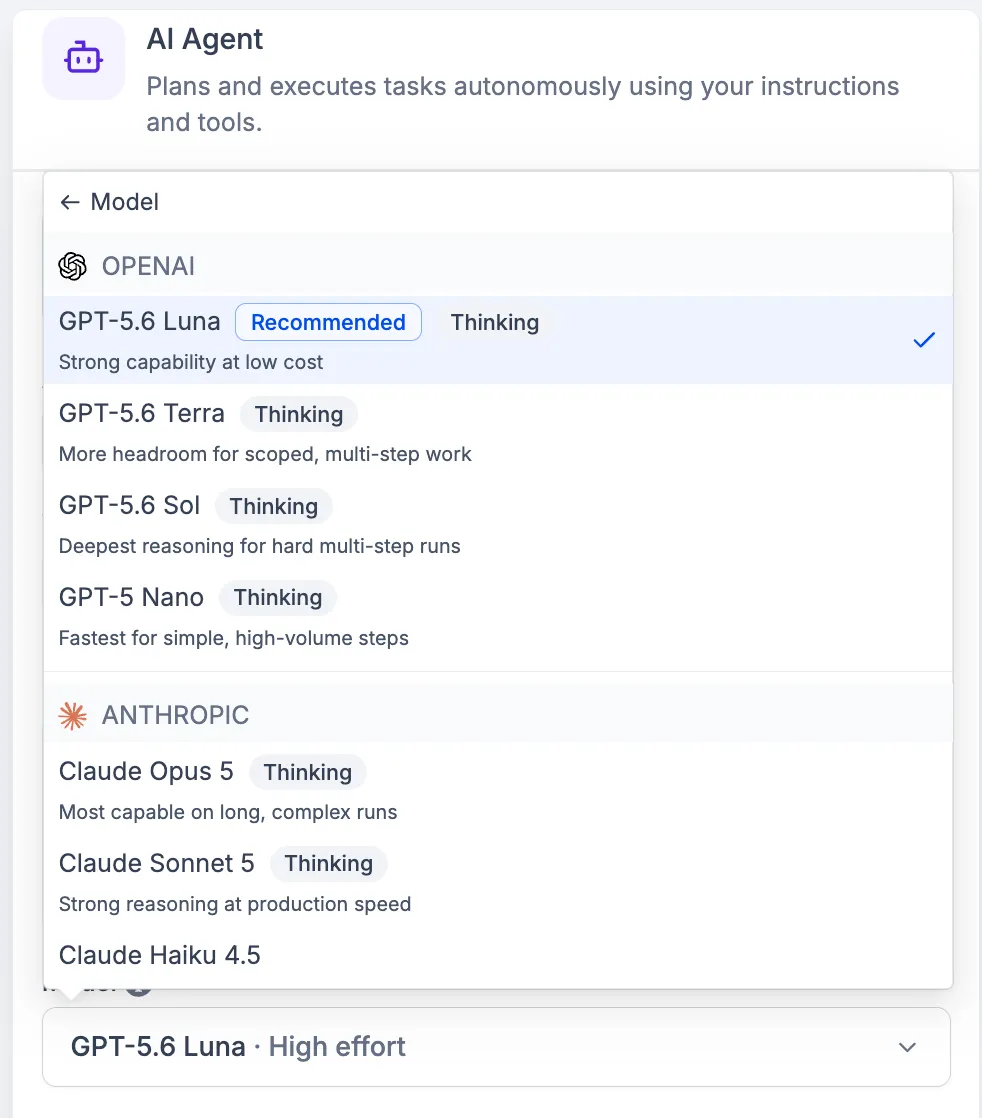
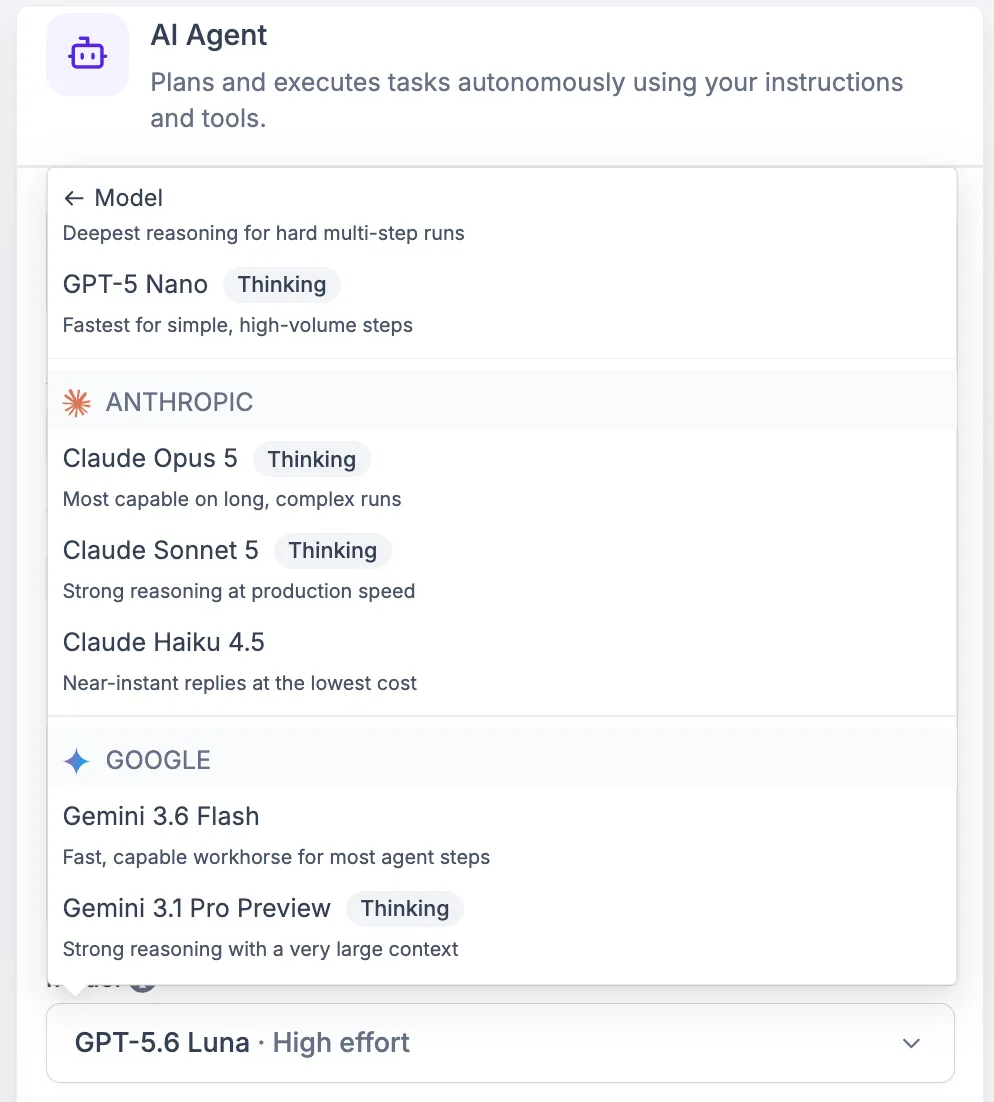
The AI Agent Action now supports models from three providers:
- Anthropic: Claude Opus 5, Claude Sonnet 5, Claude Haiku 4.5
- Google: Gemini 3.6 Flash, Gemini 3.1 Pro Preview
- OpenAI: GPT-5.6 Luna, GPT-5.6 Terra, GPT-5.6 Sol, GPT-5 Nano
Redesigned model picker
Models are grouped by provider in a redesigned selection interface. Models that support reasoning are marked with a thinking chip, and each model includes a short description of what it is built for.
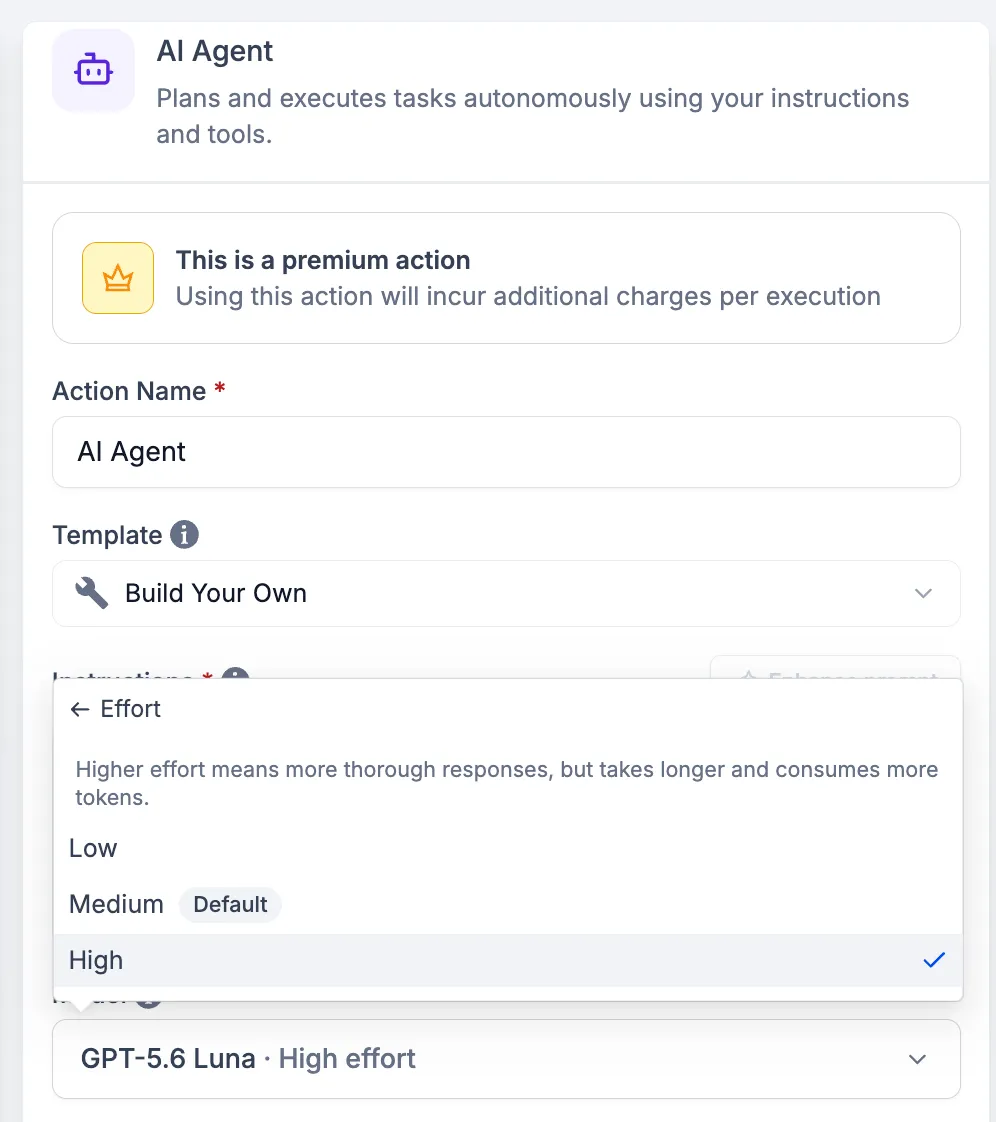
Reasoning effort control
For models that support thinking, you can set reasoning effort to Low, Medium, or High from the same dropdown. Higher effort is intended for deeper reasoning on complex tasks, while lower effort can return faster responses on simpler tasks.
How to use it
- Open your AI Agent Action in a workflow.
- Click the model dropdown.
- Browse models by provider.
- Use the thinking chip and model description to choose the right model.
- Select an effort level from the same dropdown.
- Save and publish the workflow.
Why it matters
These updates give AI Features in workflows more flexibility. A larger reasoning model can help with multi-step tasks where accuracy is important, while a faster, lighter model can handle intent classification, simple reads, and basic operations.
Effort control adds another way to tune each AI Agent Action by balancing response quality, speed, and token consumption. This also builds on earlier token optimization that made the same task run up to 50% cheaper.
In Case You Missed It
For another workflow improvement, read Format List Values in Workflow Text Fields.
Release Images
Need Help Applying This Update?
Want help turning this update into a working part of your CRM, marketing, or automation setup?
Get Started or schedule a demo and we’ll help you map the right next step.