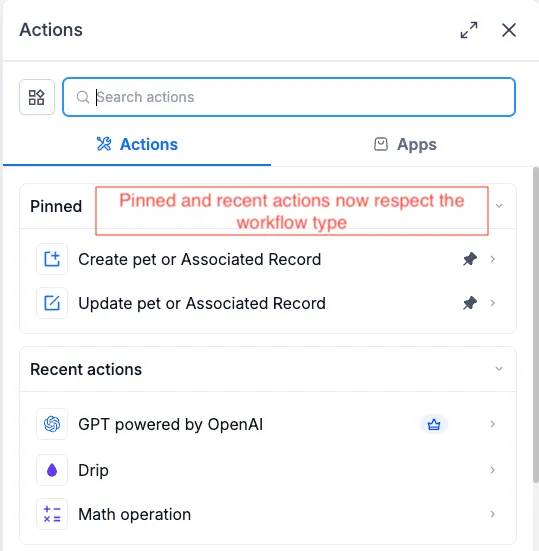
SMBcrm has fixed how Pinned and Recent shortcuts appear in the Actions & Triggers sidebar for workflows.
The sidebar now checks the object type of the workflow you have open before showing shortcuts. That means Contact actions stay in Contact workflows, Company actions stay in Company workflows, and custom object actions stay in workflows built for that object.
For teams using automation, this helps keep workflow shortcuts relevant and prevents selecting a pinned or recent action that does not apply to the current workflow type.
What changed
- Pinned and Recent now show only actions and triggers that work with the open workflow type.
- Existing pins are preserved.
- Pins are hidden only in workflows where they do not apply.
- The full action and trigger list below these sections was already correct and has not changed.
In Case You Missed It
For another automation update, read WhatsApp Analytics Added to Workflow AI Assistant.
Release Images
Need Help Applying This Update?
Want help turning this update into a working part of your CRM, marketing, or automation setup?
Get Started or schedule a demo and we’ll help you map the right next step.