More Flexible Custom Fields for Better Data Capture
SMBcrm custom fields have expanded to support more structured, precise, and visual ways to capture information. These updates help teams collect cleaner data and tailor fields to specific business needs.
What Changed
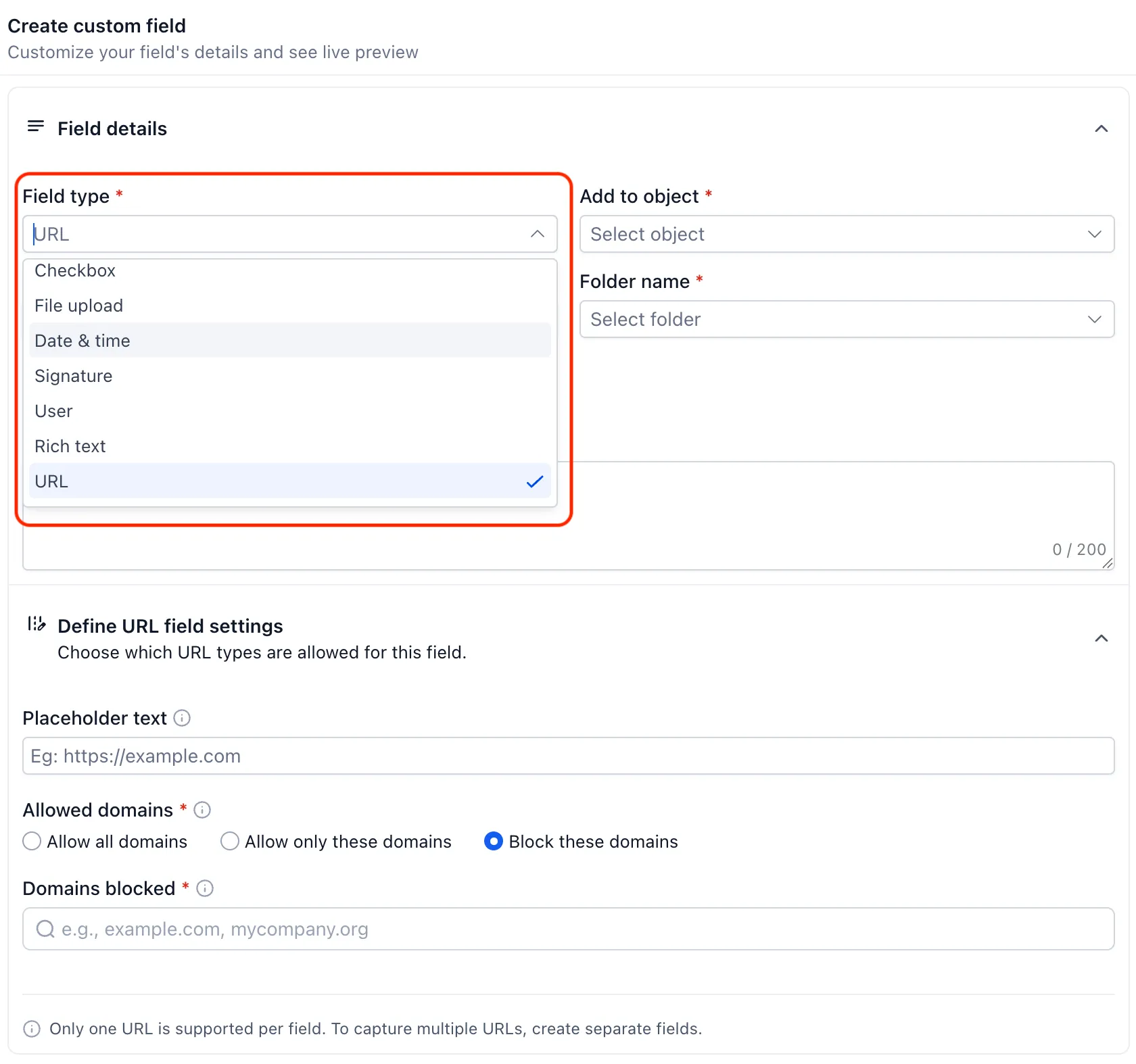
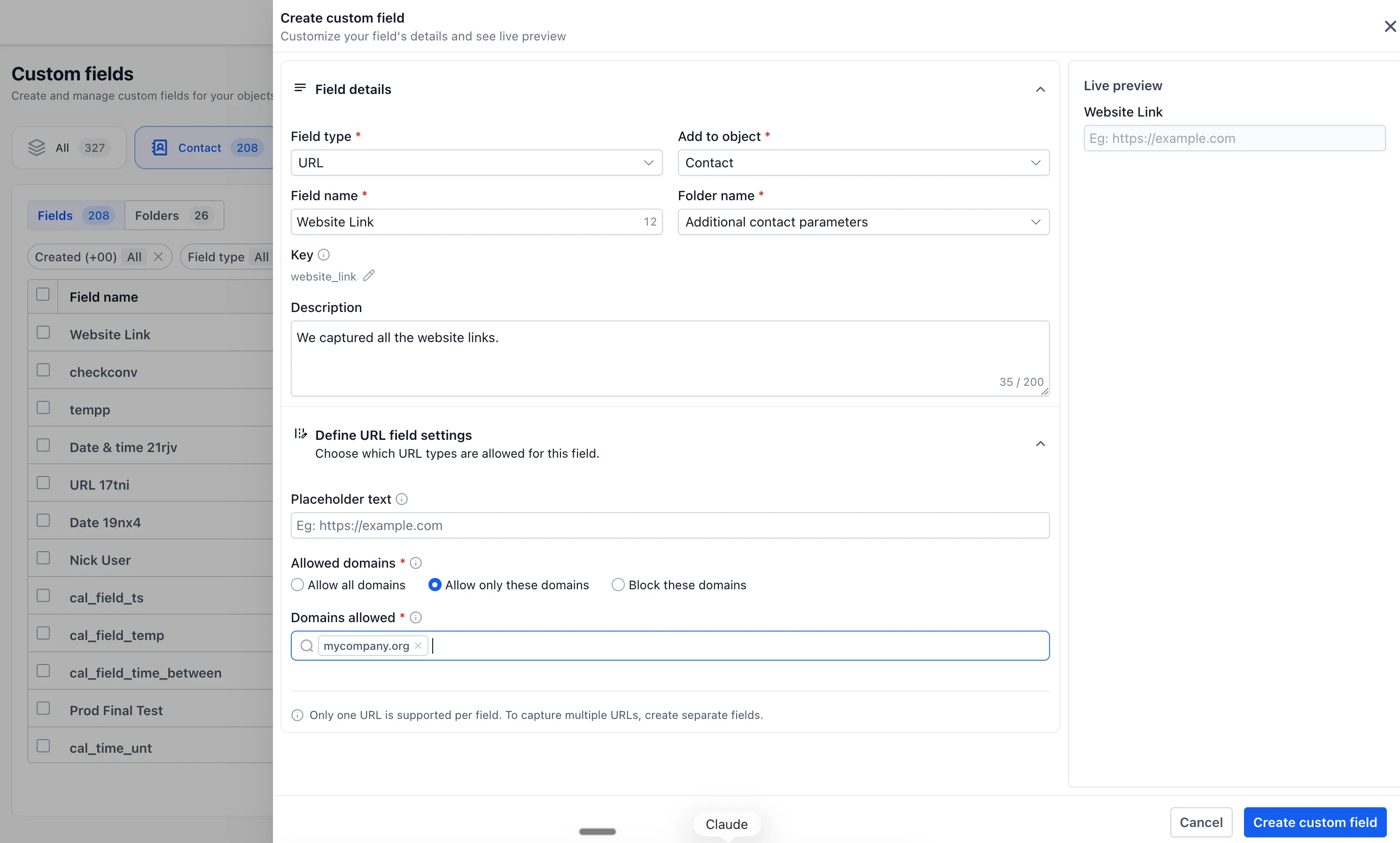
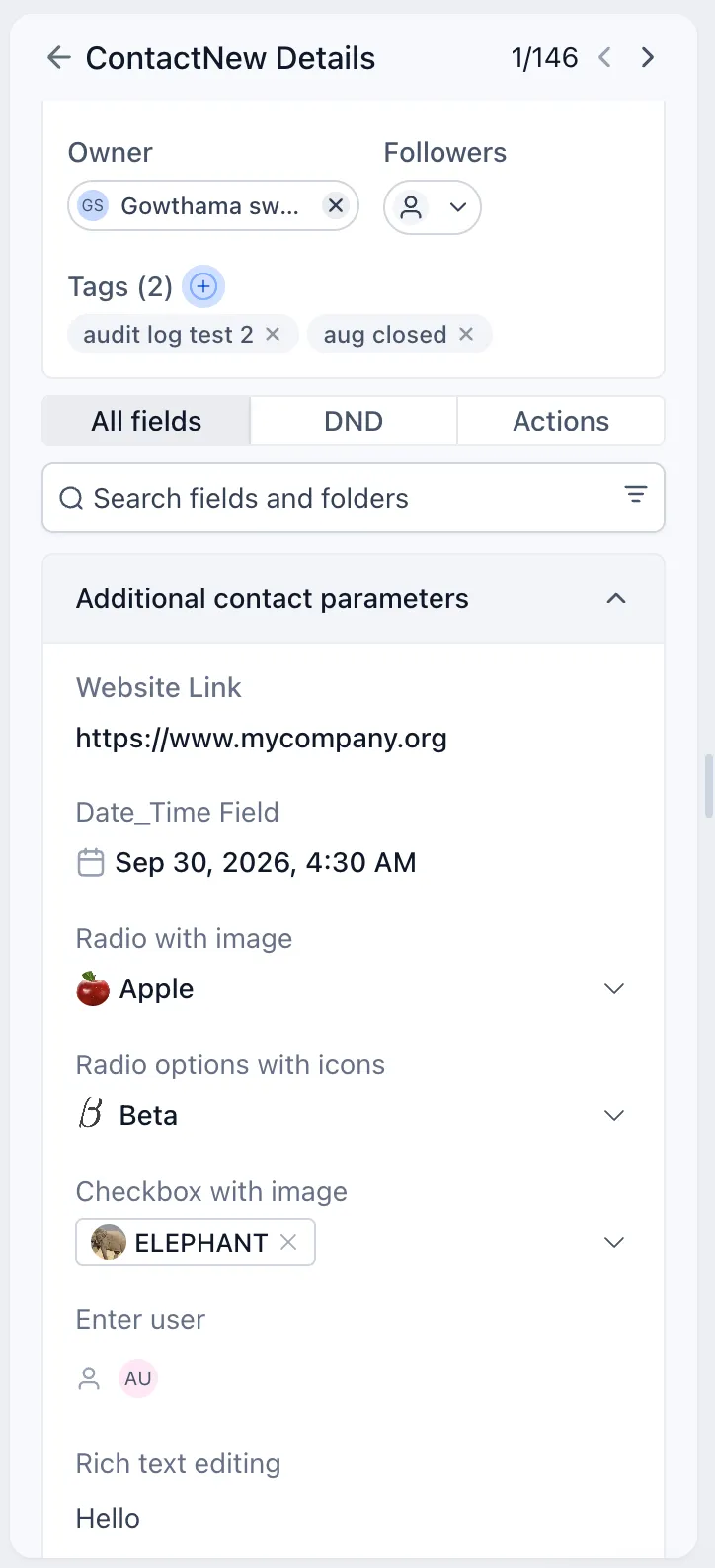
URL fields with domain controls
You can create dedicated URL fields for website links, profile URLs, resource links, and other web addresses.
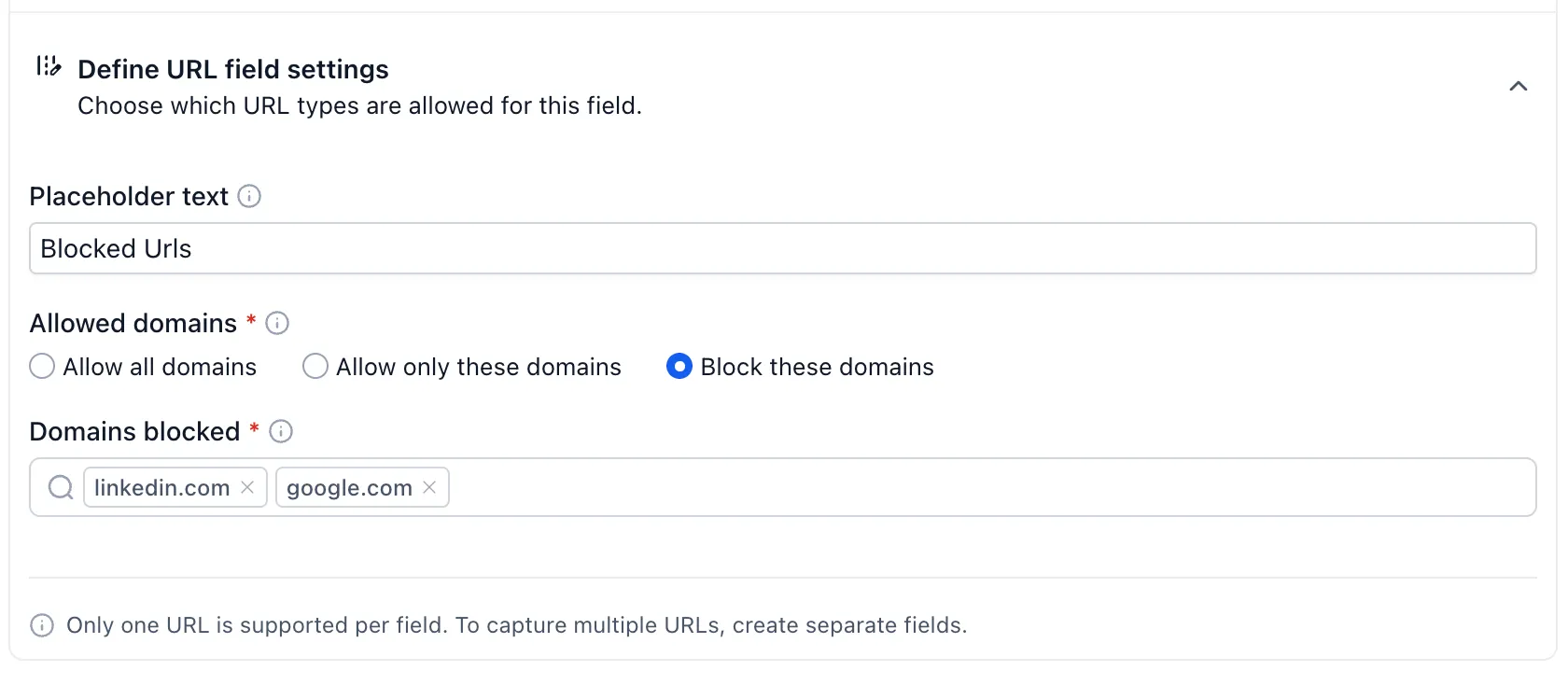
These fields can be configured to:
- Allow all domains
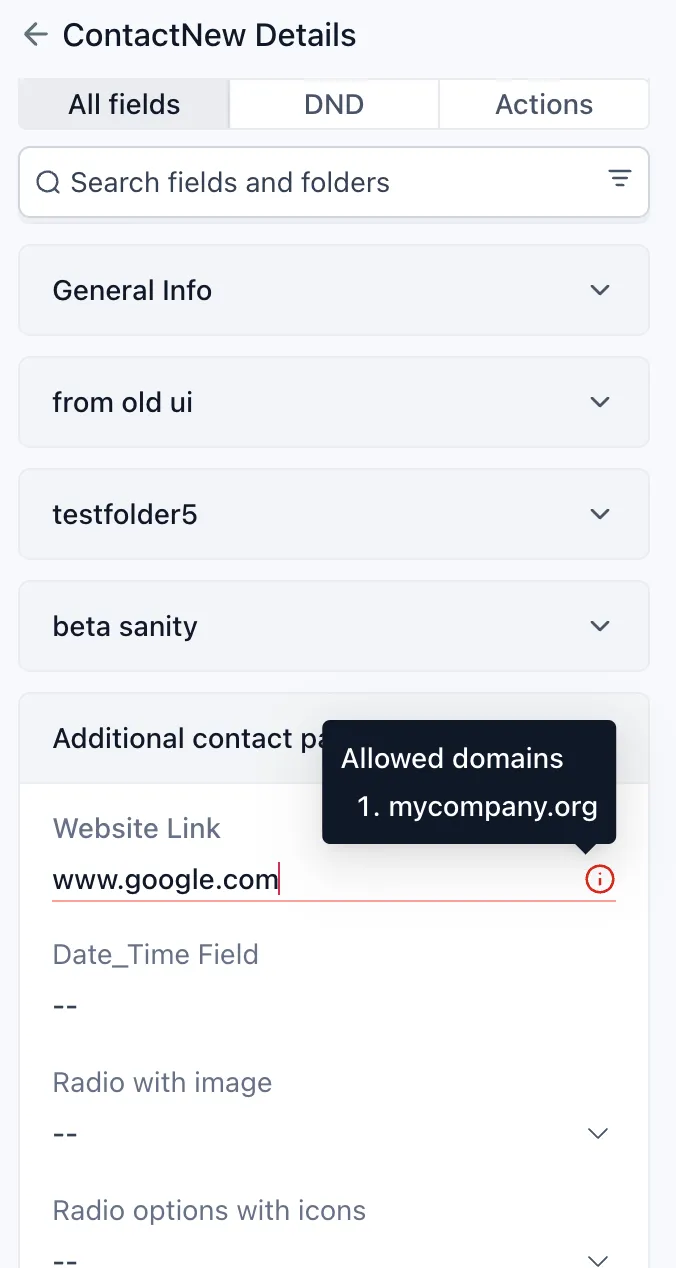
- Allow only specific domains
- Block specific domains
This helps keep submitted URLs aligned with your requirements.
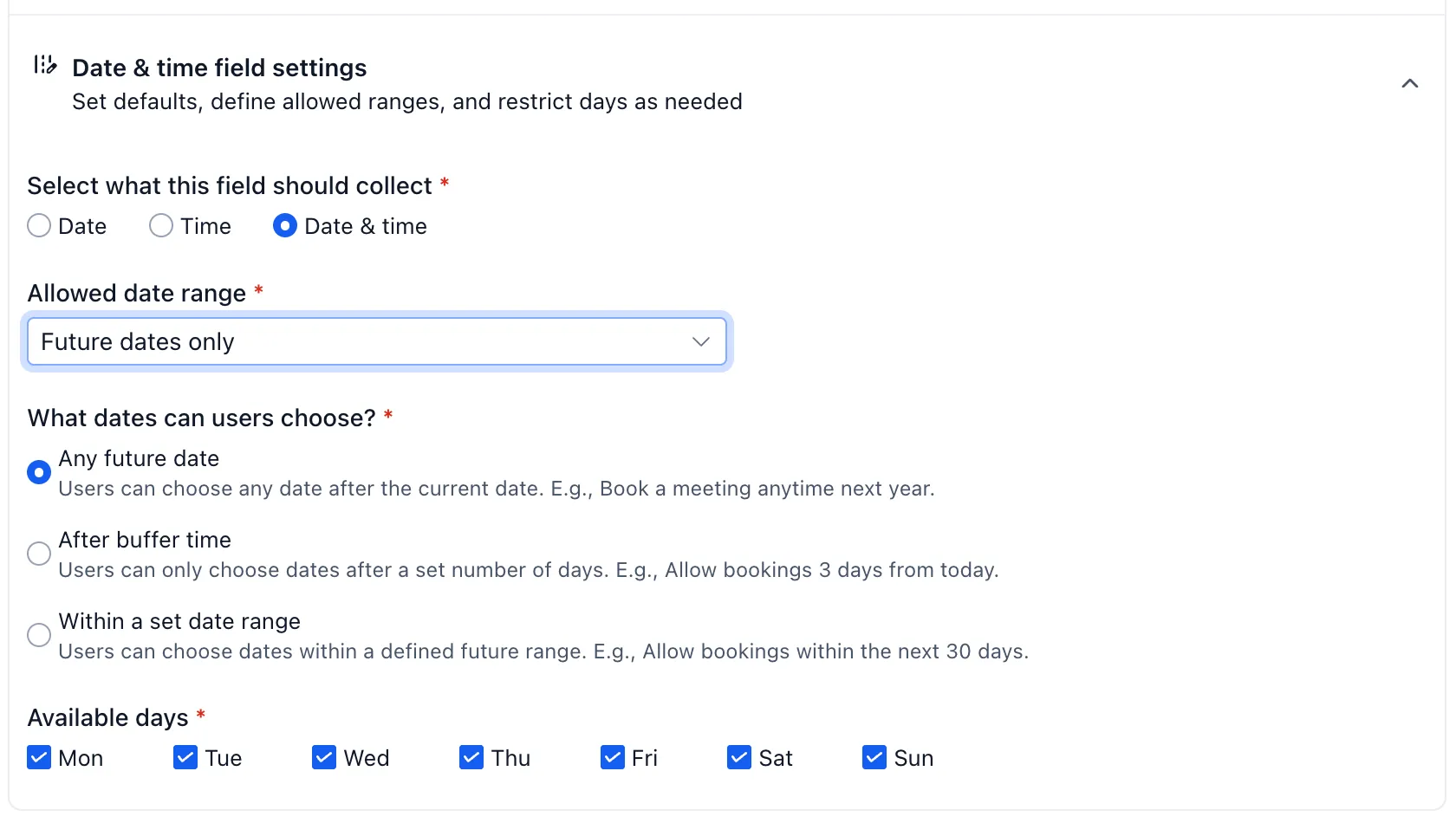
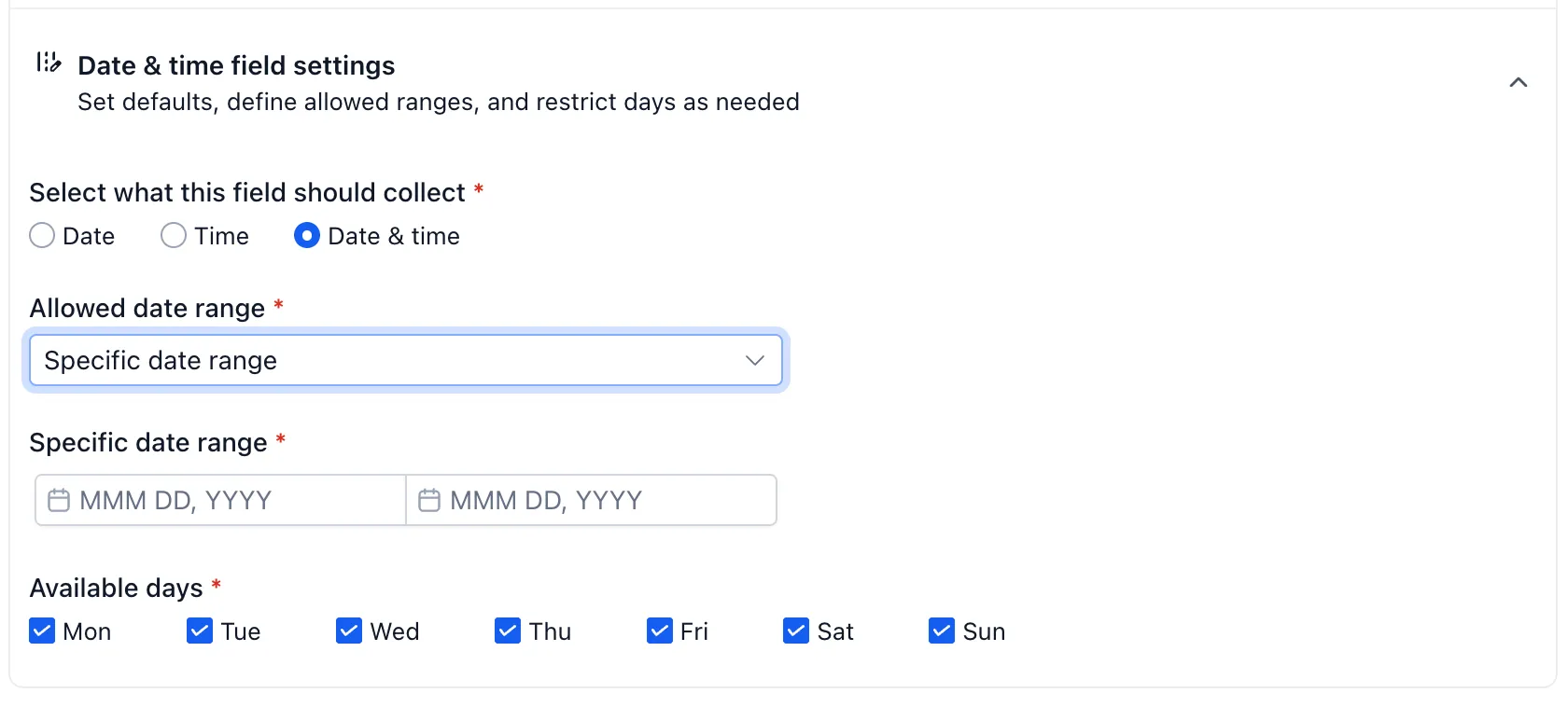
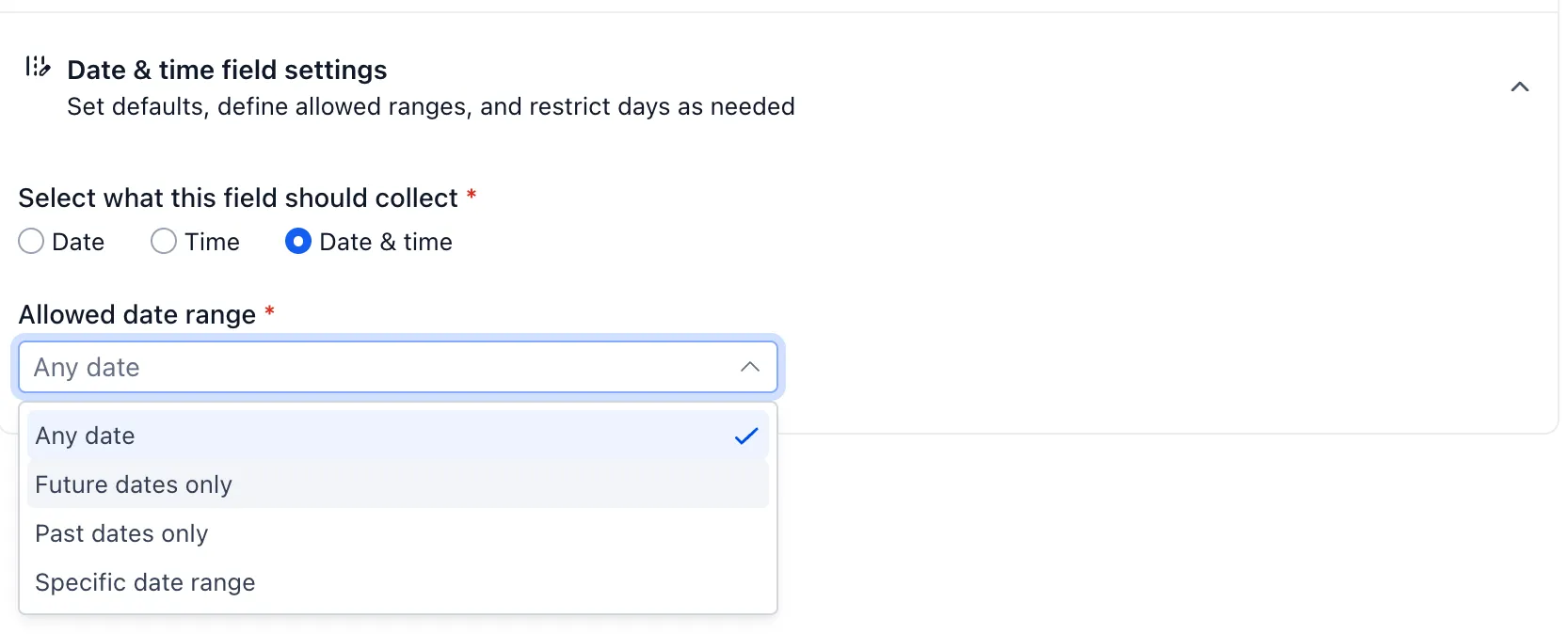
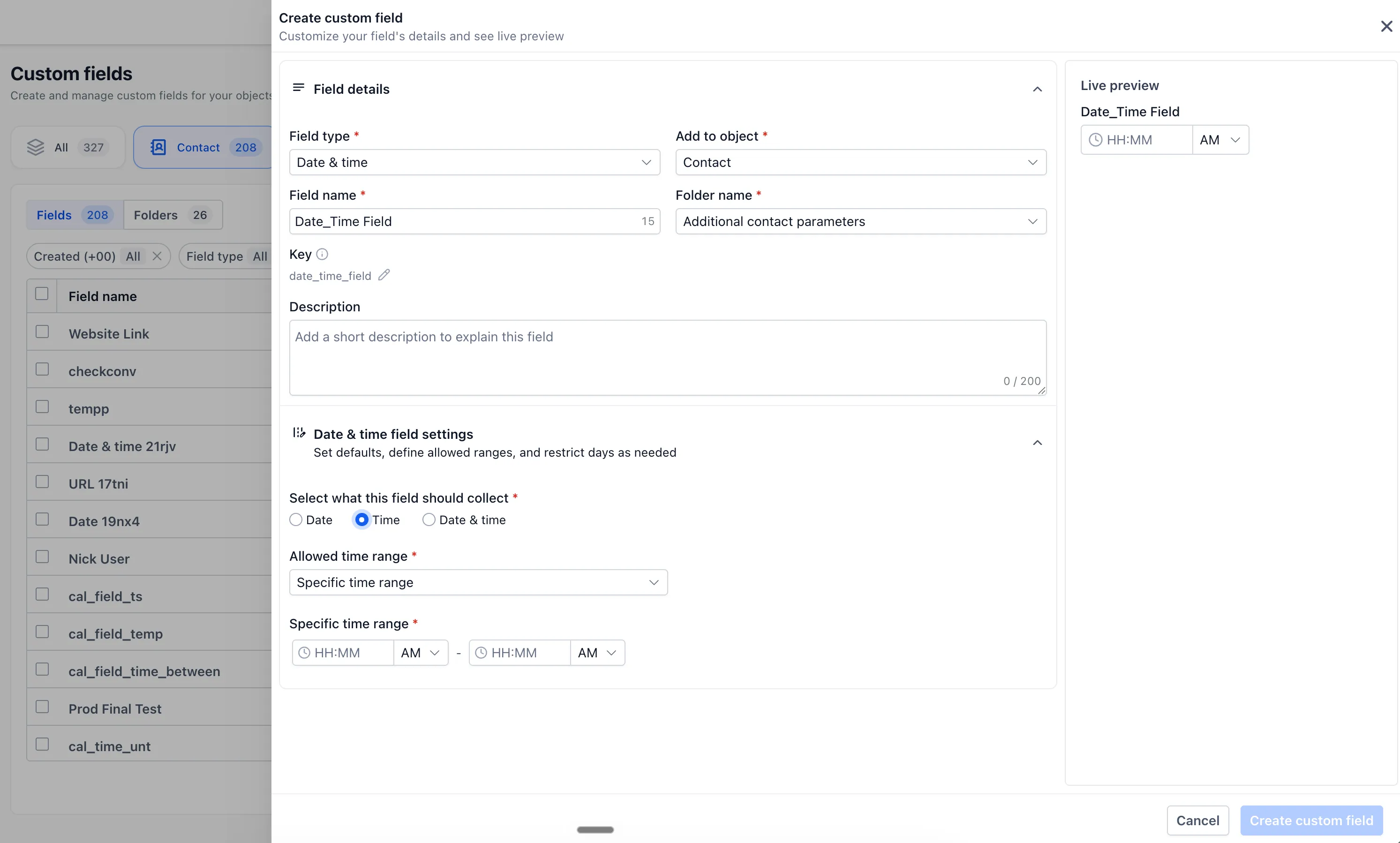
Flexible date and time fields
Date and time fields can be configured for different use cases, including:
- Date and time
- Date only
- Time only
You can also restrict selectable dates to future dates only, past dates only, or a specific date range. This is useful for important dates, preferred contact times, renewal dates, and scheduled events.
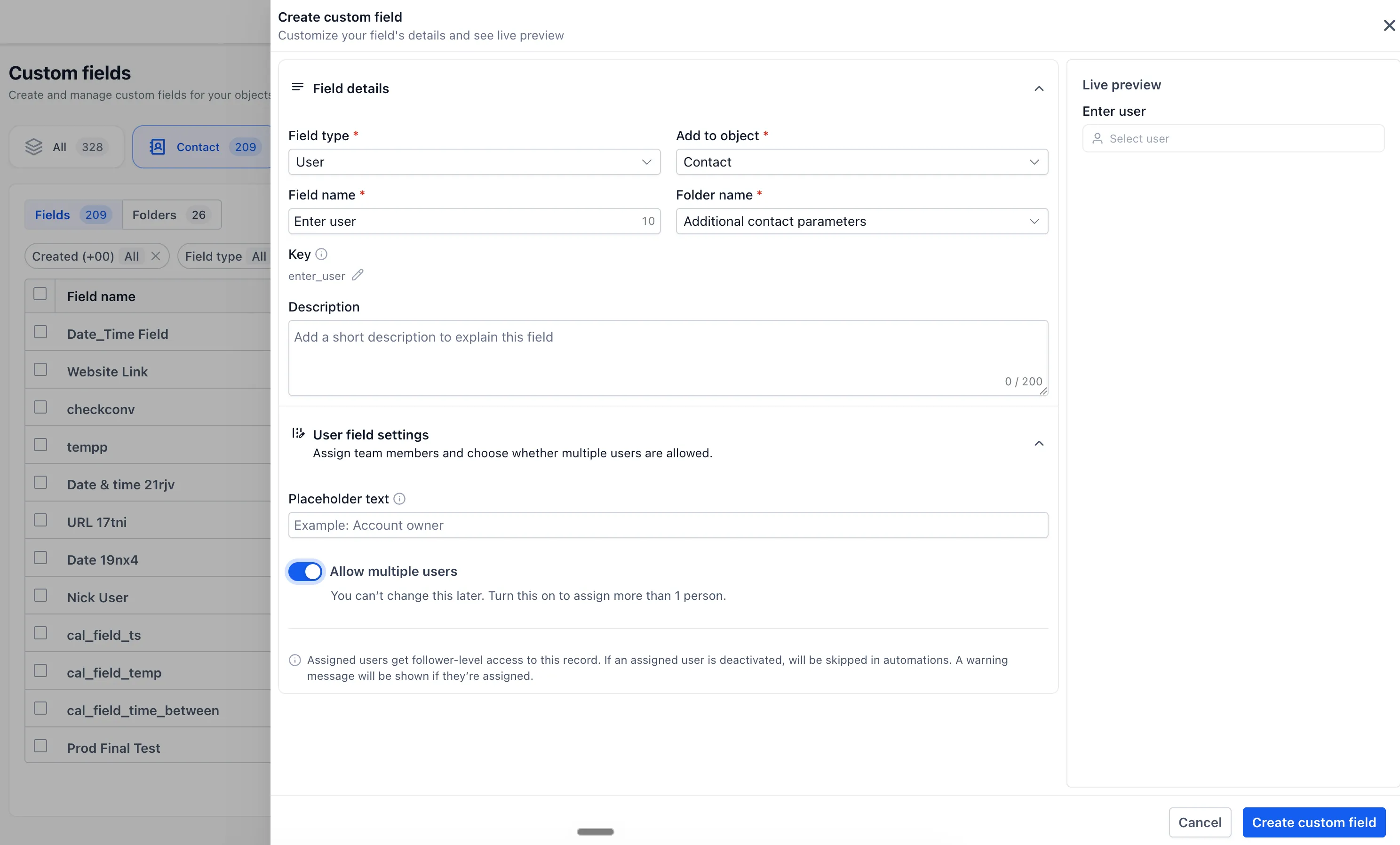
User fields
User fields let you associate one or multiple team members with a record. This can help when several people are responsible for managing or collaborating on the same record.
Users selected through this field receive follower-level access, helping the right team members stay connected to the record.
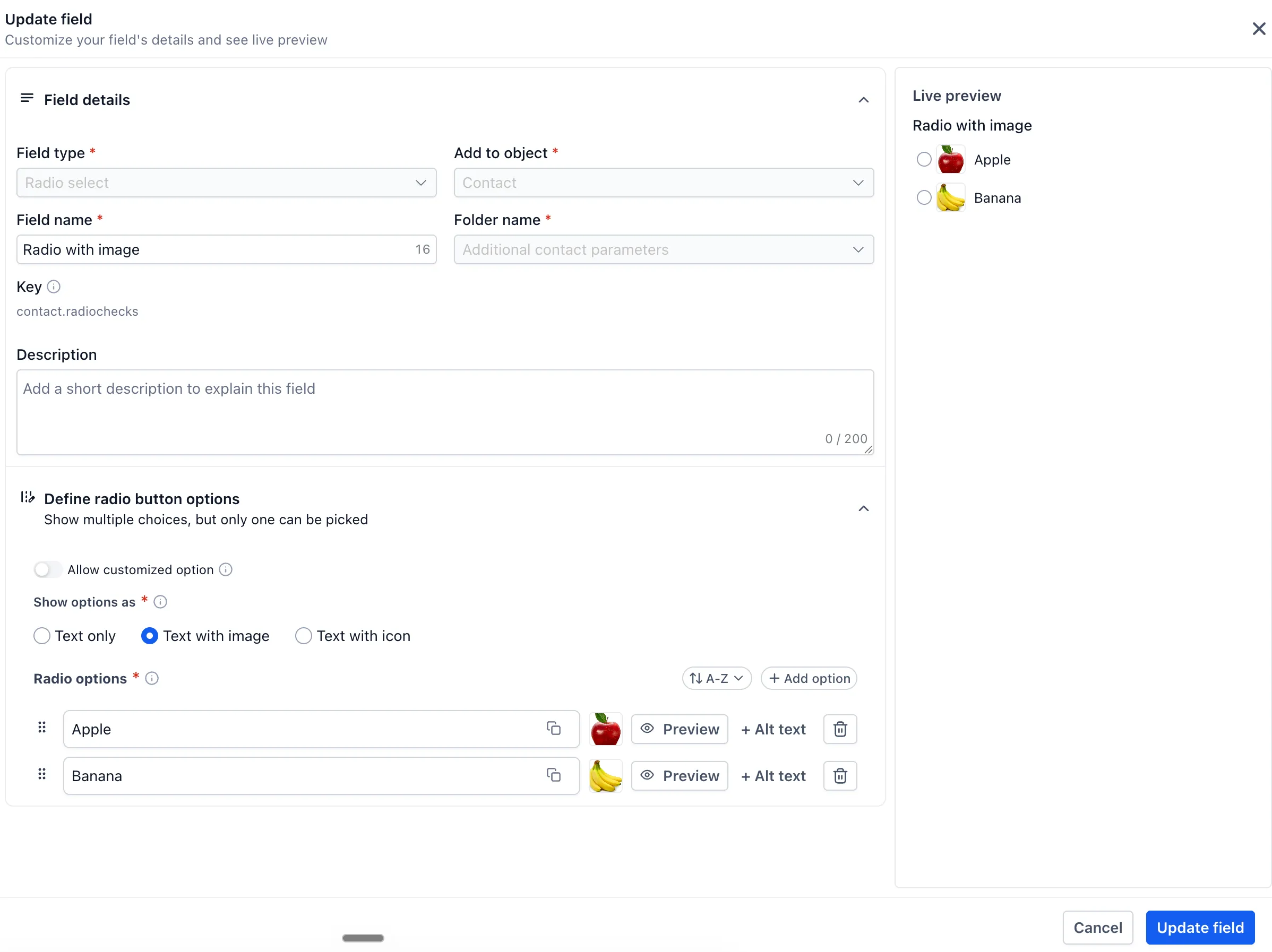
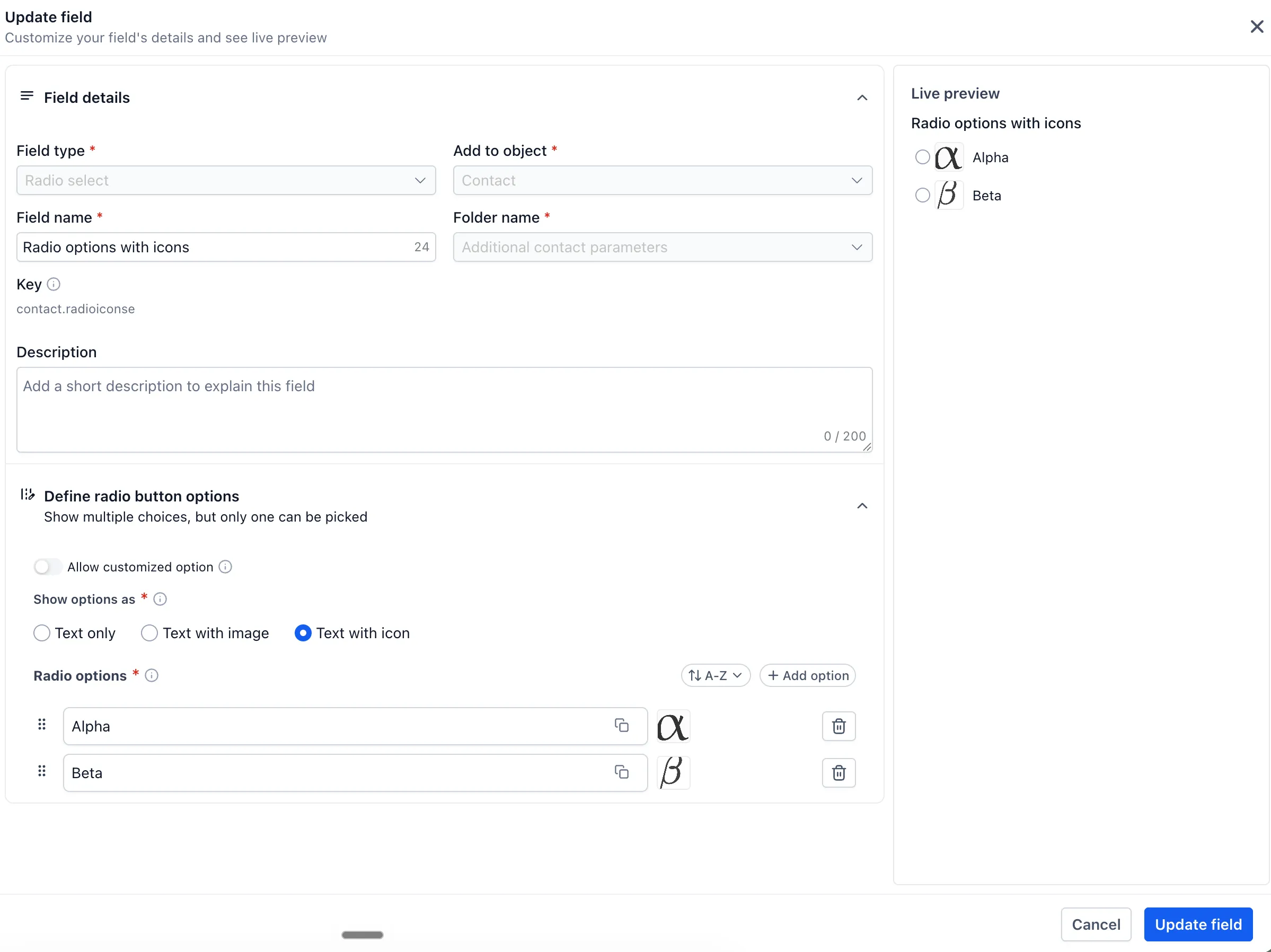
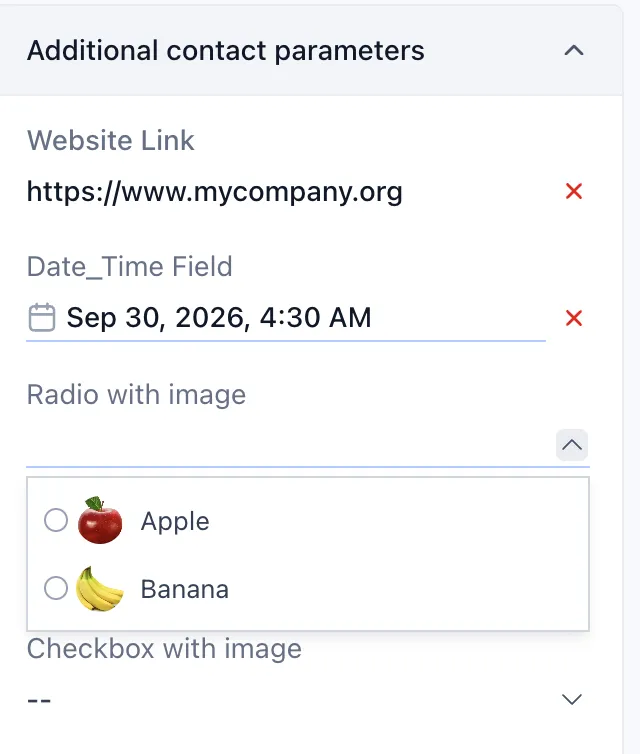
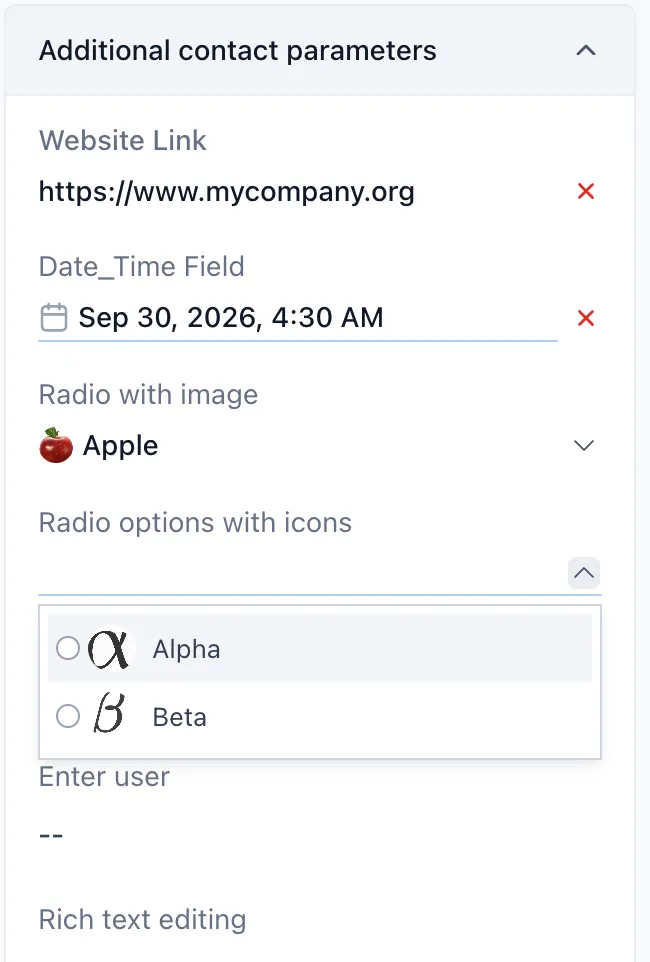
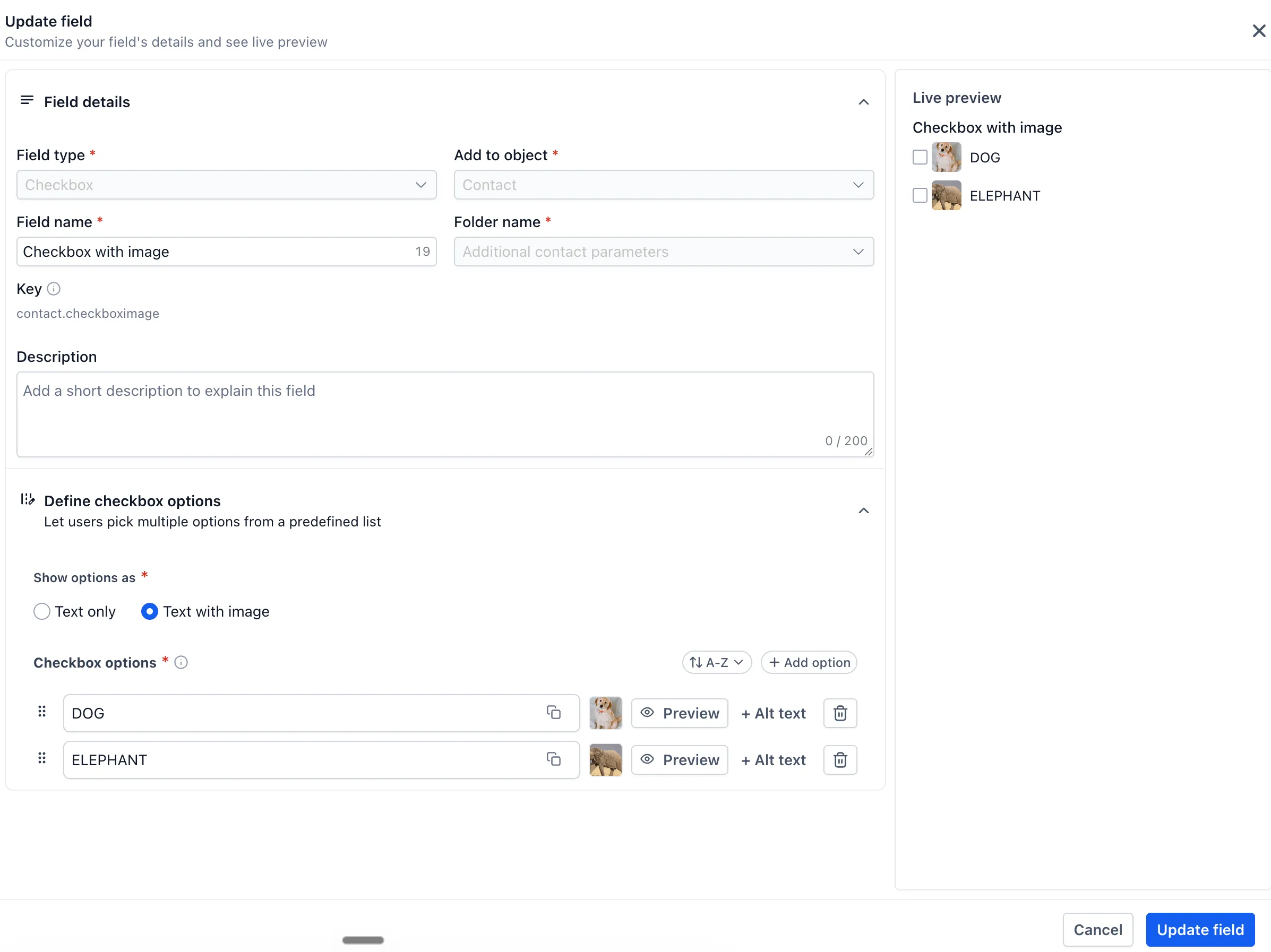
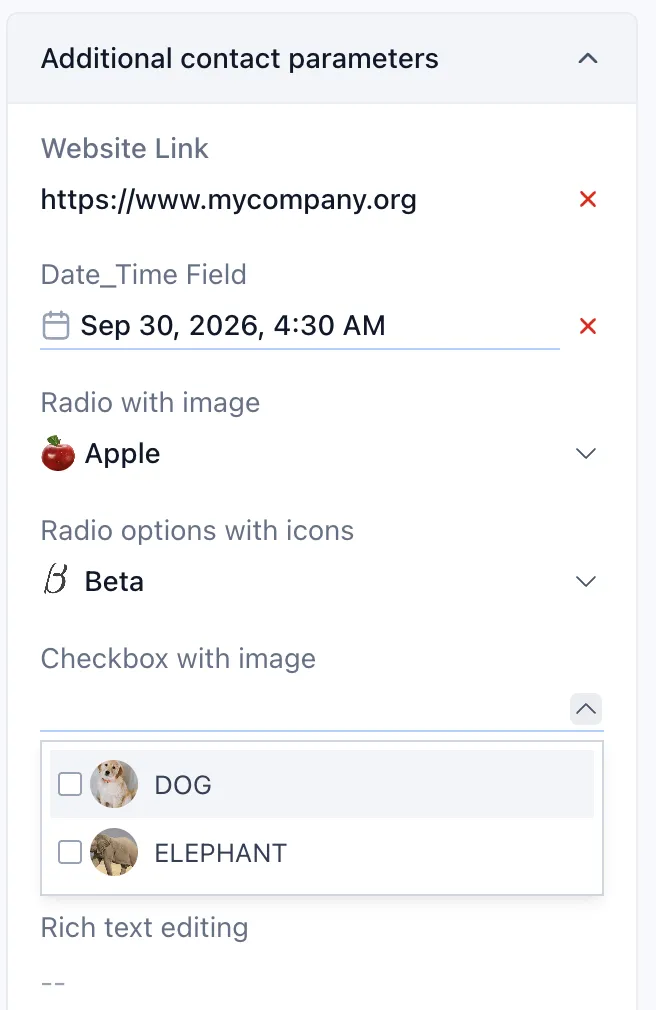
Visual options for radio buttons and checkboxes
Radio button fields can include images or icons alongside individual options. Checkbox fields can also include images for individual options.
These visual options can make selections easier to recognize, especially for products, designs, categories, or other choices that are better represented visually than by text alone.
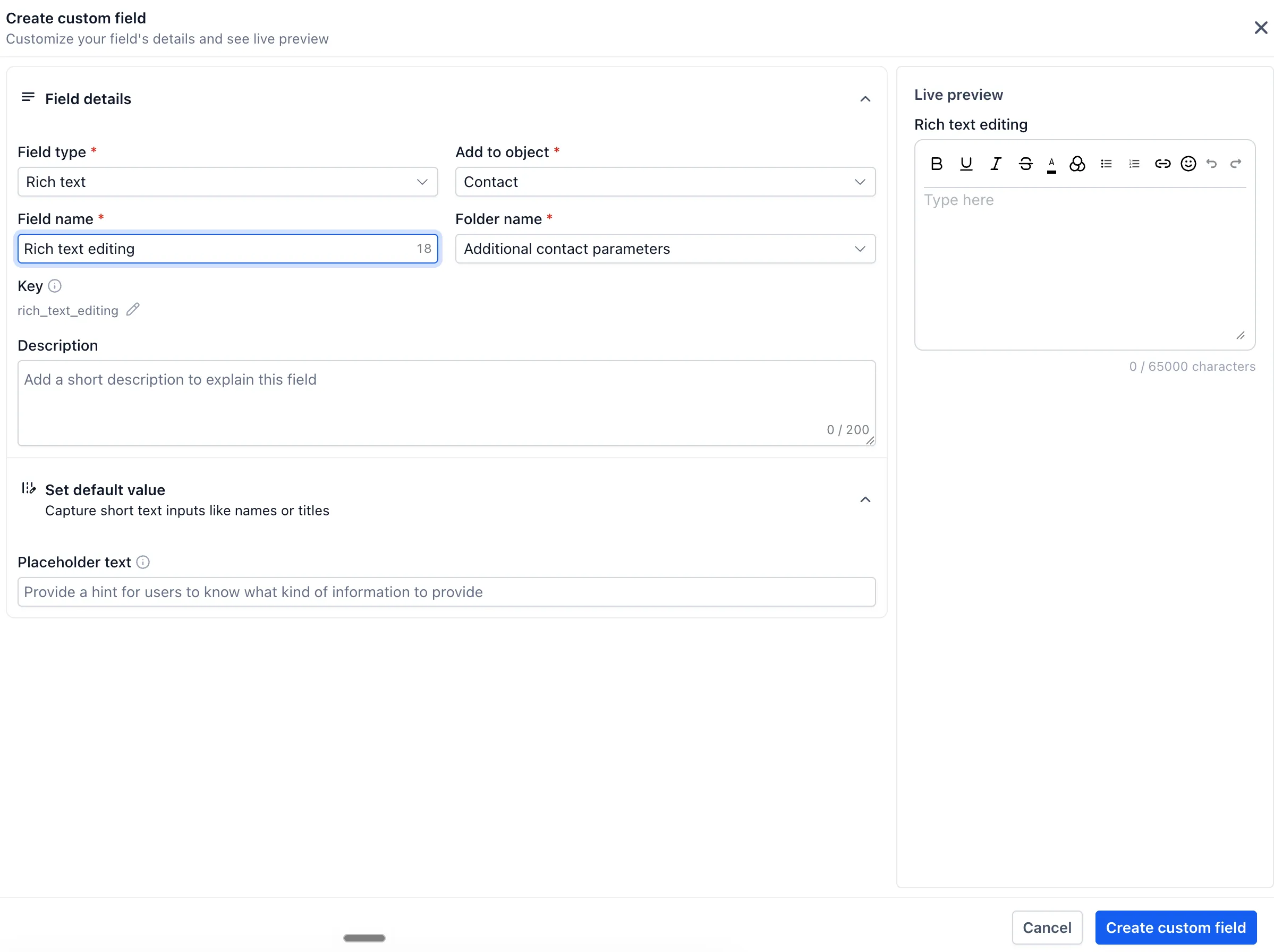
Rich text fields
Rich text fields support formatted entries such as bold text, italics, headings, lists, and more. This gives teams a better way to capture longer notes or structured information that needs to stay readable.
Why It Matters
These custom field improvements give teams more control over how information is entered, displayed, and assigned. The result is more consistent records and fields that better match the way your business collects data.
Release Images
Need Help Applying This Update?
Want help turning this update into a working part of your CRM, marketing, or automation setup?
Get Started or schedule a demo and we’ll help you map the right next step.