SMBcrm communities now support multiple paid pricing plans within a single community. Instead of using one membership price or creating separate groups, administrators can offer different benefits and access levels through SMBcrm memberships.
Create and Manage Plans
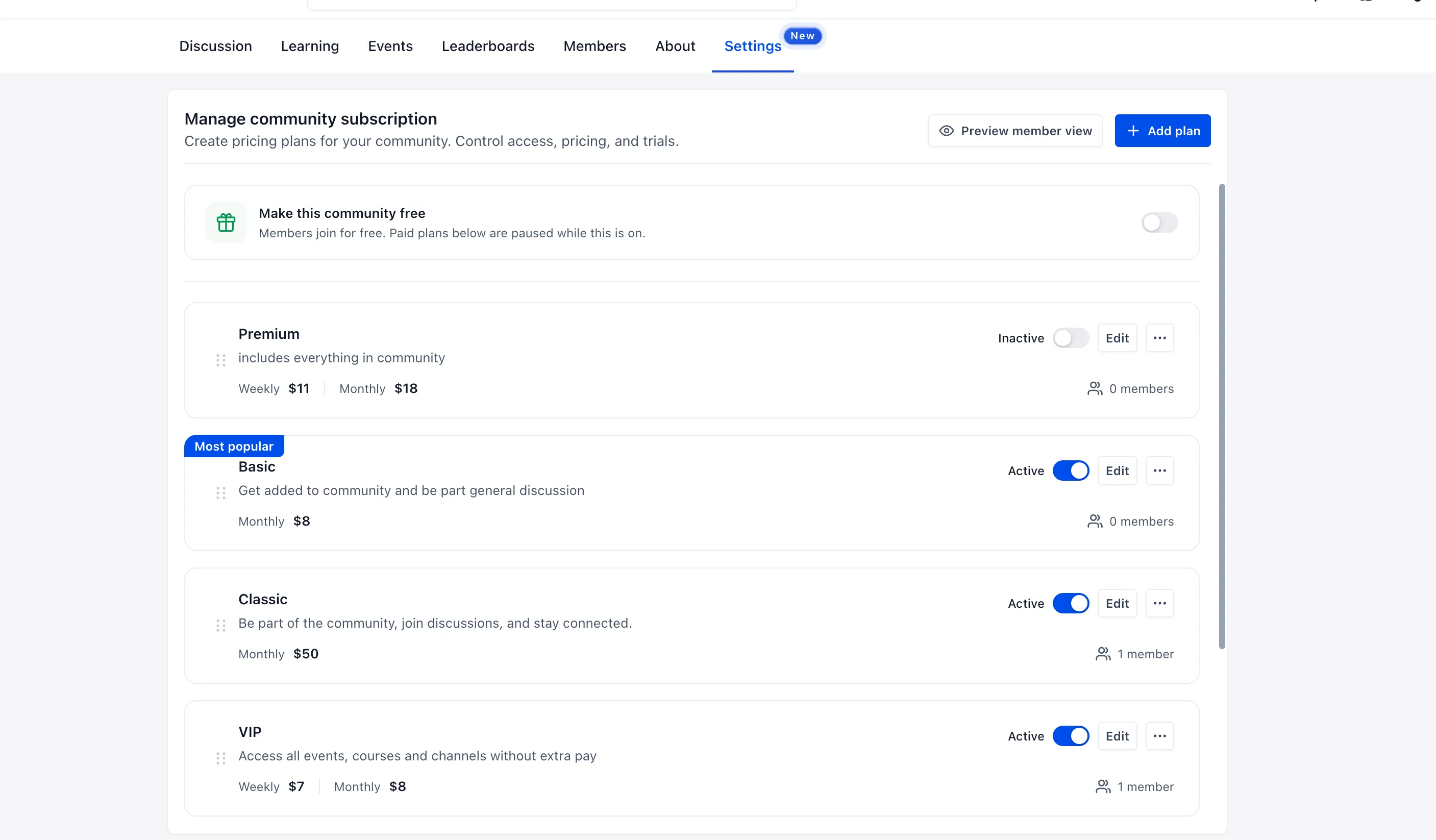
Go to Settings → Subscriptions to create plans with their own names, descriptions, prices, and benefits. Supported options include:
- Weekly, monthly, yearly, or one-time payments.
- Multiple currencies.
- Optional free trials for each plan.
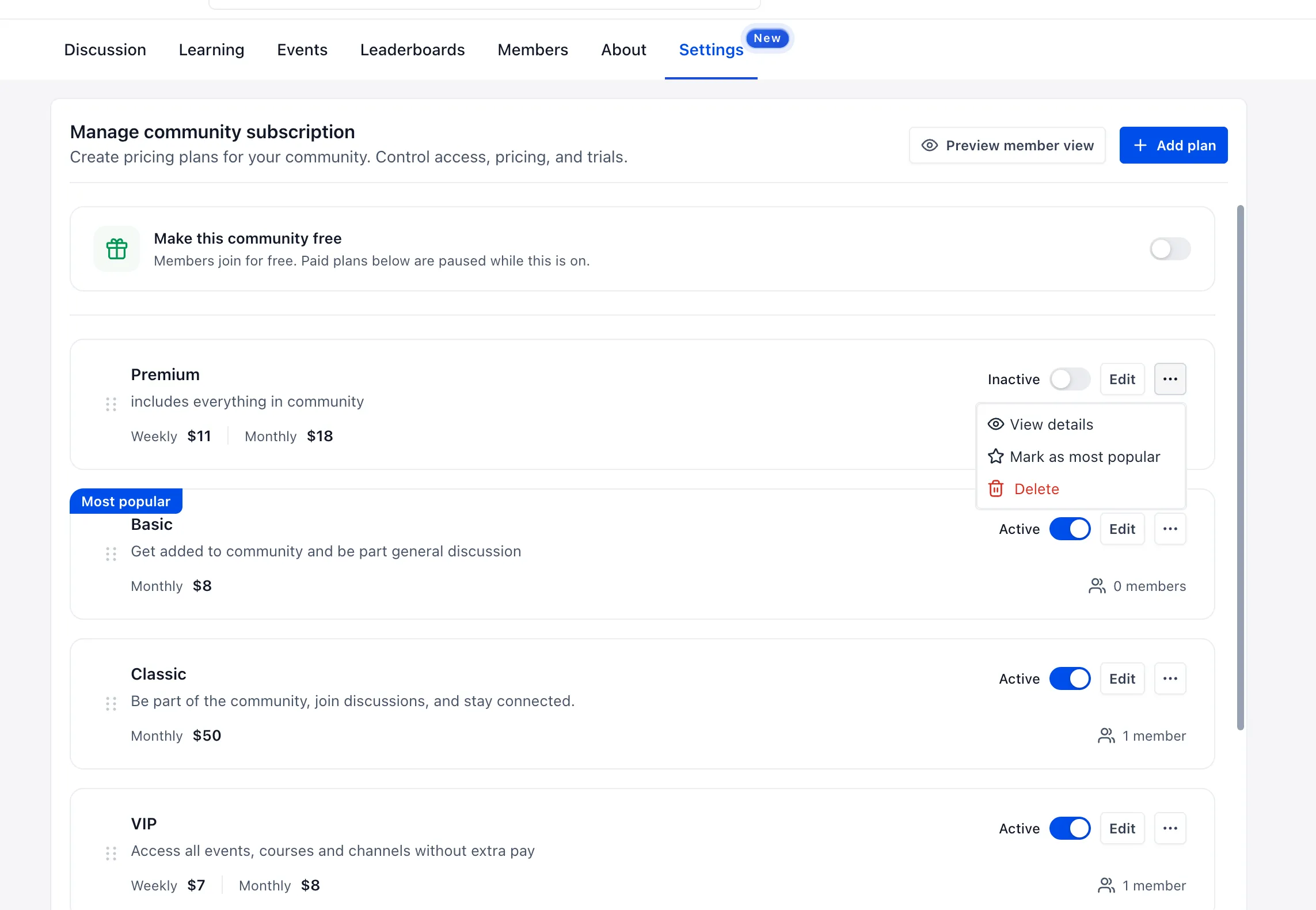
- Controls to activate, deactivate, and reorder plans.
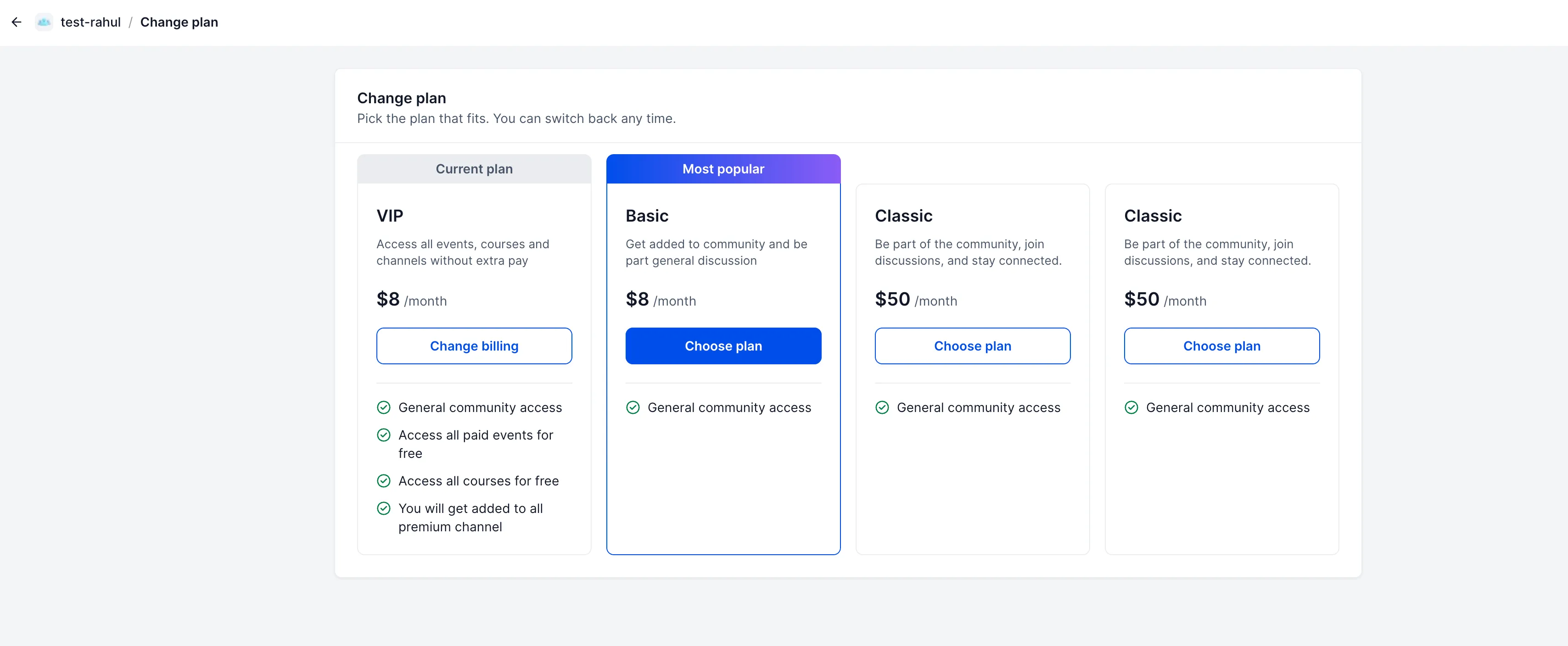
- A Most Popular label to highlight a plan.
- Member counts for each plan.
Bundle Content Access
Each plan can include selected private channels, paid events, and paid or private courses. This lets members access included events without separate purchases and included courses without manual access grants.
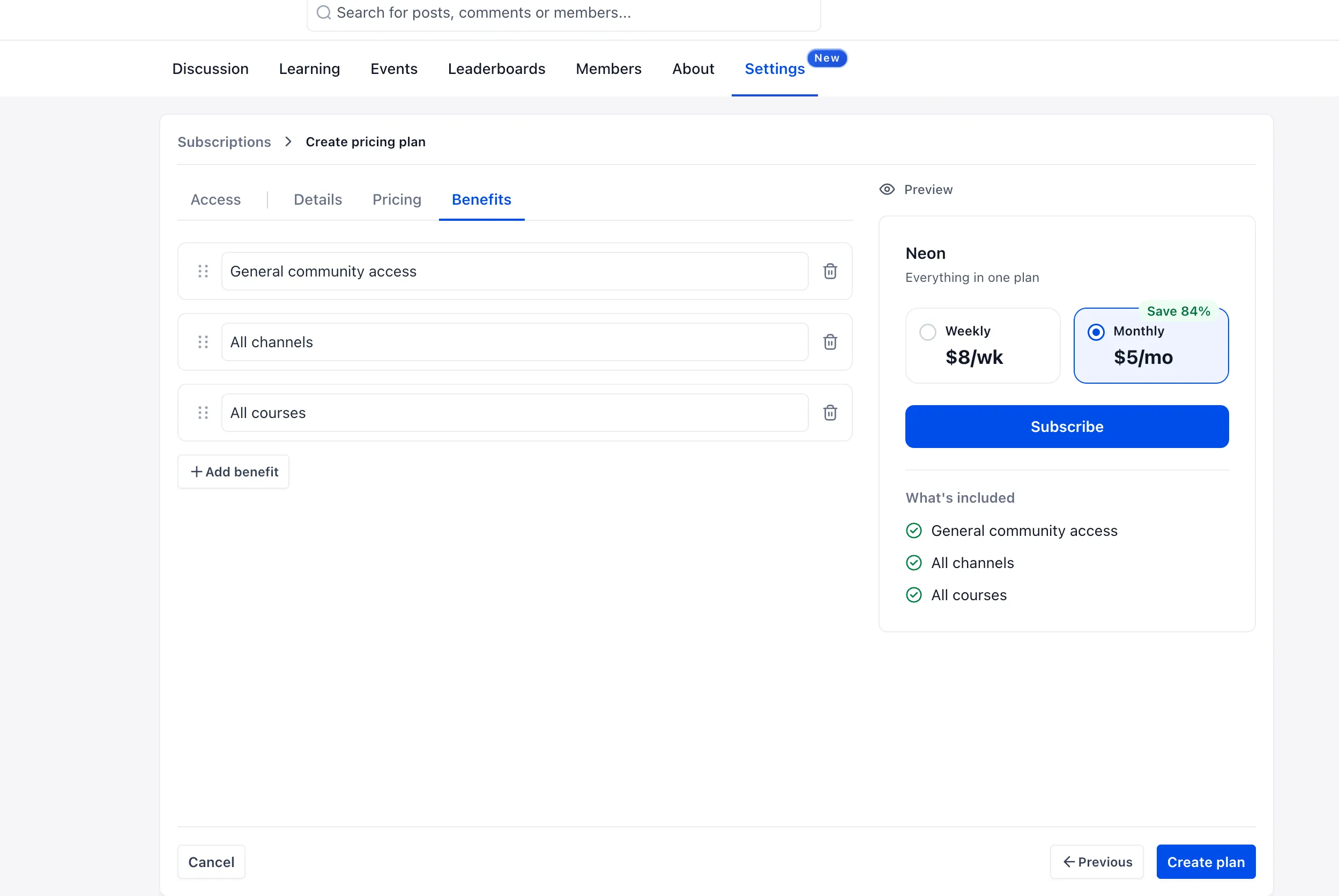
For example, one plan could include general community access, another could add private channels and courses, and a higher-tier plan could also include paid events. A live preview shows the benefits members will see.
Member Subscription Management
Members can compare available plans, subscribe, and switch plans at any time. Their existing subscription remains in place until the replacement subscription is confirmed.
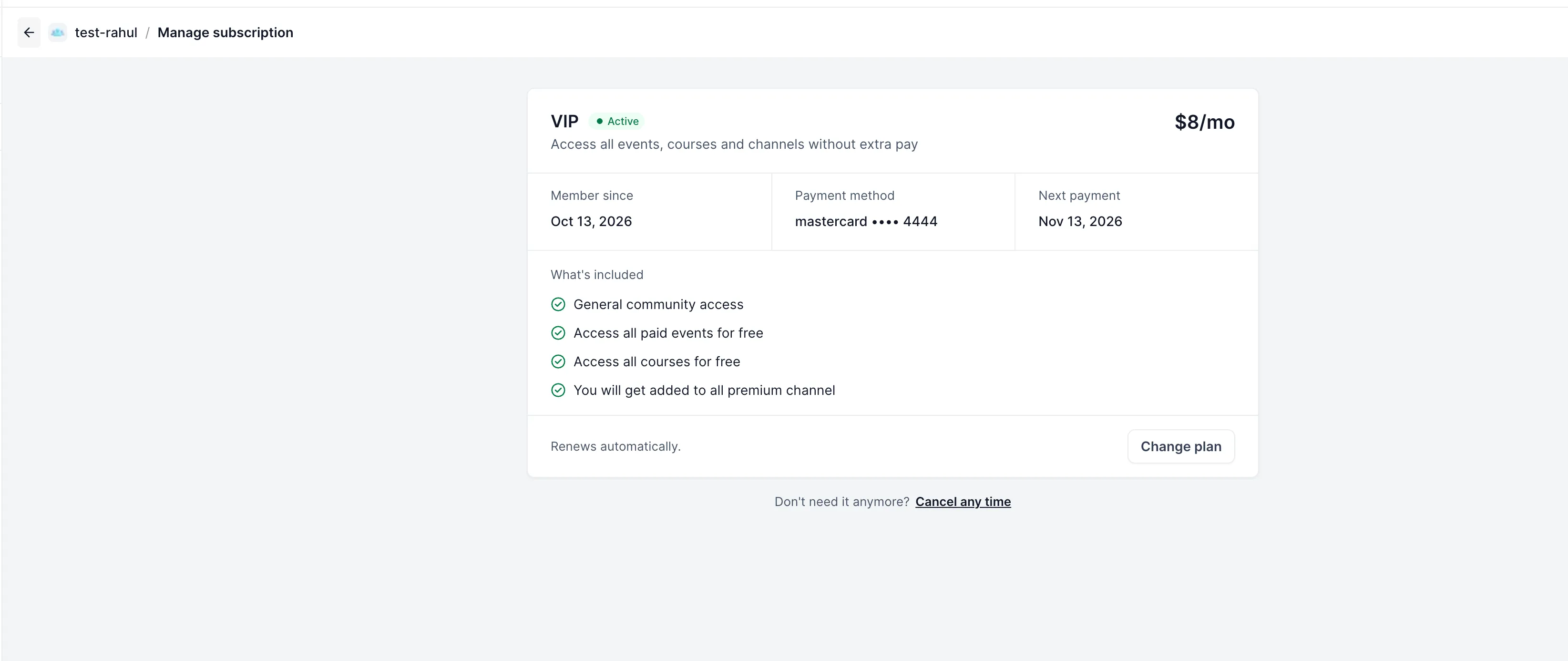
On the Manage subscription page, members can view their active plan details, payment method, and next billing date.
Set Up a Plan
- Open Settings → Subscriptions.
- Under Access, select included channels, events, and courses, or choose Full Access.
- Add the plan name and description under Details.
- Configure billing frequency, currency, price, and an optional free trial under Pricing.
- Add and organize the member-facing benefits under Benefits.
- Create and activate the plan. Optionally mark it as Most Popular.
Free-tier configuration alongside paid plans is listed as coming soon and is not part of this release.
Release Images
Need Help Applying This Update?
Want help turning this update into a working part of your CRM, marketing, or automation setup?
Get Started or schedule a demo and we’ll help you map the right next step.