Private channels in SMBcrm Communities now support visibility controls and paid access. Admins can showcase private spaces without exposing their posts, while members can pay and join visible paid channels themselves.
These options expand how you manage community access alongside SMBcrm’s membership features.
Control Private Channel Visibility
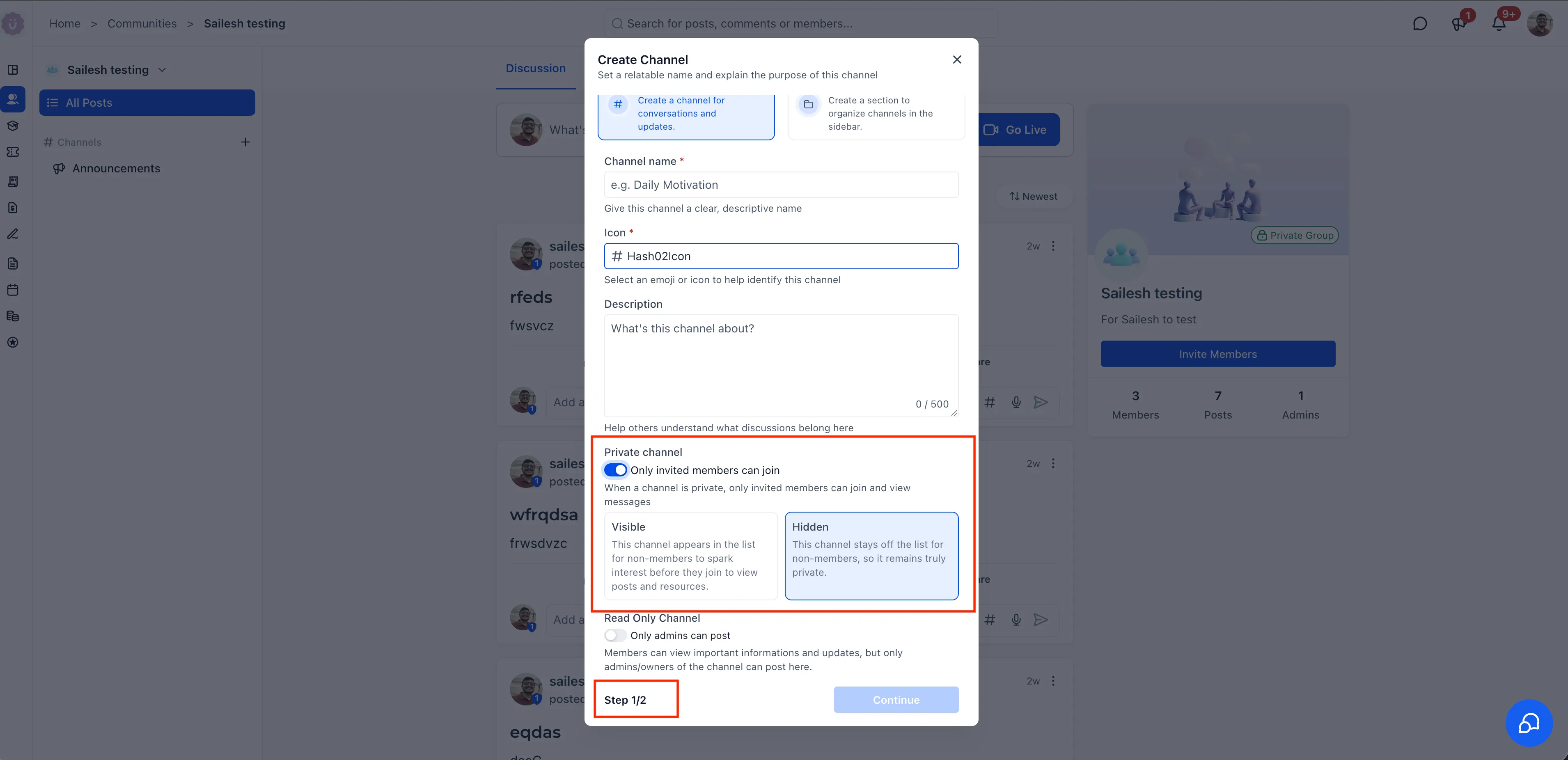
When creating or editing a private channel, admins can choose:
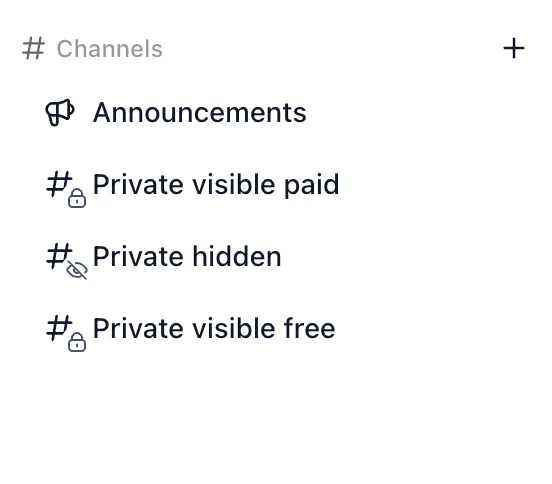
- Visible: All community members can see the channel name and description in the sidebar, but only channel members can access posts.
- Hidden: The channel stays out of the sidebar for members who have not joined.
Visible private channels display a lock icon. Visible paid channels use a lock icon with a hash symbol to distinguish them.
Set Free or Paid Access
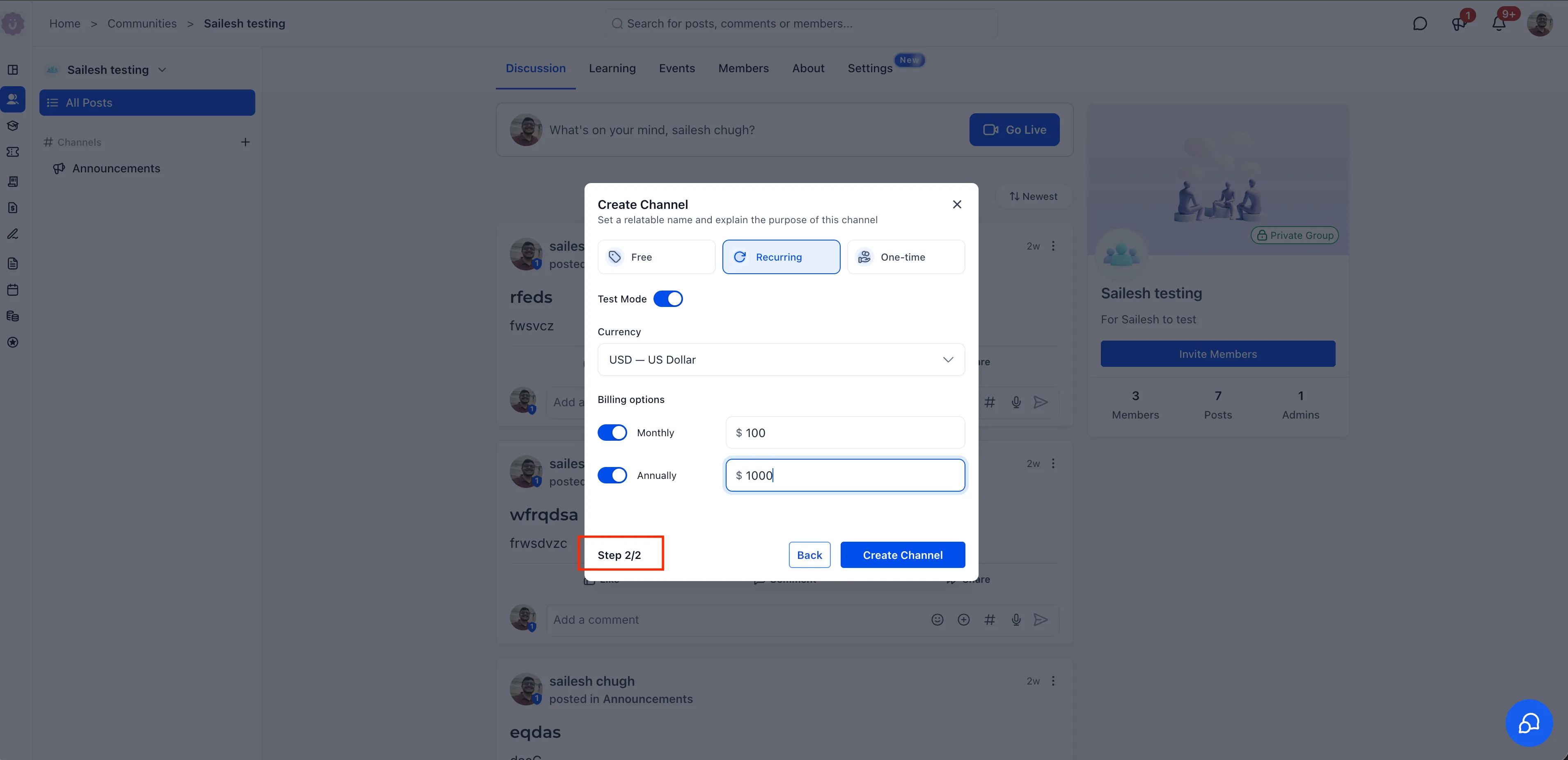
During channel creation, choose one of three pricing options:
- Free: No charge to join. This is the default.
- Recurring: Monthly and/or annual subscriptions, with configurable pricing and support for multiple currencies.
- One-time: A single payment for permanent access.
Test Mode lets admins verify the payment flow without real charges. Read-only channels can also be visible, paid, or both.
Let Members Pay and Join
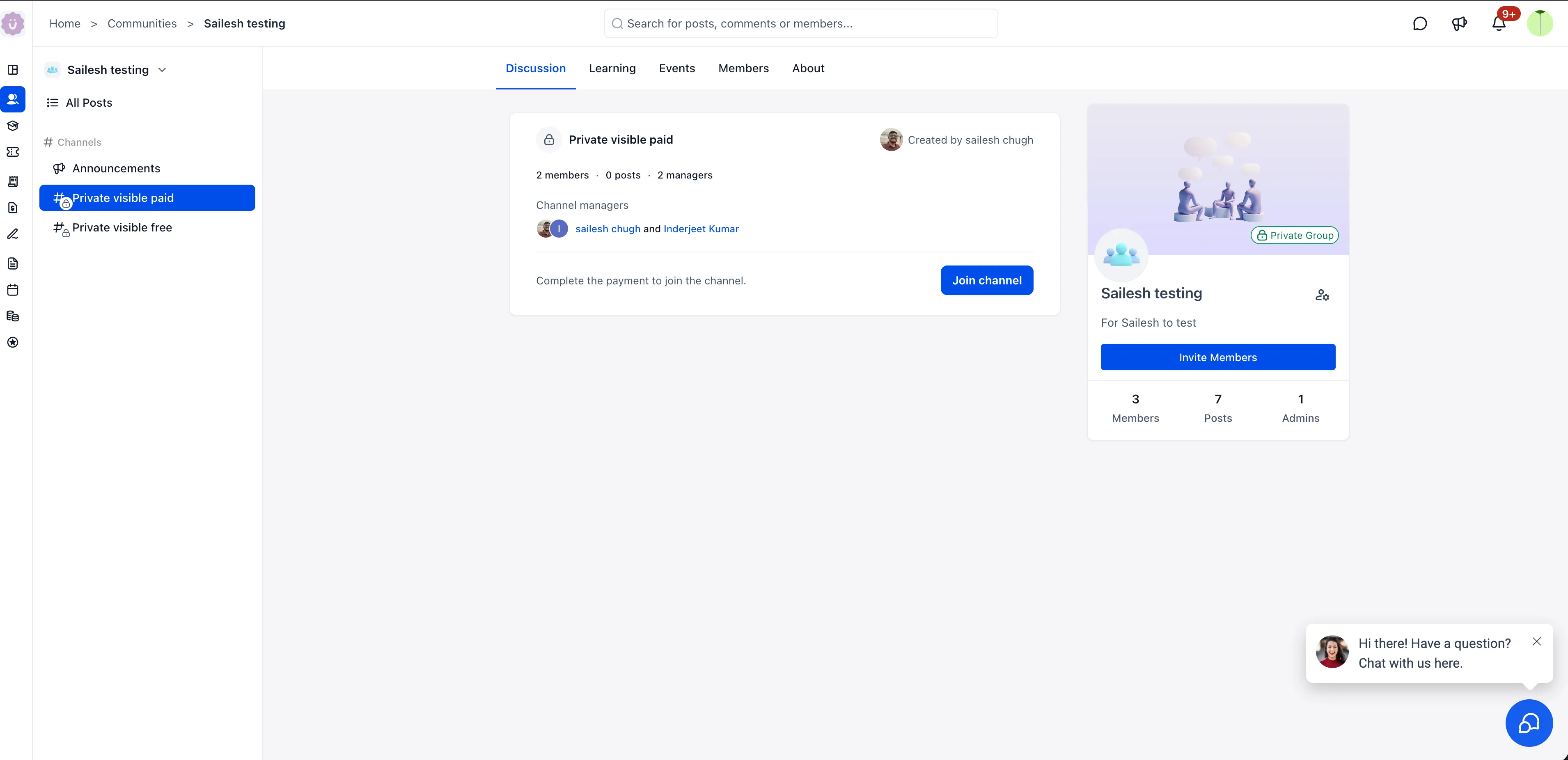
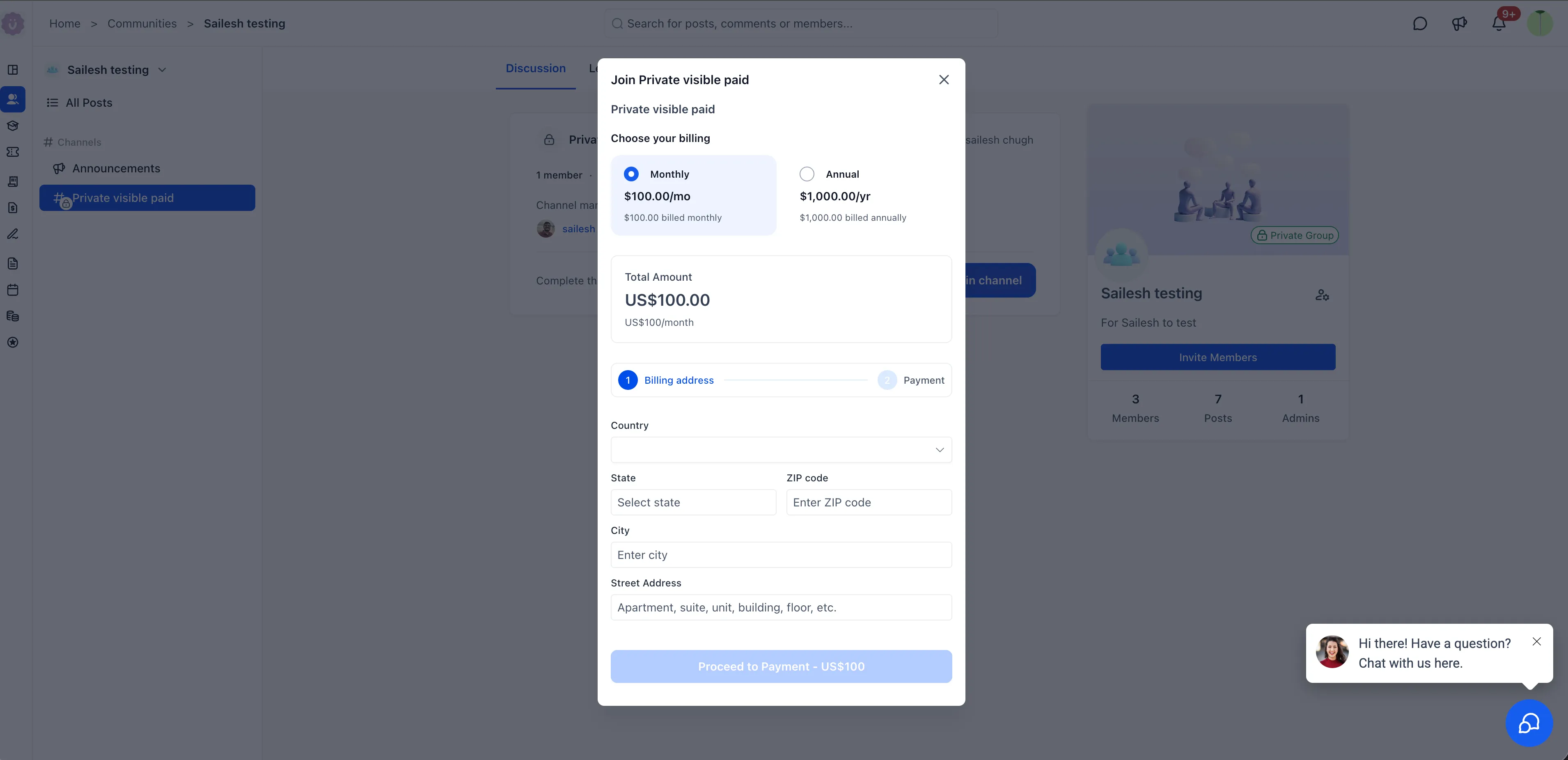
When members open a visible paid channel, they can review its description, member count, and managers. Selecting Join channel opens the payment flow, where they choose a billing cycle when applicable, enter billing details, and complete payment without being added manually.
Paid channels are also supported in the SMBcrm Mobile app. Members can view channel details, including description, activity, and managers, then tap Enroll now to complete payment from their phone.
Create a Paid Private Channel
- Click + next to Channels in the sidebar, then select Create a channel for conversations and updates.
- Set the channel name, icon, and description.
- Enable Private channel, then choose Visible or Hidden. Enable Read Only Channel if needed.
- In step two, select Free, Recurring, or One-time pricing. For paid access, configure the currency, applicable billing options, and price.
- Optionally enable Test Mode to check the payment flow, then click Create Channel.
Release Images
Need Help Applying This Update?
Want help turning this update into a working part of your CRM, marketing, or automation setup?
Get Started or schedule a demo and we’ll help you map the right next step.