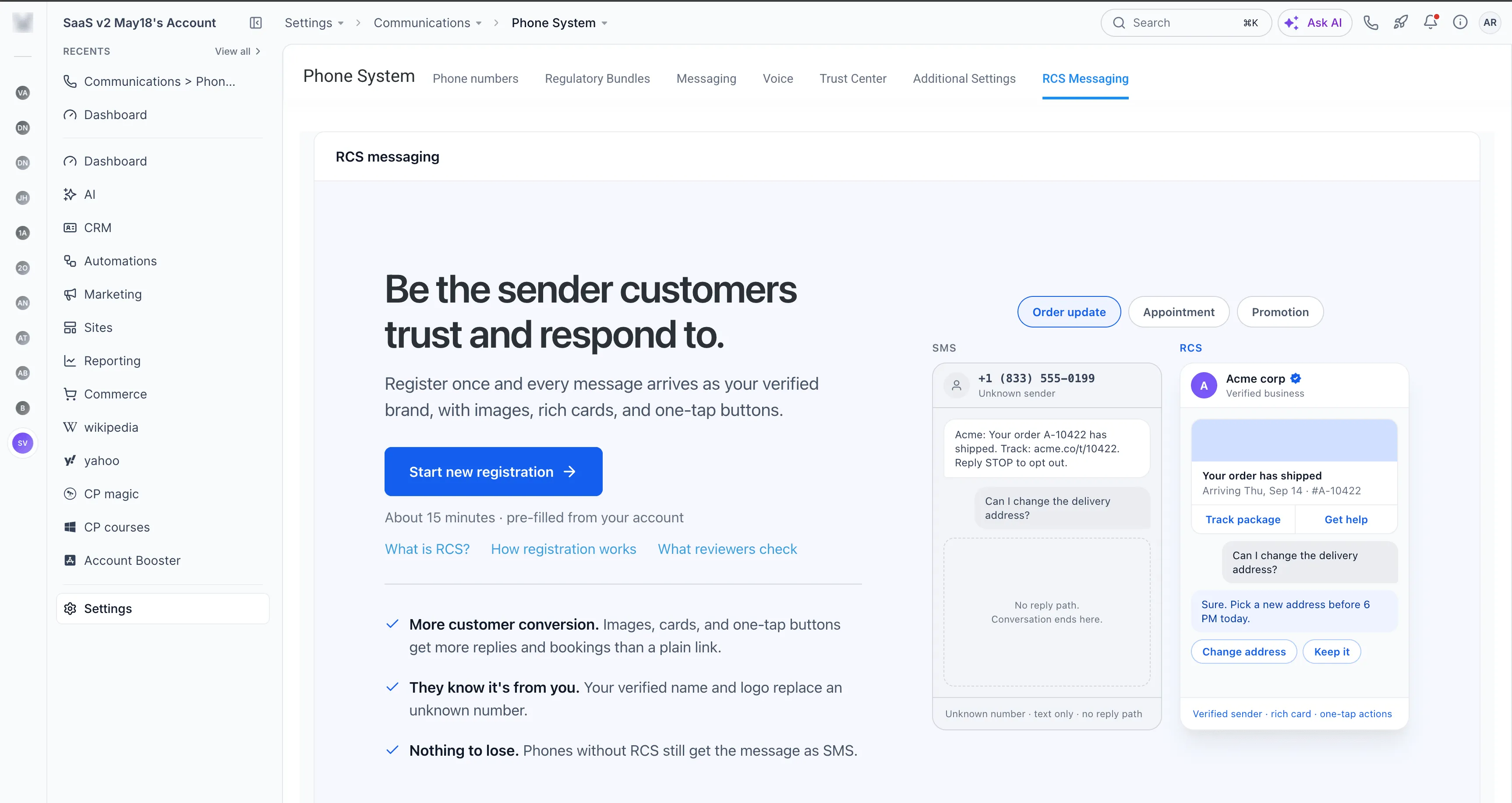
RCS Messaging is available through Labs, giving agencies early access to branded, interactive messaging for selected client accounts. Sender registration takes place entirely within SMBcrm, without visiting external provider platforms.
Enable RCS and Register a Sender
- Open Agency Settings → Labs, search for RCS Messaging, and enable it for the accounts you want to onboard.
- Open an account and go to Settings → Phone System → RCS Messaging.
- Complete the guided registration and submit your sender for review.
Registration covers your business identity, intended countries, messaging use cases, and customer consent. Additional business and messaging details are required for US registration. You can preview your brand, and progress saves automatically so you can return later.
After submission, track approval status within SMBcrm. Once approved, the sender’s status changes to Live, and you can begin messaging.
What Approved Senders Can Use
RCS adds richer options to customer communication in SMBcrm:
- Branded messages: Display your business name and logo.
- Rich cards and carousels: Present products, services, and offers with images and interactive content.
- Interactive buttons: Let customers take action from a message.
- Suggested replies: Give customers one-tap response options.
Use RCS in one-to-one conversations, bulk messaging, workflows, and reusable RCS templates. Agencies can start with a few client accounts and expand at their own pace.
Requirements and Testing
- RCS remains a Labs feature.
- Carrier and provider approval are required before live messaging can begin.
- Availability depends on supported countries, carriers, and recipient devices.
- You can add test devices to try RCS before your sender goes live.
Release Images
Need Help Applying This Update?
Want help turning this update into a working part of your CRM, marketing, or automation setup?
Get Started or schedule a demo and we’ll help you map the right next step.