Recover Expired Domains Inside SMBcrm
Users can now recover eligible expired domains directly inside SMBcrm during the 41 to 70 day redemption window, without needing support for the standard recovery flow.
The standard renewal popup has also been extended through day 40. Domains in the redemption period now use a dedicated recovery flow that calculates fees, collects payment, and starts recovery in one place.
How domain recovery works
When a user opens Domain Settings and selects Recover for an expired domain, SMBcrm checks the domain status in real time and routes the user to the correct flow.
Day 1 to 40: Grace period
Users see the standard renewal popup and pay the normal renewal fee. The renewal window has been extended from 28 days to 40 days.
Day 41 to 70: Redemption period
Users see a domain recovery modal that includes both the renewal fee and the registry redemption fee. Payment and recovery happen directly inside SMBcrm.
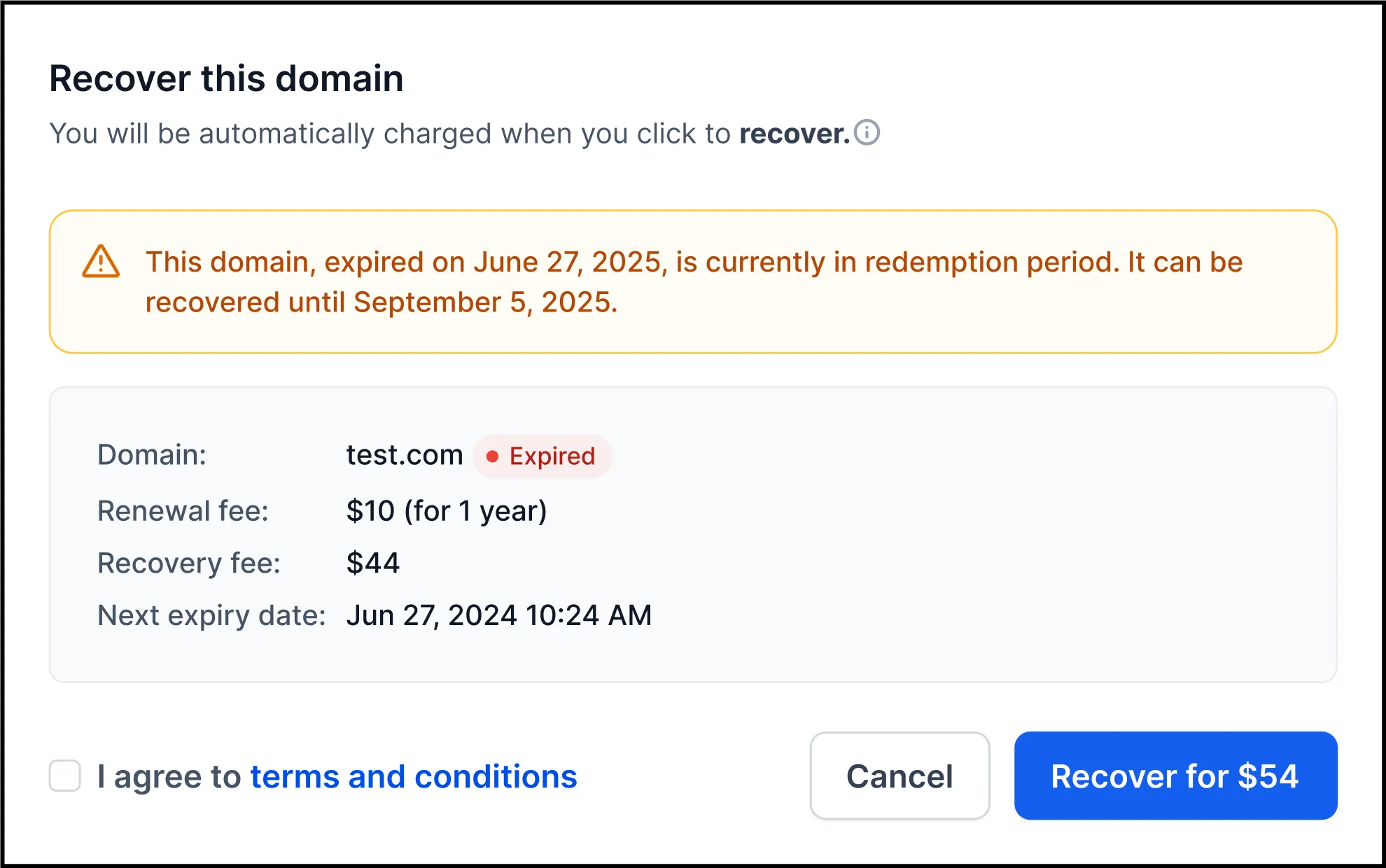
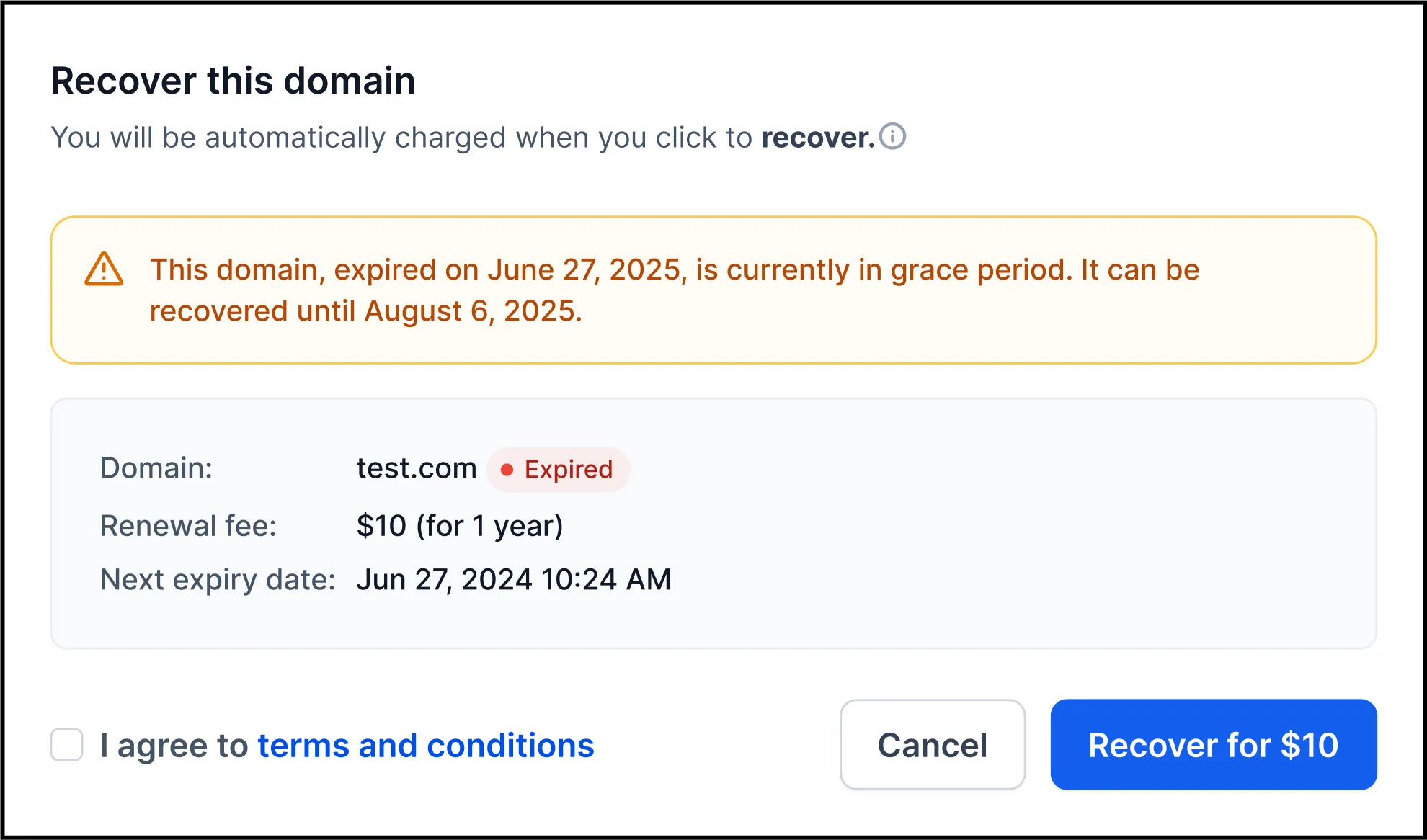
If the zone is inactive
Users are shown a Contact Support modal instead.
After the recovery window ends
If the domain has passed day 70 or the zone has already been deleted, recovery is no longer available in-product and the domain is moved to External.
Important notes
- The standard renewal grace period has been extended from 28 days to 40 days.
- All expiry logic runs on UTC.
- Redemption fees are charged at the fixed registry rate, with no added markup.
- Auto-recharge is disabled during recovery to prevent partial payment issues.
- Some TLDs, including .co and .uk, may still require support help if the zone has already been deleted.
- No setup is required. The correct recovery flow appears automatically based on the domain’s current status.
Why it matters
This update gives users a clearer self-serve path for recovering expired domains during the redemption window. It also keeps more domain lifecycle management inside SMBcrm and reduces the need to contact support for eligible recovery cases.
In Case You Missed It
You may also want to read about appointment sorting in Contacts and Conversations.
Need Help Applying This Update?
Want help turning this update into a working part of your CRM, marketing, or automation setup?
Get Started or schedule a demo and we’ll help you map the right next step.