Partial payments let customers reserve a rental with a deposit and pay the balance before the rental starts. This update to payments and commerce gives you a payment plan that applies to new bookings across your rental listings. Existing bookings are not affected.
How rental partial payments work
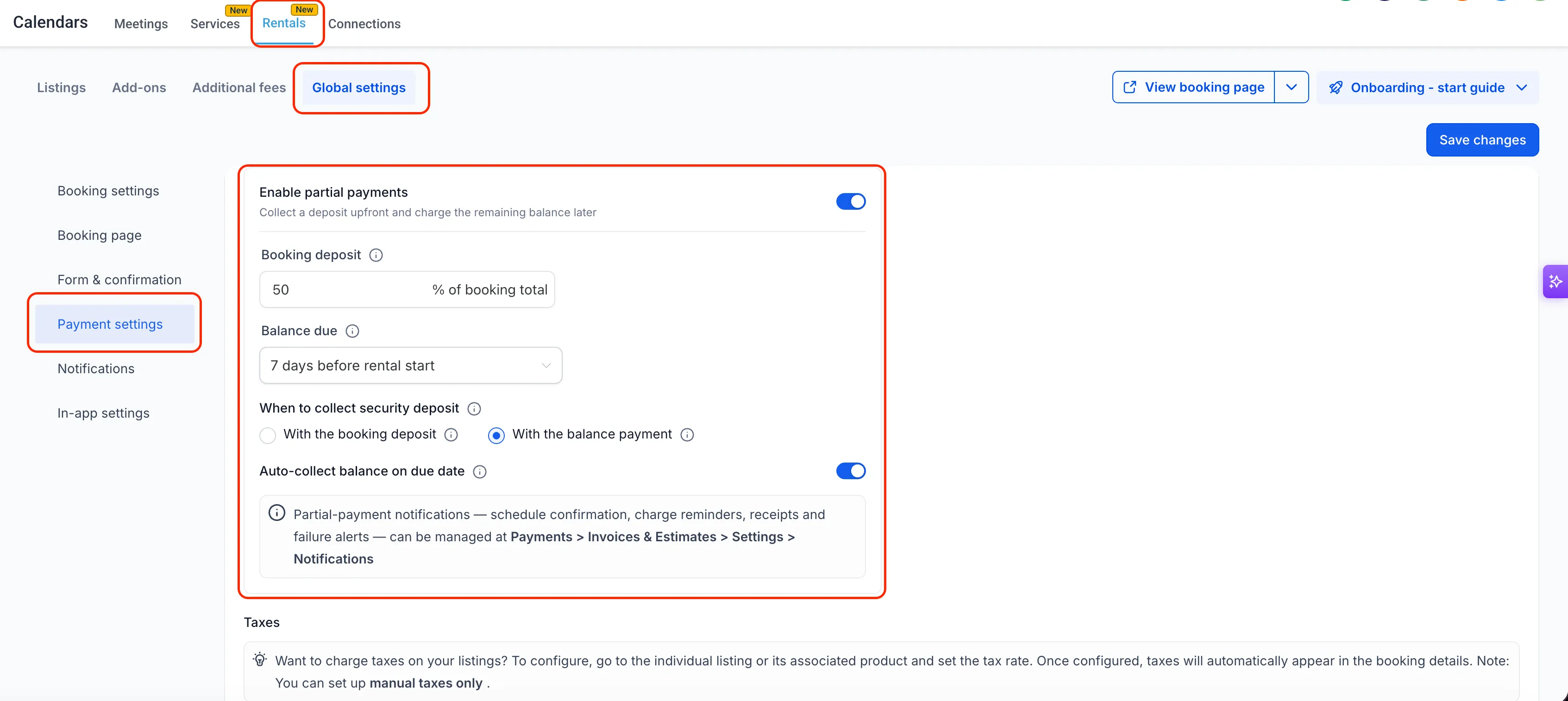
- Set the deposit: Choose 1% to 99% of the booking total, including taxes and fees but excluding the security deposit.
- Schedule the balance: Set how many days before the rental starts the remaining payment is due. Automatic collection can charge the card used for the deposit when enabled.
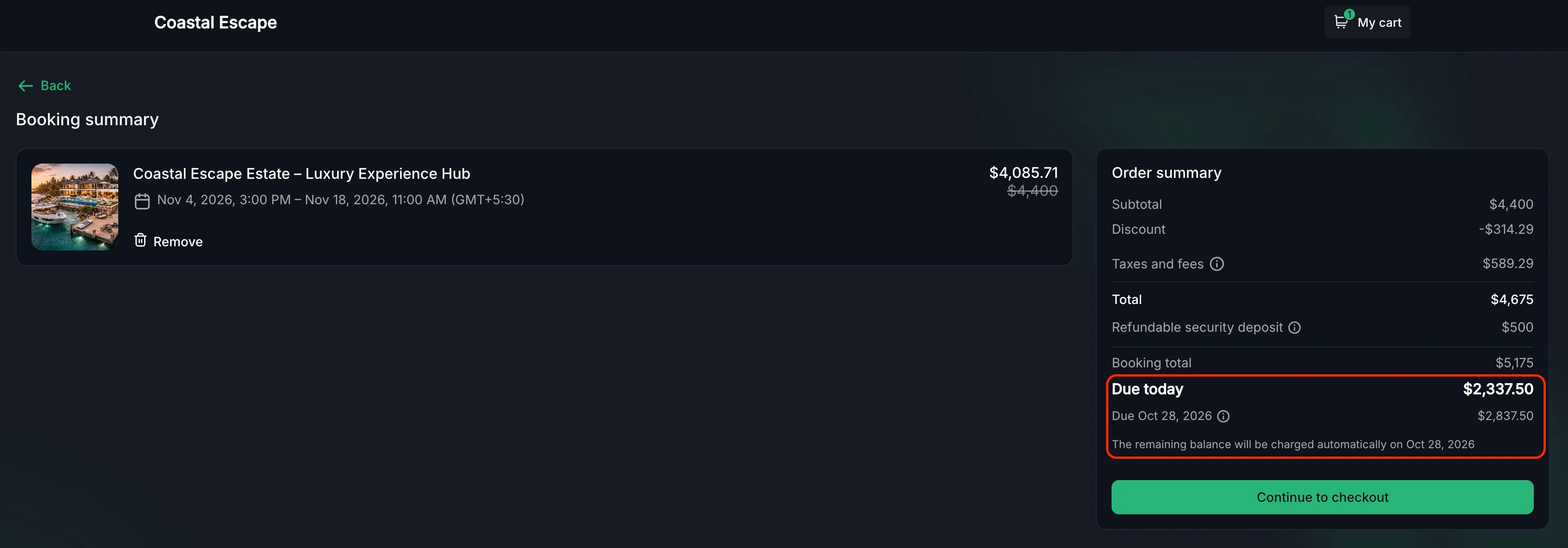
- Show customers the schedule: Checkout displays “Due today” and “Due [date],” with a tooltip explaining automatic balance collection.
- Choose security deposit timing: If you collect security deposits upfront, collect them with the booking deposit or final balance. You can also use the Card on File option.
- Handle last-minute bookings: If the scheduled balance due date has already passed, checkout collects the full payment instead of splitting it.
Set up partial payments
- Go to Calendars → Calendar settings → Rentals → Global settings → Payment settings.
- Turn on Require Payment at Booking, then Enable partial Payments.
- Set the deposit percentage and the number of days before the rental starts that the balance is due.
- Choose how to handle security deposits, if applicable.
- Save your settings. The plan applies to new bookings.
Manage payments and booking changes
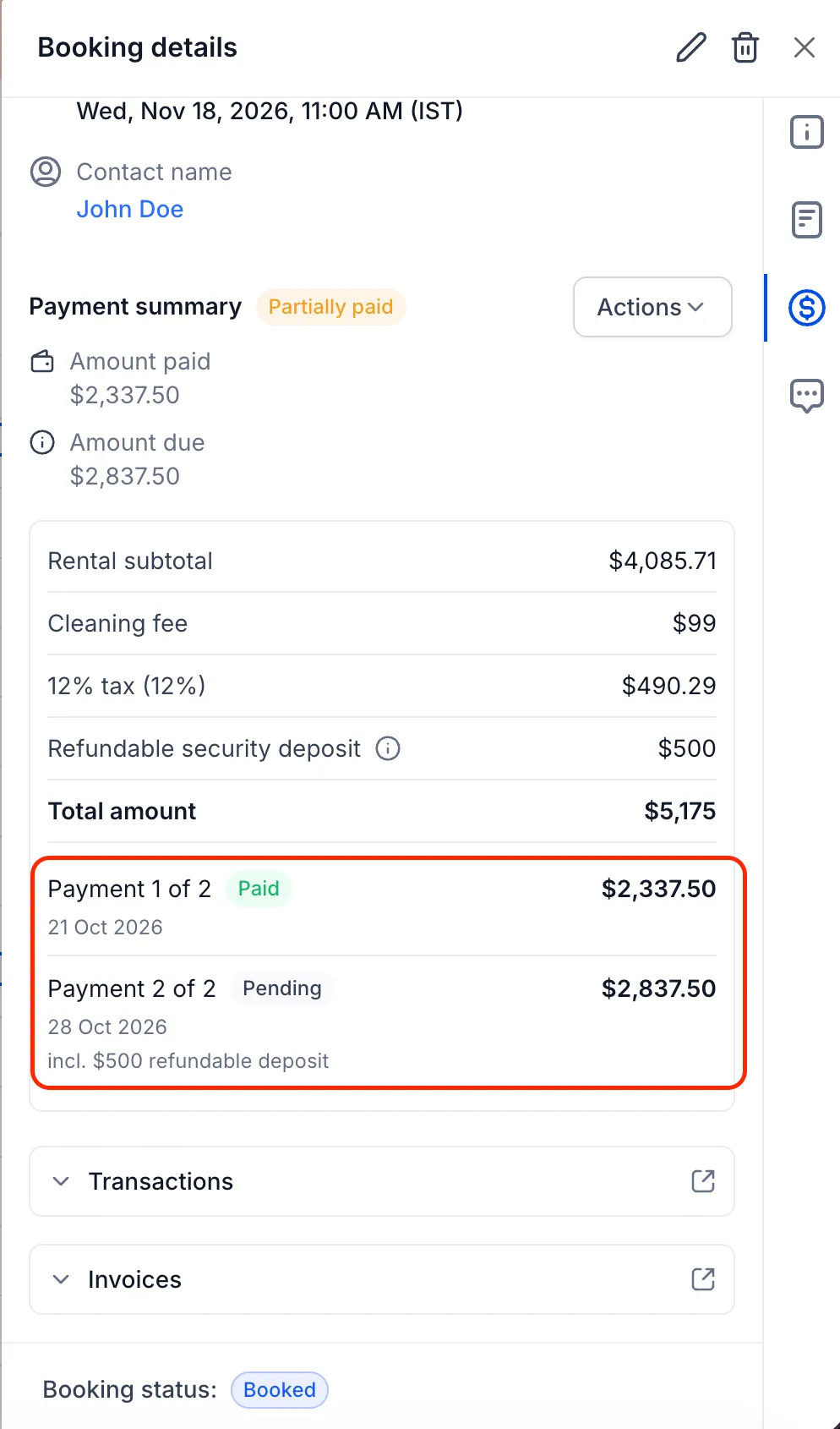
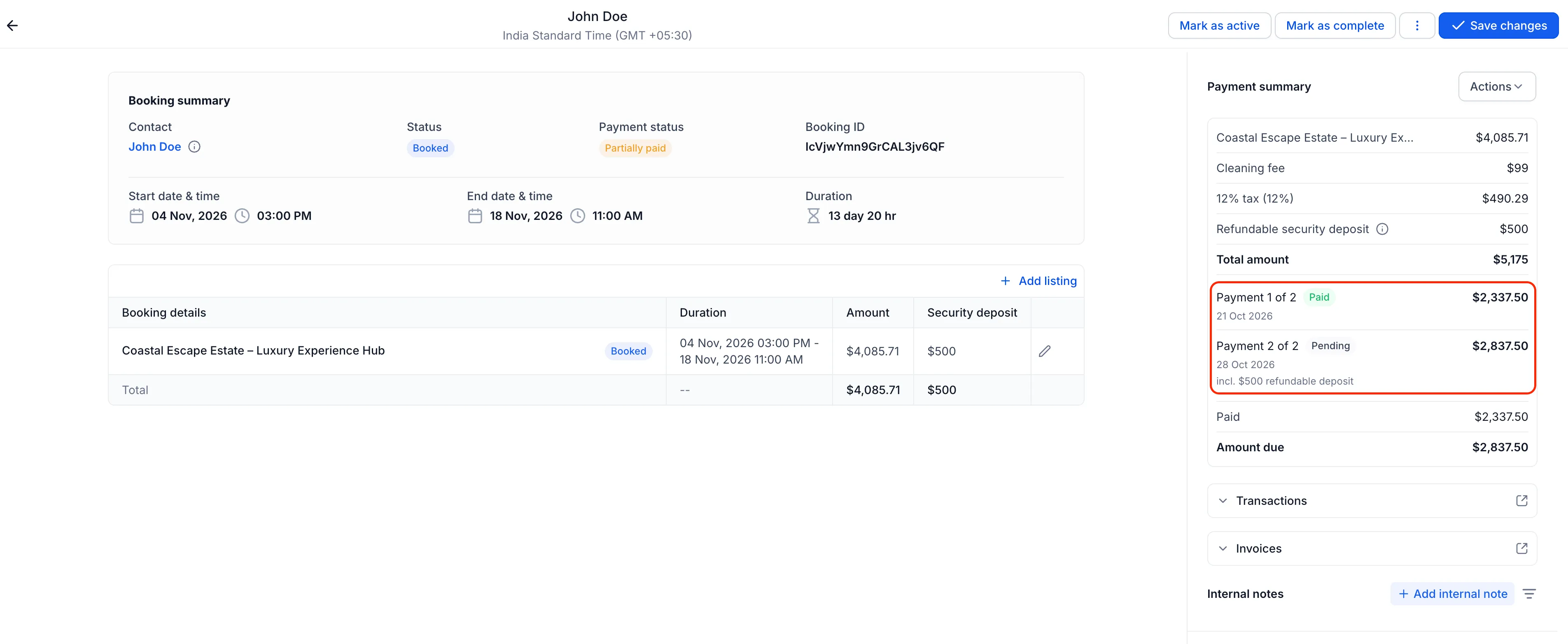
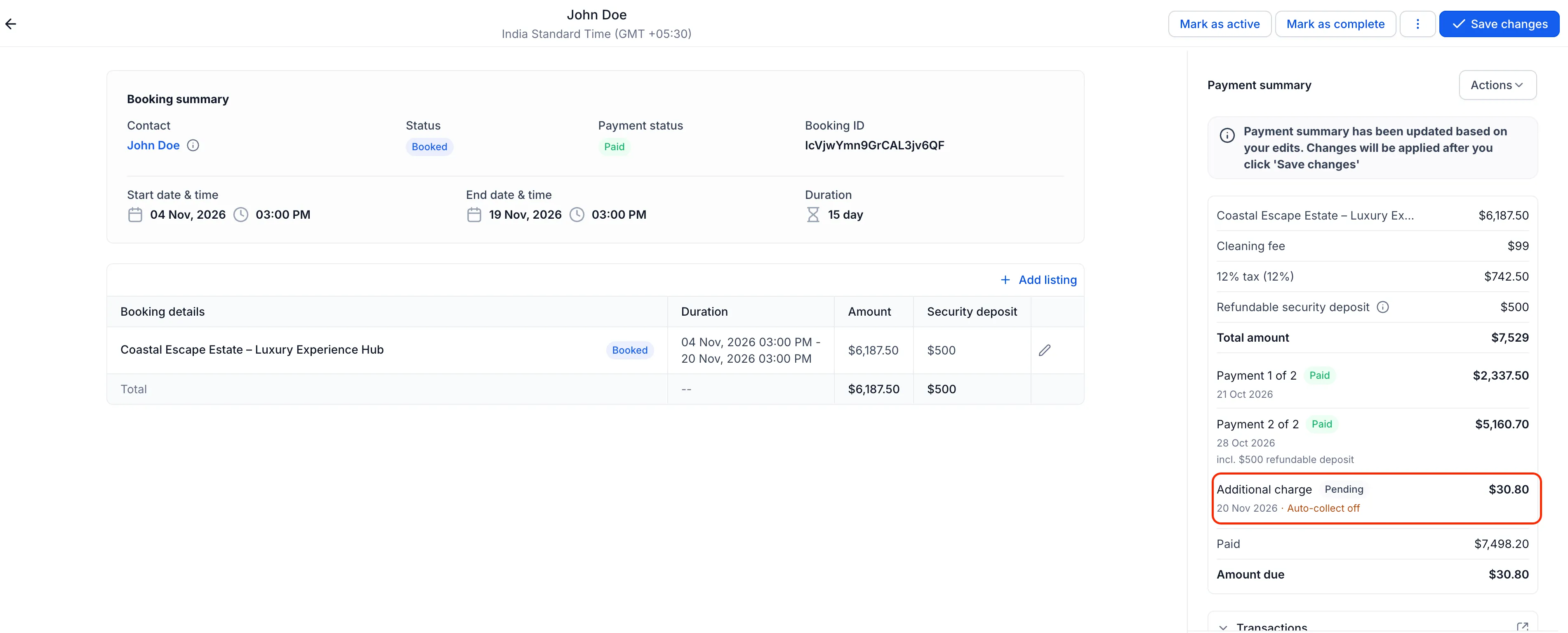
The booking sidebar shows each payment’s due date, amount, and status, such as “Payment 1 of 2 · Paid” and “Payment 2 of 2 · Pending.” Use Actions → Collect Payment to collect one scheduled payment or several together manually, on or before their due dates. Manual collection is also available when no card is on file for the balance.
Payment schedules adjust when a booking changes:
- Booking amount changes: The schedule updates automatically. If the deposit is already paid, the balance absorbs the difference.
- Items added after full payment: An Additional charge is created for the difference and must be collected manually.
- Rental dates change: The balance due date moves with the updated rental start date.
Release Images
Need Help Applying This Update?
Want help turning this update into a working part of your CRM, marketing, or automation setup?
Get Started or schedule a demo and we’ll help you map the right next step.