You can now adjust panel widths in Conversations to fit your workflow. Give long message threads more room or widen the contact details panel to review information at a glance.
This update gives you more control over your SMBcrm communication workspace without changing how you manage conversations.
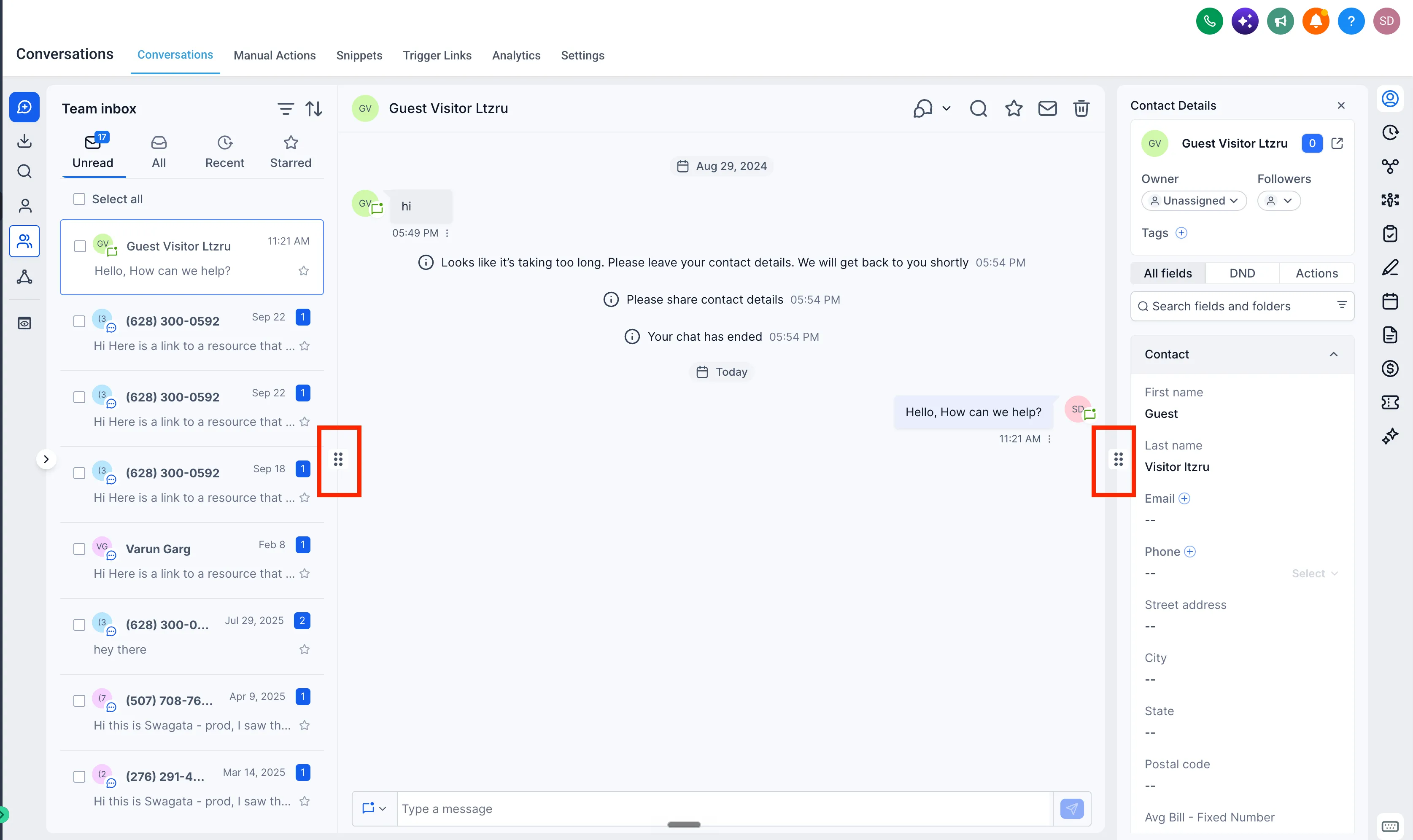
How to Resize Panels
- Open Conversations.
- Click the resize icon on the divider between panels.
- Drag left or right to adjust the width of the conversation list, message thread, or contact details panel.
Your panel sizes are saved for the next time you open Conversations. Each panel has a minimum and maximum width to keep the layout readable.
Release Images
Need Help Applying This Update?
Want help turning this update into a working part of your CRM, marketing, or automation setup?
Get Started or schedule a demo and we’ll help you map the right next step.