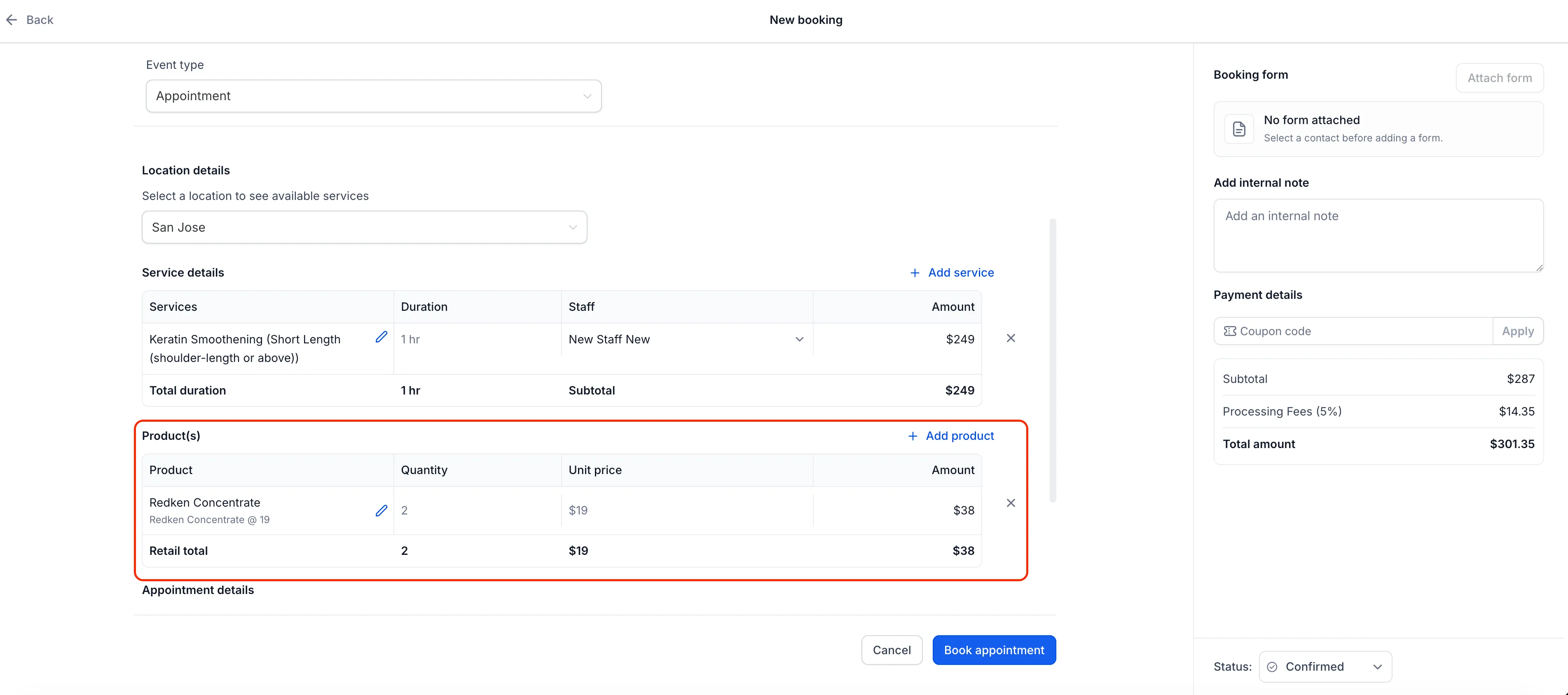
You can now add retail products when creating or editing a service appointment in SMBcrm. Services and products share one appointment total, so staff can handle the full purchase without creating a separate product order.
What changed
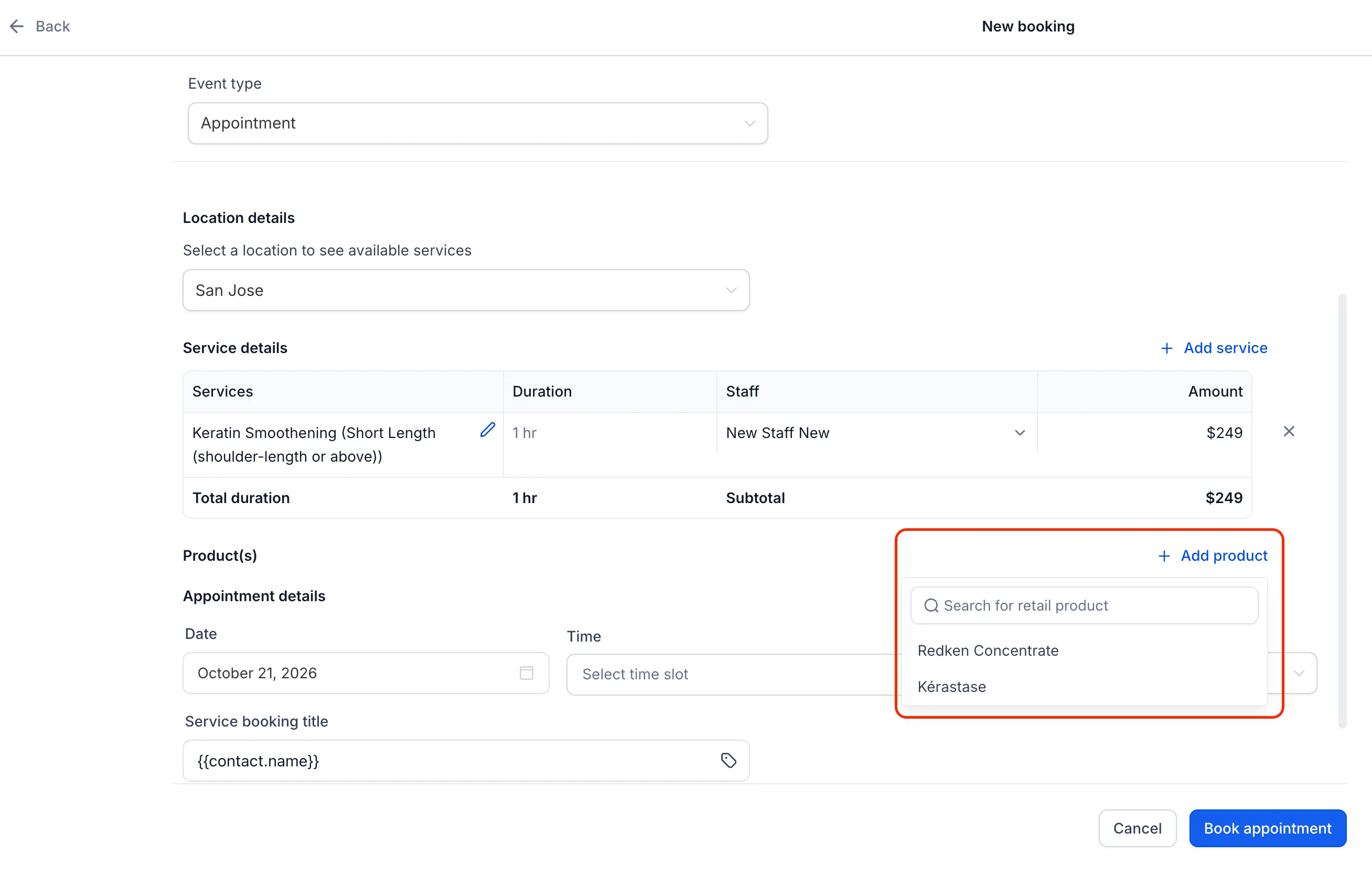
- Add products or variants: Select items from your catalog in the appointment modal without canceling or recreating an existing appointment.
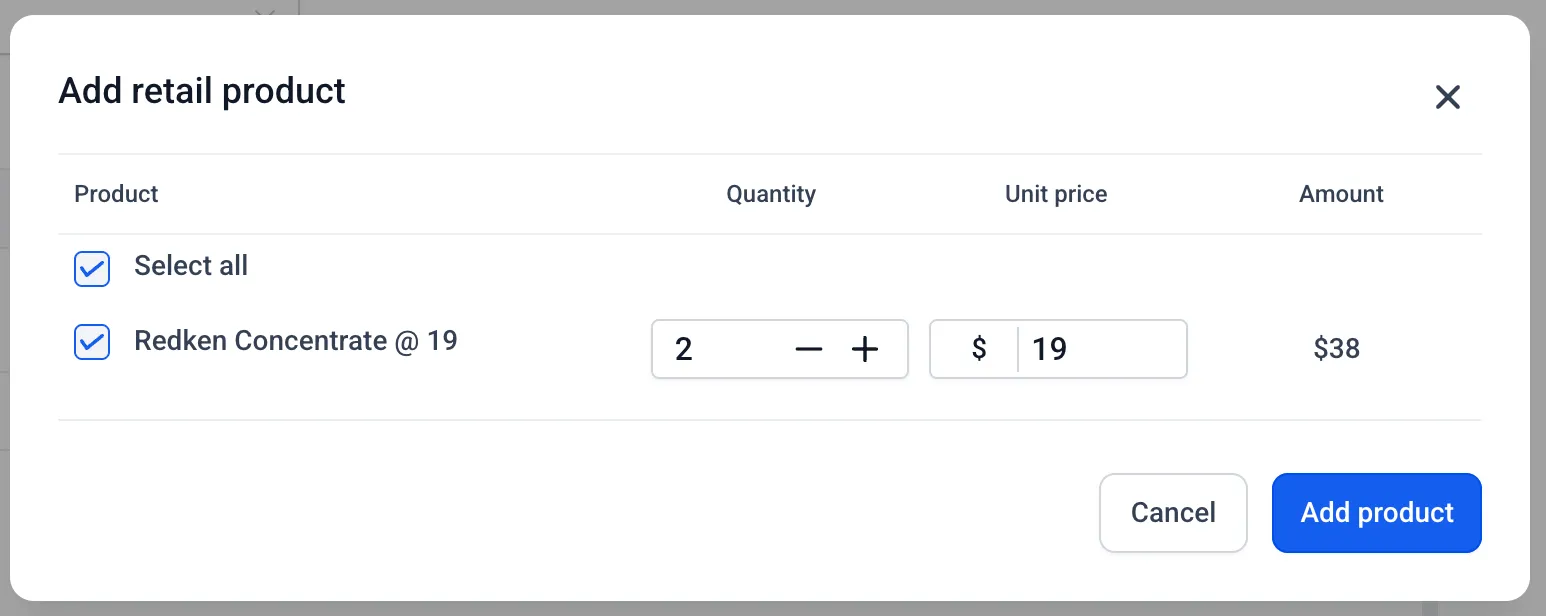
- Adjust quantities and prices: Add multiple units and override a product’s unit price for that appointment without changing its catalog price.
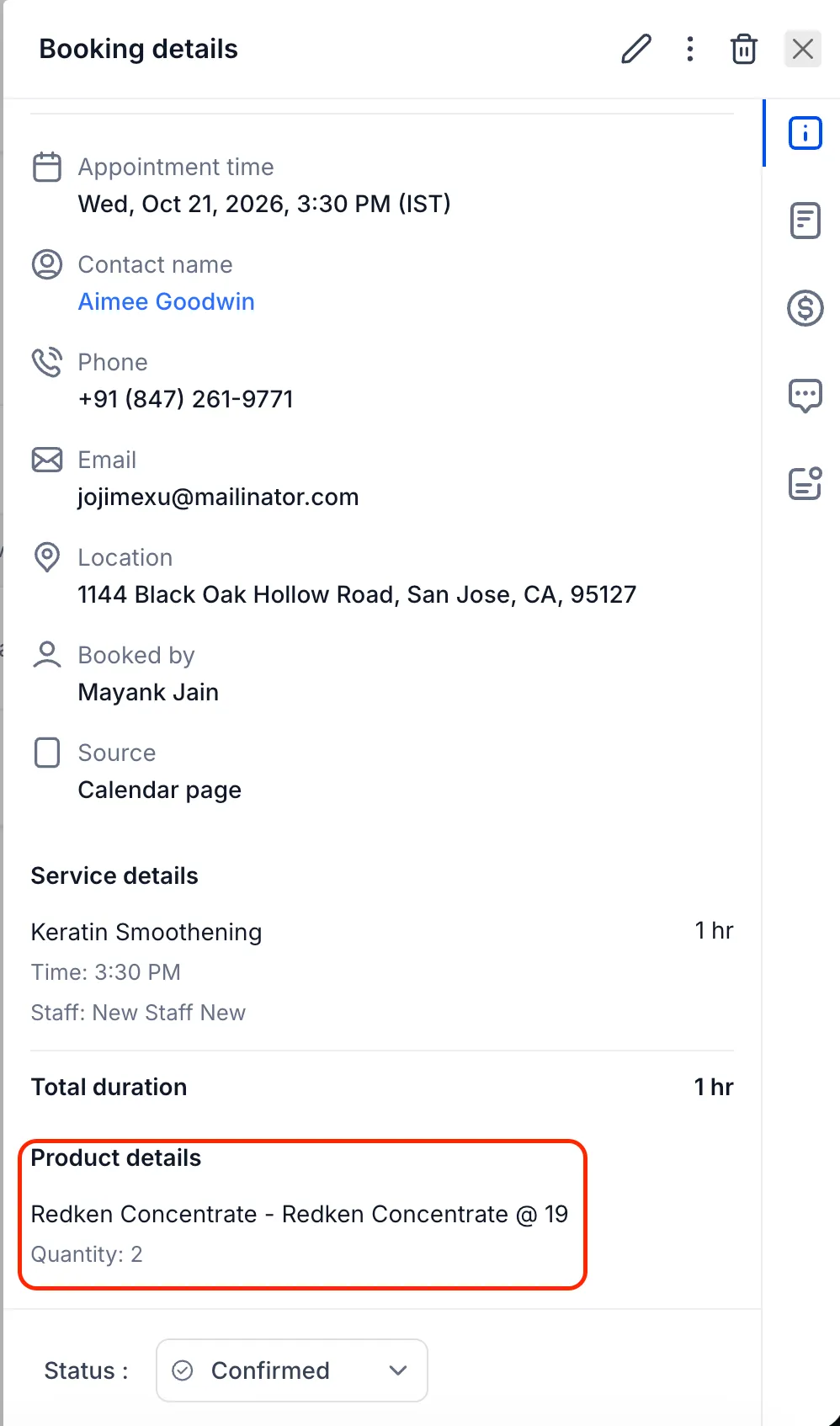
- Review payments together: Products appear alongside services in appointment details and the Payments tab. If you change products after a payment, the payment status shows whether more payment is due or a refund is owed.
- Keep inventory updated: For tracked products, stock decreases when you add items and returns when you remove them or reduce the quantity. Insufficient stock triggers an error unless the product allows continued selling when out of stock. Products without inventory tracking are unaffected.
Past appointments retain the details of what was sold, even if the catalog changes later.
How to add a product
- Open a new or existing service appointment and select + Add product.
- Choose a product or variant, then adjust its quantity or price as needed. The total updates as you make changes.
- Save the appointment and review the full breakdown in the Payments tab.
Where products are managed
Create and manage retail products under Payments > Products, not under Services.
Retail products can only be added through the in-app appointment modal. Customers cannot add them on the customer booking page.
Release Images
Need Help Applying This Update?
Want help turning this update into a working part of your CRM, marketing, or automation setup?
Get Started or schedule a demo and we’ll help you map the right next step.