AI Agent Actions in SMBcrm now support skills: reusable procedures that load only when a workflow run needs them. Create a skill once, keep it in your library, and attach it to multiple actions in your workflow automations.
Three Ways to Add Skills
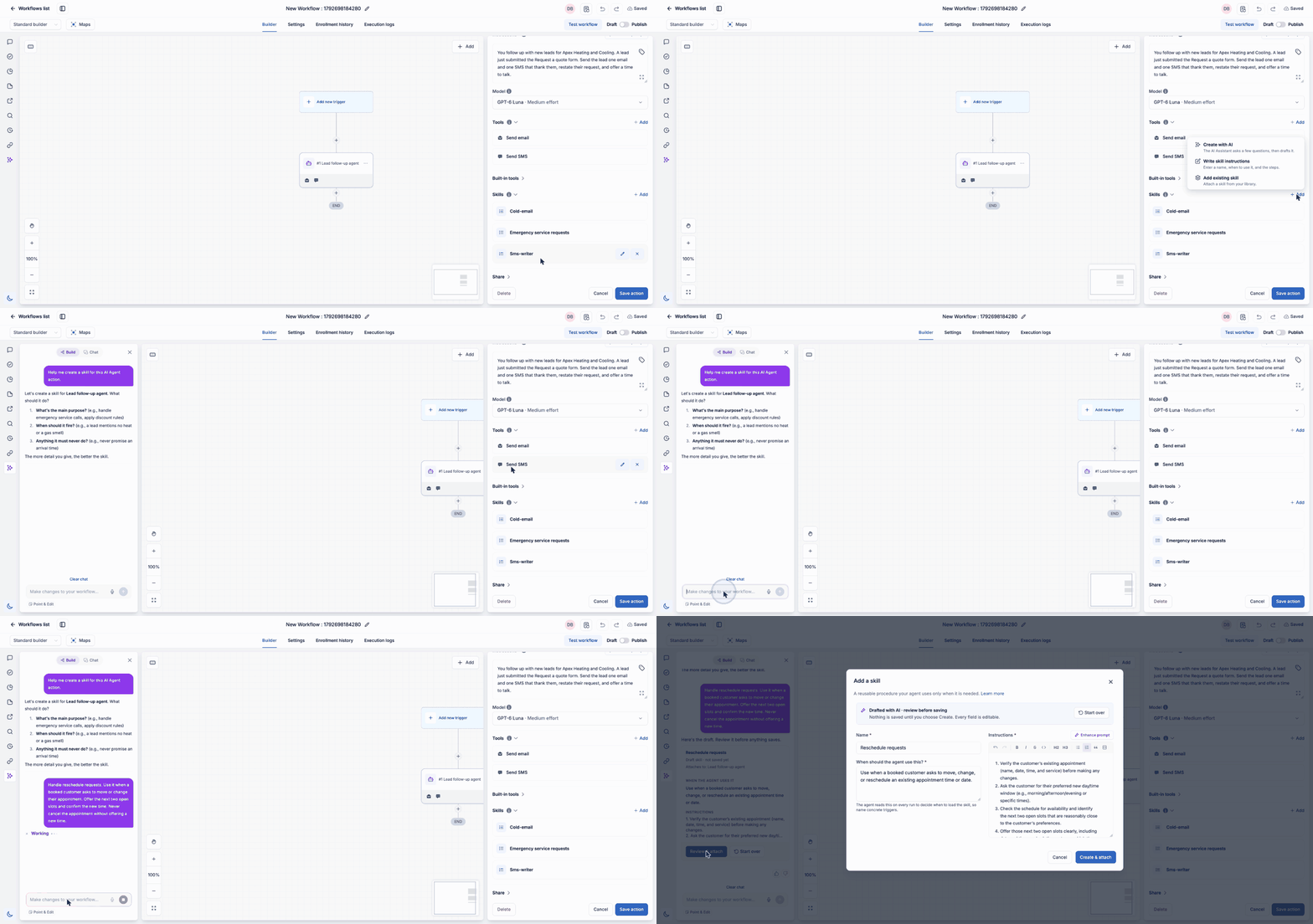
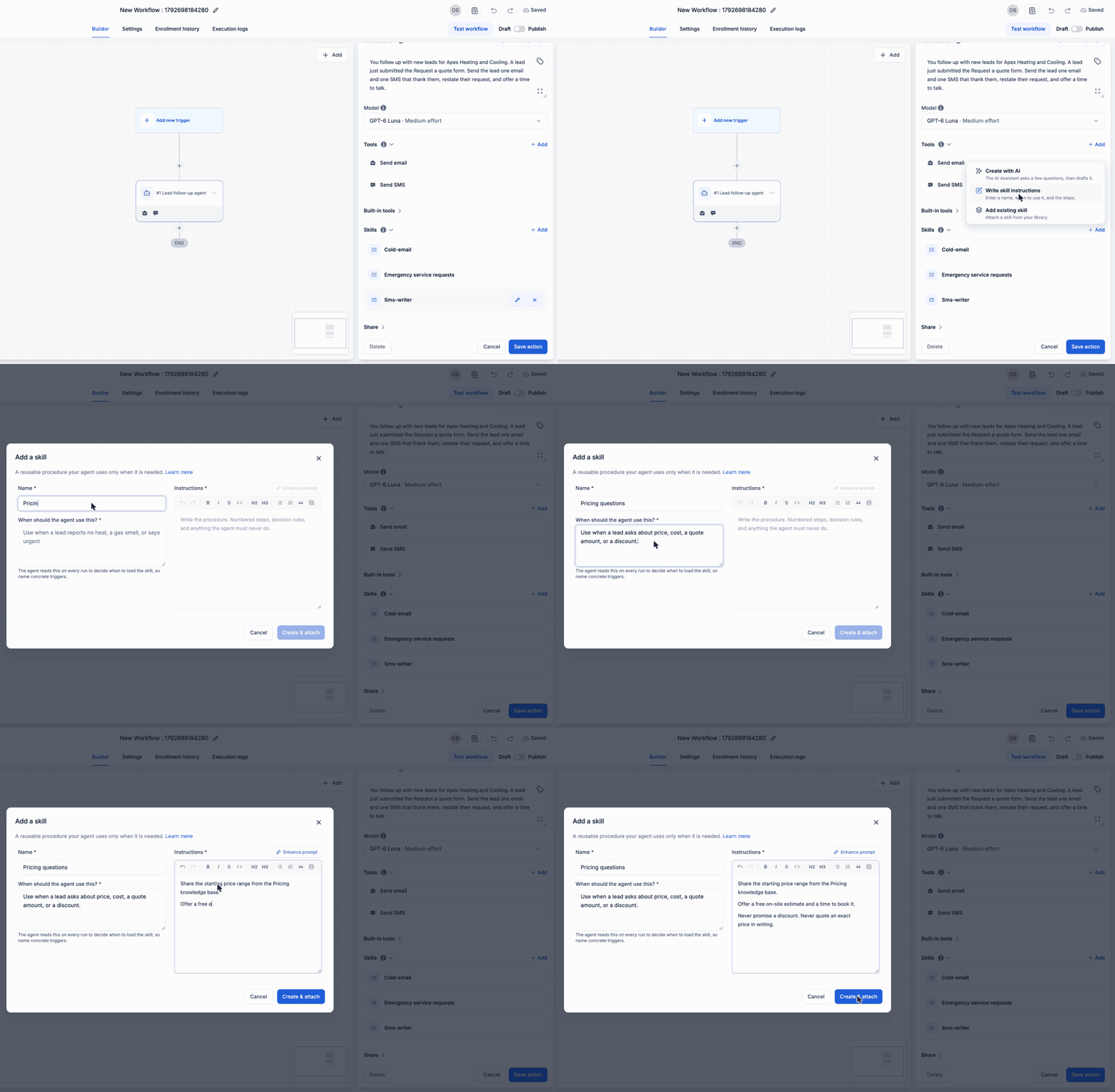
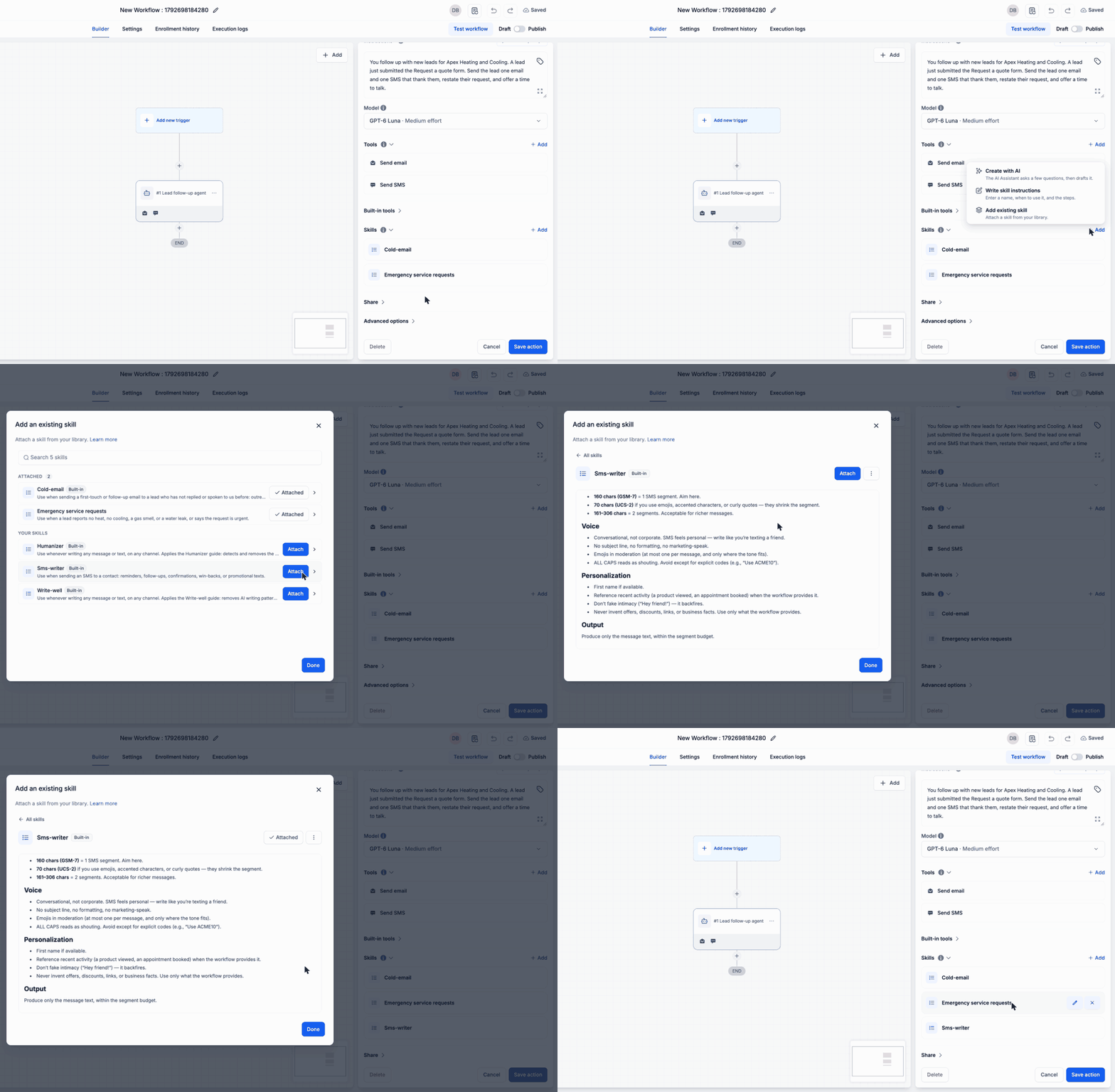
The Skills section appears below Tools in each AI Agent Action and stays collapsed until opened. Choose + Add skill to:
- Create with AI: Describe what the skill should do, when it should apply, and what it must never do. Review the AI Assistant’s draft before creating it. Nothing is saved until you choose Create.
- Write skill instructions: Enter a name, usage conditions, and instructions. Use Enhance Prompt to refine the wording.
- Add an existing skill: Search your library, read a skill in full, and attach it.
Hover over an attached skill’s row to edit or detach it.
Four Built-in Skills
Every account includes four skills tagged Built-in. You can attach, edit, or delete them like other skills:
- Humanizer: Revises messages to remove common signs of AI writing.
- Write-well: Keeps messages clear, simple, and direct.
- Cold-email: Writes first-touch and follow-up emails to leads who have not replied.
- Sms-writer: Writes short, human-sounding text messages.
Instructions Load When Relevant
On each run, the agent reads only each attached skill’s name and usage conditions. It loads the full instructions when those conditions match. Multiple matching skills can work together, such as Cold-email and Humanizer for an outreach email.
This lets you keep the action’s main instructions focused while moving situational rules into reusable skills for your AI agents.
How to Get Started
- Go to Automation > Workflows.
- Open a workflow and add or open an AI Agent Action.
- Expand Skills below Tools.
- Select + Add skill and choose a creation method or an existing skill.
- Review it, then select Create & attach or Attach.
- Save the action.
Before You Edit or Delete a Skill
- Edits are shared: Updating a skill changes it for every action that uses it.
- Detach affects one action: The skill stays in your library and remains attached elsewhere.
- Delete affects every action: The skill is removed from your library and all actions using it.
- Tools are still required: A skill provides instructions, but the agent needs the appropriate tools, such as Send SMS, to act.
- Knowledge bases need a search tool: Name the knowledge base in the skill instructions and add the Knowledge base search tool to the action.
Release Images
Need Help Applying This Update?
Want help turning this update into a working part of your CRM, marketing, or automation setup?
Get Started or schedule a demo and we’ll help you map the right next step.