The redesigned contact activity panel is in Labs, bringing a cleaner layout and more ways to review contact history within SMBcrm’s CRM tools.
Four New Activity Cards
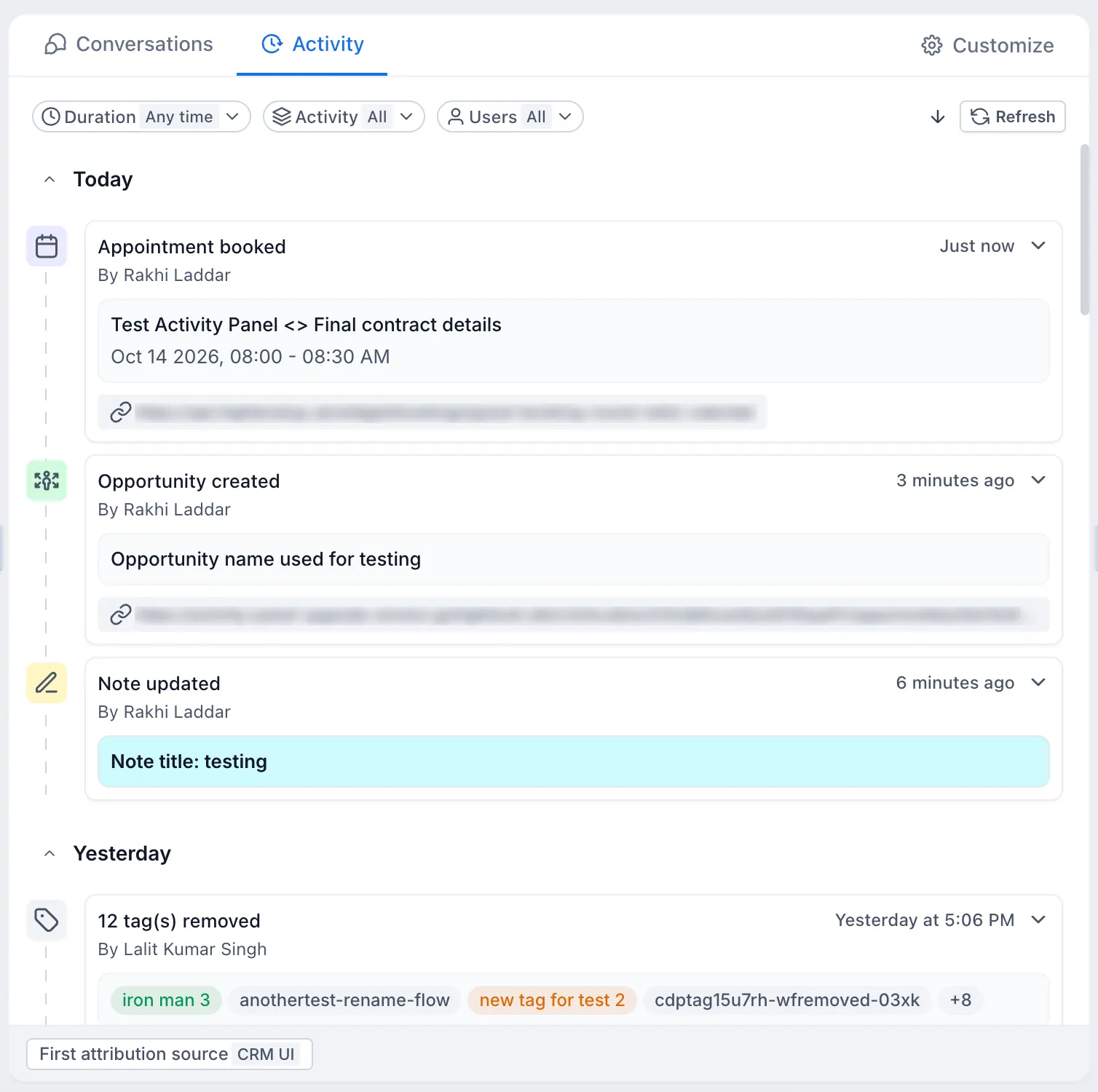
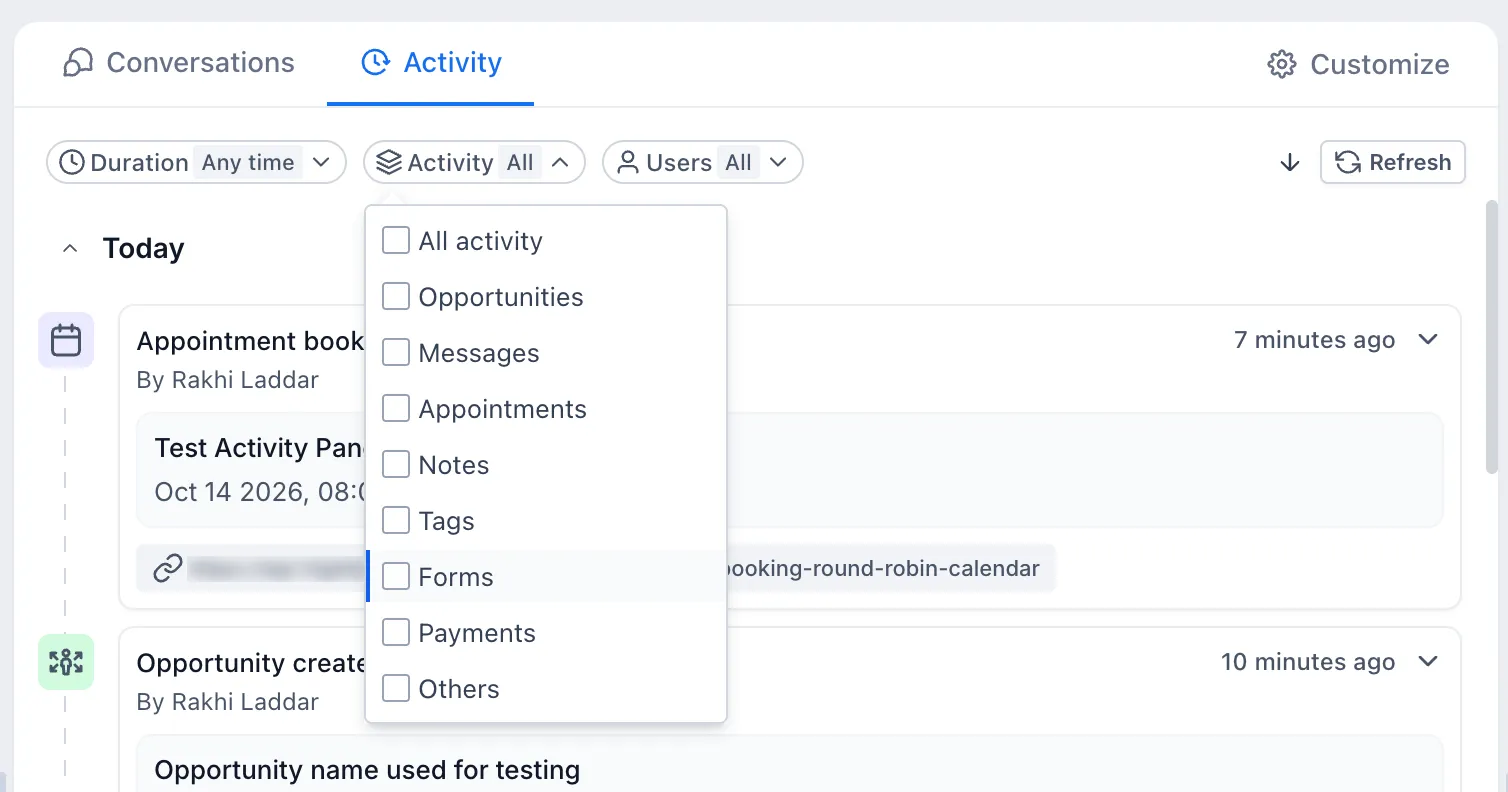
The panel expands contact history with cards for:
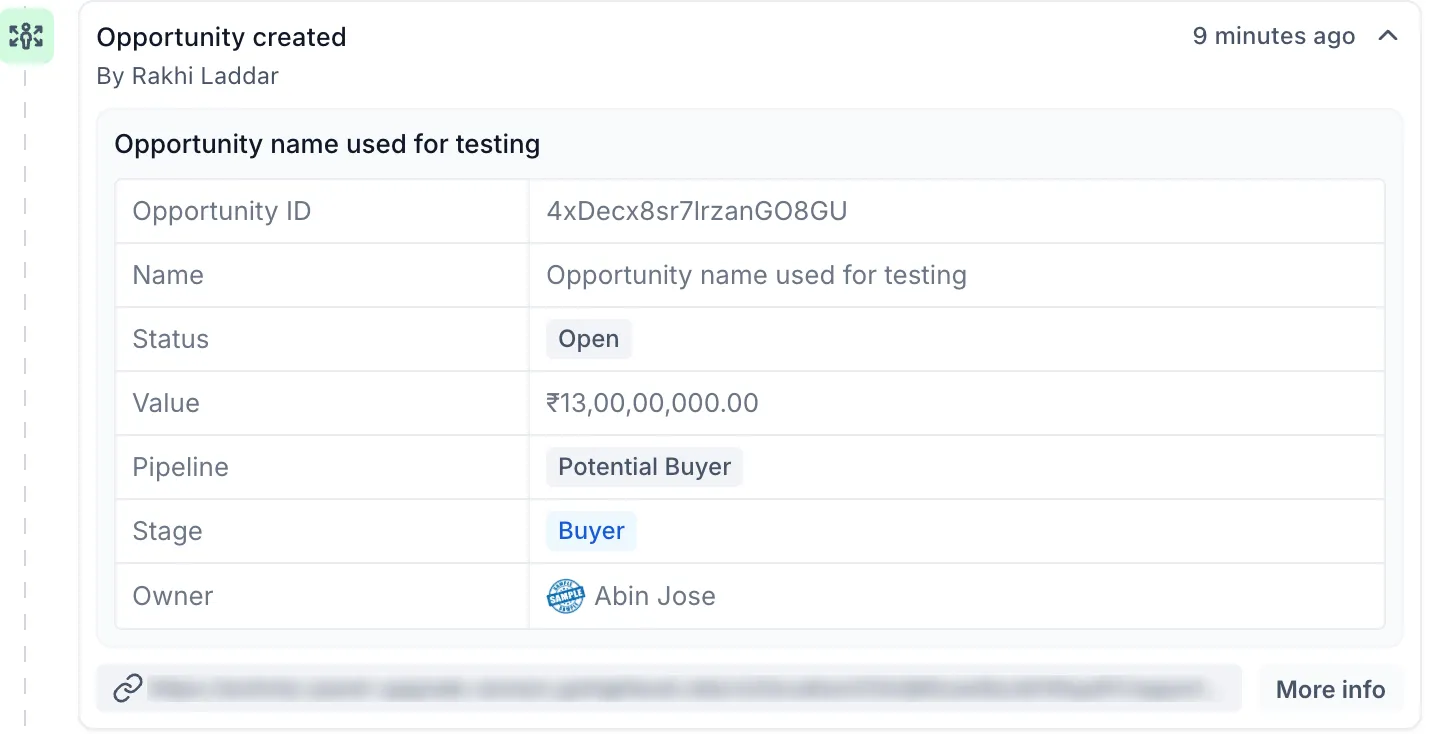
- Opportunities: Review opportunity creation, stage changes, status updates, and other key changes.
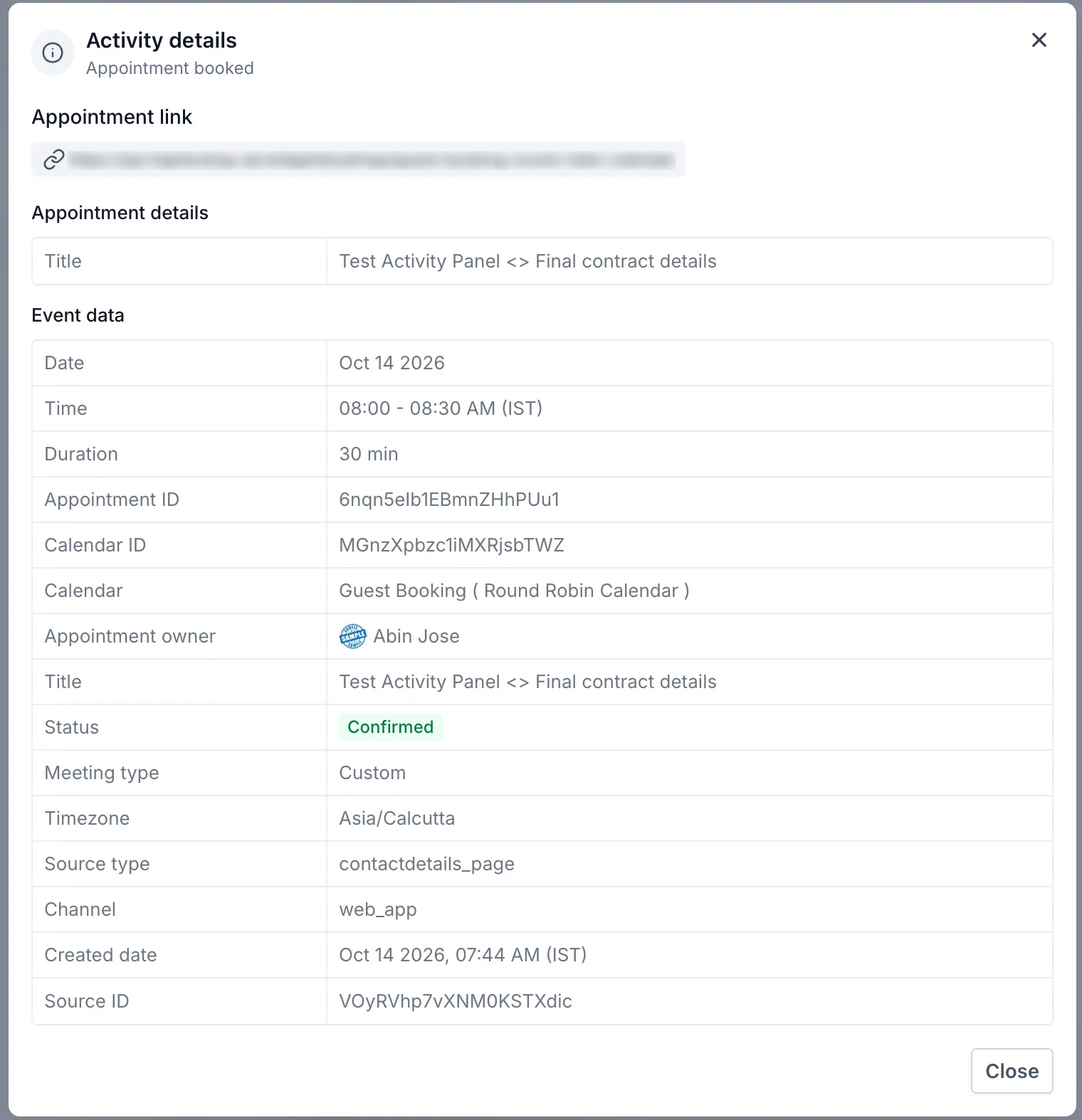
- Appointments: See appointment creation, rescheduling, cancellations, and status changes without opening the calendar.
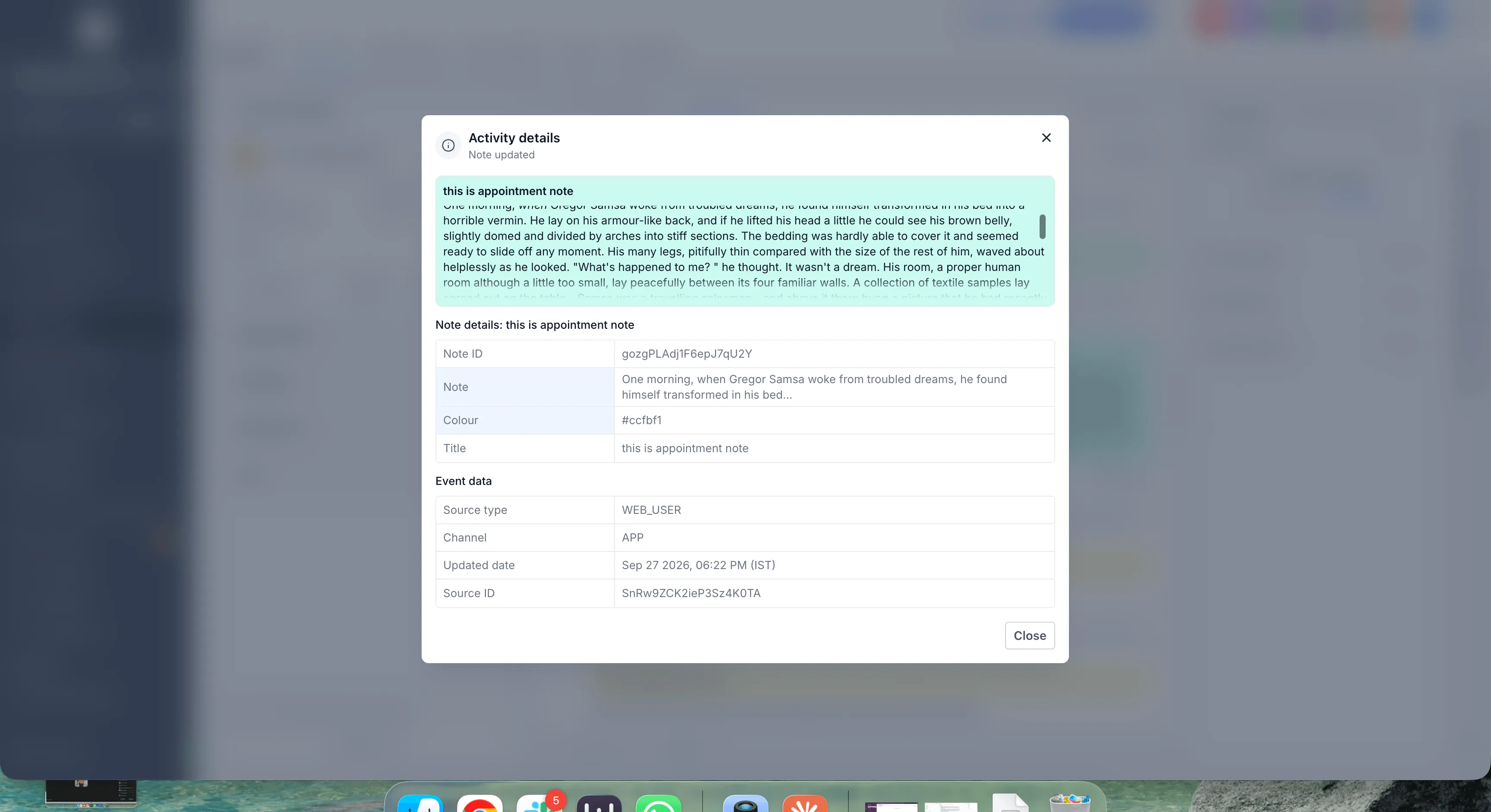
- Notes: Review notes added to a contact, including observations and follow-up information from team members.
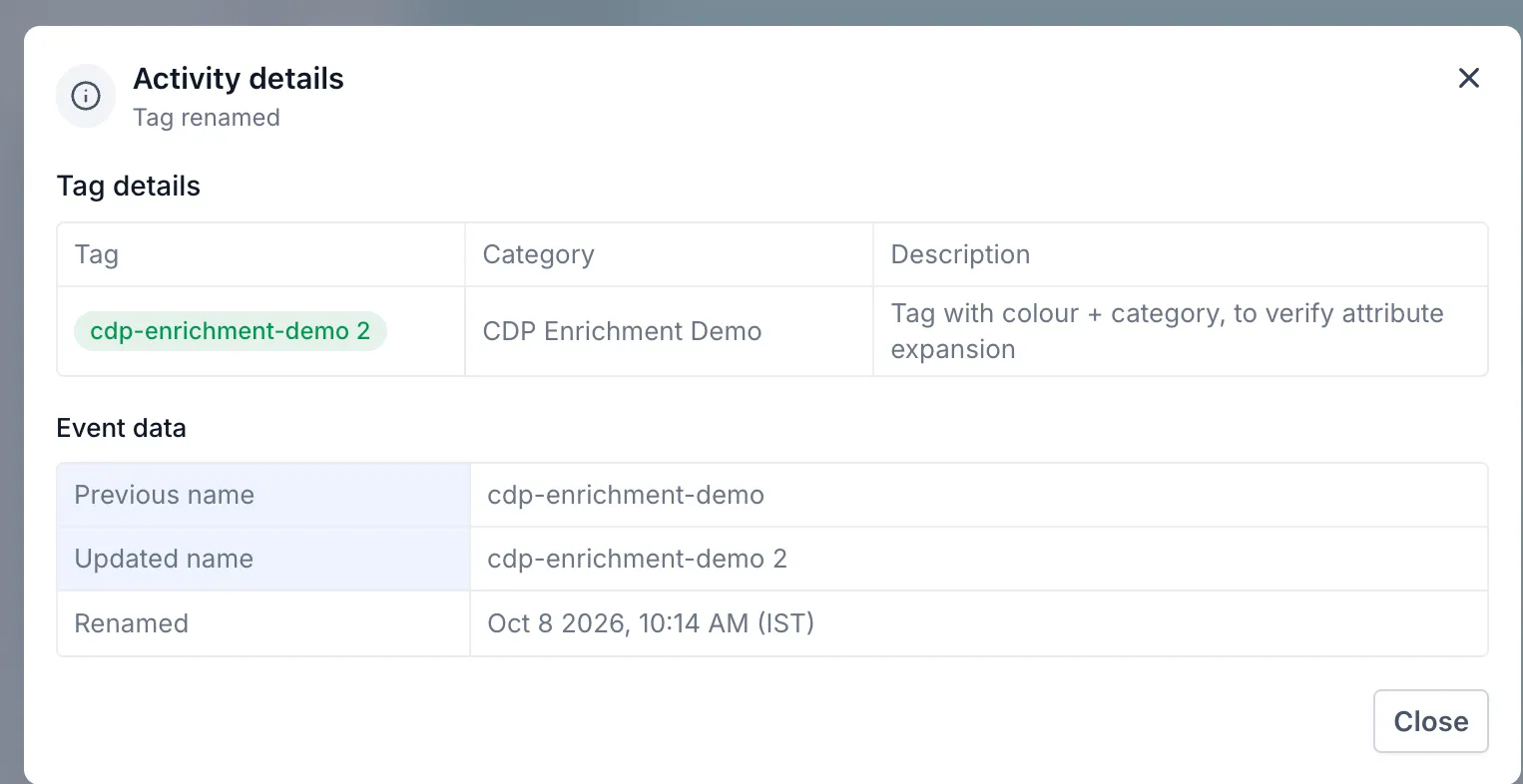
- Tags: Track when tags are added or removed to understand changes in contact categorization.
Each activity card can be collapsed for a quick scan or expanded for additional event details without leaving the panel.
Filters for Faster Review
Three filters help narrow down longer activity histories:
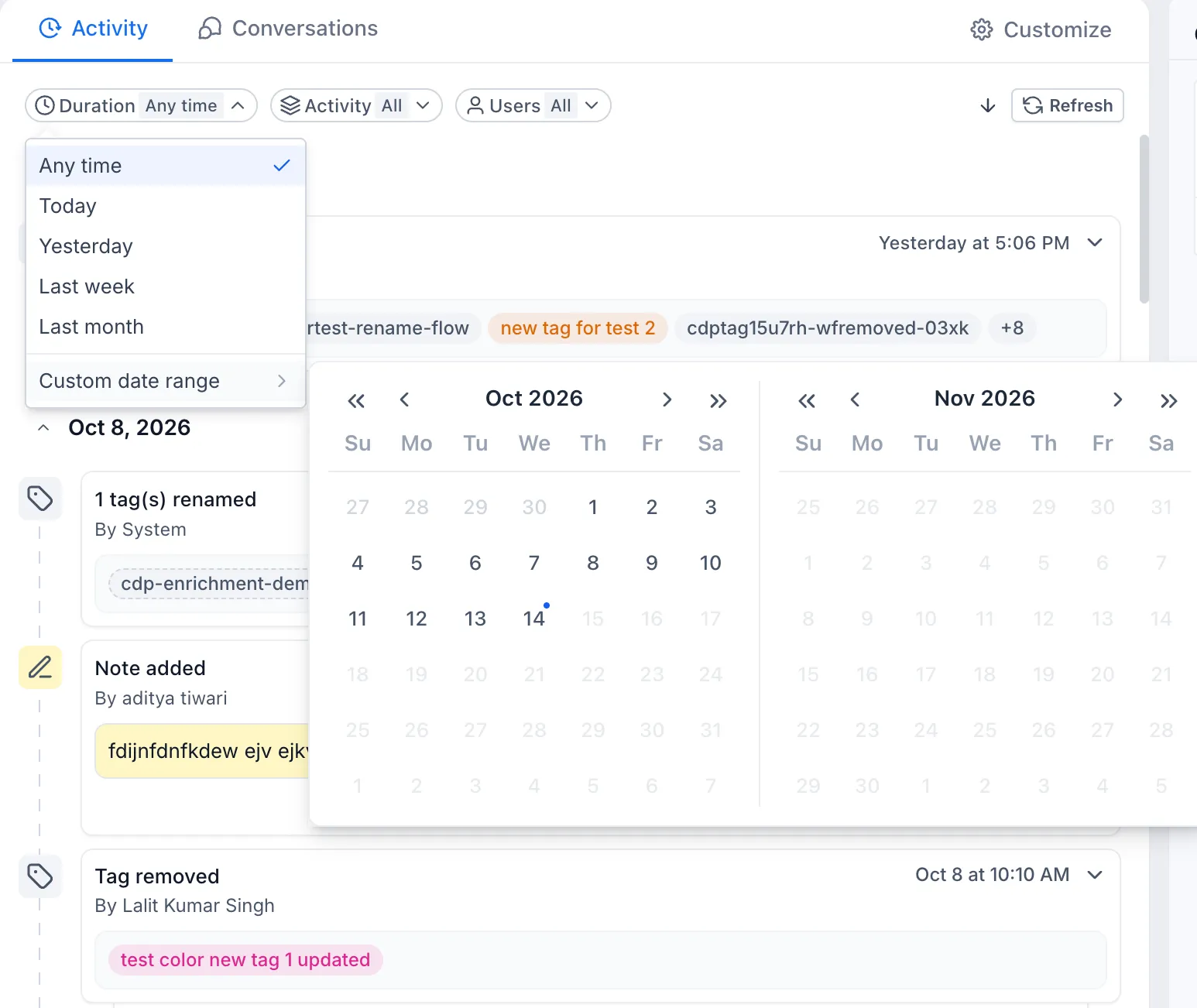
- Duration: Focus on a specific time period.
- Users: View activities associated with specific users.
- Module type: Focus on activities from a particular module.
Updated Layout and Navigation
The activity panel moves from the right side to the center of the contact detail page, alongside Conversations. This makes it easier to switch between messages and activity history.
If you prefer the previous layout, you can move the activity panel back to the right using contact detail page customization.
Release Images
Need Help Applying This Update?
Want help turning this update into a working part of your CRM, marketing, or automation setup?
Get Started or schedule a demo and we’ll help you map the right next step.