Ask AI Scheduler lets you save a prompt once, choose when it should run, and review the completed conversation later in the SMBcrm Mobile app. It extends SMBcrm AI features with recurring tasks that can run even when you are not in the app.
What changed
Previously, Ask AI prompts had to be started interactively in chat. This update turns Ask AI prompts into scheduled tasks that you can manage from your phone.
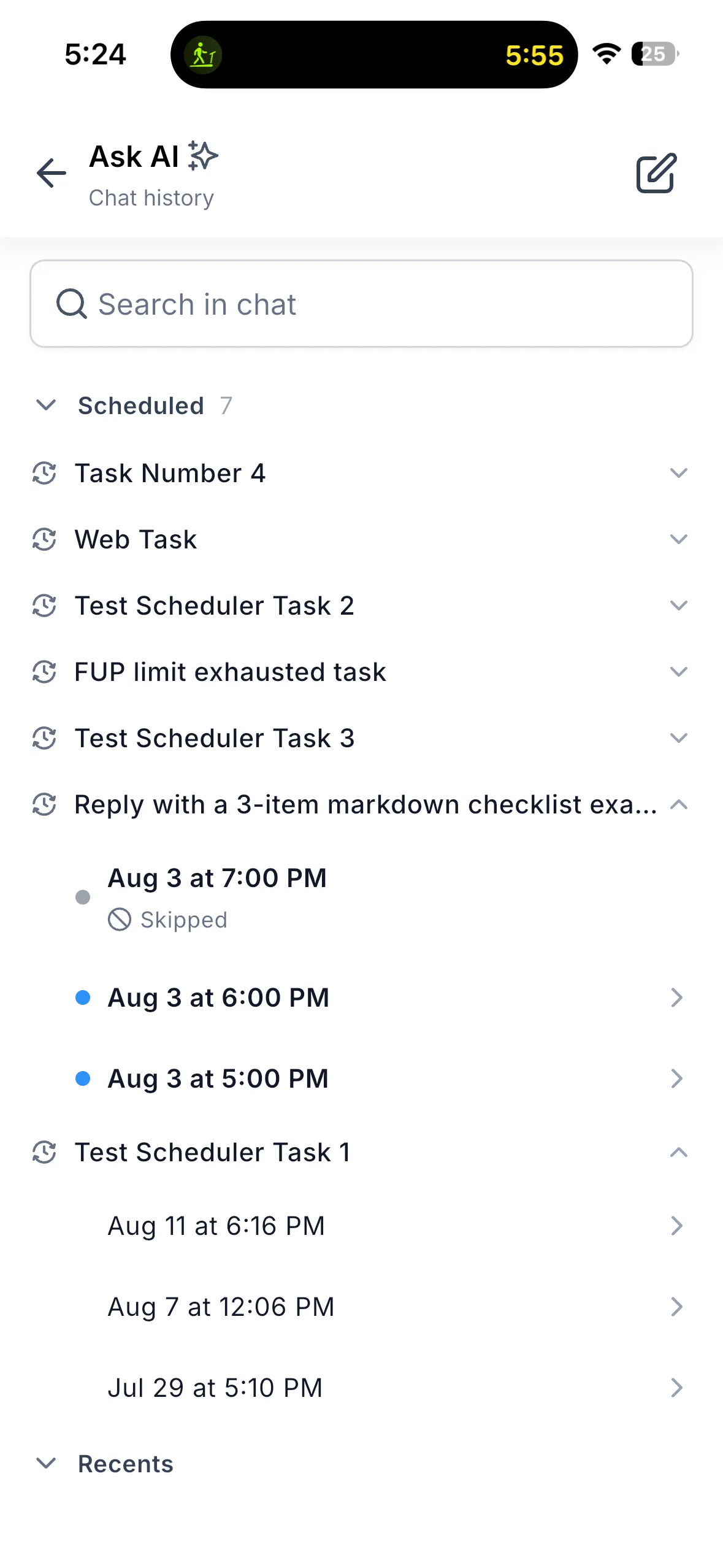
Scheduled runs now have their own Scheduled section in Chat History, separate from Recents, so automated runs do not bury conversations you started yourself.
What you can do
- Schedule prompts to run manually, hourly, daily, on weekdays, or weekly at a selected day and time.
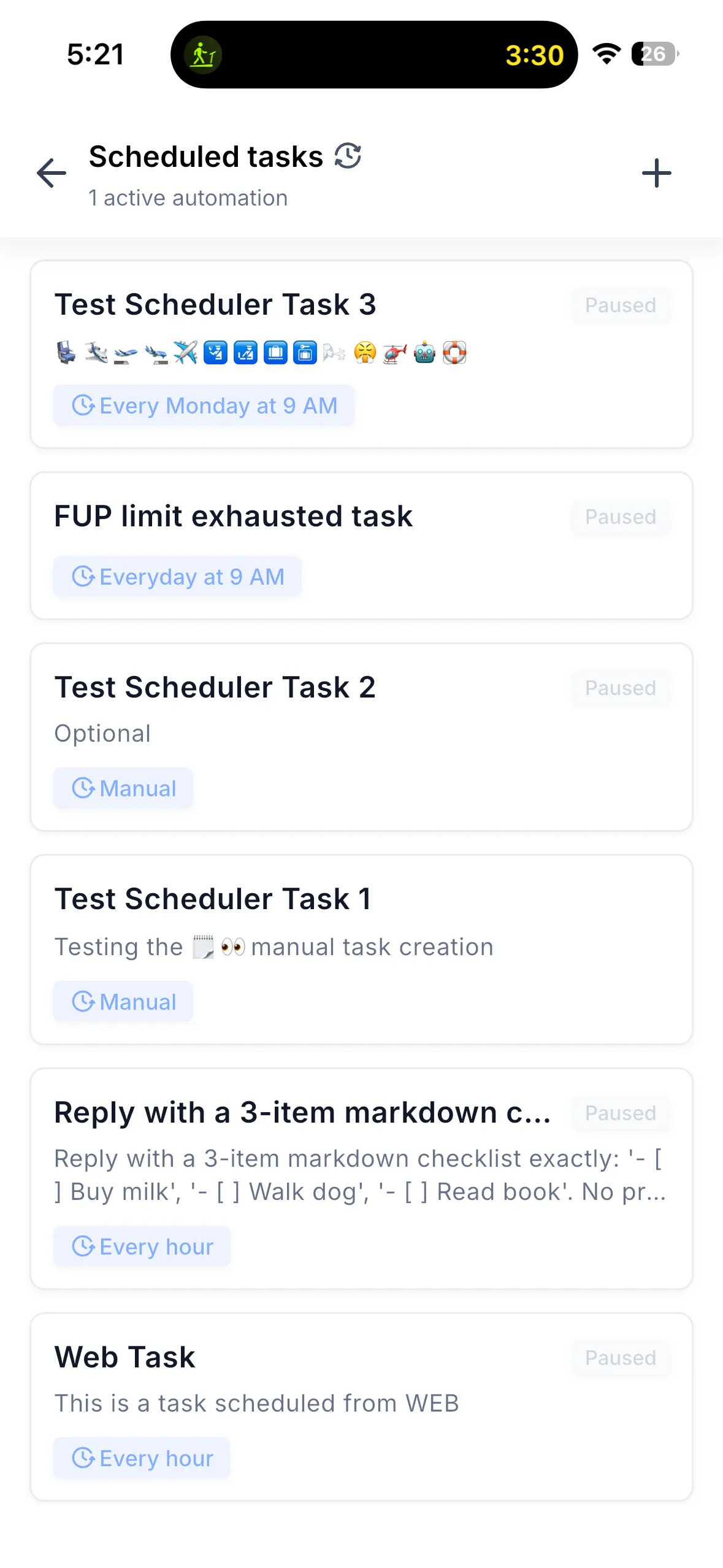
- Create, edit, pause, resume, and delete scheduled tasks from your phone.
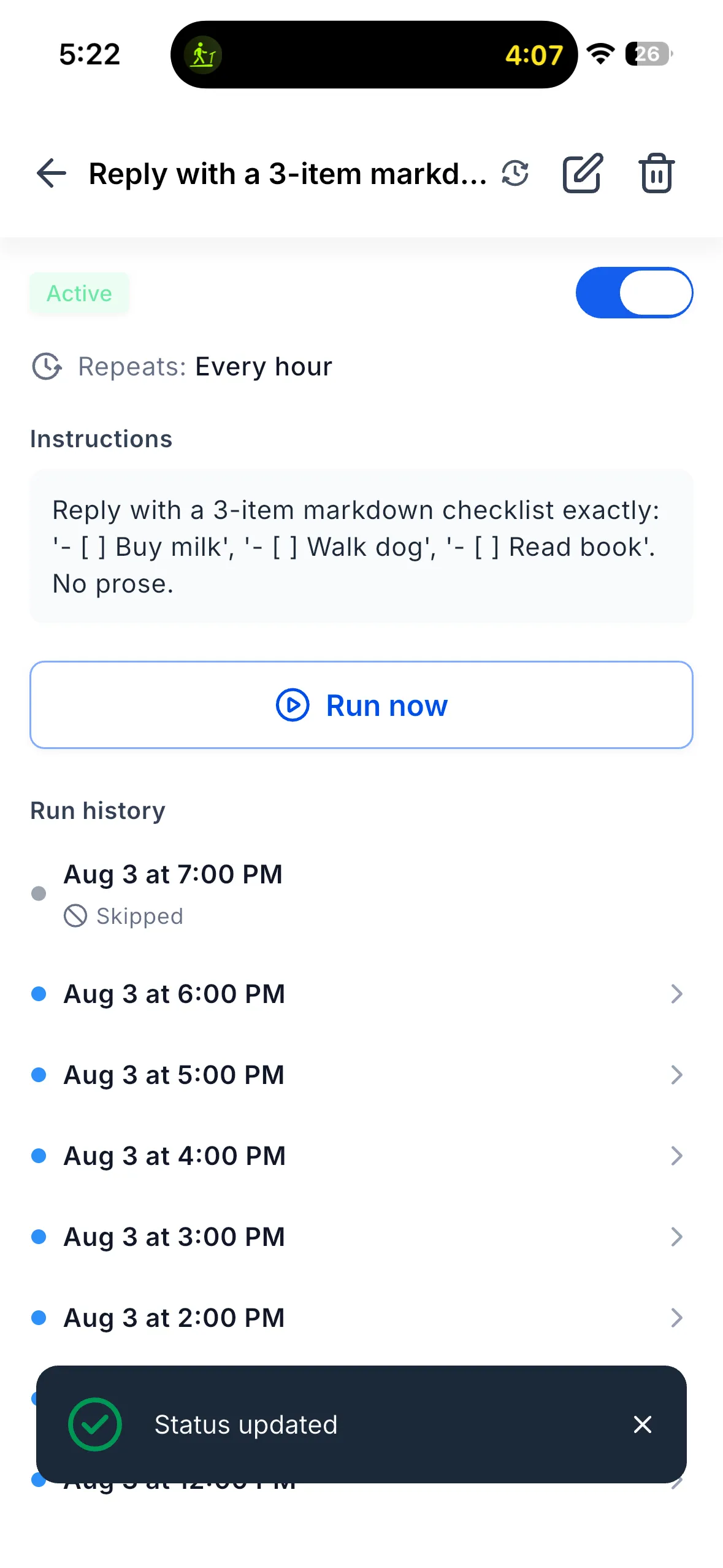
- Use Run now to trigger any task immediately, including a paused task.
- Review run history for each task, including Completed, Skipped, and Failed status, timestamps, and unread markers.
- Open any completed run as a full Ask AI chat conversation.
- Use the same tasks across mobile and web, with shared run history in both places.
How to get started
Open Ask AI in the SMBcrm Mobile app, then tap the recurring-clock icon in the Ask AI header. The control is available from both the bottom sheet and full-screen view.
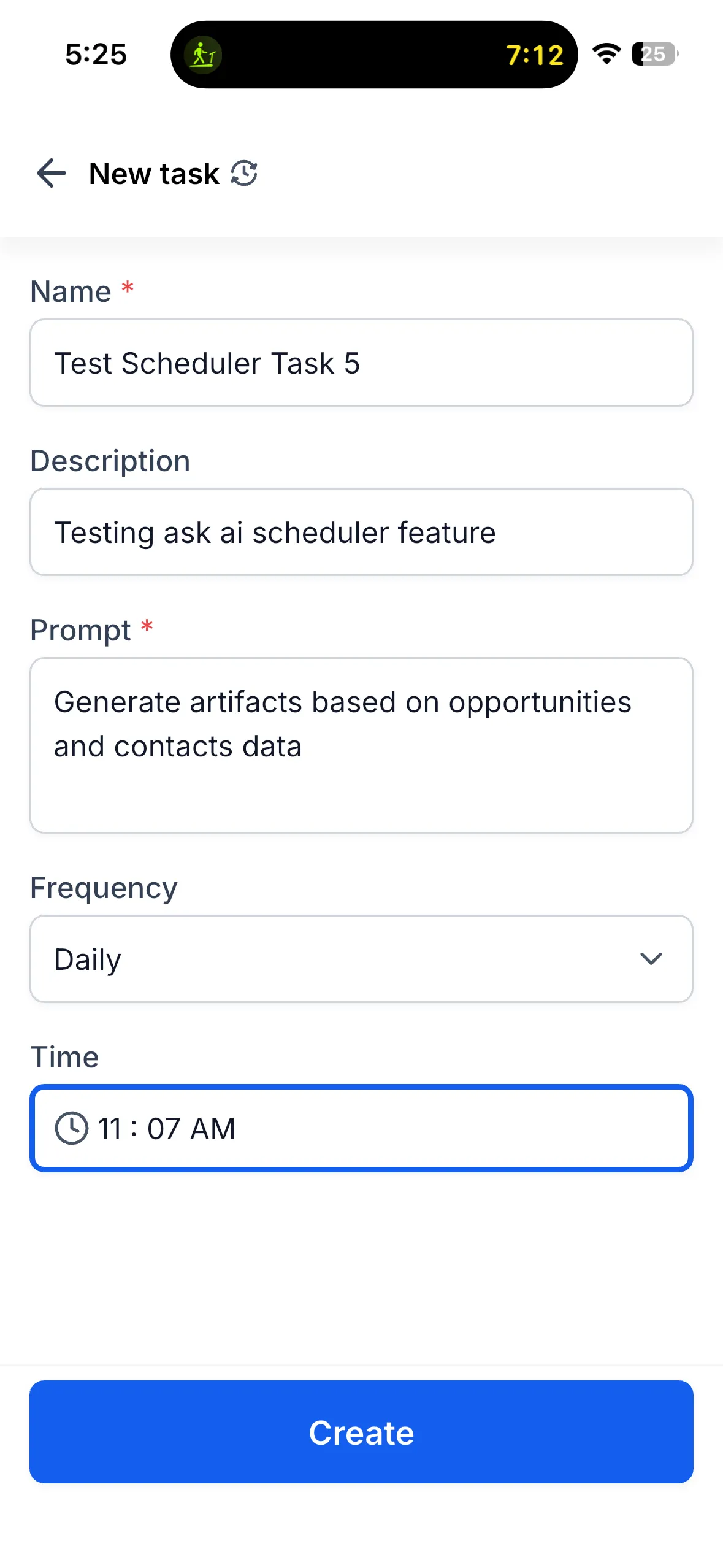
Tap + New task, name the task, add an optional description, enter the prompt, choose a frequency, and set the time. For weekly tasks, choose the day as well. After the task is created, you can pause or resume it, run it immediately, review its history, edit it, or delete it.
Availability
- Release date: August 2026
- Available version: 4.22.0 or higher
- Status: Production
- Supported platforms: iOS and Android
- Cross-platform behavior: tasks created on mobile appear on web and vice versa, with shared run history.
Noted next areas
The release notes list run notifications, richer skipped or failed run detail, custom schedules on mobile, and deeper history navigation as next areas for improvement.
Release Images
Need Help Applying This Update?
Want help turning this update into a working part of your CRM, marketing, or automation setup?
Get Started or schedule a demo and we’ll help you map the right next step.