The Send SMS action lets you send reminders and follow-ups directly from Custom Object and Company workflows in SMBcrm. Keep record updates and customer communication together in your workflow automation.
What Changed
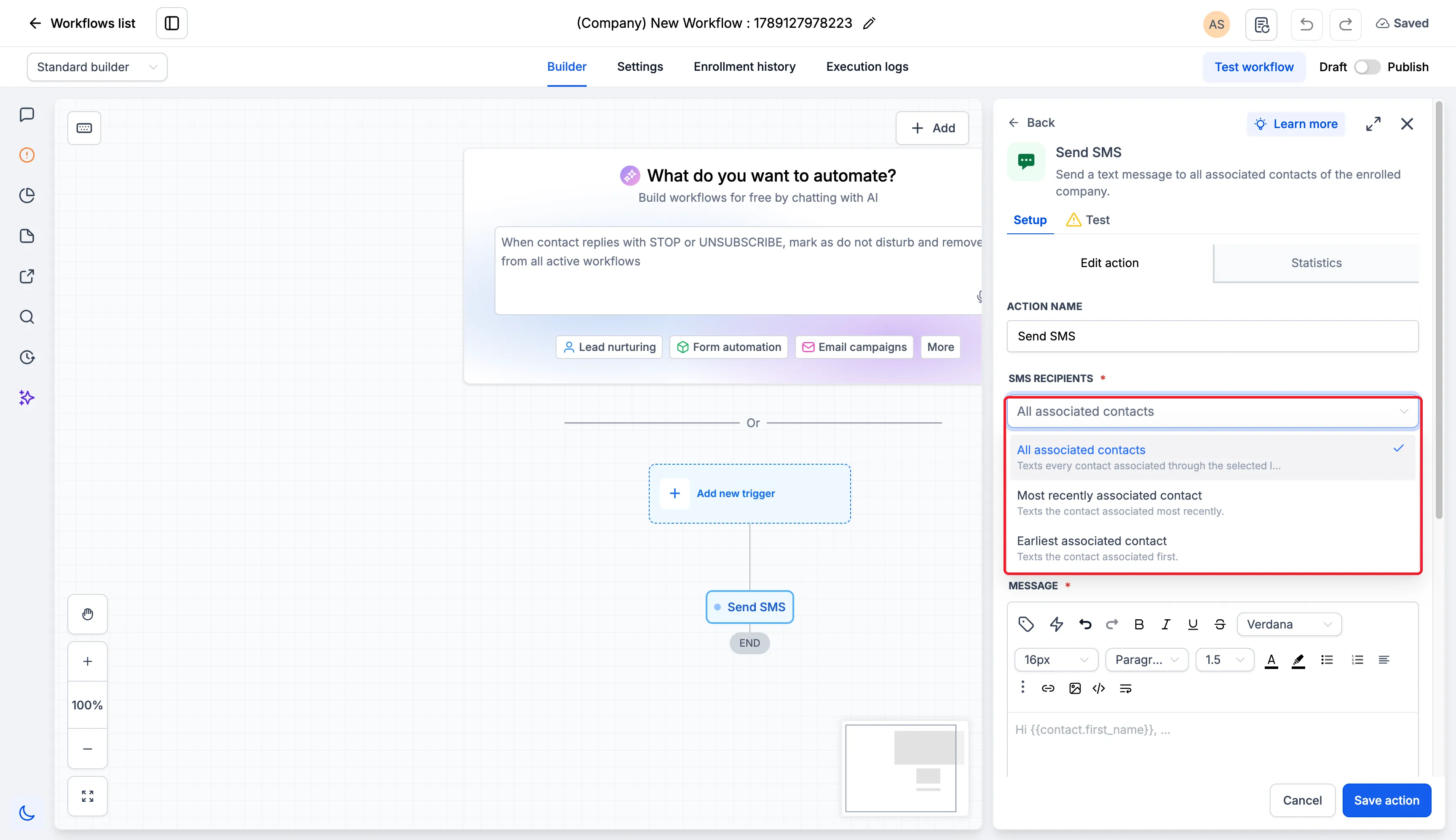
- Select recipients by relationship: Use association labels to target all associated contacts, the most recently associated contact, or the earliest associated contact, where available.
- Personalize with record and contact details: Combine fields from the enrolled Custom Object or Company record with recipient contact fields.
- Write or reuse a message: Compose an SMS or select an SMS template.
- Review delivery results: Open Statistics on the action to view delivery statuses and recipient results.
These options support SMS communication such as renewal reminders, service updates, and account messages that include relevant record details.
How to Use It
- Enable the Send SMS action in Labs.
- Go to Automation > Workflows and open a Custom Object or Company workflow.
- Add the Send SMS action.
- Choose the recipient selection option and one or more association labels.
- Select a template or write your message. Use the custom value picker to combine record fields with recipient contact fields.
- Save the action, review the workflow, and publish when ready.
Recipient Selection Details
- Combining Primary Company with another label uses All associated contacts.
- A contact matching multiple selected labels receives only one SMS per action run.
- After a run, open the action’s Statistics to review recipient results.
Release Images
Need Help Applying This Update?
Want help turning this update into a working part of your CRM, marketing, or automation setup?
Get Started or schedule a demo and we’ll help you map the right next step.