AI Agent Actions in SMBcrm workflows can now have their own hosted chat page. Share a link so existing contacts can talk directly with your agent, without adding a website, widget, or code.
This gives the agents you build with SMBcrm AI features a customer-facing way to answer questions and perform configured actions.
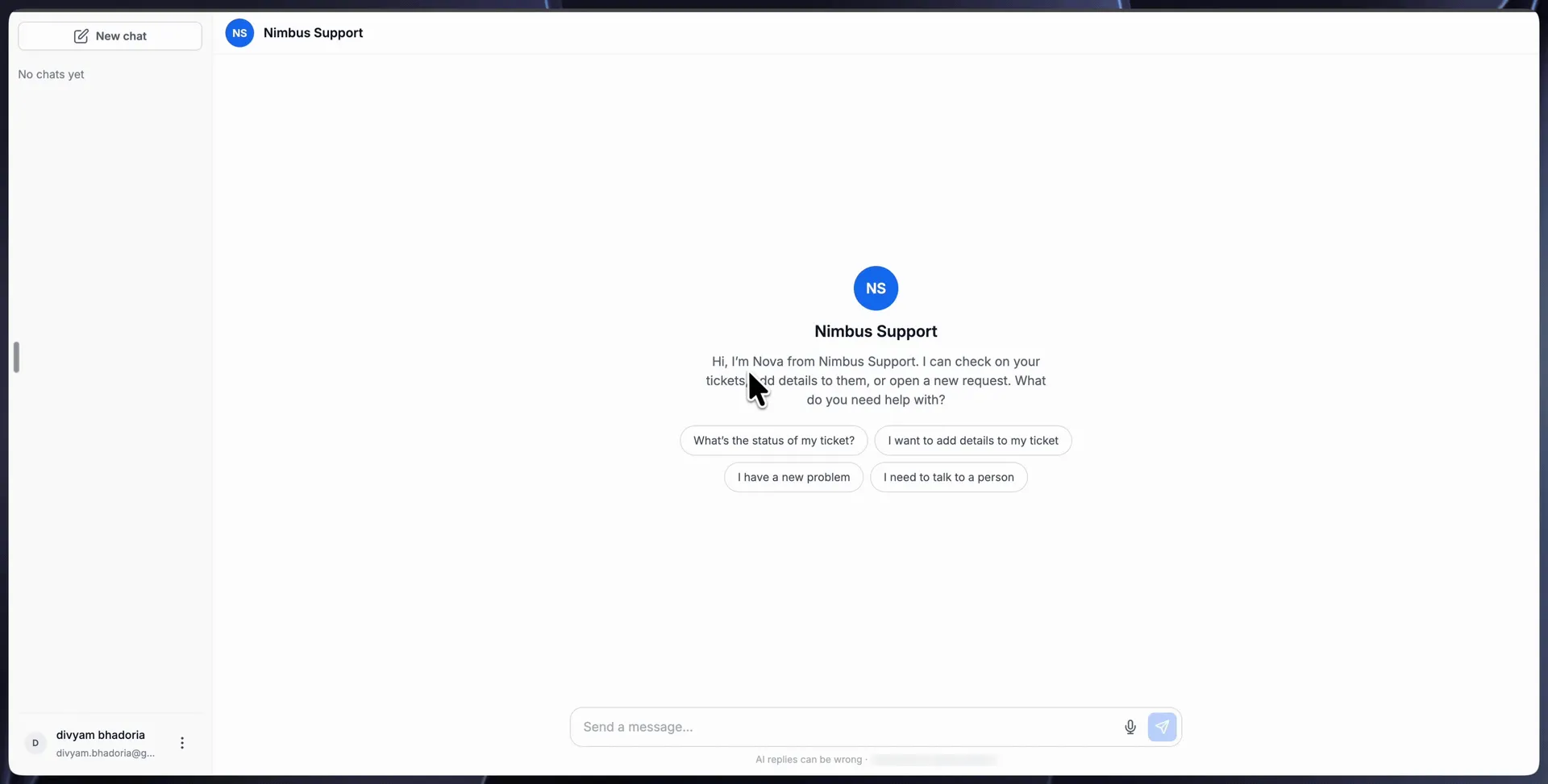
What the Chat Page Includes
- Verified access: Visitors sign in using their email address and a one-time code. Their email must match an existing contact in your account.
- Custom appearance: Set a display name, avatar initials, welcome message, suggested prompts, and an unavailable message.
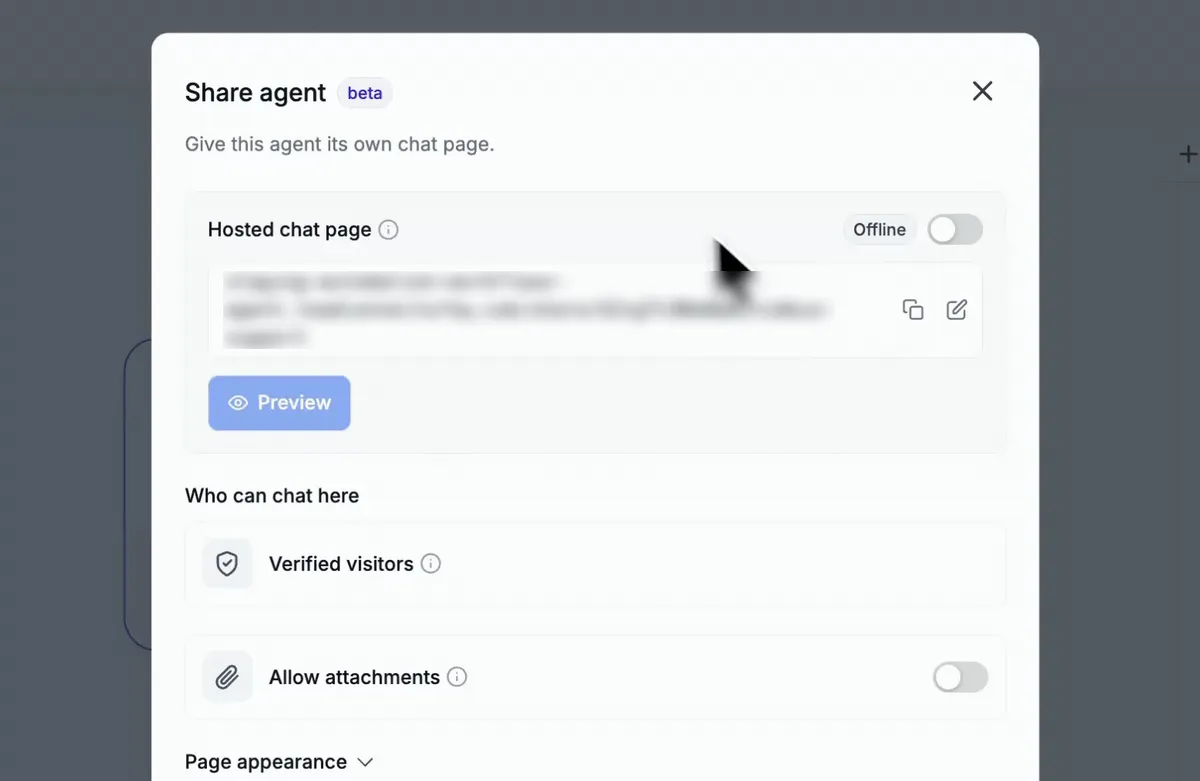
- Live and offline controls: The page starts offline. Publish the workflow and switch the page to Live before sharing it.
- Chat tools: Visitors can type or dictate messages, start a new chat, and return to previous chats in the sidebar.
- Session review: Open Agent Chats to see messages, tool calls, and token usage for each session.
Set Up a Shareable Link
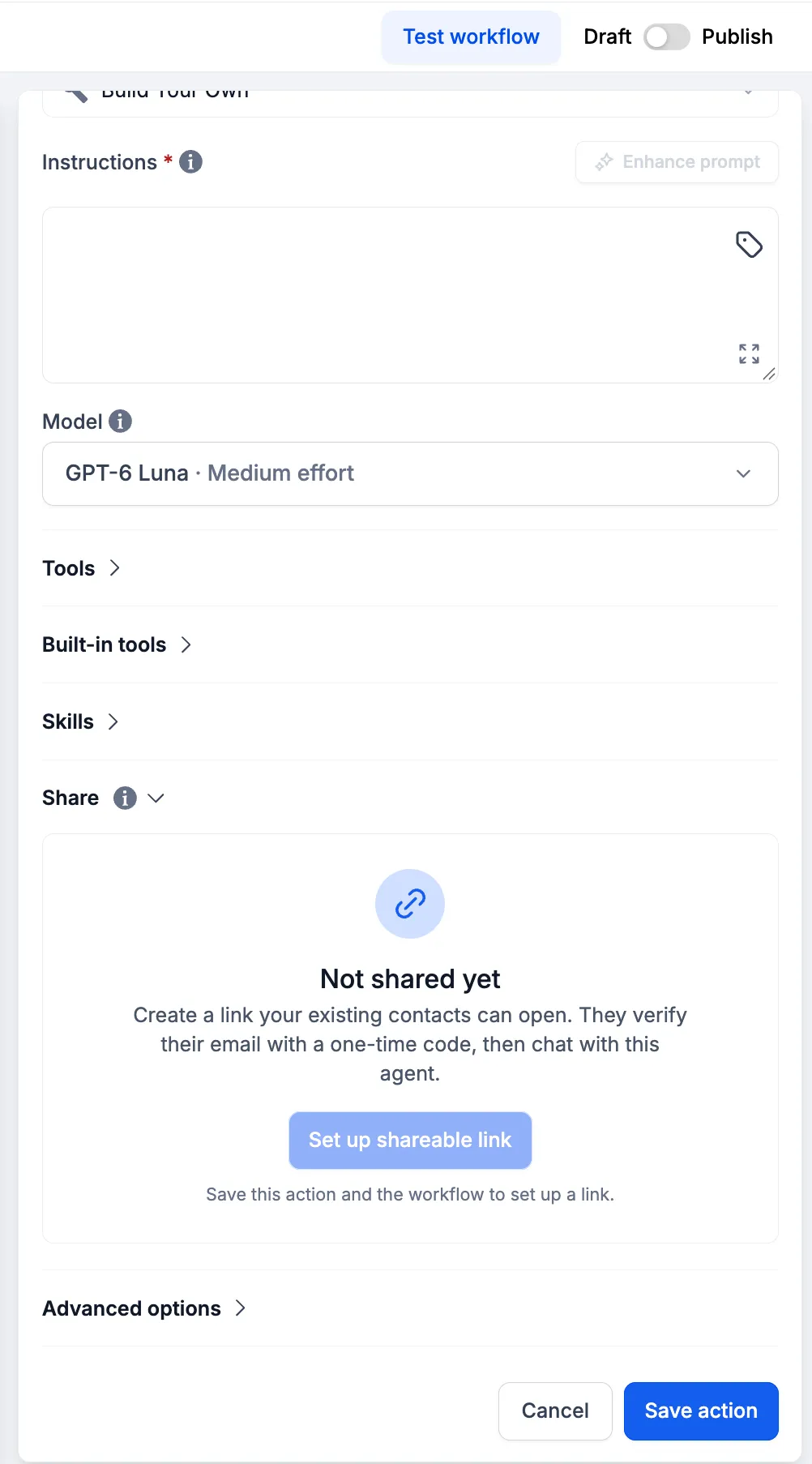
- Go to Automation > Workflows and open your AI Agent Action.
- In the Share section, select Set up shareable link.
- Add the display name, avatar initials, welcome message, suggested prompts, and unavailable message.
- Select Create link.
- Publish your workflow.
- Switch Hosted chat page from Offline to Live.
- Select Preview to review the customer experience, then share the link.
- Return to the Share section to open Agent Chats and review sessions.
The hosted page uses the agent configured in your SMBcrm workflow automation. For example, an agent configured with ticketing tools can look up a ticket, add a note, or create a ticket during a customer chat.
Important Details
- Each visitor reply is billed like an AI Agent execution in your workflow.
- The link stays offline until the workflow is published, and the page must be switched to Live.
- Only verified visitors who already exist as contacts in your account can chat.
- AI replies can be incorrect. The page displays a notice about this to visitors.
Release Images
Need Help Applying This Update?
Want help turning this update into a working part of your CRM, marketing, or automation setup?
Get Started or schedule a demo and we’ll help you map the right next step.