Six new filters in Conversations help you find messages that need attention without manually scanning the inbox or switching between Contacts and Opportunities. This update to SMBcrm’s communication tools brings more CRM context into inbox management.
What You Can Filter
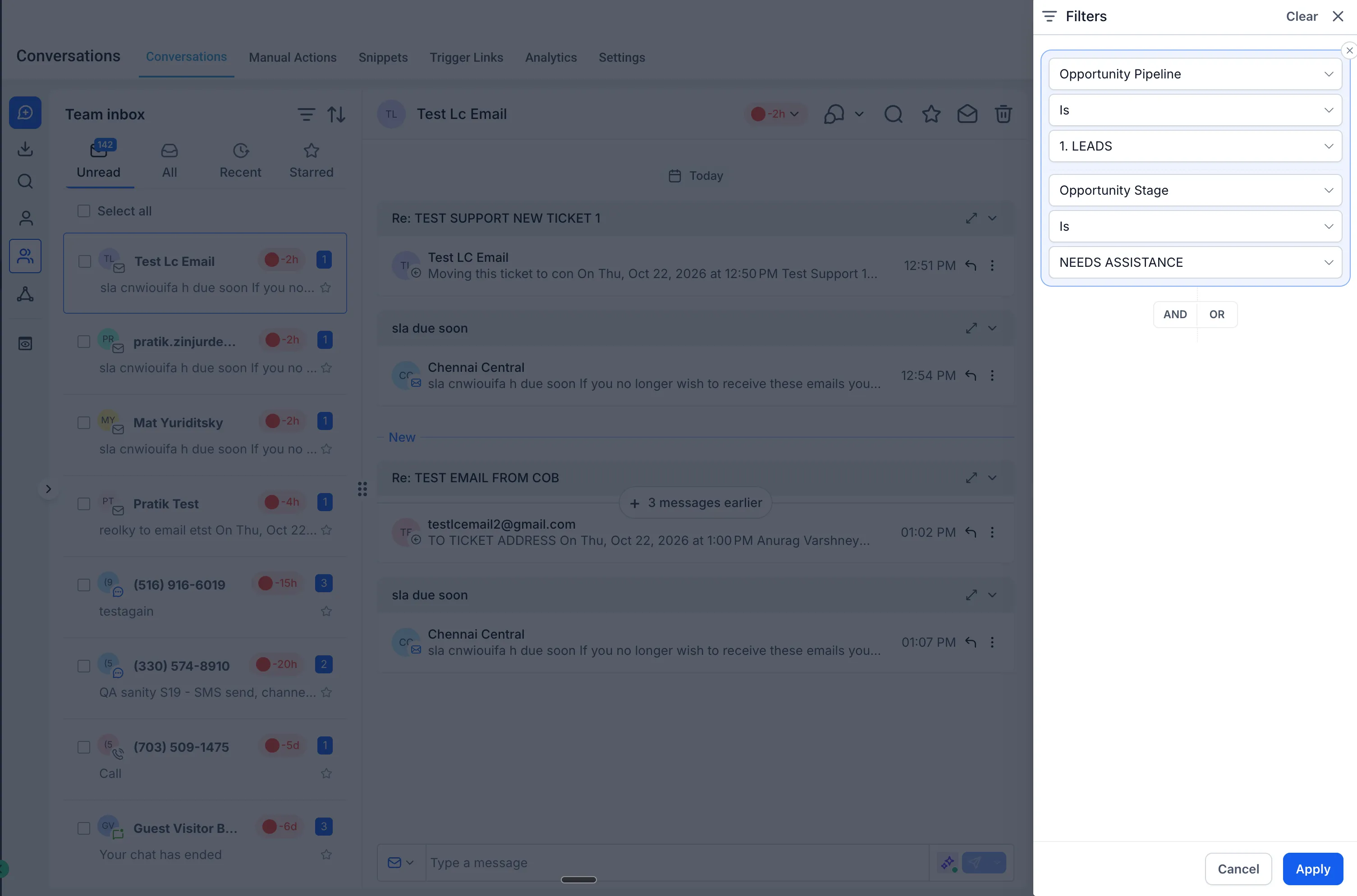
- Opportunity Pipeline: Find conversations associated with a contact’s opportunity pipeline. If a contact has opportunities in multiple pipelines, the conversation appears when at least one opportunity matches the selected pipeline.
- Opportunity Stage: Narrow conversations by opportunity stage, such as Appointment Scheduled, Proposal Sent, or Negotiation. Available stages depend on the selected pipeline.
- Opportunity Status: Filter by open, won, lost, or abandoned opportunities to focus on active deals or review past outcomes.
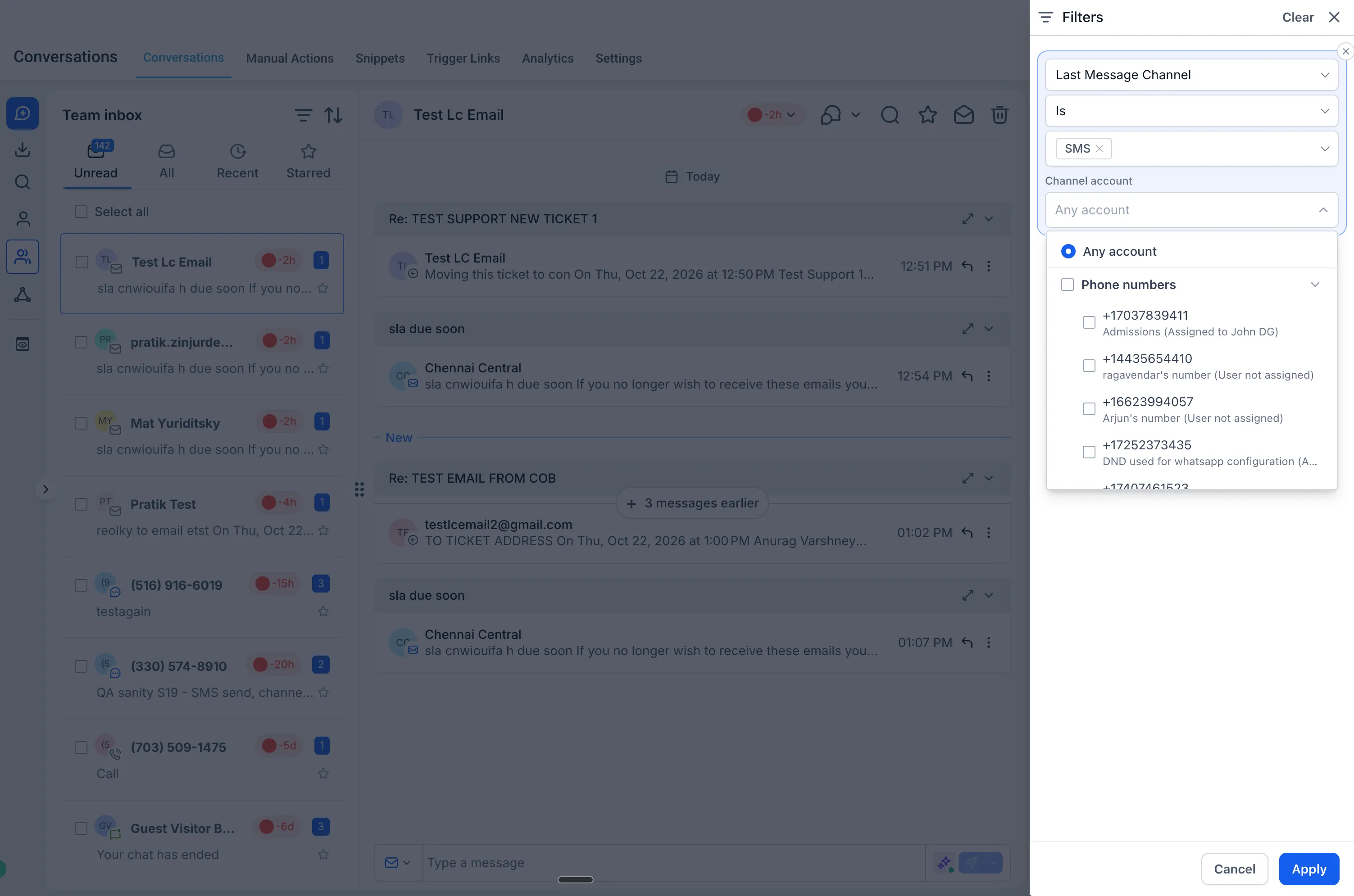
- Channel Account: Find conversations based on the channel account associated with the most recent message, such as a specific phone number, connected Facebook page, or connected Instagram account.
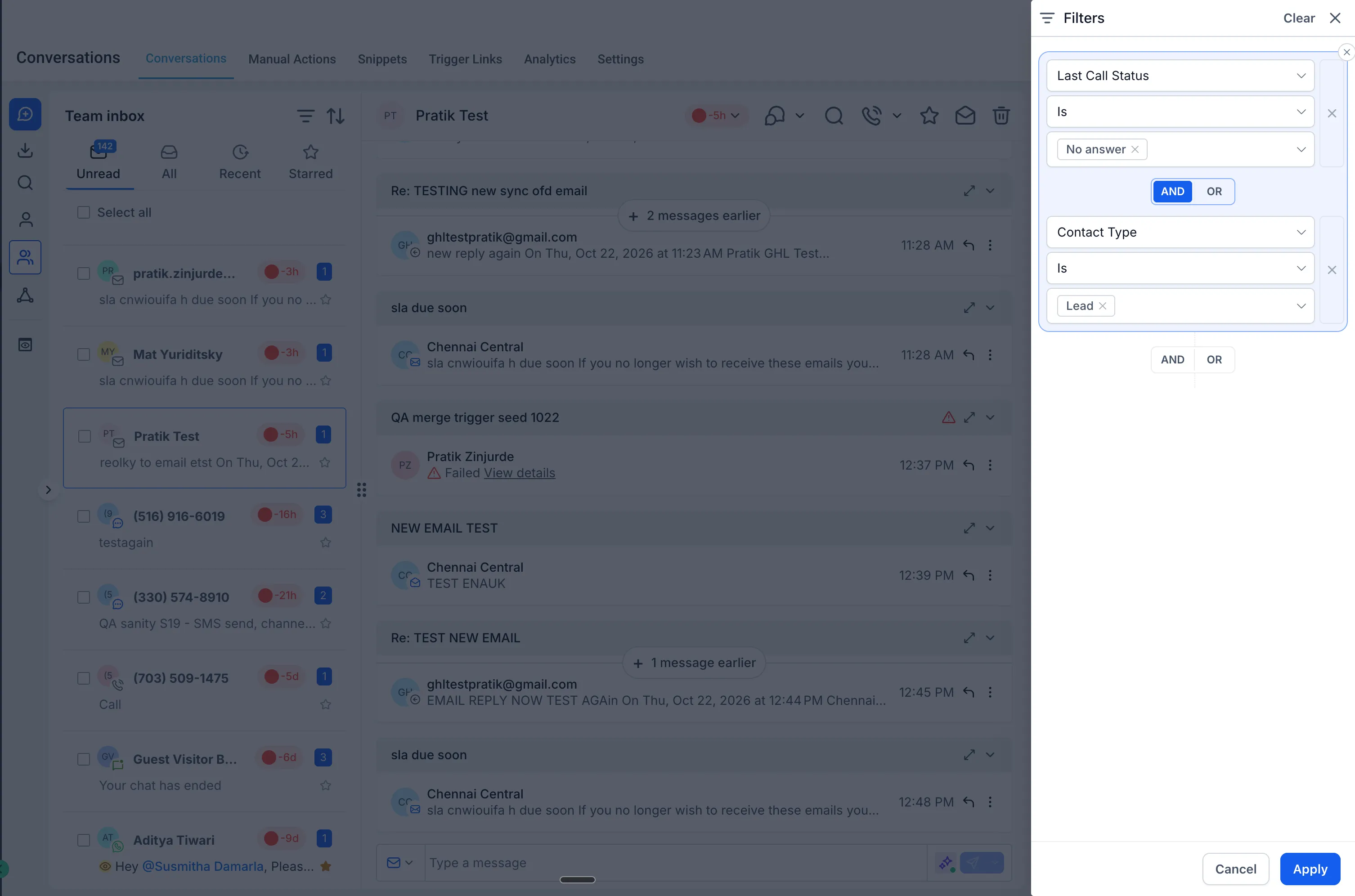
- Last Call Status: Filter by the outcome of the most recent call, such as completed, no answer, or voicemail, to prioritize callbacks.
- Contact Type: Separate conversations with Leads, Customers, or custom contact types configured in your account.
All six filters can be combined with existing filters using AND/OR conditions.
How to Use the Filters
- Go to Conversations and click the Filters icon at the top of the conversation list.
- Open the Filter Type dropdown and choose a filter.
- Select one or more values and click Apply.
- Add more filters to combine conditions, or use Clear to reset the inbox.
Use these filters to focus on unanswered calls, opportunities that need follow-up, or customers who need support without scrolling through unrelated conversations.
Release Images
Need Help Applying This Update?
Want help turning this update into a working part of your CRM, marketing, or automation setup?
Get Started or schedule a demo and we’ll help you map the right next step.