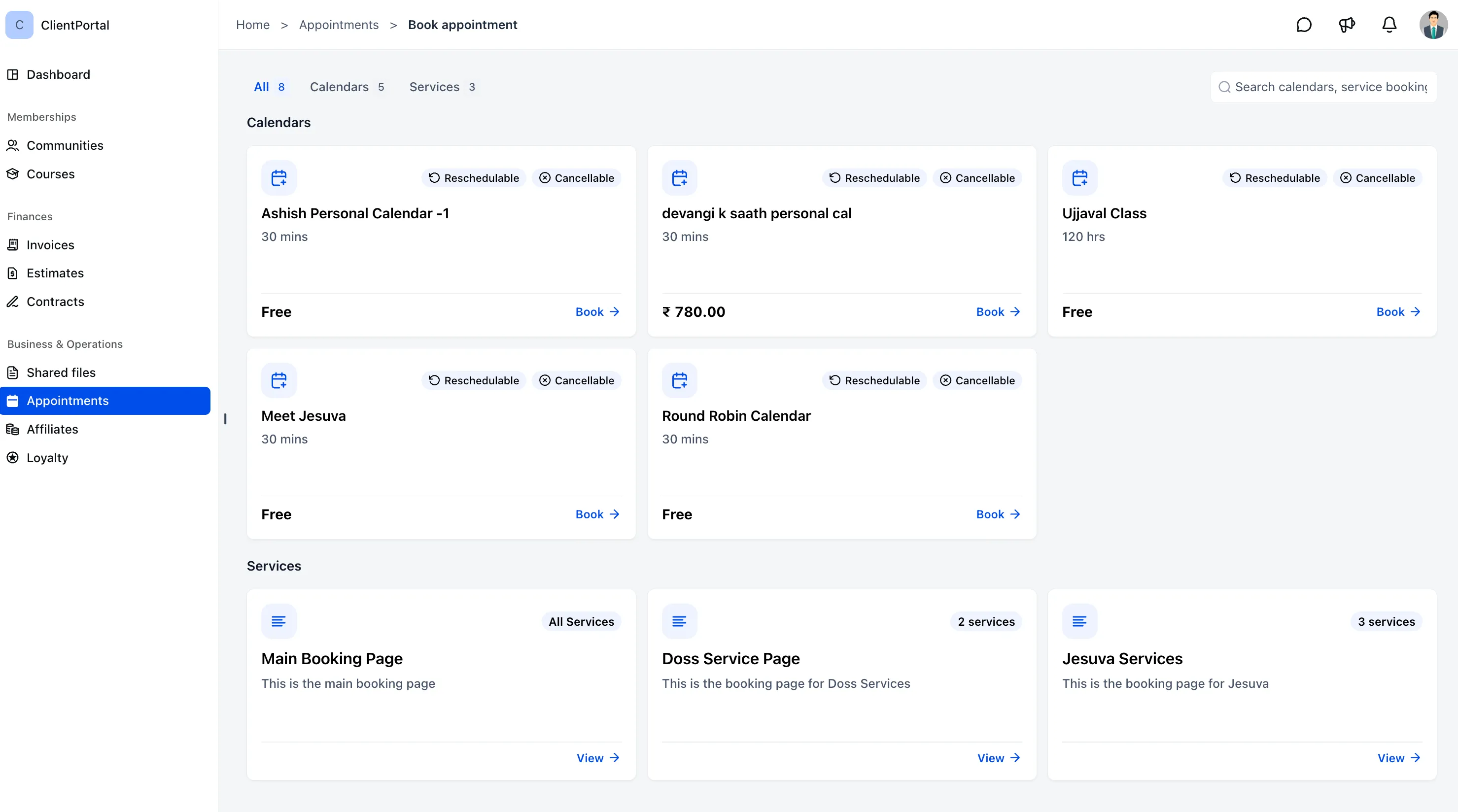
Service booking is now available in the new Client Portal. Clients can discover and book enabled services without separate booking links or leaving the portal.
What Changed
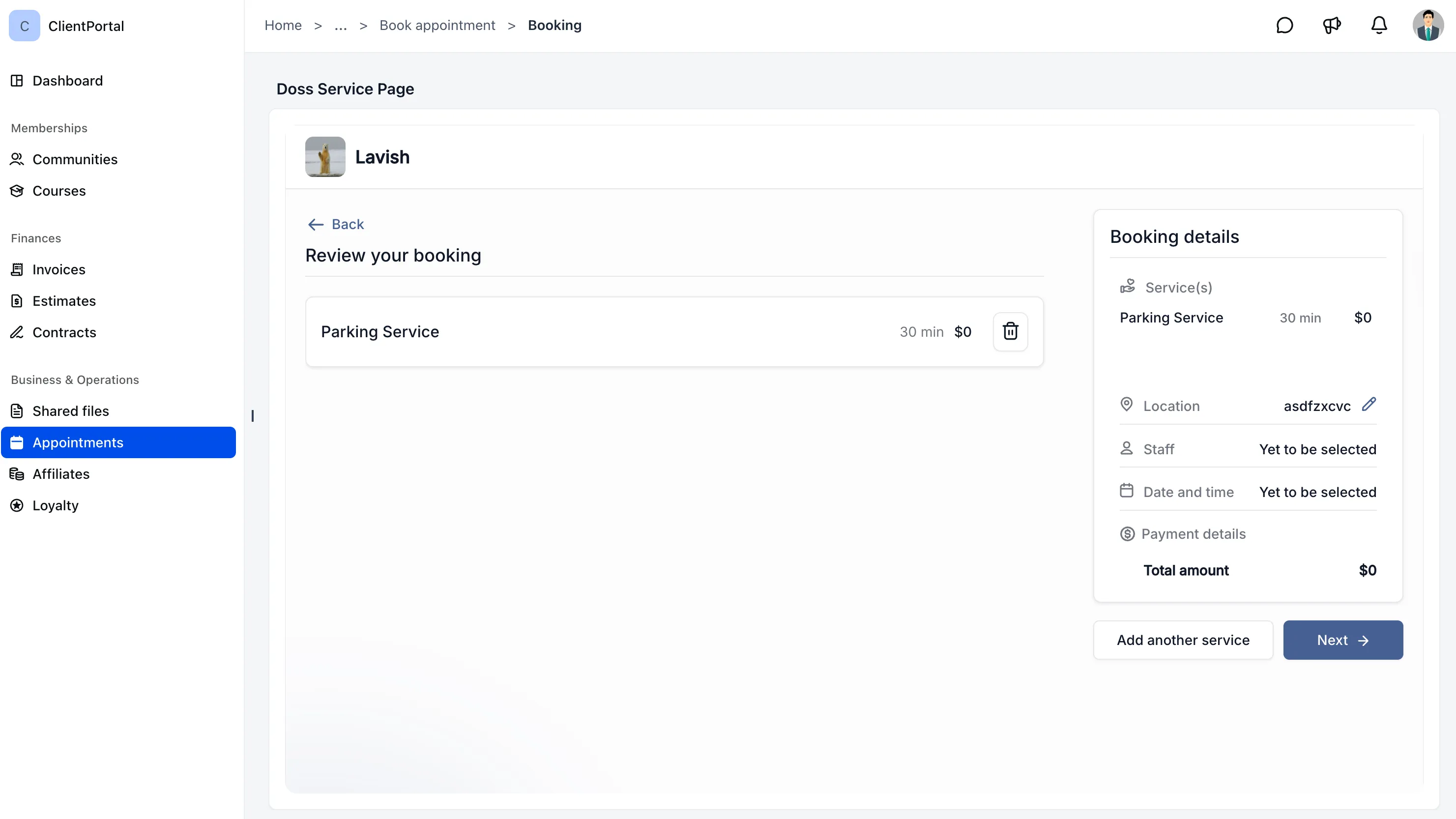
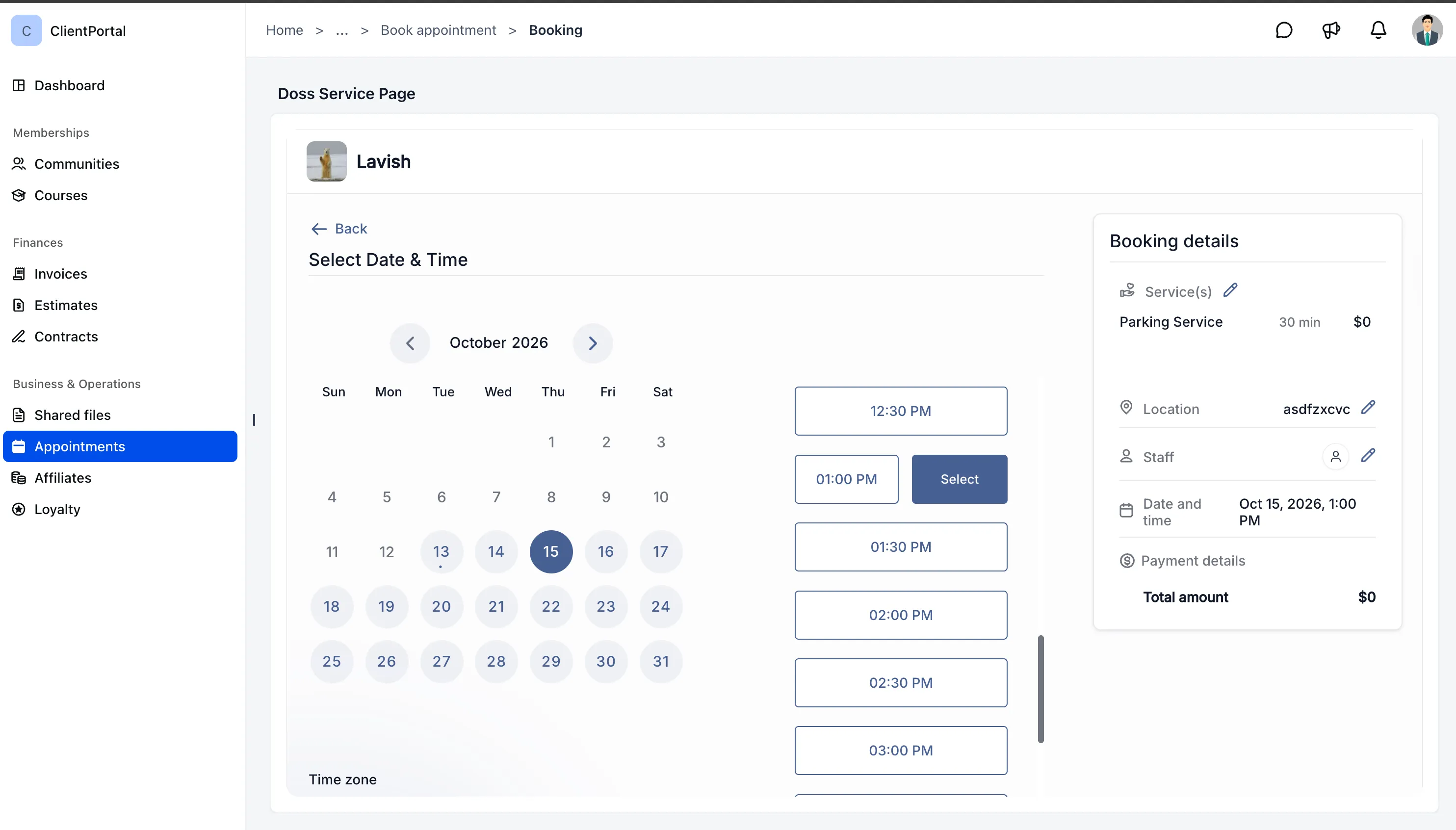
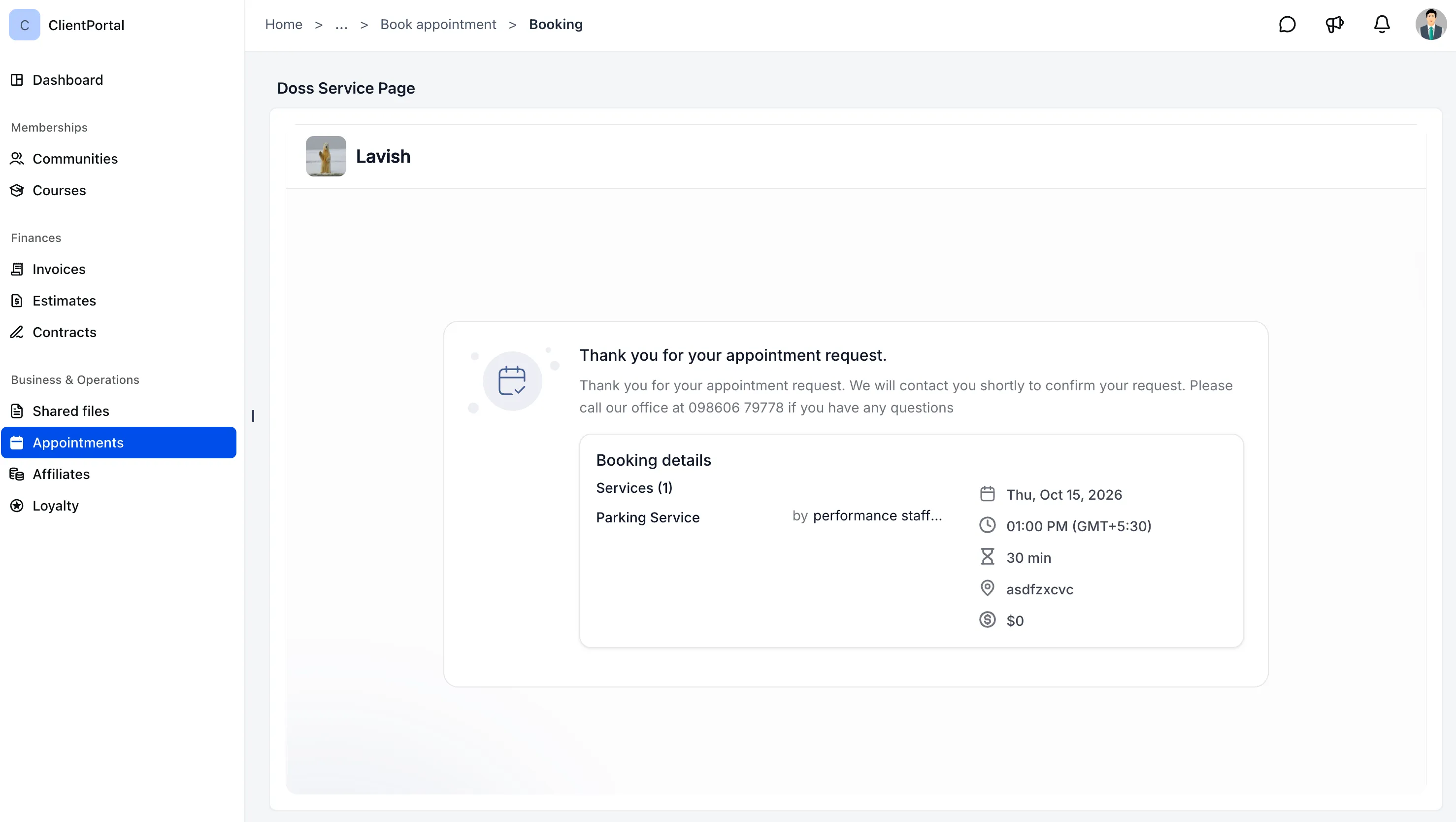
- Book services directly: Clients can explore available services, choose a date and time, and complete their booking in the portal.
- Prefilled client details: Client information fills in automatically, with single-service or multiple-service booking supported depending on your setup.
- Manage eligible bookings: Clients can reschedule or cancel service appointments according to your calendar settings.
- View appointments together: Meetings and service bookings appear under Appointments, organized into Upcoming and Past.
- Choose what clients can book: Control which service booking pages are accessible through the Client Portal.
How to Enable Service Booking
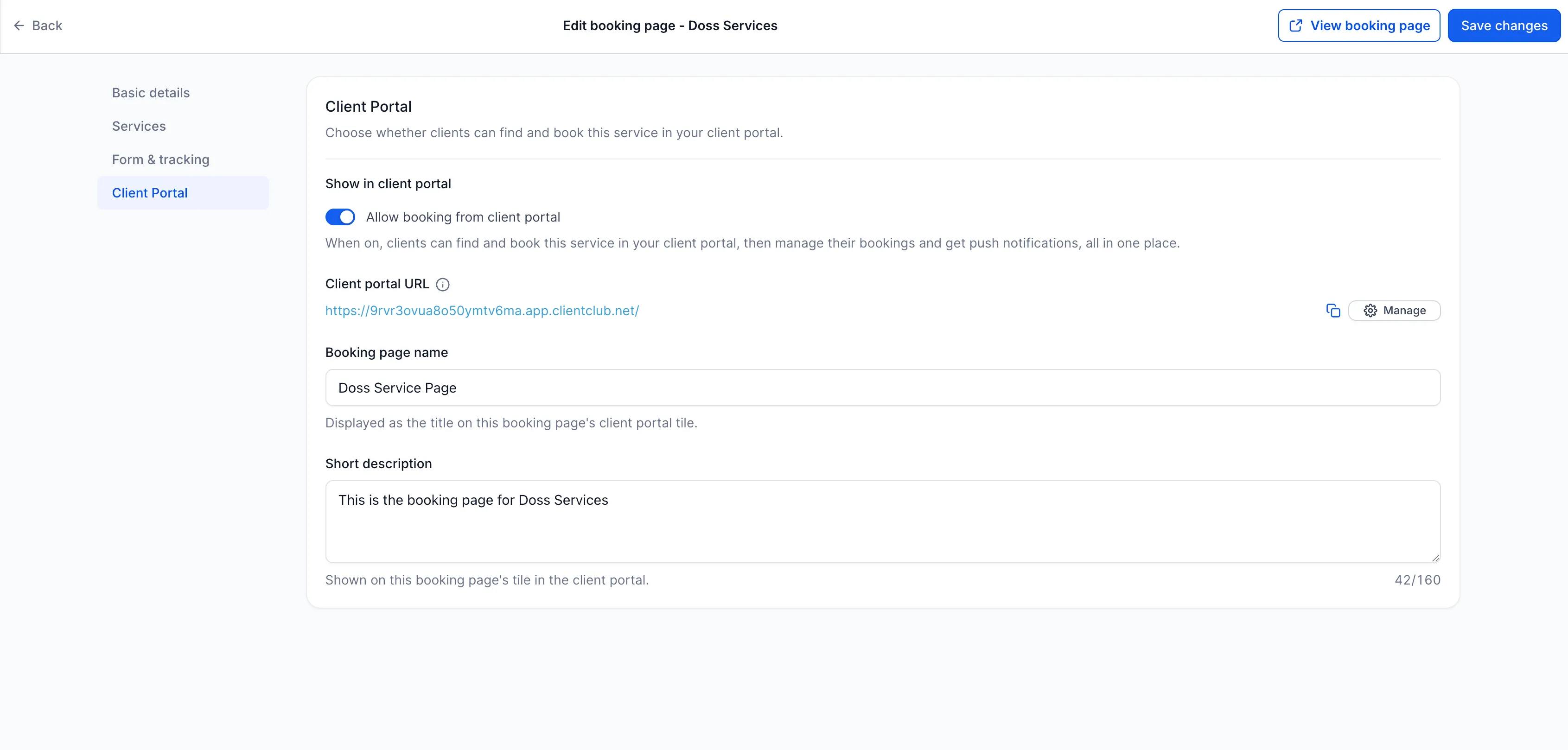
1. Enable a Service Booking Page
- Go to Calendars → Services → Booking Pages.
- Open the booking page you want clients to access.
- Under Client Portal, enable Allow booking from client portal.
- Click Save changes.
2. Enable Appointments in the Client Portal
- Go to Memberships → Client Portal → Settings → App Permissions.
- Enable Appointments.
- Click Save.
Clients can then discover and book your enabled services directly from the new Client Portal.
Release Images
Need Help Applying This Update?
Want help turning this update into a working part of your CRM, marketing, or automation setup?
Get Started or schedule a demo and we’ll help you map the right next step.