Smarter Calendar Sync for Rental Availability
SMBcrm has improved how imported calendars affect rental availability when external calendars send date-only bookings without start and end times.
Previously, these bookings could be interpreted as 12:00 AM to 12:00 AM blocks. For rentals with set rental times, such as 3:00 PM starts and 11:00 AM ends, that could make neighboring dates appear unavailable.
What changed
Date-only imports use your rental times
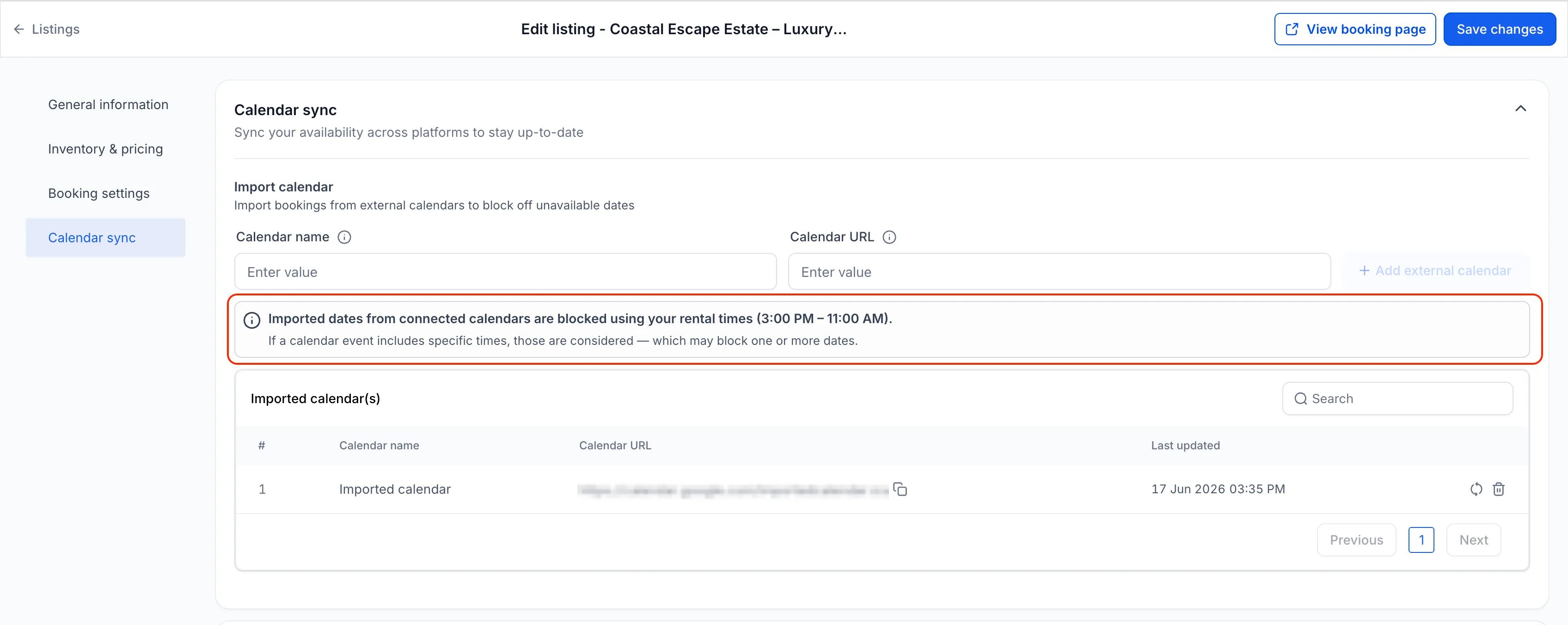
For applicable rental booking periods, imported calendar bookings without exact times now block availability using the listing’s configured rental times or rental hours.
This applies to:
- Date Selector mode
- Fixed Durations mode for daily, weekly, or monthly rentals
For example, if a rental uses 3:00 PM start and 11:00 AM end times, and an imported calendar blocks April 15 to April 17, SMBcrm now blocks availability from April 15 at 3:00 PM to April 17 at 11:00 AM.
Timestamped imports use exact times
When imported calendar events include specific start and end times, SMBcrm respects those exact times. This helps shorter, partial-day, and overnight events block only the time range provided by the connected calendar.
For booking modes where customers select a time, imported events continue to use exact timestamps. If the external calendar does not provide exact start and end times, the block continues to cover the full day.
Future imported events stay aligned
When booking modes or rental times are updated, future and ongoing imported events are automatically recalculated using the latest listing configuration. Past imported events remain unchanged.
How to use it
- Edit a rental listing.
- Connect an external calendar through Calendar Sync.
- Configure the booking mode and rental times.
- Imported bookings will be blocked using the appropriate logic for that listing.
If booking mode or rental times change later, future imported events will reflect the latest configuration automatically.
Why it matters
- Improves accuracy for availability from connected calendars
- Supports external booking platforms that sync date-only events
- Helps prevent neighboring dates from being blocked unintentionally
- Makes calendar sync behavior clearer across booking pages and calendar views
In Case You Missed It
For another calendar-related improvement, read Appointment Sorting in Contacts and Conversations.
Need Help Applying This Update?
Want help turning this update into a working part of your CRM, marketing, or automation setup?
Get Started or schedule a demo and we’ll help you map the right next step.