Xero Sync Adds Smarter Contact Controls
SMBcrm’s Xero sync now gives you more control over which contacts sync into your CRM and where supplier records are stored.
Previously, connecting Xero brought every active contact into the standard contact list. That could mix suppliers, vendors, and other non-customer records with leads and customers.
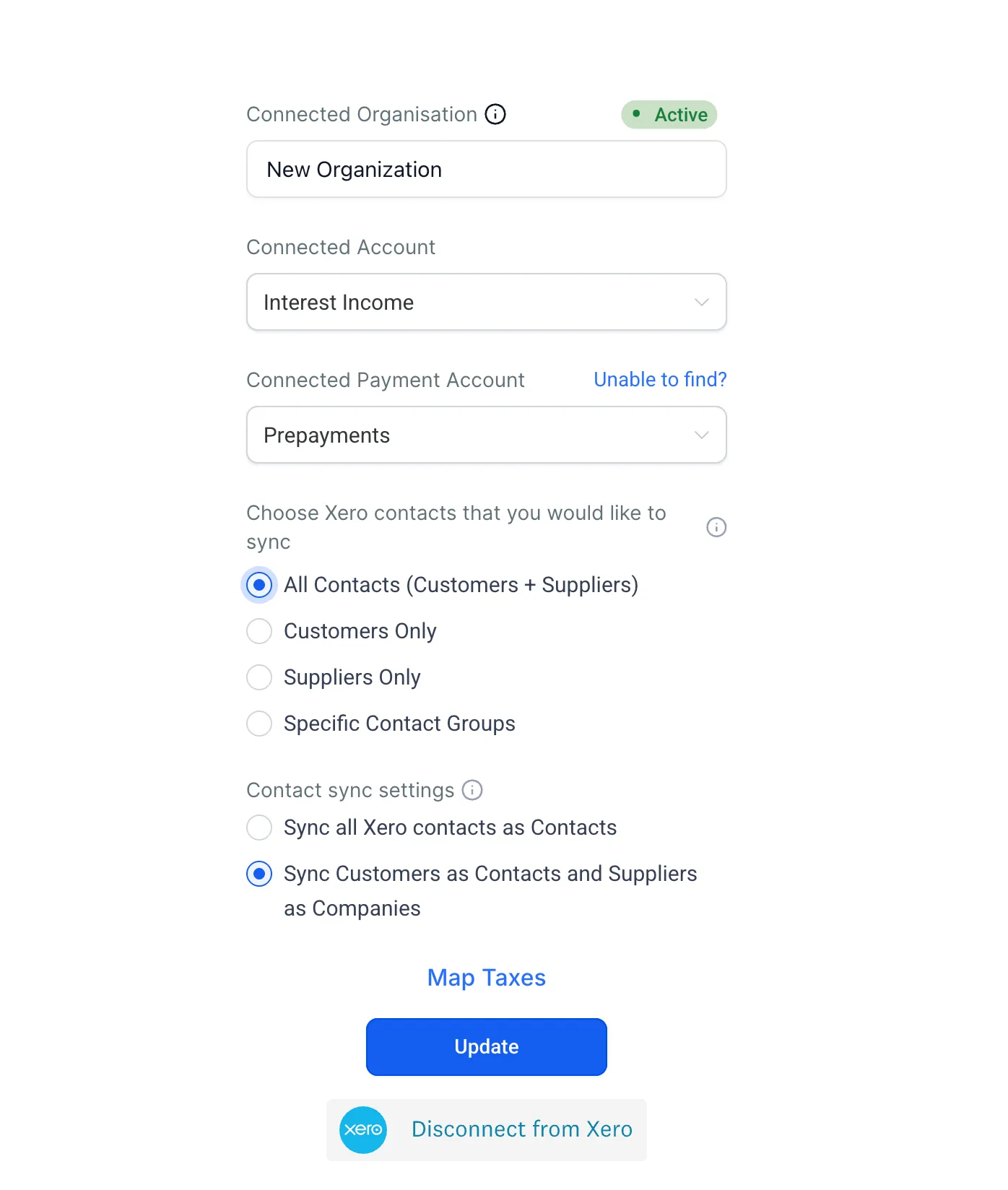
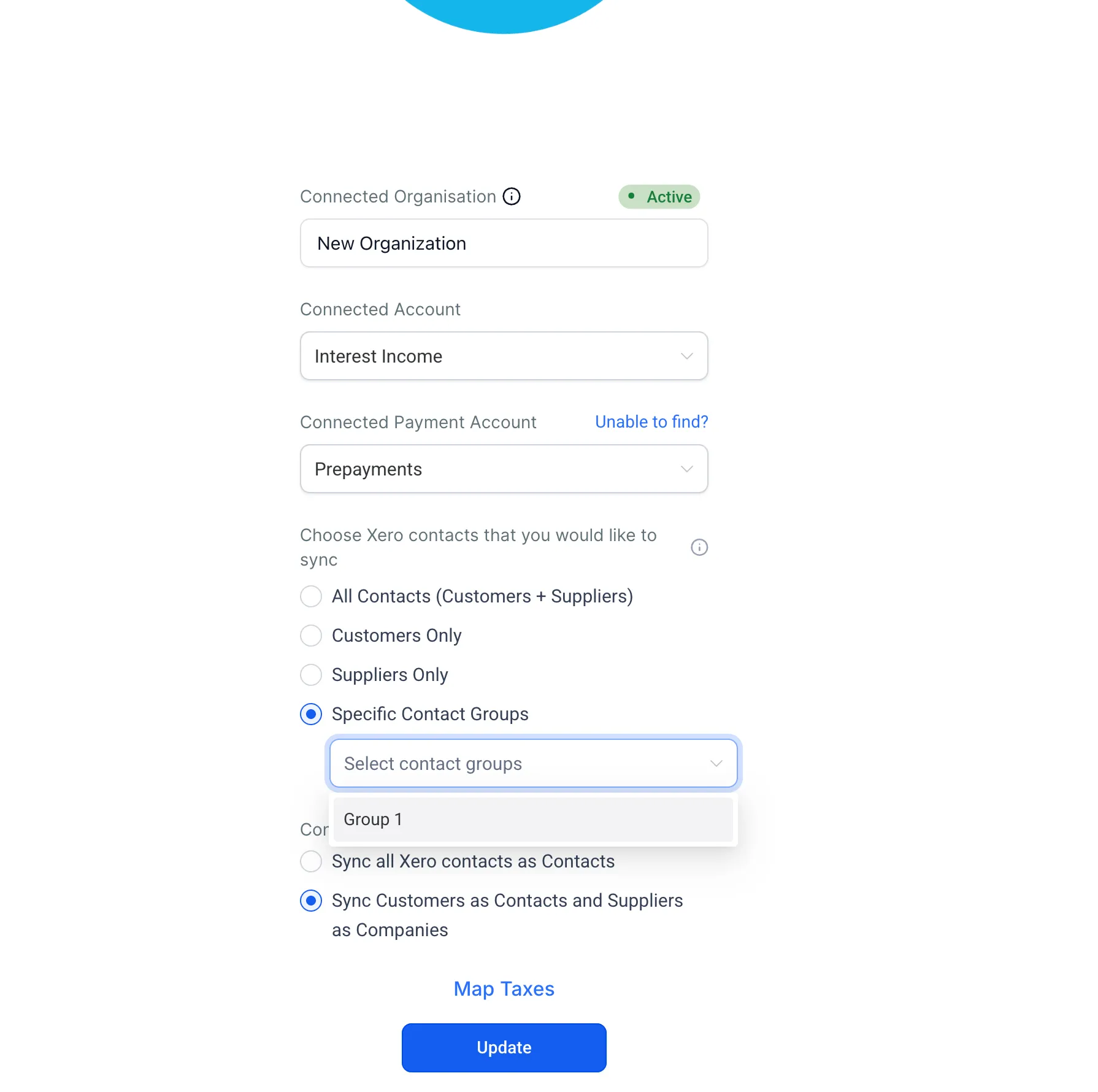
With the updated Xero connection settings, you can choose the contacts you want to sync and decide whether suppliers should stay in contacts or be routed to business records. This helps keep your CRM and Payments & Commerce data cleaner and easier to work with.
What Changed
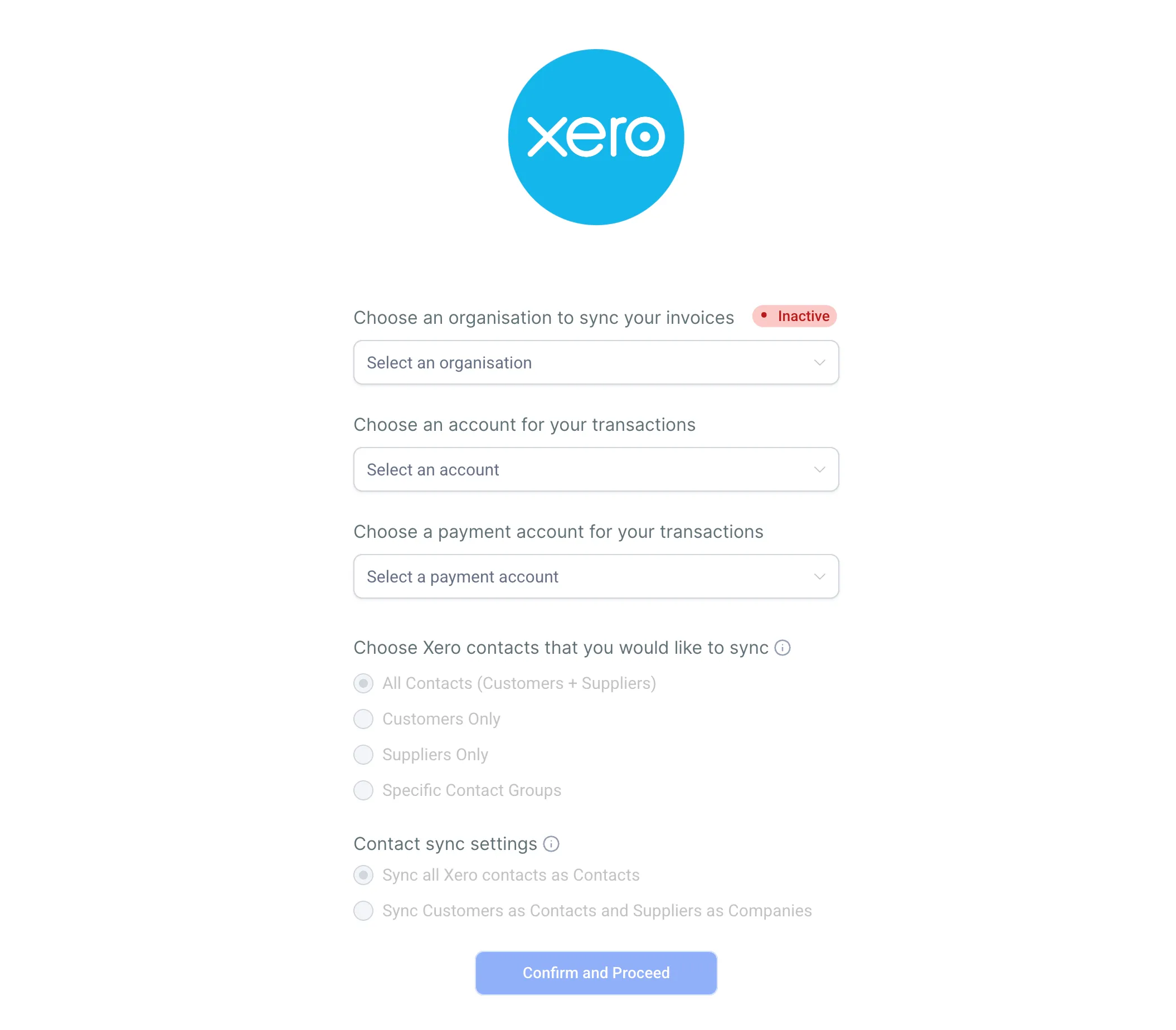
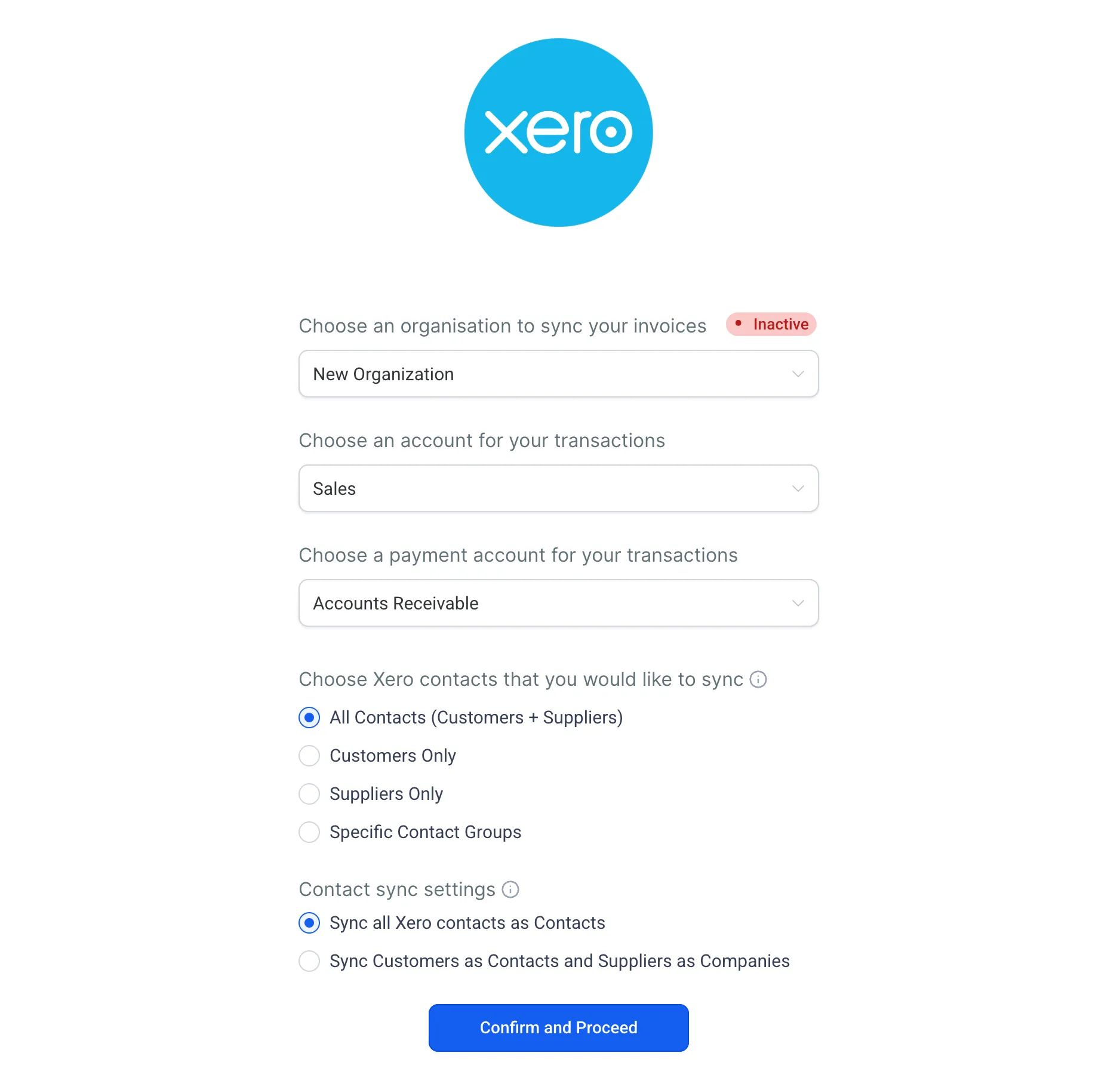
You now have two contact sync settings on the Xero connection screen:
- Which contacts to sync: Choose all contacts, only customers, only suppliers, or one or more specific Xero contact groups.
- How suppliers are handled: Keep all synced records in contacts, or split suppliers into business records.
Why It Matters
A cleaner contact list can make day-to-day CRM work easier. You can reduce unwanted supplier records in contacts, improve segmentation, and work from a list that better reflects your actual customers and leads.
Existing Xero sync setups are not changed unless you update these settings. Both settings default to the original behavior.
How to Update Your Xero Sync Settings
- Go to Payments > Invoices & Estimates > Accounting Sync.
- Select Manage on your connected Xero account.
- Set Which contacts to sync to All Contacts, Only Customers, Only Suppliers, or selected Xero contact groups.
- Set How suppliers are handled to All to Contacts or Split by type.
- Save your preferences.
Your next sync will use the updated settings.
Good to Know
- This update is available on web only.
- It applies to Xero only. QuickBooks and Wave contact sync settings are not yet configurable.
- Both settings default to the original behavior, so existing integrations are unaffected until you opt in.
- Split by type routes suppliers to business records, not the standard contact list.
- Contact group filtering requires existing Xero contact groups to be set up in Xero first.
In Case You Missed It
For another workflow update, read Notify Followers and Opportunity Owners in Workflows.
Release Images
Need Help Applying This Update?
Want help turning this update into a working part of your CRM, marketing, or automation setup?
Get Started or schedule a demo and we’ll help you map the right next step.