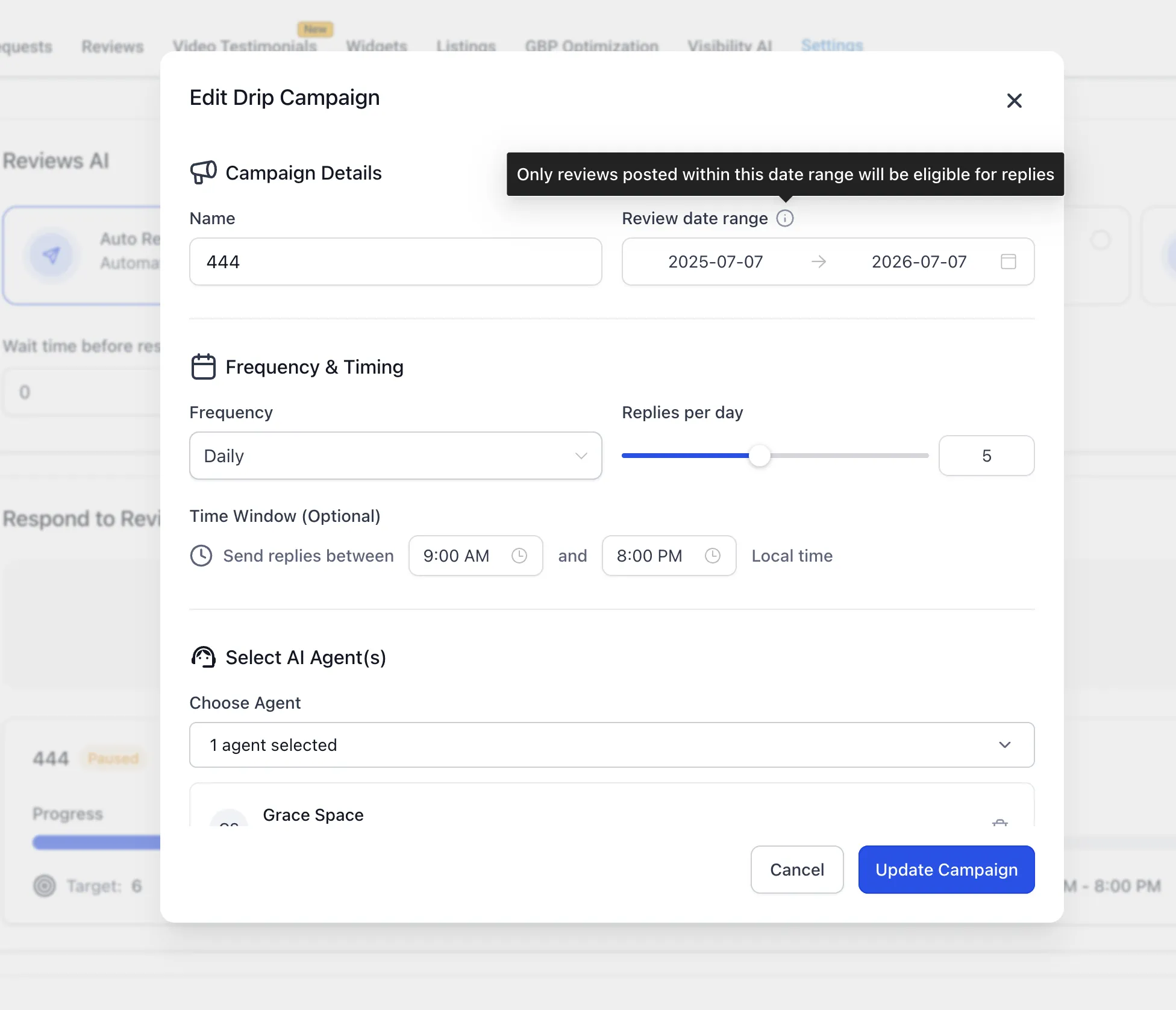
Reviews AI drip campaigns can now target reviews from a specific date range. This gives you a way to work through a defined period of reviews rather than selecting them only by age.
Choose the reviews to include
- Open Reputation → Settings → Reviews AI → Drip Campaign.
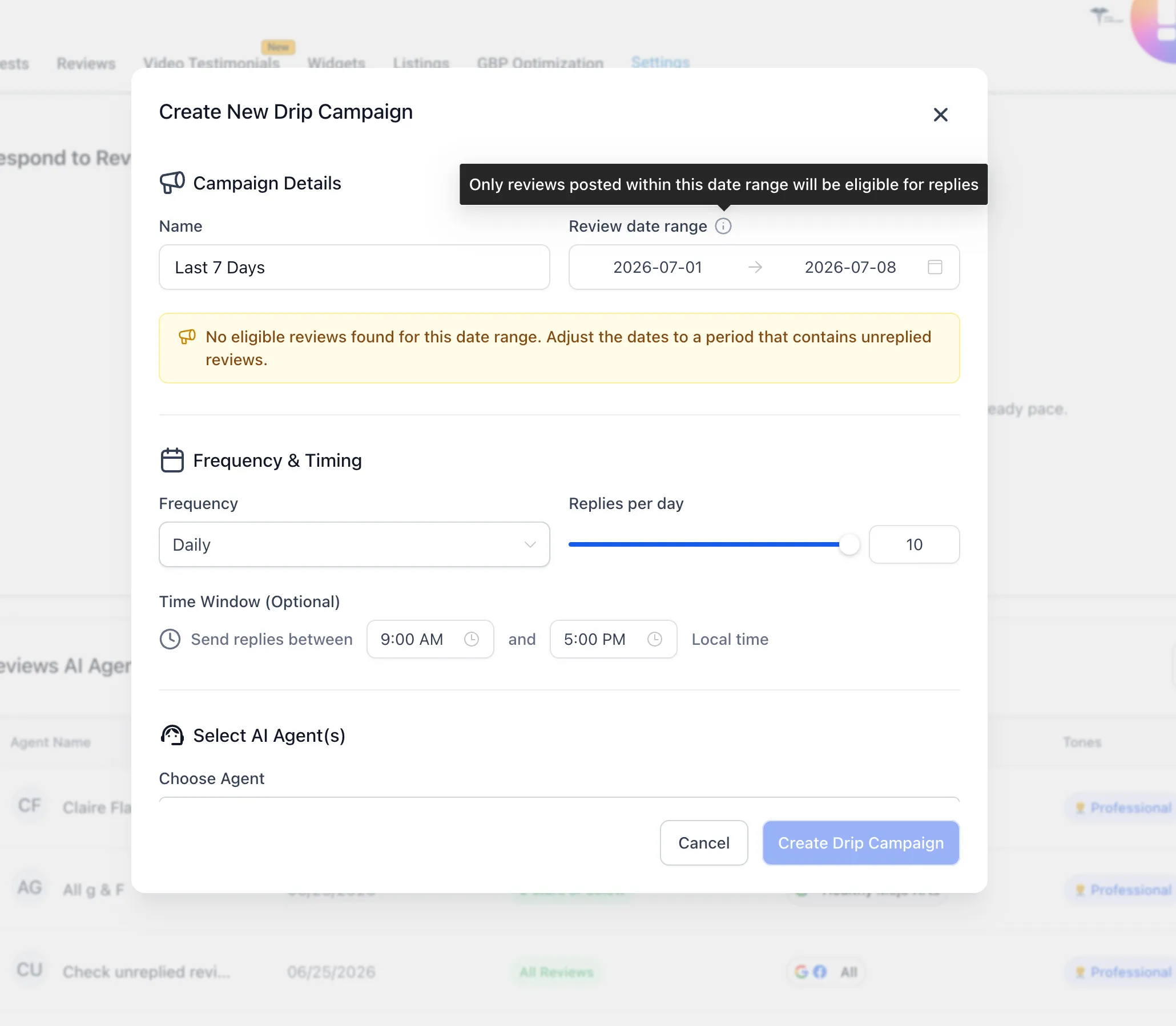
- Choose a Review Date Range.
- Check the eligible review count before starting the campaign.
The count reflects reviews that meet the selected filters. Validation prevents starting a campaign when those filters return no eligible reviews.
Existing campaigns
Existing campaigns that target reviews by age continue to work. Use a date range when you need a particular period, such as reviews received during a past month.
For help configuring a campaign, visit SMBcrm Support.
Release images
Related SMBcrm Features
Need Help Applying This Update?
Want help turning this update into a working part of your CRM, marketing, or automation setup?
Get Started or schedule a demo and we’ll help you map the right next step.