Store Checkout now supports a required consent checkbox for Terms and Conditions and Privacy Policy acceptance before payment. This helps merchants add an explicit agreement step before a customer completes a purchase.
For businesses using SMBcrm for Payments & Commerce, this update adds a simple way to make consent part of the checkout flow.
What Changed
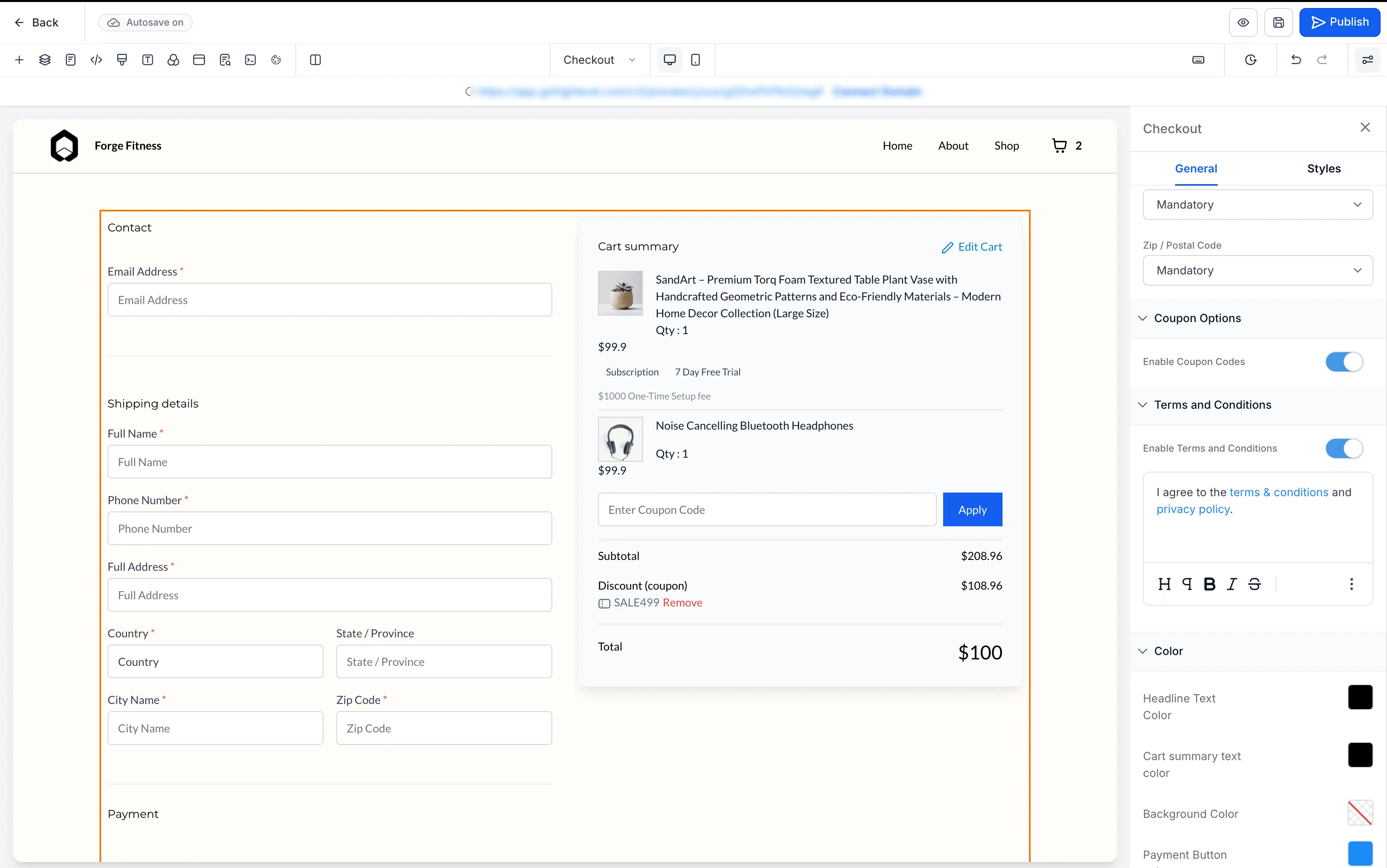
You can now enable a mandatory consent checkbox in the Checkout element settings for your store checkout page.
When enabled:
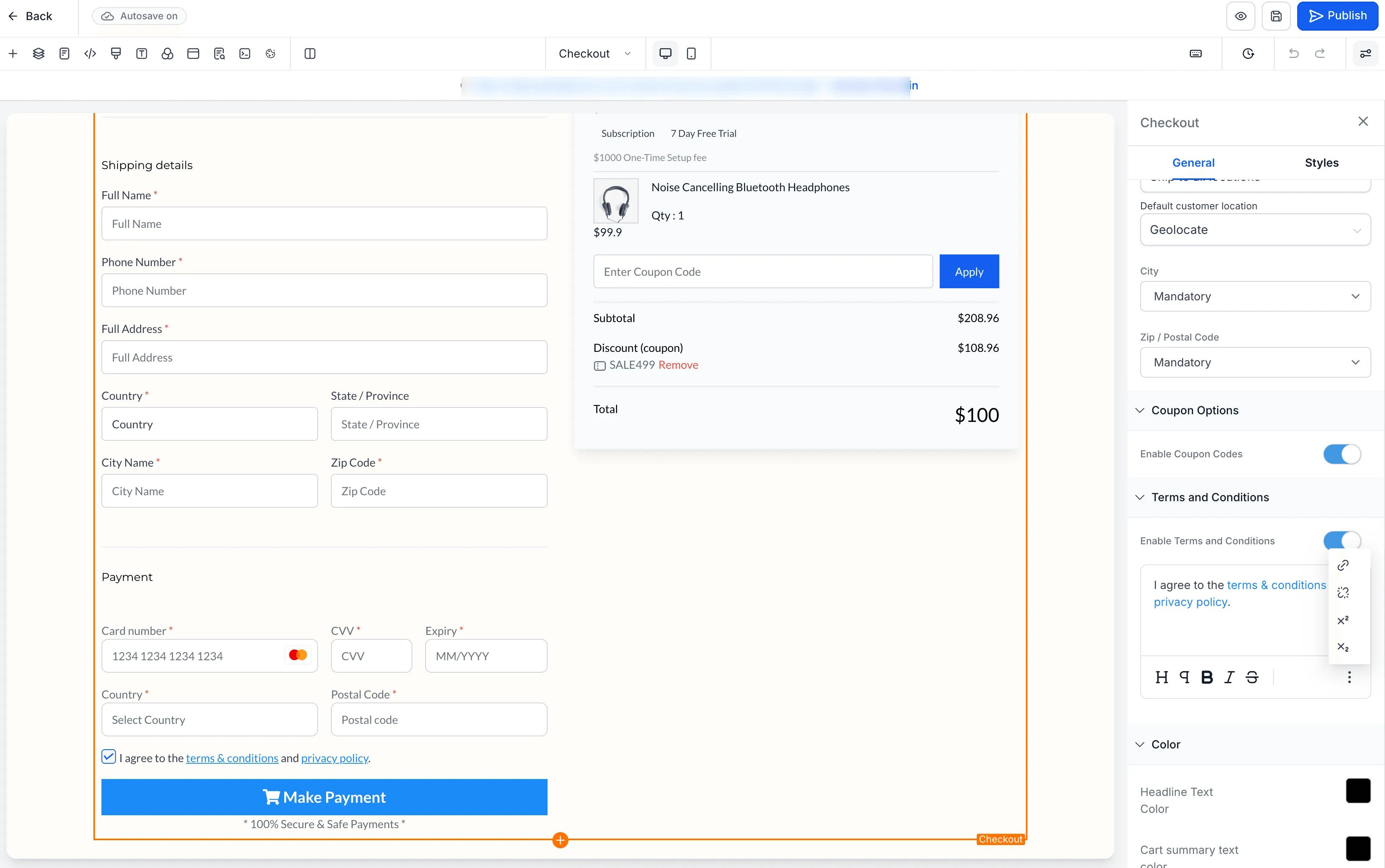
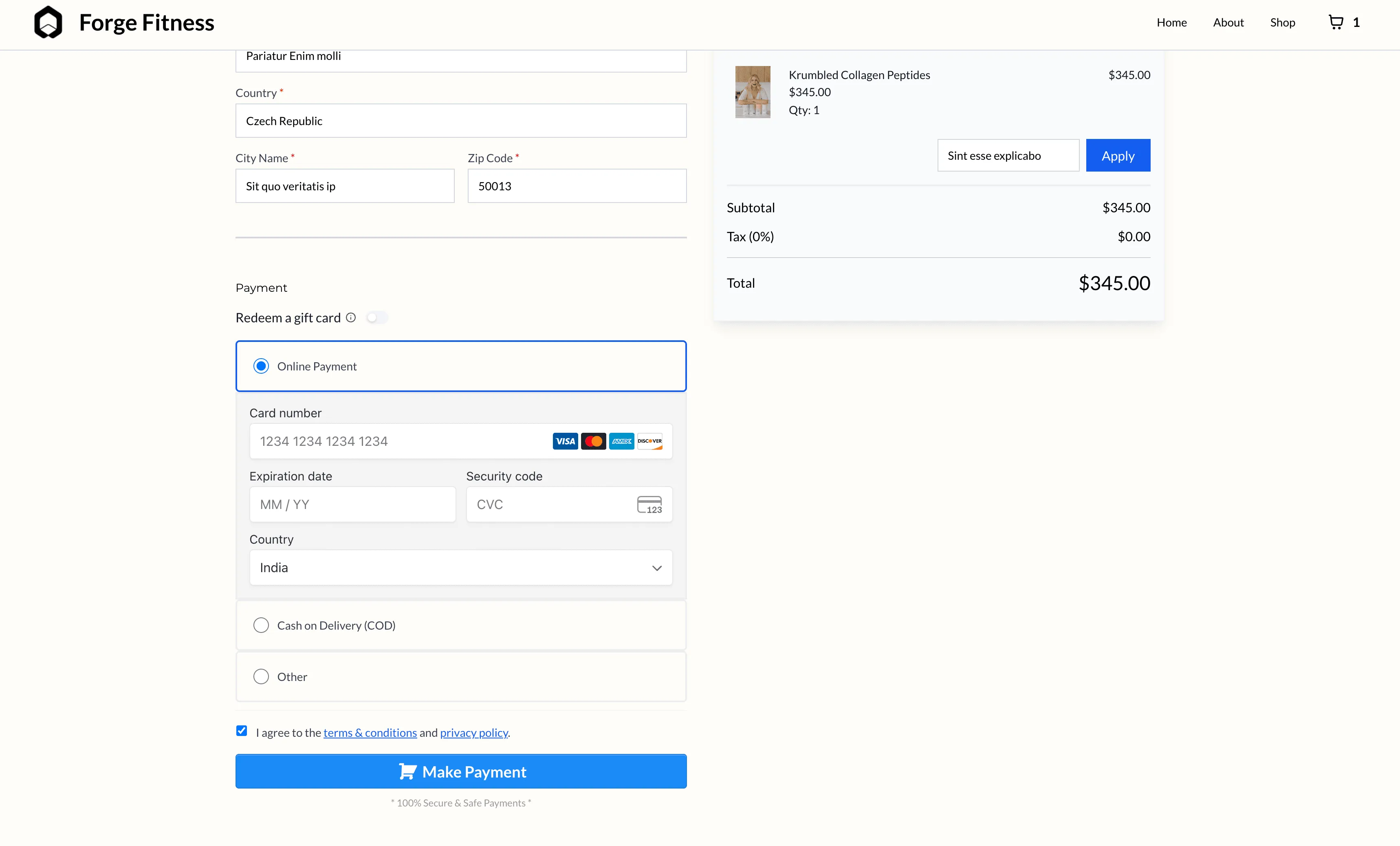
- the checkbox appears before the payment button
- it is unchecked by default
- customers must accept before they can continue
- checkout is blocked until consent is given, with an inline error message
You can also customize the consent text and add links to your Terms and Conditions and Privacy Policy.
How to Use It
- Open your Store Builder and edit the checkout page.
- Select the Checkout element.
- In the right panel, go to Terms and Conditions.
- Turn on Enable Terms and Conditions.
- Edit the text and add your links as needed.
- Save and publish your changes.
Why It Matters
This update helps merchants add a clearer consent step at the final stage before payment. It is supported on desktop and mobile and can help businesses meet compliance requirements, including in the EU, UK, and regulated industries.
In Case You Missed It
You can also read about Locale-Based Currency Formatting for Store Elements.
Release Images
Need Help Applying This Update?
If you’d like help rolling this out in SMBcrm, visit Support or request a demo.