SMBcrm’s AI workflow building experience now supports undo and redo inside the Workflow Builder. When you use AI to create or edit a workflow, you can return to a previous AI-generated version during the same session.
This applies to AI-generated changes such as adding actions, editing existing steps, or restructuring a workflow.
How it works
When building with AI in Automations:
- Open the Workflow Builder and create or edit a workflow using AI.
- Press Ctrl+Z on Windows, or Cmd+Z on Mac, to undo the last AI-generated change.
- Press Ctrl+Y on Windows, or Cmd+Y on Mac, to redo the change you just undid.
- Continue building while your session keeps the available undo history.
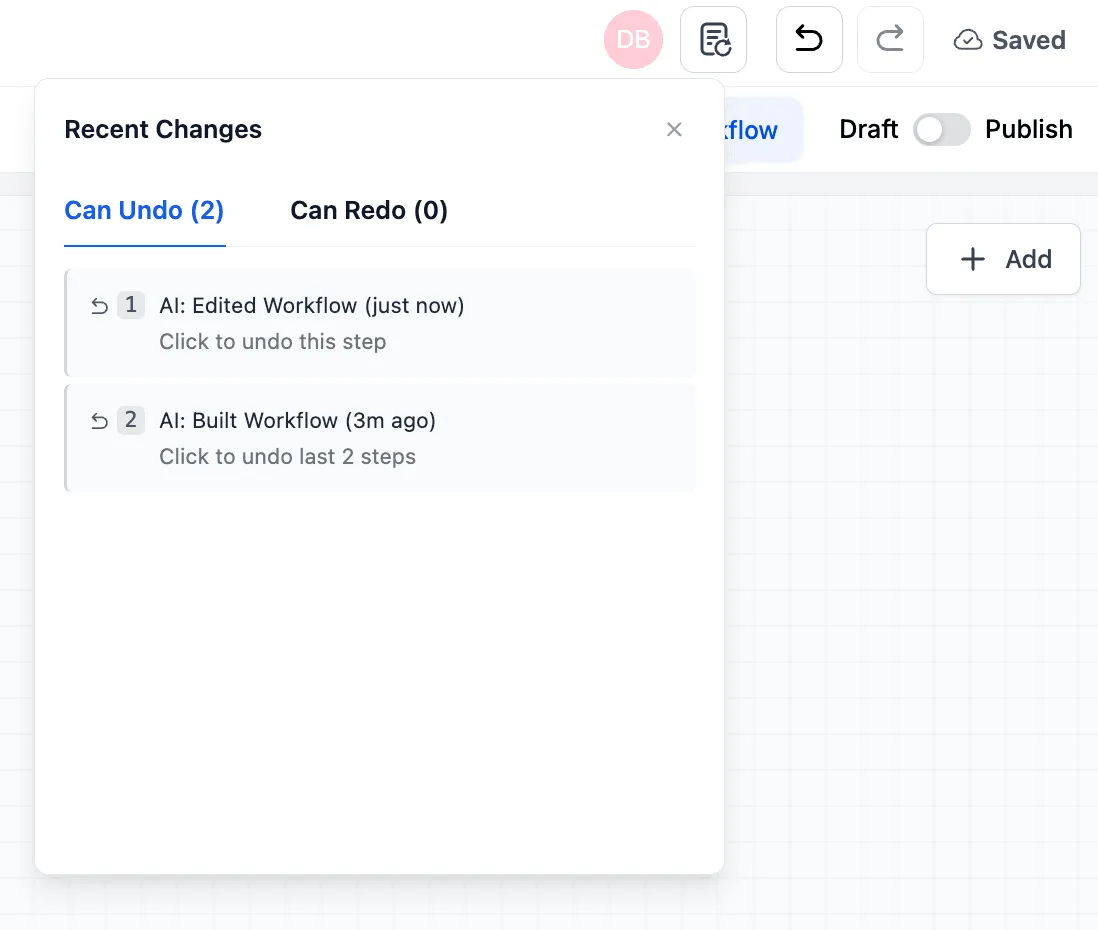
You can also review recent changes from the recent change tab in the top-right corner of the Workflow Builder.
Why it matters
Undo and redo make it easier to experiment with AI-generated workflow changes without losing a working version. If a suggestion does not fit, you can roll back quickly and keep refining the workflow.
In Case You Missed It
Read more about recent improvements in AI Builder for Workflows Gets a Major Upgrade.
Need Help Applying This Update?
Want help turning this update into a working part of your CRM, marketing, or automation setup?
Get Started or schedule a demo and we’ll help you map the right next step.