SMBcrm now gives website and funnel builders page-level publishing control. You can take one page offline, choose what visitors see at its old URL, and leave the rest of the site or funnel live.
Use this when you need to hide outdated content, pause a seasonal promotion, or manage campaign pages without disconnecting a domain.
What changed
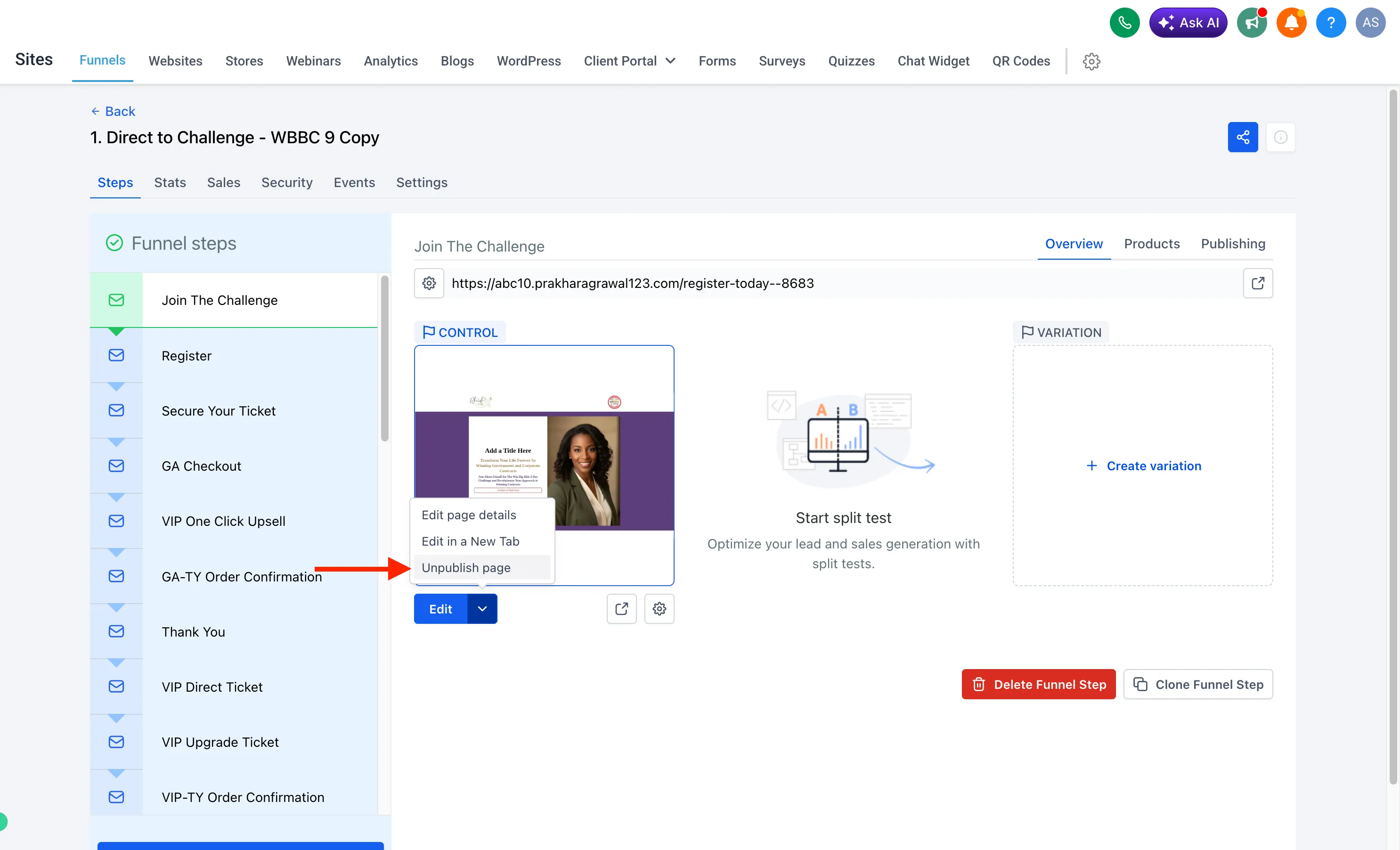
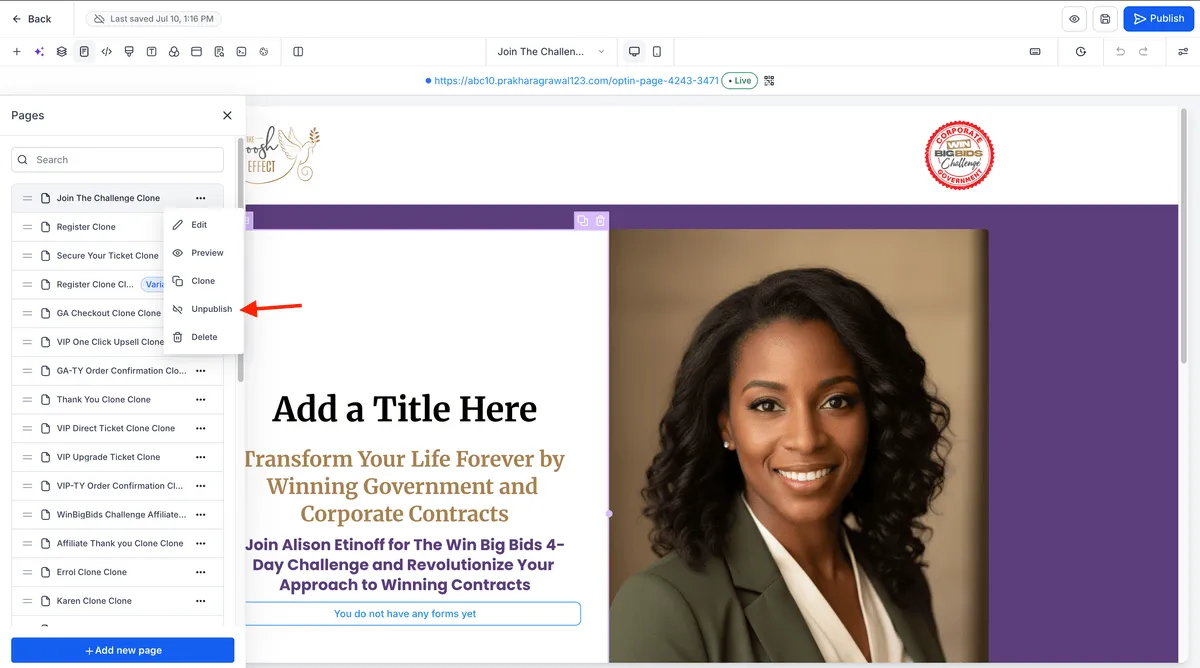
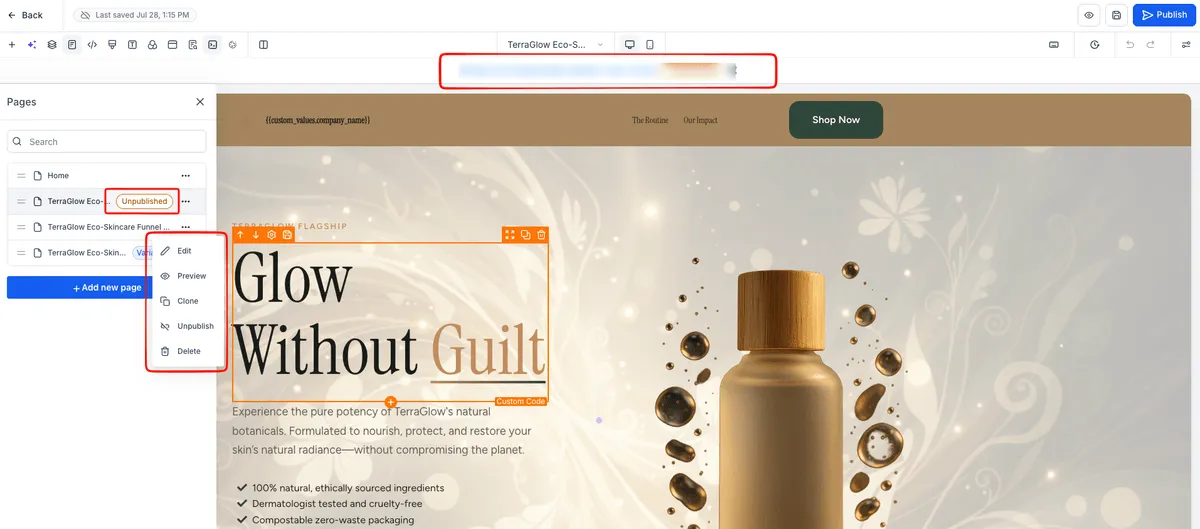
In Websites & Funnels, each page can now be published or unpublished from the page list or from the builder side panel. The page actions menu includes Edit, Preview, Clone, Unpublish, Edit Redirect Link, Publish, and Delete, with available actions changing based on the page status.
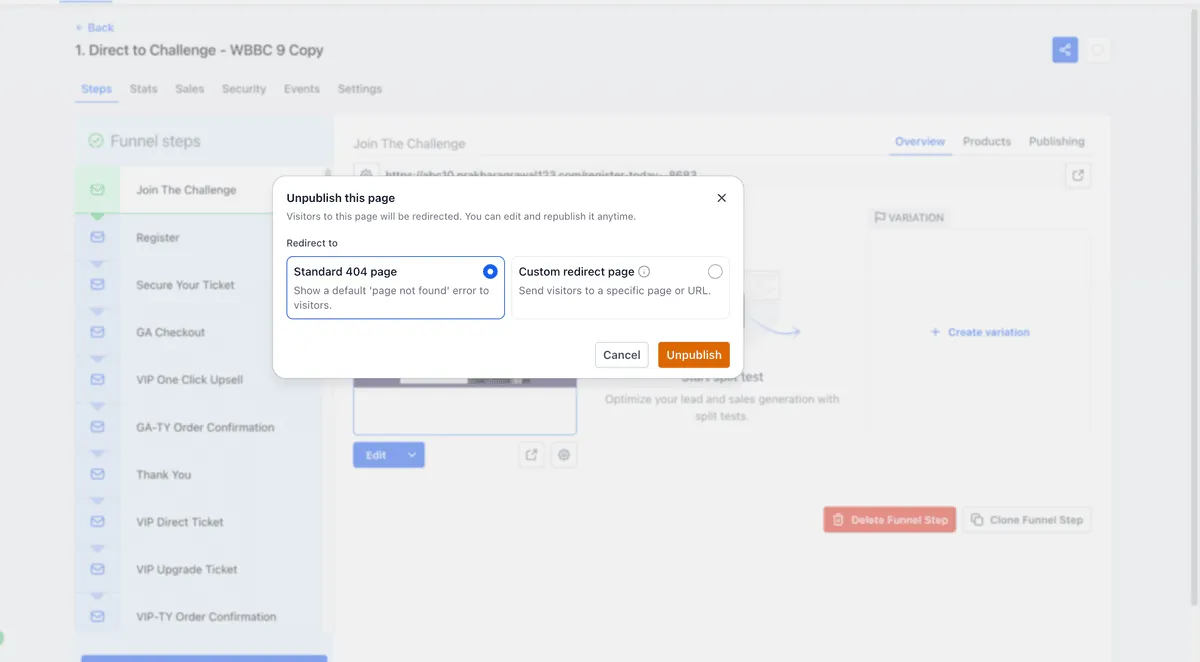
When a page is unpublished, you can choose one redirect behavior:
- Show the standard 404 page.
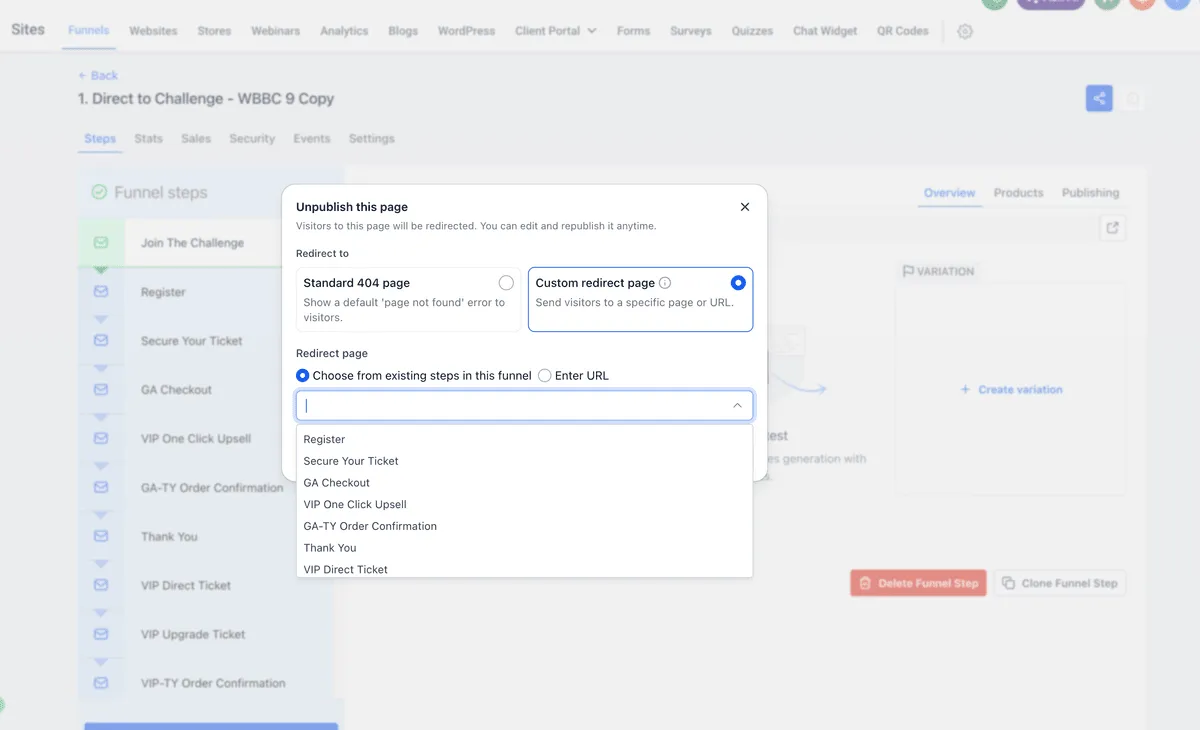
- Redirect visitors to another page in the same website or funnel.
- Redirect visitors to a custom external URL.
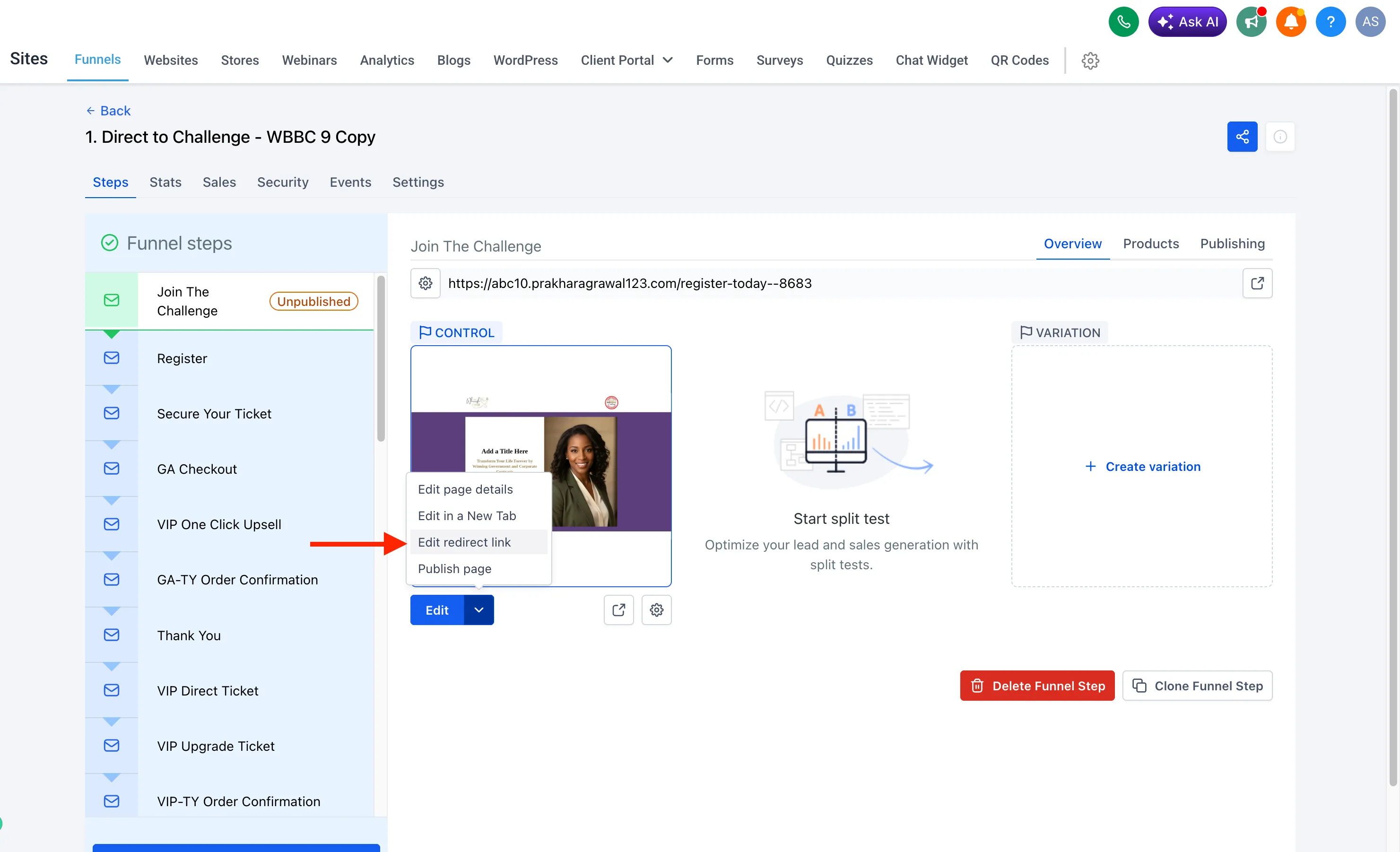
You can also update the redirect later with Edit Redirect Link without changing the page’s unpublished status.
Why it matters
- Keep domains connected: Unpublishing a page does not disrupt the connected domain’s SSL certificate or DNS settings.
- Avoid unnecessary deletes: The page stays editable and can be published again later.
- Route traffic intentionally: If no redirect is provided, visitors are sent to the default 404 page.
- Preserve reporting context: If an A/B test is running on the page, it stops automatically while historical metrics and stats are preserved.
- Reduce navigation errors: Unpublished pages are excluded from page options when setting navigation paths such as buttons or image links.
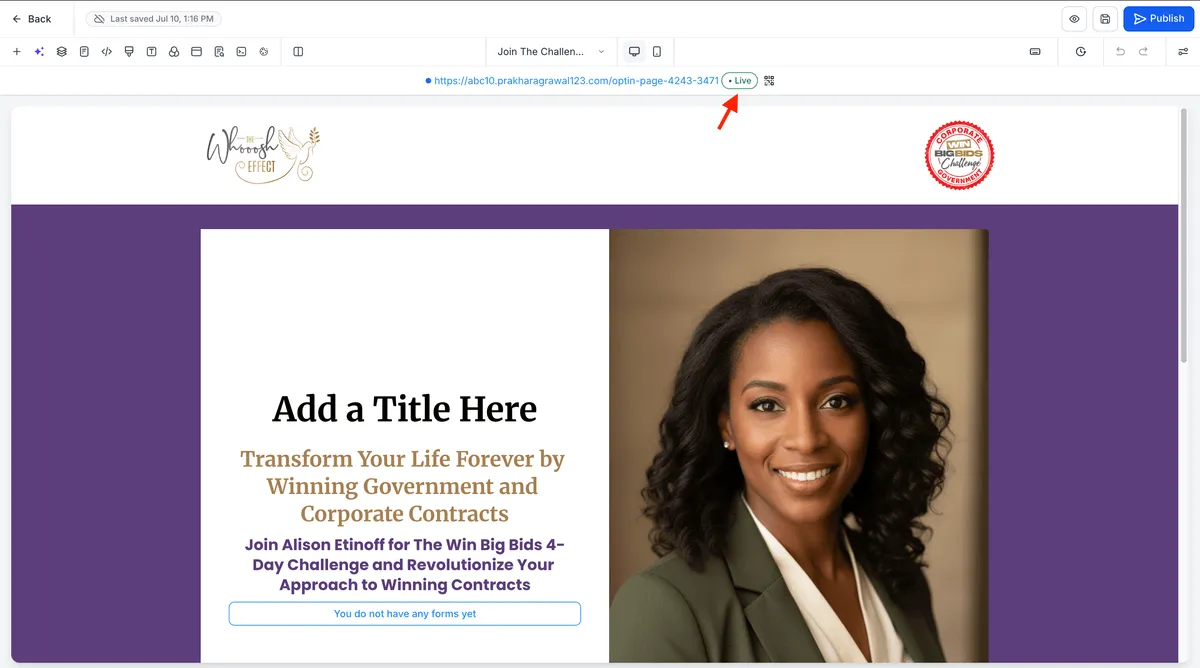
- Improve team visibility: Status changes show who made the change and when, and pages display clear Live or Unpublished status labels.
How to unpublish a page
- Open the website or funnel you want to manage and go to its page list.
- Open the page’s Options menu.
- Select Unpublish.
- Choose the redirect behavior: standard 404, another page in the same website or funnel, or a custom external URL.
- Confirm the change.
The page goes offline immediately, visitors see the selected 404 or redirect behavior, and all other published pages remain unaffected.
Managing status in the builder
The builder header and page list show whether a page is Live or Unpublished. The builder side panel also includes the same page actions, so you can edit, preview, clone, publish or unpublish, update redirects, or delete a page without leaving the builder.
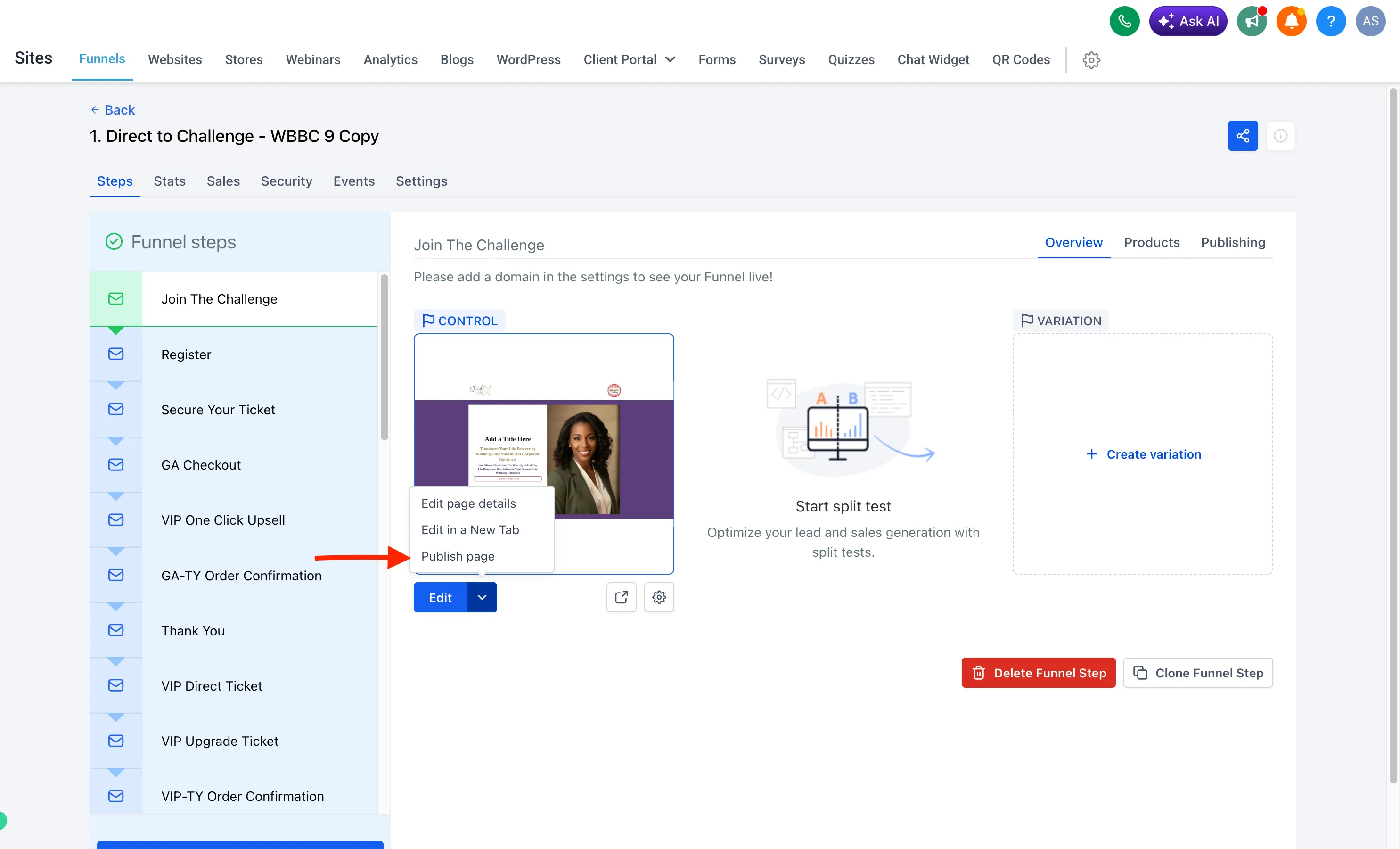
If a website or funnel has no domain attached, publishing a page prompts you to select, purchase, or connect a domain in the same flow.
Release Images
Need Help Applying This Update?
Want help turning this update into a working part of your CRM, marketing, or automation setup?
Get Started or schedule a demo and we’ll help you map the right next step.